How Can You Watch TV On A Projector During The Day
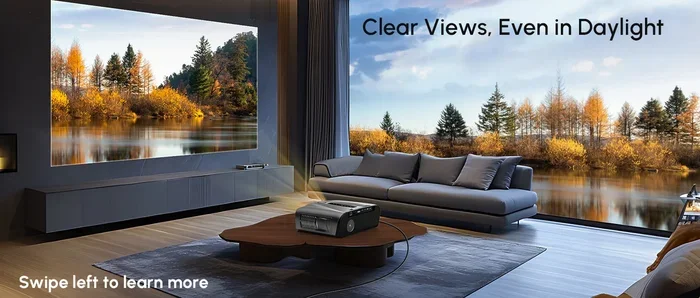
Watching TV on a projector during the day is absolutely possible with the right setup, brightness levels, and screen choice. You can enjoy a big-screen experience even in sunlight by managing ambient light, choosing a high-lumen projector, and using the right projection surface. This guide covers everything from projector placement to screen selection so you can ditch the small TV and go big, even in daylight.
Have you ever tried watching your favorite show on a projector during the day and ended up with a washed-out, barely visible image? You are not alone. Many people wonder whether a projector can even compete with sunlight. The good news is that watching TV on a projector during the day is entirely possible. You just need the right approach.
Whether you want a cinematic experience in your living room or you are setting up an outdoor movie area, daytime projector use comes with its own set of challenges. But do not worry. This guide walks you through every step to make it work. From choosing the right projector to tweaking your room setup, you will find practical tips that actually make a difference.
A projector during the day is not just a novelty. It is a real alternative to traditional TV watching. With the right brightness, screen, and positioning, you can enjoy a big picture even when the sun is shining. Let us dive into how to make that happen.
Key Takeaways
- Daytime viewing is doable: A bright projector with enough lumens can overcome sunlight and deliver a clear picture.
- Screen choice matters a lot: A high-gain or ALR screen can dramatically improve daytime image quality.
- Control ambient light first: Closing curtains, reducing overhead lights, and positioning matter more than you think.
- Placement and angle affect clarity: Getting the projector at the right distance and angle reduces washout and glare.
- You do not need an expensive setup: Even budget projectors can work for daytime TV with a few smart adjustments.
- Contrast and brightness settings make a difference: Tweaking your projector settings can boost daytime visibility significantly.
📑 Table of Contents
- Why Watch TV on a Projector Instead of a Regular TV?
- Understanding Brightness: The Key to Daytime Viewing
- Choosing the Right Screen for Daytime Projector Use
- Room Setup: Controlling Light for the Best Picture
- Projector Settings That Improve Daytime Viewing
- Connecting Your Devices for the Best Experience
- Common Mistakes to Avoid When Watching TV on a Projector During the Day
- Expert Tips for the Best Daytime Projector Experience
- Can You Watch TV on a Projector During the Day? The Final Verdict
Why Watch TV on a Projector Instead of a Regular TV?
Before we get into the how, let us talk about the why. A lot of people are making the switch from a regular TV to a projector. The reasons are simple and compelling.
First, size matters. A projector can display an image anywhere from 80 inches to over 150 inches. No TV on the market comes close to that without costing a fortune. When you use a projector instead of a TV, you get a theater-like experience right in your home.
Second, projectors are more flexible. You can move them from room to room. You can set one up in the backyard for a summer movie night. You can even mount a projector on the ceiling for a unique viewing angle. A TV stays in one place. A projector goes wherever you want it.
Third, projectors are often easier on the eyes. The light from a projector is reflected, not emitted directly into your eyes like a TV screen. This means less eye strain during long movie sessions or binge-watching weekends.
Finally, projectors can be more cost-effective for large-screen viewing. A 75-inch TV is expensive. A projector that delivers a 120-inch image can cost less than half the price. If you want big-screen entertainment without breaking the bank, a projector makes a lot of sense.
Understanding Brightness: The Key to Daytime Viewing
The single biggest factor in daytime projector use is brightness. When sunlight hits your screen, it competes with the image your projector creates. The brighter your projector, the better chance it has of winning that battle.
What Are Lumens and Why Do They Matter?
Lumens measure how bright a projector’s light output is. The higher the lumens, the brighter the image. For nighttime viewing, a projector with 1,500 to 2,000 lumens works great. But for watching TV on a projector during the day, you need significantly more.
Here is a simple breakdown of lumen requirements based on your environment:
- 1,000 to 2,000 lumens: Best for dark rooms only. Not suitable for daytime use without heavy light control.
- 2,000 to 3,000 lumens: Works in rooms with some natural light. Good for early morning or late afternoon viewing.
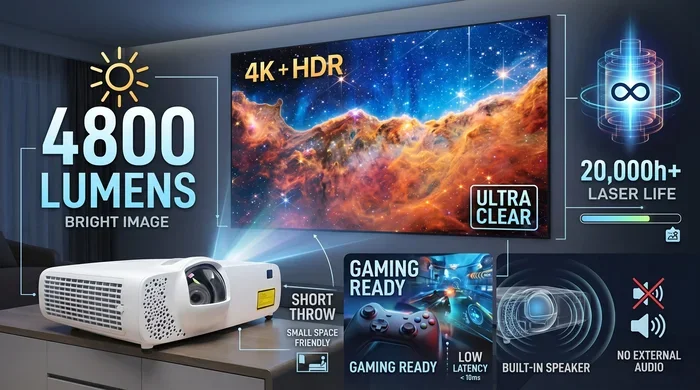
- 3,000 to 5,000 lumens: Ideal for daytime viewing in rooms with windows. Can handle moderate ambient light.
- 5,000+ lumens: Excellent for bright rooms and outdoor setups. These projectors can compete with direct sunlight.
If you are serious about daytime viewing, aim for at least 3,000 lumens. This gives you a solid baseline for a clear, visible image even with some natural light in the room.
Contrast Ratio: The Other Half of the Equation
Brightness alone is not enough. You also need a good contrast ratio. Contrast ratio measures the difference between the brightest whites and the darkest blacks on screen. A high contrast ratio gives you deeper blacks and more vibrant colors.
During the day, ambient light washes out dark areas of the image. A projector with a strong contrast ratio fights back by making the dark areas truly dark and the bright areas truly bright. Look for a contrast ratio of at least 2,000:1 for daytime use. Higher is always better.
Resolution and Image Quality
While brightness and contrast are the most important factors for daytime viewing, resolution still matters. A 1080p projector delivers sharp, clear images that look great on a large screen. If your budget allows, a 4K projector provides even more detail and depth. For most people, though, 1080p is more than enough for a fantastic daytime viewing experience.
Choosing the Right Screen for Daytime Projector Use
The screen you use plays a huge role in how well your projector performs during the day. Not all screens are created equal. Some are designed specifically to fight ambient light, and choosing the right one makes a massive difference.
ALR Screens: Your Best Friend for Daytime Viewing
ALR stands for Ambient Light Rejecting. These screens are designed to reflect projector light directly back to the viewer while absorbing or deflecting ambient light from other sources like windows and overhead lights.
An ALR screen can transform your daytime viewing experience. The image appears sharper, colors pop more, and blacks look deeper. If you plan to watch TV on your projector during the day, an ALR screen is one of the best investments you can make.
White Screens vs. Gray Screens
White screens are the most common and work well in dark rooms. They reflect a lot of light evenly across the surface. However, in bright environments, a white screen can look washed out because it reflects ambient light right back at you.
Gray screens, on the other hand, absorb more ambient light and boost contrast. They are a popular choice for rooms that get a fair amount of natural light. A gray screen does not make your image as bright as an ALR screen, but it is a more affordable option that still improves daytime visibility.
Can You Use a Wall or White Sheet Instead?
Yes, you can project directly on a wall or use a white bedsheet as a makeshift screen. But the results during the day will not be as good. Walls and sheets do not have the specialized coatings that dedicated projector screens have. They reflect ambient light more evenly, which washes out the image.
If you are projecting directly on the wall, you will get better results in a room where you can control the light. For the best daytime experience, invest in a proper screen. Even a basic one will outperform a bare wall in bright conditions.
Some people also use black cloth for projector setups to improve contrast in specific areas of the image. This is a creative trick that can help reduce light spill and improve the perceived quality of your picture.
Room Setup: Controlling Light for the Best Picture
No matter how bright your projector is, you will struggle with daytime viewing if the room is not set up properly. Controlling ambient light is just as important as the projector itself.
Window Treatments
The biggest source of ambient light during the day is sunlight coming through windows. Blackout curtains or blinds are your best defense. Close them before you start watching, and you will immediately notice a difference in image quality.
If you do not want to block all the light, try partially closing the blinds. This reduces the harshest sunlight while still keeping the room from feeling completely dark. Finding the right balance depends on your room and the direction your windows face.
Overhead Lighting
Bright overhead lights can also wash out your projector image. If possible, turn off or dim the main lights in the room. For a softer atmosphere, use floor lamps or side lamps placed away from the screen. This keeps the room comfortable without killing the image quality.
Projector Placement and Angle
Where you place the projector matters more than most people realize. The ideal setup puts the projector at a height and angle that minimizes the light hitting the screen from above or below. This reduces glare and improves the overall picture.
Here are some placement tips for daytime viewing:
- Mount the projector above eye level: This reduces the amount of ambient light hitting the lens directly.
- Keep the projector centered with the screen: Off-center placement can cause distortion and reduce brightness in parts of the image.
- Minimize the distance between the projector and the screen: Shorter throw distances can help maintain image brightness.
- Avoid placing the projector where light sources hit the lens: Even a small amount of stray light hitting the lens can reduce image quality significantly.
Using a Projector in a Room Without Windows
If you have a room with no windows or that you can completely darken, you are in luck. A projector in a windowless room performs beautifully during the day because there is no competing ambient light. Many people convert basements, spare bedrooms, or media rooms into dedicated projector viewing areas for this exact reason.
Projector Settings That Improve Daytime Viewing
Most projectors come with settings specifically designed for different viewing environments. Tweaking these settings can make a big difference in how your image looks during the day.
Brightness and Color Settings
Start by increasing the brightness setting on your projector. This pushes more light through the image and helps it compete with ambient light. However, do not crank it all the way up. Too much brightness can wash out colors and make the image look flat.
Next, adjust the color settings. Boosting the saturation slightly can help colors pop more in bright environments. But keep it natural. Over-saturated colors look fake and tire your eyes quickly.
Using Dynamic or Bright Modes
Many projectors include a “Dynamic” or “Bright” mode that is specifically designed for well-lit environments. These modes increase the lamp output and adjust the color profile to maximize visibility in ambient light. Switching to this mode is one of the easiest ways to improve daytime image quality.
Keep in mind that these modes use more power and can shorten the lamp life slightly. But for a movie afternoon or a daytime TV session, the trade-off is absolutely worth it.
Keystone Correction and Focus
Make sure your image is in sharp focus before you start watching. A blurry image is even harder to see in bright conditions. Most modern projectors have auto-focus features that handle this for you.
Keystone correction adjusts the shape of the image if the projector is not perfectly aligned with the screen. Use it sparingly, though. Heavy keystone correction can reduce image quality and sharpness. The best approach is to position the projector as straight as possible and only use minor keystone adjustments.
Connecting Your Devices for the Best Experience
Once your projector is set up and your room is optimized, you need to connect your TV source. This could be a cable box, streaming device, gaming console, or even your phone.
HDMI Connections
HDMI is the gold standard for connecting devices to a projector. It carries both video and audio through a single cable and supports high-definition content. Most modern projectors have at least one HDMI port, and many have two or more.
Use a high-quality HDMI cable to ensure the best signal. A cheap or damaged cable can cause flickering, signal loss, or reduced image quality. If your device is far from the projector, consider using an HDMI extender to maintain a strong connection.
Wireless Streaming and Screen Mirroring
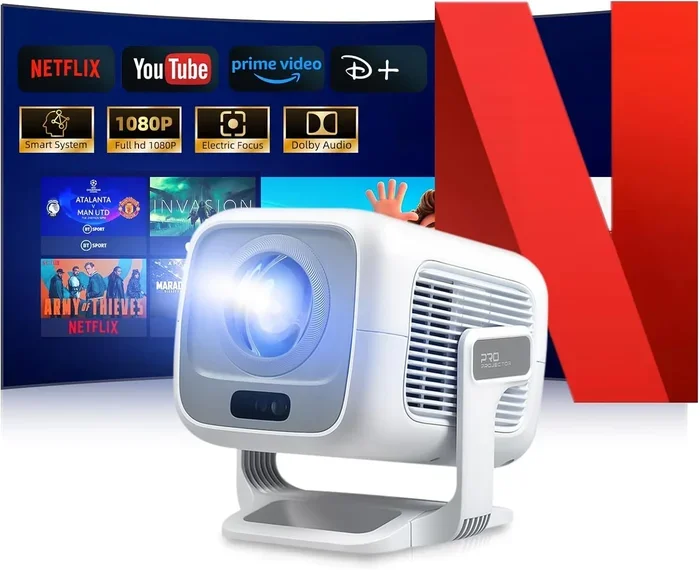
If you want to go cable-free, wireless streaming is a great option. Many projectors now come with built-in smart features that let you stream content directly. Some even support apps like Netflix, YouTube, and Disney+.
You can also mirror your phone or tablet to the projector. If you want to mirror your iPhone to a projector, you can use AirPlay-compatible projectors or an adapter. This is perfect for sharing photos, videos, or even streaming from your phone on a big screen during the day.
Audio Setup for Projectors
Most projectors have built-in speakers, but they are often weak and lack depth. For a better audio experience, connect external speakers or a soundbar. You can use Bluetooth speakers for wireless convenience, or run an HDMI audio extractor for higher-quality sound.
If you want to use a smart speaker as a speaker, you can even use Alexa as a Bluetooth speaker to stream audio from your projector. This is a simple and affordable way to boost your sound without a complicated setup.
Common Mistakes to Avoid When Watching TV on a Projector During the Day
Even with the best projector and screen, some common mistakes can ruin your daytime viewing experience. Here are the pitfalls to watch out for.
- Using a low-lumen projector in a bright room: This is the number one mistake. If your projector does not have enough brightness, no amount of screen or room setup will save the image.
- Ignoring ambient light sources: Even a single desk lamp pointed at the screen can dramatically reduce image quality. Be mindful of all light sources in the room.
- Choosing the wrong screen: A standard white screen in a bright room will look terrible. Invest in a screen designed for ambient light rejection.
- Placing the projector too far from the screen: Longer throw distances reduce brightness. Keep the projector at the recommended distance for your screen size.
- Forgetting to clean the lens: Dust and fingerprints on the projector lens scatter light and reduce clarity. Clean your lens regularly with a soft microfiber cloth.
- Not adjusting projector settings for the environment: Using a nighttime mode during the day will make your image dim and hard to see. Always switch to the appropriate mode.
Expert Tips for the Best Daytime Projector Experience
Here are some pro tips that can take your daytime projector setup to the next level.
- Schedule your viewing wisely: The best time to watch TV on a projector during the day is in the early morning or late afternoon when the sun is lower and less direct. Midday sunlight is the hardest to overcome.
- Use a projector with a higher refresh rate: A 60Hz projector is fine for most content, but a 120Hz projector delivers smoother motion, which is great for sports and action movies.
- Consider a short-throw projector: These projectors can be placed close to the screen, reducing the chance of shadows and stray light hitting the lens.
- Test your setup at different times of day: Light conditions change throughout the day. Test your setup in the morning, afternoon, and evening to find the sweet spot.
- Combine a projector with a TV for flexibility: Some setups use a projector for movie nights and a regular TV for daytime viewing. This gives you the best of both worlds without compromising on either.
Can You Watch TV on a Projector During the Day? The Final Verdict
The answer is a resounding yes. Watching TV on a projector during the day is not only possible, it can be a genuinely great experience. The key is to understand what makes daytime viewing challenging and to address each challenge with the right equipment and setup.
You need a bright projector with enough lumens to compete with sunlight. You need a screen designed to handle ambient light. You need to control the light in your room as much as possible. And you need to adjust your projector settings to match the conditions.
When you get all of these elements right, the result is a big, vibrant, clear image that makes movie and TV watching feel like a true event. Whether you are in a living room with controlled light or setting up outdoors for a backyard gathering, a projector can deliver a TV experience that no regular screen can match.
So do not let the sun stop you. With the right setup, your projector is ready to shine, even in broad daylight.
Frequently Asked Questions
What lumens do I need to watch TV on a projector during the day?
For daytime viewing, you should aim for at least 3,000 lumens. This brightness level can compete with moderate ambient light and deliver a clear, visible image. If your room gets a lot of direct sunlight, consider a projector with 5,000 lumens or more for the best results.
Can I use a regular white wall as a projector screen during the day?
You can, but the results will not be as good as a dedicated projector screen. White walls reflect ambient light evenly, which washes out the image in bright conditions. For the best daytime picture, use an ALR screen or at least a gray screen designed to reject ambient light.
Is it better to watch a projector during the morning or afternoon?
Morning and late afternoon are generally better than midday. The sun is lower and less direct during these times, which means less harsh light hitting your screen. If you can schedule your viewing around these times, you will get a noticeably better picture.
Do I need a special projector to watch TV during the day?
You do not need a special projector, but you do need one with high enough brightness for daytime use. Standard home projectors with 3,000 lumens or more can work well if you also control the ambient light in your room. Higher-end models with 5,000 lumens or more perform best in bright environments.
Can I use a projector outdoors during the day?
Outdoor daytime projector use is more challenging because you cannot control the sunlight. It works best on overcast days or in shaded areas. For the best results outdoors, use a high-lumen projector with an ALR screen and position the screen away from direct sunlight.
How can I improve my projector’s daytime image without buying new equipment?
You can improve daytime image quality without spending money by closing curtains, turning off overhead lights, cleaning the projector lens, switching to a bright or dynamic mode, and adjusting the projector’s position to reduce glare. These simple changes can make a surprisingly big difference.
=== CONCLUSION ===
Watching TV on a projector during the day is a fantastic way to enjoy big-screen entertainment without waiting for nightfall. The secret lies in choosing a bright projector, using the right screen, controlling ambient light, and tweaking your settings to match the conditions. With the tips and strategies in this guide, you can transform any room into a daytime viewing space that delivers stunning, clear images even in sunlight.
Start with the basics, experiment with your setup, and adjust as you go. You will be surprised at how much of a difference these changes make. So grab some popcorn, dim the lights a bit, and enjoy your favorite shows on a big screen, any time of day.