Do Car Bluetooth Adapters Work With Your Car Audio
Car Bluetooth adapters are an easy, affordable way to add wireless audio streaming and hands-free calling to any vehicle. They work with almost any car stereo that has an auxiliary input or FM radio, turning your old system into a modern wireless setup. In this guide, we cover how they function, what to look for, setup tips, and common mistakes to avoid.
Do car Bluetooth adapters actually work? The short answer is yes. They absolutely do. If you have an older car stereo or a vehicle that lacks built-in wireless connectivity, a car Bluetooth adapter can transform your listening experience in minutes. You get wireless audio streaming, hands-free calling, and a clutter-free cabin without spending hundreds on a new stereo system.
In this article, we will walk through everything you need to know about car Bluetooth adapters. We will cover how they work, what features matter, how to set them up, and the common pitfalls that trip people up. Whether you drive a sedan, truck, or SUV, this guide has you covered.
Key Takeaways
- Car Bluetooth adapters work reliably: They are compatible with most car stereos and audio systems, making wireless streaming simple.
- Setup is quick and easy: Most adapters pair with your phone in under a minute and require no permanent modifications.
- Audio quality has improved a lot: Modern adapters support aptX and HD codecs for clear, rich sound.
- Hands-free calling is a major benefit: You can make and take calls safely without touching your phone.
- Not all adapters are equal: Range, codec support, and build quality vary, so choosing the right one matters.
- Common mistakes can ruin the experience: Avoid interference, outdated firmware, and poor placement for the best results.
📑 Table of Contents
- What Exactly Is a Car Bluetooth Adapter?
- Do Car Bluetooth Adapters Really Work? Yes, Here Is Why
- Key Features to Look For in a Car Bluetooth Adapter
- How to Set Up Your Car Bluetooth Adapter
- Common Mistakes People Make With Car Bluetooth Adapters
- Car Bluetooth Adapters vs. Other Wireless Options
- Can You Use a Bluetooth Transmitter for Your Car?
- How to Get the Best Sound Quality From Your Car Bluetooth Adapter
- Are Car Bluetooth Adapters Worth It?
- Final Thoughts
What Exactly Is a Car Bluetooth Adapter?
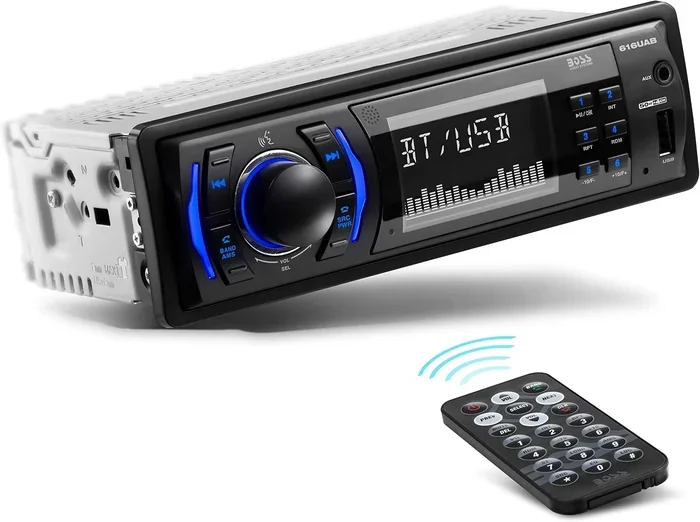
A car Bluetooth adapter is a small device that connects your smartphone to your car’s audio system wirelessly. It bridges the gap between your phone’s Bluetooth capability and your car stereo’s input. Some adapters plug into your aux port. Others broadcast an FM signal that your car radio can pick up. Either way, the goal is the same: wireless audio streaming without wires or hassle.
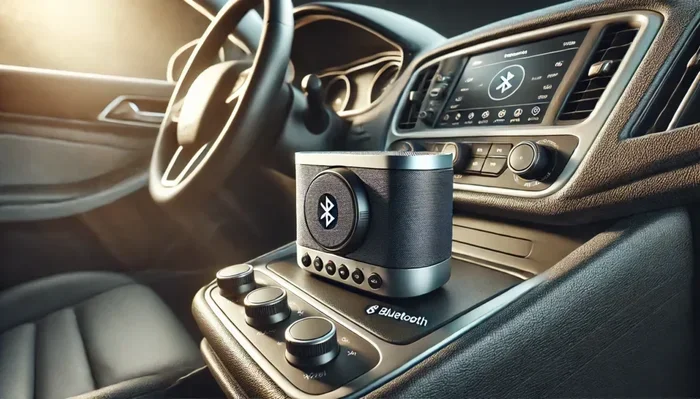
These devices come in different shapes and sizes. Some are compact and plug directly into your cigarette lighter or USB port. Others are larger units that mount on your dashboard. The key thing to know is that they all serve one purpose: giving your car wireless connectivity for music, podcasts, and phone calls.
How Do They Connect to Your Car?
Most car Bluetooth adapters use one of three connection methods:
- Aux input: The adapter plugs directly into your car’s 3.5mm aux port. This gives the cleanest audio signal.
- FM transmitter: The adapter broadcasts music on an empty FM frequency. Your car radio tunes to that frequency and plays the audio.
- USB connection: Some adapters connect via USB and integrate with your car’s built-in system for a seamless experience.
Each method has its pros and cons. Aux connections offer the best sound quality. FM transmitters work with almost any car but can pick up interference. USB connections provide charging and stable pairing but depend on your car’s compatibility.
Do Car Bluetooth Adapters Really Work? Yes, Here Is Why
The short answer is a firm yes. Car Bluetooth adapters work reliably for millions of drivers every single day. They use the same Bluetooth technology that powers your wireless earbuds, smart speakers, and fitness trackers. The technology is mature, stable, and widely supported.
When you pair your phone with a bluetooth adapter, your phone sends audio data over a short-range wireless signal. The adapter receives that signal and converts it into an analog audio output that your car stereo can play. This process happens in real time with barely any delay. For music and podcasts, the experience is seamless.
One thing to keep in mind is that bluetooth compatibility depends on both your phone and the adapter. Most modern smartphones support Bluetooth 4.0 or higher, which is more than enough for a smooth connection. Older phones may work too, but you could experience shorter range or lower audio quality.
Wireless Audio Streaming: What to Expect
With a good car Bluetooth adapter, you can stream music from Spotify, Apple Music, YouTube, and any other app on your phone. The audio plays through your car speakers just like it would with a wired connection. The difference is you do not have to deal with cables, dangling cords, or limited range.
Here is what you can typically expect from a wireless car kit:
- Streaming range of 10 to 30 feet
- Stable connection in most driving conditions
- Support for music and podcast apps
- Quick pairing with most smartphones
- Battery life of 8 to 15 hours on a single charge
As long as your phone is within range and the adapter has power, the connection stays solid. You can drive across town and your music will keep playing without interruption.
Key Features to Look For in a Car Bluetooth Adapter
Not all car Bluetooth adapters are created equal. Some deliver excellent sound and rock-solid connections. Others are cheap and frustrating to use. Knowing what to look for helps you pick the right one for your needs and budget.
Bluetooth Version and Codec Support
The Bluetooth version matters more than most people realize. Newer versions offer better range, lower power consumption, and improved audio quality. Look for adapters that support Bluetooth 4.2 or higher. These versions handle wireless audio streaming more efficiently and connect faster.
Codec support is equally important. A codec is the technology that compresses and sends audio data. Adapters that support aptX or aptX HD codecs deliver noticeably better sound quality than basic Bluetooth. If audio fidelity matters to you, prioritize adapters with codec support.
Hands-Free Calling Capability
A great car Bluetooth adapter does more than play music. It also lets you make and take calls hands-free. This is a major safety benefit. You can answer calls through your car speakers and use the adapter’s built-in microphone to speak. Your phone stays in your pocket or bag, keeping your hands on the wheel.
Look for adapters with noise cancellation for clearer call quality. This feature reduces road noise and wind interference so the person on the other end can hear you well.
Power Source and Battery Life
Most bluetooth adapters for cars run on rechargeable batteries. A full charge typically lasts between 8 and 15 hours, which is more than enough for daily commutes and road trips. Some adapters plug directly into your car’s power outlet, which means they never run out of battery but stay permanently mounted.
Consider your driving habits when choosing. If you take long road trips, a battery-powered adapter with a long charge life works well. If you mostly do short commutes, a USB-powered adapter that draws power from your car is a great option.
How to Set Up Your Car Bluetooth Adapter
Setting up a car Bluetooth adapter is surprisingly simple. Most people have it running in under five minutes. Here is a step-by-step guide that works for the vast majority of adapters on the market.
Step 1: Charge the adapter fully. Before you do anything else, plug the adapter into a USB charger and let it charge for at least two hours. A full battery ensures a stable pairing process.
Step 2: Plug it into your car. Insert the adapter into your aux port, USB port, or cigarette lighter, depending on the model. If you are using an FM transmitter style, you will also need to tune your car radio to the correct frequency.
Step 3: Turn on Bluetooth on your phone. Go to your phone’s settings and enable Bluetooth. Make sure it is visible to nearby devices.
Step 4: Pair the devices. Put the adapter into pairing mode (usually by holding down a button). Your phone should detect the adapter within a few seconds. Tap on it to connect.
Step 5: Start playing music. Open your music app and hit play. The audio should stream through your car speakers instantly.
Once paired, the adapter will remember your phone. Future connections happen automatically as long as Bluetooth is turned on in your car. This makes daily use effortless.
Quick Tips for a Smooth Setup
- Keep your phone within arm’s reach during the first pairing.
- Restart both devices if the connection fails the first time.
- Check that your car stereo is set to the right input source.
- Update your phone’s software for the best bluetooth compatibility.
- Place the adapter in a central location for the strongest signal.
Common Mistakes People Make With Car Bluetooth Adapters
Even though car Bluetooth adapters are easy to use, people still run into problems. Most issues come from simple mistakes that are easy to avoid.
Placing the Adapter in a Bad Spot
Where you put your adapter affects everything. If you tuck it under a seat or behind a dashboard, the Bluetooth signal can weaken. Metal panels, other electronics, and even your body can interfere with the signal. Keep the adapter in a visible, central spot for the best wireless connectivity.
Ignoring Interference
FM transmitter adapters are especially prone to interference from nearby radio stations. If your music sounds scratchy or keeps cutting out, try switching to a different FM frequency. Empty frequencies in the 87.5 to 108.0 range usually work best. You can also move the adapter closer to your car antenna for a stronger signal.
Using an Old or Outdated Adapter
Older bluetooth adapters may not support the codecs and features that modern smartphones expect. If your adapter is several years old, consider upgrading to a newer model. The improvement in sound quality and connection stability is noticeable.
Forgetting to Charge the Adapter
This sounds obvious, but it happens more often than you would think. A dead adapter means no music and no calls. Make it a habit to charge your adapter overnight so it is always ready to go.
Not Checking Compatibility
Before buying an adapter, make sure it works with your car’s audio system. If your car has a USB input, a USB-powered adapter is ideal. If it only has an aux port, make sure the adapter you choose supports aux output. Checking bluetooth compatibility upfront saves a lot of frustration.
Car Bluetooth Adapters vs. Other Wireless Options
There are several ways to add wireless audio to your car. Let us compare the most popular options so you can decide what works best for you.
| Option | Pros | Cons |
|---|---|---|
| Car Bluetooth Adapter | Affordable, easy to install, works with any car | May need frequent charging, some models have lower audio quality |
| Firmware Car Stereo Upgrade | Built-in Bluetooth, premium sound, permanent solution | Expensive, requires professional installation |
| FM Transmitter Only | No wiring, portable, cheap | Prone to interference, limited audio quality |
| Aux Cable | Simple, reliable, no charging needed | Wired, limited range, cable clutter |
If you want a balance of price, ease, and functionality, a car Bluetooth adapter is hard to beat. It gives you wireless streaming and hands-free calling without any permanent changes to your vehicle. For a deeper dive into turning your car radio into a Bluetooth system, check out our guide on Can I Turn My Car Radio Into Bluetooth.
If you are considering a more permanent solution, you might also want to explore how to make your car radio Bluetooth capable without replacing the whole unit. Our article on Can I Make My Car Radio Bluetooth Capable covers this in detail.
Can You Use a Bluetooth Transmitter for Your Car?
Yes, you can. A Bluetooth transmitter works similarly to a car Bluetooth adapter. It connects to your car stereo and sends audio wirelessly from your phone. The main difference is that transmitters often work in both directions. They can also send audio from your car to wireless headphones, which is great for passengers who want to listen privately.
Using a Bluetooth transmitter for your car is a smart choice if you want flexibility. You get wireless music streaming and the ability to connect wireless headphones for late-night drives or naps while someone else drives. To learn more about this option, visit our article on Can I Use a Bluetooth Transmitter for My Car.
One thing to note is that transmitters tend to be a bit pricier than basic adapters. But if you value versatility, the extra cost is worth it.
How to Get the Best Sound Quality From Your Car Bluetooth Adapter
You do not have to settle for mediocre sound just because you are using wireless streaming. A few simple steps can dramatically improve the audio quality from your car Bluetooth adapter.
- Choose an adapter with aptX support. This codec delivers near-lossless audio over Bluetooth. Your music will sound richer and more detailed.
- Keep your phone close to the adapter. The closer they are, the stronger the signal and the better the audio quality. Do not leave your phone in the back seat if you can avoid it.
- Use a high-quality aux cable for wired adapters. A cheap aux cable can degrade the signal. Invest in a well-shielded cable for cleaner sound.
- Adjust your phone’s audio settings. Some phones have EQ settings that can boost bass or treble. Experiment with these to find your preferred sound profile.
- Keep the adapter firmware updated. Manufacturers often release updates that improve connection stability and audio performance.
Following these tips ensures you get the most out of your wireless car kit. The difference between a cheap adapter and a quality one is night and day when you know how to optimize the setup.
Are Car Bluetooth Adapters Worth It?
The short answer is yes, absolutely. Car Bluetooth adapters are one of the best affordable upgrades you can make to your vehicle. They cost between $15 and $50 for most quality models, which is a fraction of what a new stereo system would cost. For that small investment, you get wireless music streaming, hands-free calling, and a cleaner, less cluttered cabin.
If you drive an older car without built-in Bluetooth, an adapter is a no-brainer. If you have a newer car but the built-in system is unreliable or outdated, a dedicated bluetooth adapter often delivers better performance than the factory system.
The convenience alone is worth the price. No more fumbling with cables, no more holding your phone while driving, and no more worrying about scratched CDs or full storage on your device. Everything streams wirelessly and works the moment you get in the car.
Final Thoughts
Car Bluetooth adapters are a simple, effective, and affordable way to modernize your car’s audio system. They work with virtually any vehicle, pair quickly with your smartphone, and deliver reliable wireless streaming for music, podcasts, and calls. The technology is mature, the devices are widely available, and the setup takes just minutes.
Whether you choose a compact aux adapter, an FM transmitter, or a full-featured wireless car kit, you will enjoy the freedom of wireless audio in your car. Just pick a quality model, follow the setup tips in this guide, and avoid the common mistakes we covered. You will be streaming wirelessly in no time.
If you are curious about other ways to upgrade your car audio, check out our article on Can I Play My Car Radio on a Bluetooth Speaker for more creative ideas.
Frequently Asked Questions
Do car Bluetooth adapters work with all cars?
Yes, most car Bluetooth adapters work with virtually any car that has an aux input, USB port, or FM radio. If your car has at least one of these inputs, you can use a Bluetooth adapter. They are designed to be universal and compatible with a wide range of vehicles.
Is the audio quality good with a car Bluetooth adapter?
Audio quality depends on the adapter you choose. Adapters that support aptX or aptX HD codecs deliver excellent sound quality that is very close to a wired connection. Basic adapters will still sound good for music and podcasts, but audiophiles should look for codec support.
Can I make phone calls through a car Bluetooth adapter?
Yes, most car Bluetooth adapters support hands-free calling. They include a built-in microphone that lets you make and take calls through your car speakers. This is a great safety feature that keeps your hands on the wheel while staying connected.
How far can my phone be from the car Bluetooth adapter?
The typical Bluetooth range for car adapters is between 10 and 30 feet. In practice, your phone can be anywhere in the car and the connection will stay solid. Interference from metal panels or other electronics can reduce range slightly.
Do I need to buy any special apps for a car Bluetooth adapter?
No, you do not need any special apps. Car Bluetooth adapters work with your phone’s built-in Bluetooth settings. Simply pair the adapter through your phone’s Bluetooth menu and start streaming. No additional software is required.
Can I use a car Bluetooth adapter with a non-smartphone?
Yes, as long as the device supports Bluetooth. You can connect tablets, laptops, and even some older phones with Bluetooth capability. The adapter pairs with any Bluetooth-enabled device, not just smartphones.