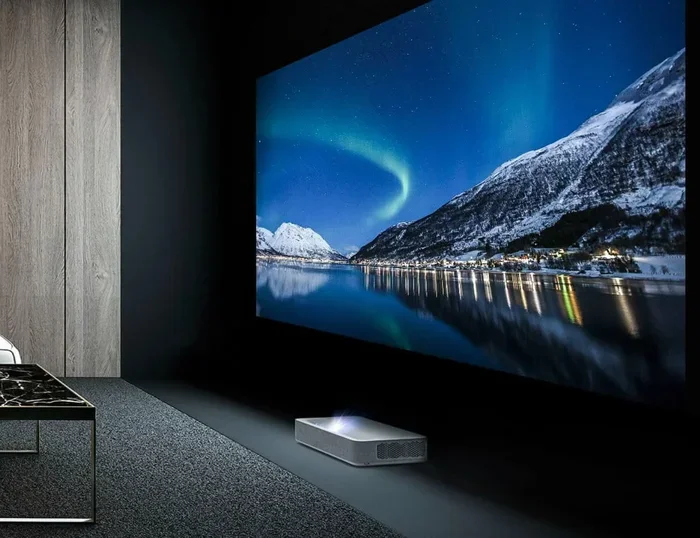
Are 4k Projectors True 4k or Just Clever Marketing Hype
Not all projectors labeled 4K are created equal. Some deliver real native 4K resolution, while others use clever tech like pixel shift to simulate it. This guide explains the difference so you can buy with confidence.
Key Takeaways
- Native 4K is real: A true native 4K projector has 8.3 million physical pixels on its chip.
- Pixel shift is a trick: Enhanced 4K projectors shift pixels to fake higher resolution.
- Price matters: Real 4K projectors cost significantly more than enhanced ones.
- Check the specs: Always look for “native 4K” in the product description, not just “4K support.”
- Content quality counts: Even the best projector can’t upscale low-quality content to true 4K.
- 4K projectors serve multiple needs: From home theater to 4K gaming and professional presentations.
- Do your research: Read reviews and benchmarks before spending your money.
📑 Table of Contents
- Are 4k Projectors True 4k or Just Clever Marketing Hype?
- What Does “True 4K” Actually Mean?
- How Do 4K Projectors Actually Work?
- Native 4K vs Enhanced 4K: What Is the Difference?
- Why Do Some Projectors Use Pixel Shift Technology?
- Where Are Projectors Used Beyond Home Entertainment?
- What Should You Look for When Buying a 4K Projector?
- Common Mistakes People Make When Buying 4K Projectors
- The Bottom Line: Are 4K Projectors True 4K?
Are 4k Projectors True 4k or Just Clever Marketing Hype?
You walked into an electronics store. You saw a big, beautiful projector sitting on a display stand. The box says “4K.” The salesperson tells you it’s the best thing since sliced bread. But here is the question that should be stuck in your head: are 4k projectors true 4k, or is it all just clever marketing hype?
The short answer is: it depends. Some projectors deliver real native 4K resolution with millions of physical pixels. Others use tricks like pixel shift to simulate 4K. And some are just plain old 1080p projectors with a 4K sticker slapped on the box. This guide will help you figure out which is which.
By the end of this article, you will know exactly what to look for. You will understand projector technology basics. You will learn how to spot fake 4K claims. And you will feel confident making a purchase that actually delivers the image quality you want.
Let us get into it. No fluff. No jargon. Just straight talk about 4K projectors and what really matters.
What Does “True 4K” Actually Mean?
Before we dig into projectors, let us clear up what “true 4K” means in the first place. The term 4K refers to a horizontal resolution of approximately 4,000 pixels. In the consumer display world, the standard is called 4K UHD, which stands for Ultra High Definition.
A true native 4K display has 3840 x 2160 pixels. That is about 8.3 million pixels on the screen at any given time. Every single pixel is physically present on the display device. There is no shifting. No simulation. No tricks.
Now, when we talk about 4K projectors, the same principle applies. A true 4K projector has a chip or panel with 8.3 million physical pixels. When you send a 4K signal to it, every pixel maps directly to a physical pixel on the chip.
Why Does This Matter for Your Viewing Experience?
Here is why this matters so much. More physical pixels mean sharper images. Fine details like hair strands, text on a screen, and distant objects in a movie look crisp and clear. With fewer pixels, those details get blurred or lost.
If you are investing in a big projector for your home theater, you want every pixel to count. A true native 4K projector gives you that. An enhanced or fake 4K projector leaves you wanting more.
Think of it like a mosaic. A true 4K projector has 8.3 million tiny tiles. An enhanced 4K projector might only have 4 million tiles but moves them around to fill in gaps. The result looks similar from far away, but up close, the difference is obvious.
How Do 4K Projectors Actually Work?
Not all projectors use the same technology. Understanding how they work helps you see why some deliver true 4K and others do not. Let us break down the three main types.
DLP Projectors
DLP stands for Digital Light Processing. These projectors use a tiny chip called a DMD, which stands for Digital Micromirror Device. The chip has thousands or millions of microscopic mirrors. Each mirror reflects light to create an image.
For a true native 4K DLP projector, the DMD chip has 8.3 million mirrors. These chips are expensive to manufacture. That is why true 4K DLP projectors tend to cost more. Brands like BenQ and Optoma use this technology in their higher-end models.
Some DLP projectors use a technique called pixel shift. In this setup, the chip has fewer mirrors, say 2.7 million (which is 1080p). The chip physically shifts the pixels by half a pixel in multiple directions. The projector then combines these shifted images to create a final picture with more detail.
Does pixel shift work? Kind of. It improves the image over standard 1080p. But it is not the same as having 8.3 million real pixels. The result is good, but not true 4K.
LCD Projectors
LCD projectors use liquid crystal displays to create images. Light passes through three LCD panels, one for red, one for green, and one for blue. These panels combine to form the final image on your wall.
A true 4K LCD projector has 4K panels. These are less common than their DLP counterparts. LCD projectors tend to offer great color accuracy. However, they can sometimes look less sharp than DLP projectors at the same resolution level.
Some LCD projectors also use enhanced resolution techniques. They combine a lower-resolution panel with pixel shifting to simulate 4K. Again, this is not the same as a native 4K LCD chip.
LCoS Projectors
LCoS stands for Liquid Crystal on Silicon. These projectors are like a hybrid of DLP and LCD technology. They use reflective liquid crystal panels on a silicon backbone. LCoS projectors are known for excellent color and smooth images.
True 4K LCoS projectors exist and they are stunning. They deliver incredible detail and color depth. However, they are also the most expensive option. Brands like Sony and JVC are known for high-end LCoS projectors that deliver real native 4K.
In the world of projectors, LCoS is often considered the premium choice. If you want true 4K and have the budget, LCoS is hard to beat.
Native 4K vs Enhanced 4K: What Is the Difference?
This is where most people get confused. The terms “native 4K” and “enhanced 4K” sound the same, but they are very different. Let us compare them side by side.
| Feature | Native 4K | Enhanced 4K |
|---|---|---|
| Physical Pixels | 8.3 million | Around 2.7 to 4 million |
| Technology Used | True 4K chip or panel | Pixel shift or upscaling |
| Image Sharpness | Excellent | Good, but not the same |
| Price Range | $1,500 and up | $500 to $1,500 |
| Detail in Fine Objects | Very sharp | Slightly soft |
| Best For | Home theater, professionals | Casual viewing, budget setups |
The table makes it clear. Native 4K wins on image quality every time. But enhanced 4K is not useless. If you are on a tight budget, an enhanced 4K projector still looks much better than a standard 1080p projector.
The key is knowing what you are buying. Always check the specifications. Look for the words “native 4K.” If the description just says “4K support” or “4K compatible,” that usually means it can display 4K content but does not have a true 4K chip.
How to Spot Fake 4K Claims
Manufacturers know that “4K” sells. So some will slap the label on anything that can handle a 4K input signal. Here are some red flags to watch out for:
- Vague language: The box says “4K” but does not say “native 4K.”
- Low price: A projector for under $500 claiming true 4K is almost certainly enhanced.
- Missing specs: No mention of pixel count or chip resolution in the product details.
- Only “4K input” listed: This just means it can receive a 4K signal, not display it at full resolution.
Be smart about this. Do not let marketing buzzwords fool you. A little research goes a long way.
Why Do Some Projectors Use Pixel Shift Technology?
Pixel shift is one of the most common techniques used in the projector industry today. It is not necessarily a bad thing, but it is important to understand what it does and does not do.
Here is how pixel shift works. The projector’s chip has fewer pixels than true 4K. The chip physically moves, or shifts, by a tiny amount. It takes multiple images in quick succession and combines them into one final frame. The result is an image with more perceived detail than the chip actually has.
Think of it like this. Imagine you have a puzzle with fewer pieces than it should. You shift the pieces around slightly and take multiple photos. Then you combine the best parts of each photo. The final image looks more complete than any single photo alone.
Pixel shift projectors can produce surprisingly good images. Many people in the home theater community appreciate them. They offer a nice middle ground between 1080p and true native 4K.
However, pixel shift is not the same as true 4K. During motion scenes, you might notice slight artifacts or a softness that is not present in native 4K. For most casual viewers, this is barely noticeable. For hardcore movie fans or 4K gaming enthusiasts, it can matter.
Is Pixel Shift Worth It?
For most people, yes. If you want a projector that looks great and fits a reasonable budget, a pixel shift 4K projector is a solid choice. You get a big upgrade over 1080p without paying the premium price of native 4K.
But if you are a perfectionist or you need the absolute best image quality, go native. The difference is real and noticeable, especially on larger screens.
Where Are Projectors Used Beyond Home Entertainment?
While most people think of projectors for movies and gaming, they serve many other purposes. From classrooms to boardrooms, projectors play a vital role in how we share information.
Projectors in Medical Settings
Projectors are used in hospitals and medical facilities for training, presentations, and even imaging displays. Medical professionals often use high-resolution projectors to display scans, charts, and educational materials to large groups. The need for sharp, clear images in these environments makes true 4K projectors especially valuable.
For example, medical schools use projectors to display detailed anatomical images to students. Having a projector that delivers true 4K resolution ensures that every detail is visible. You can learn more about how computers and projectors work together in medical environments by checking out this article on the 10 Ways Computers Are Used In Medicine.
Surgeons also use projection systems during certain procedures. In these cases, image clarity is not just a nice-to-have. It is a critical requirement. This is why medical-grade projectors often feature native 4K resolution.
Projectors in Education and Business
Schools and offices use projectors every single day. Teachers project lessons onto whiteboards. Business professionals present data and reports to teams. In both cases, image quality affects how well the message comes across.
A true 4K projector in a classroom makes text and diagrams crystal clear. Students can see every detail without squinting. In a boardroom, a sharp 4K image makes charts and graphs easier to read and more impactful.
For these settings, enhanced 4K projectors often strike the right balance between cost and quality. They deliver a significant upgrade over 1080p without the price tag of native 4K.
4K Gaming on a Projector
Gaming on a big screen is an incredible experience. And with the rise of 4K gaming, projectors have become a popular choice for gamers who want immersion.
True native 4K projectors shine in gaming. They render every frame at full 4K resolution with minimal input lag. This is crucial for fast-paced games where every millisecond counts.
However, not all projectors are created equal for gaming. Look for projectors with low input lag and high refresh rates. These specs matter just as much as resolution when you are trying to get the best gaming experience.
Enhanced 4K projectors can still work for gaming. The pixel shift technology helps create a sharper image. But competitive gamers who demand the absolute best might prefer a native 4K model.
What Should You Look for When Buying a 4K Projector?
Now that you understand the difference between true 4K and enhanced 4K, let us talk about what to look for when you are ready to buy.
Check the Native Resolution
This is the single most important spec. Always look for “native 4K” or “true 4K” in the product description. If it only says “4K support” or “4K compatible,” that is a warning sign. The projector might accept a 4K input but display it at a lower resolution.
Consider Brightness
Projector brightness is measured in lumens. For a dark room home theater, around 1,500 to 2,000 lumens is usually enough. For a bright living room or classroom, you need more, maybe 3,000 lumens or higher. A bright projector with true 4K resolution gives you the best of both worlds.
Look at the Contrast Ratio
Contrast ratio measures the difference between the brightest whites and the darkest blacks. A higher contrast ratio means more depth and detail in dark scenes. For movies and gaming, a high contrast ratio makes a big difference.
Think About Throw Distance
Throw distance is how far the projector needs to be from the screen to produce a focused image. Some projectors are short-throw, meaning they can produce a big image from a short distance. Others need more space. Measure your room before you buy.
Read Real Reviews
Do not just trust the manufacturer’s claims. Read reviews from trusted sources and real users. Look for benchmarks that test actual image quality. This is the best way to know if a projector truly delivers 4K or just pretends to.
Common Mistakes People Make When Buying 4K Projectors
Even smart buyers make mistakes. Here are some common pitfalls to avoid.
- Assuming all 4K is the same: Native 4K and enhanced 4K are very different. Do not pay native 4K prices for an enhanced chip.
- Ignoring room lighting: A 4K projector in a bright room can look washed out. Consider your room’s lighting before buying.
- Skipping the screen: A great projector on a cheap screen looks mediocre. Invest in a quality screen too.
- Overlooking connectivity: Make sure the projector has the right inputs for your devices. HDMI 2.1 is ideal for 4K gaming.
- Forgetting about maintenance: Projector lamps need replacement. Some models use lasers, which last longer but cost more upfront.
Avoiding these mistakes saves you money and frustration. Take your time and do your homework before pulling out your wallet.
The Bottom Line: Are 4K Projectors True 4K?
The honest answer is some are and some are not. The 4K projector market has real options that deliver true native 4K resolution. But it also has plenty of enhanced and fake 4K models that rely on marketing tricks.
Your job as a buyer is to know the difference. Check the native resolution. Read the fine print. Look at reviews. And never let a shiny “4K” sticker on the box do the thinking for you.
If you want the best image quality and do not mind spending more, go with a native 4K projector. The sharpness, detail, and clarity are worth it, especially for a dedicated home theater setup.
If you are on a budget but still want to upgrade from 1080p, an enhanced 4K projector with pixel shift is a solid choice. You will notice a big improvement without breaking the bank.
Either way, knowledge is your best tool. Now that you understand how 4K projectors really work, you can shop with confidence. No more falling for clever marketing hype. You know what to look for, and you know what matters.
The world of 4K display technology is exciting. Projectors keep getting better, brighter, and more affordable. Whether you are building a home theater, setting up a classroom, or diving into 4K gaming, there has never been a better time to invest in a quality projector.
So the next time someone asks you, “Are 4k projectors true 4k?” you will have the answer. And more importantly, you will know exactly what to look for to make sure you get the real deal.
Frequently Asked Questions
Is a 4K projector always better than a 1080p projector?
In most cases, yes. A true 4K projector has over 8 million pixels compared to about 2 million in a 1080p projector. This means sharper images, more detail, and a more immersive experience. However, if you watch from a long distance or on a small screen, you may not notice much difference.
Can a 4K projector play non-4K content?
Absolutely. Most 4K projectors can display 1080p and even 720p content. They use built-in upscaling to stretch lower-resolution content to fit the 4K screen. The upscaling quality varies by projector, so check reviews for real-world examples.
How can I tell if my projector is true 4K or enhanced 4K?
Check the product specifications for the term “native 4K.” Look for the actual pixel count, which should be 3840 x 2160. If the specs mention pixel shift, enhanced resolution, or only “4K support,” it is likely not a true native 4K projector.
Does pixel shift damage the projector over time?
No. Pixel shift is a standard and safe technology used by many reputable brands. The physical movement of the chip is minimal and designed for the lifespan of the product. It does not cause extra wear or reduce the projector’s lifespan.
What is the best use case for a true native 4K projector?
True native 4K projectors are ideal for dedicated home theaters, professional presentations, and serious gaming setups. If image quality is your top priority and you have a controlled lighting environment, native 4K delivers the best possible experience.
Are expensive 4K projectors worth the money?
It depends on your needs and budget. Expensive native 4K projectors offer the best image quality, color accuracy, and detail. If you are a casual viewer, an enhanced 4K model might be enough. But for movie buffs and professionals, the investment in a true 4K projector pays off in the long run.
=== CONCLUSION ===
The question “Are 4k projectors true 4k” does not have a simple yes or no answer. The truth is that the market is full of options at different price points and quality levels. Some projectors deliver real native 4K resolution with millions of physical pixels. Others use pixel shift and upscaling to simulate 4K. And some are just not 4K at all.
What matters most is that you know what you are buying. Check the specs. Read the reviews. Understand the difference between native and enhanced 4K. With this knowledge, you can avoid marketing traps and find a projector that truly delivers the image quality you deserve.
Whether you are building a home theater, upgrading your classroom, or diving into 4K gaming, the right projector makes all the difference. Take your time, do your research, and enjoy the show.