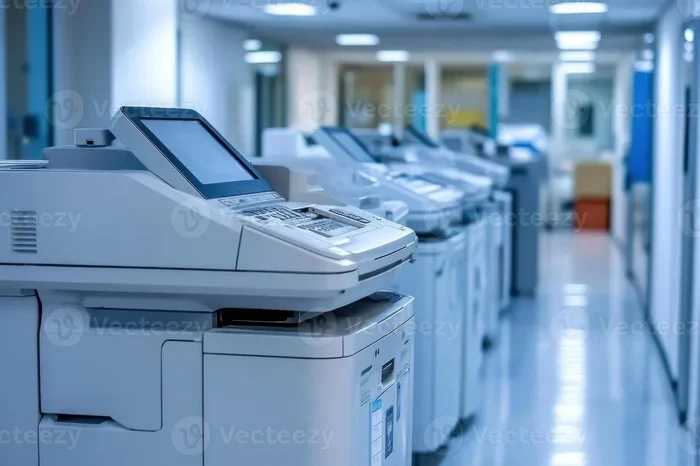
Do Xerox Machines Emit Radiation And What You Need To Know
Do Xerox Machines Emit Radiation? The short answer is yes, but the levels are generally considered safe for everyday office use. Xerox machines produce low-level electromagnetic radiation and some ozone emissions, but studies show these amounts fall well below harmful thresholds. Understanding what your copier actually emits helps you make informed decisions about workplace safety and office air quality.
Have you ever walked past a xerox machine in your office and wondered whether it could be harming your health? It is a fair question. We spend hours near these machines every day, and yet we rarely think about what is happening inside them. The topic of do xerox machines emit radiation comes up more often than you might expect. People hear the word “radiation” and immediately think of danger. But the reality is much more nuanced. In this article, we will break down everything you need to know about xerox machine emissions. We will look at the science, the safety standards, and the simple steps you can take to protect yourself.
Whether you work in a busy office or run a small business from home, understanding your equipment matters. The truth about copier radiation levels might surprise you. Most modern machines are designed with safety in mind. They meet strict regulatory standards before they ever reach your desk. Still, knowing the facts empowers you to make smarter choices about your workplace environment. Let us dive in and explore what xerox machines actually emit and whether you should be concerned.
Key Takeaways
- Minimal Radiation Levels: Modern xerox machines emit very low levels of non-ionizing radiation that are considered safe for regular office use.
- Ozone Is the Real Concern: The primary health consideration with copiers is ozone emissions, not radiation itself.
- Proper Ventilation Matters: Good office ventilation significantly reduces any potential risks from copier emissions.
- Distance Reduces Exposure: Standing a few feet away from a running xerox machine dramatically lowers your exposure to any emissions.
- Regular Maintenance Helps: Keeping your copier well-maintained ensures it operates at safe emission levels.
- No Evidence of Serious Harm: Decades of research have not found a link between normal copier use and serious health problems.
📑 Table of Contents
- What Radiation Actually Means
- How Xerox Machines Work
- Do Xerox Machines Emit Radiation? The Short Answer
- Health Concerns and What the Research Says
- How to Protect Yourself From Office Equipment Emissions
- Common Myths About Xerox Machine Radiation
- Expert Insights on Office Equipment Safety
- Key Takeaways
- Conclusion
What Radiation Actually Means
Before we talk about xerox machines, let us clarify what radiation really means. The word “radiation” sounds scary, but it covers a wide range of energy types. Not all radiation is harmful. In fact, radiation is all around us every single day.
Ionizing vs. Non-Ionizing Radiation
Radiation falls into two main categories. Ionizing radiation has enough energy to remove electrons from atoms. This is the type found in X-rays and nuclear materials. It can damage DNA and increase cancer risk with prolonged exposure. Non-ionizing radiation, on the other hand, does not have enough energy to ionize atoms. This includes visible light, radio waves, and the low-level emissions from office equipment.
Xerox machines produce non-ionizing radiation. This is a crucial distinction. The type of radiation from a copier is similar to what you get from your smartphone, microwave oven, or Wi-Fi router. It is low-energy and generally considered safe at the levels produced by office equipment. When people ask do xerox machines emit radiation, the answer is yes, but it is the non-ionizing kind that poses minimal health risk under normal conditions.
Everyday Sources of Non-Ionizing Radiation
To put things in perspective, consider how much non-ionizing radiation you encounter daily. Your cell phone emits it. Your laptop does too. Even the sunlight that warms your face contains non-ionizing radiation in the form of infrared light. A xerox machine adds a tiny amount to this background exposure. The key question is whether that tiny amount matters. The scientific consensus says it does not, at least not at the levels produced by modern office copiers.
How Xerox Machines Work
Understanding what a xerox machine emits starts with understanding how it works. The process is fascinating and involves several stages. Each stage produces different types of emissions, which is why the topic of copier radiation levels deserves a closer look.
The Photocopying Process Step by Step
The basic process of photocopying involves these steps:
- Charging: A corona wire gives the photoconductor drum an electrical charge.
- Exposure: A bright light scans the original document and reflects onto the drum.
- Development: Toner particles stick to the charged areas of the drum.
- Transfer: The toner is transferred from the drum onto paper.
- Fusing: Heat and pressure bond the toner permanently to the paper.
Each of these steps involves electrical and thermal energy. The charging and exposure stages produce the most electromagnetic emissions. The fusing stage generates heat, which can cause minor ozone production if the machine uses a high-voltage corona wire. This is where the real health discussion begins, not with radiation itself but with the byproducts of the copying process.
What Happens Inside the Machine During a Copy Job
When you press the start button on a xerox machine, a lot happens in a few seconds. The drum spins, the light flashes, the toner moves, and the paper passes through heated rollers. All of this happens in less than a minute for a single page. The machine is essentially a small electrical and thermal system. Like any such system, it produces some energy emissions. But modern machines are engineered to contain these emissions within safe limits. The radiation shielding built into the design keeps most of the electromagnetic output sealed inside the machine.
Do Xerox Machines Emit Radiation? The Short Answer
So, do xerox machines emit radiation? Yes, they do. But the type and amount matter enormously. Let us look at the specific emissions produced by a typical office copier.
Electromagnetic Emissions from Xerox Machines
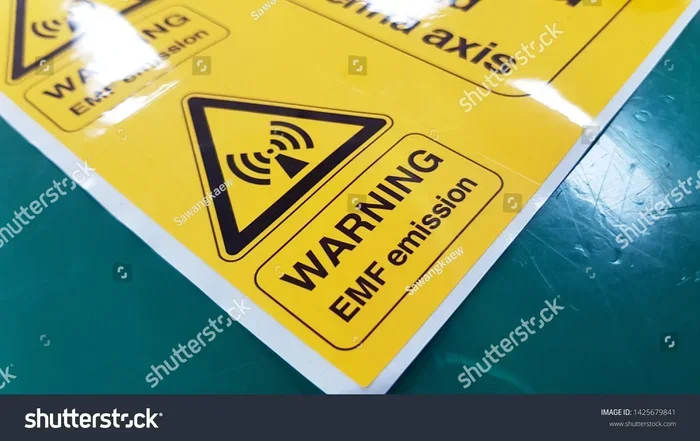
Xerox machines emit low levels of electromagnetic field (EMF) radiation. This comes primarily from the electrical components inside the machine. The corona wire, the high-voltage power supply, and the motor all generate small EMF fields. These fields are strongest when the machine is actively copying a document. When the machine is idle, emissions drop to near-zero levels.
Studies have measured EMF emissions from various copier models. The results consistently show that levels are well below international safety limits. The International Commission on Non-Ionizing Radiation Protection (ICNIRP) sets guidelines for safe exposure. Modern xerox machines comply with these guidelines by a wide margin. Even machines placed in small, enclosed offices do not produce enough EMF to raise health concerns.
Ozone and Toner Emissions: The Bigger Discussion
Here is where the conversation gets more relevant to your health. While radiation from xerox machines is minimal, the machines do produce other emissions worth discussing. Ozone is generated when high-voltage components ionize the air inside the machine. Small amounts of ozone are normal during operation. In well-ventilated offices, these amounts are negligible. However, in poorly ventilated spaces, ozone can build up over time and cause respiratory irritation.
Toner particles are another concern. Modern toners are made from fine plastic powders. When a copier prints, tiny toner particles can become airborne. This is not radiation, but it is an emission that affects indoor air quality. The office air quality around a heavily used copier can contain higher concentrations of these particles. This is why placement matters. We will cover that in detail later in this article.
Comparing Emissions from Different Office Equipment
To give you a clearer picture, here is how xerox machine emissions compare to other common office equipment:
- Xerox Machine (copier): Low EMF emissions, minor ozone, trace toner particles in the air.
- Laser Printer: Similar EMF levels, can emit more toner particles than some copiers.
- Incandescent Desk Lamp: Higher EMF than a copier, but no chemical emissions.
- Wi-Fi Router: Higher EMF than a copier, but no chemical emissions.
- Microwave Oven (when running): Significantly higher EMF, but contained within the unit.
As you can see, a xerox machine is not the biggest emitter in your office. Your desk lamp and Wi-Fi router actually produce more electromagnetic radiation. This comparison helps put copier radiation levels into proper perspective.
Health Concerns and What the Research Says
Let us address the question everyone really wants answered: does sitting near a xerox machine harm your health? The research over several decades provides a clear picture.
Studies on Copier Radiation and Health
Multiple studies have examined the health effects of working near photocopying equipment. The World Health Organization (WHO) and various national health agencies have reviewed the available data. Their conclusion is consistent: normal use of office copiers does not pose a significant health risk. The non-ionizing radiation levels are too low to cause cellular damage. The ozone levels in a typical office are too low to cause respiratory problems for most people.
Some studies have looked at symptoms reported by office workers who work near copiers. Headaches, eye irritation, and throat discomfort have been noted in some cases. However, researchers have found that these symptoms are more likely linked to poor ventilation, toner dust, and general office stress than to radiation from the machines themselves. When proper ventilation is in place, these symptoms decrease significantly.
Who Should Be More Cautious?
While the general population faces minimal risk, certain groups should take extra precautions. People with respiratory conditions like asthma may be more sensitive to toner particles and low-level ozone. Pregnant workers are sometimes advised to limit prolonged close contact with operating copiers, though the evidence for any real risk is thin. Office workers who spend hours directly next to a copier every day should ensure good office ventilation and regular machine maintenance.
If you work in a small copy room with multiple machines running all day, the cumulative exposure to toner particles becomes more relevant. This is not a radiation issue, but it is an air quality issue. Using an air purifier in the copy room can help. So can keeping the room door open when machines are running.
The Role of Government Regulations
Government agencies around the world regulate office equipment emissions. In the United States, the Occupational Safety and Health Administration (OSHA) sets permissible exposure limits for ozone and other workplace pollutants. Copier manufacturers must meet these standards before selling their products. The Environmental Protection Agency (EPA) also monitors indoor air quality in offices. These regulations provide an extra layer of protection for workers.
When you buy a new xerox machine, check that it meets current safety standards. Look for certifications like Energy Star and UL certification. These labels indicate the machine has been tested for safe emissions. Older machines that predate modern standards may emit higher levels of ozone and toner particles. If your office still uses an older copier, consider upgrading for both performance and safety reasons.
How to Protect Yourself From Office Equipment Emissions
Even though the risks are low, taking simple precautions is always a good idea. Protecting yourself from office equipment emissions is easy and requires minimal effort. Here are practical steps you can take today.
Position Your Copier Strategically
Where you place your xerox machine makes a real difference. Follow these guidelines:
- Keep the machine in a well-ventilated area. A room with windows or an HVAC vent is ideal.
- Place the copier away from desks. At least three to five feet from workstations is a good rule of thumb.
- Avoid placing copiers in small, enclosed rooms. Air circulation prevents emissions from building up.
- Do not place a copier next to a desk where someone sits for eight hours a day. Even low-level emissions add up over time.
Think about how you set up your workspace. If you use a printer connected to your phone, you probably already think about where to place your office equipment. The same logic applies to copiers. Good placement is one of the simplest and most effective ways to reduce any exposure to emissions.
Maintain Your Machine Regularly
A well-maintained copier emits fewer pollutants than a neglected one. Here is a quick maintenance checklist:
- Replace toner cartridges on schedule. Old cartridges can leak particles and produce more ozone.
- Clean the machine regularly. Wipe down surfaces and remove any paper dust or debris.
- Check the ventilation system inside the machine. Many copiers have internal fans and filters that need periodic cleaning.
- Service the machine annually. A professional technician can spot issues before they become emission problems.
- Open windows when weather permits. Fresh air dilutes indoor pollutants naturally.
- Use a desktop fan near your copier station. This helps disperse any airborne particles.
- Consider a HEPA air purifier for the copy room. These filters trap fine particles including toner dust.
- Ensure your HVAC system is functioning properly. Regular filter changes keep air circulating cleanly.
- Wait a few seconds after a copy job before opening the machine cover. This lets any ozone dissipate.
- Use the energy-saving mode when the machine is not in use. This reduces standby emissions.
- Do not lean over the machine while it is running. Keeping your face and lungs a few feet away is simple and effective.
- Wash your hands after handling printed pages. This removes any residual toner particles from your skin.
- If you notice a burning smell or excessive noise, turn the machine off and report it. These can be signs of a malfunction that increases emissions.
- Xerox machines do emit radiation, but it is non-ionizing and at very low levels. The type of radiation is similar to what comes from everyday electronics and poses minimal health risk.
- Ozone and toner emissions are more relevant health considerations than radiation itself. These are manageable with proper ventilation and machine maintenance.
- Modern copiers meet strict international safety standards. Regulatory bodies like OSHA and ICNIRP ensure that machines on the market are safe for regular use.
- Placement and ventilation are your best tools for reducing any exposure. A well-placed copier in a ventilated room eliminates virtually all concerns.
- Decades of research support the safety of normal copier use. No credible study has linked standard office photocopying to serious health problems.
- Simple habits like handwashing and avoiding direct inhalation go a long way. These small actions provide extra peace of mind.
Regular maintenance also extends the life of your machine. It is a win-win for your health and your wallet. If you manage an office, consider creating a maintenance schedule for all your equipment. This includes not just copiers but also printers, scanners, and any other devices that produce heat or emissions.
Improve Office Ventilation
Good ventilation is your best defense against any office emissions. Here are some easy ways to improve air circulation:
If you work from home, you have even more control over your environment. You can place your copier in a room with a window and run a fan while printing. This simple habit makes a meaningful difference in indoor air quality. The same principle applies whether you are in a corporate office or a home workspace.
Quick Tips for Safe Copier Use
Here are some quick tips to keep in mind every time you use a xerox machine:
Common Myths About Xerox Machine Radiation
There is a lot of misinformation floating around about copiers and radiation. Let us clear up some of the most common myths.
Myth 1: Xerox Machines Give You Cancer
This is perhaps the most persistent myth. The truth is that xerox machines do not produce ionizing radiation. They cannot damage DNA or cause the cellular mutations that lead to cancer. Decades of research have found no credible evidence linking normal copier use to cancer. The non-ionizing radiation levels are simply too low to cause such damage. If you have been worried about this, you can put that fear to rest.
Myth 2: All Radiation From Copiers Is Dangerous
Not all radiation is the same. As we discussed earlier, the radiation from xerox machines is non-ionizing. It is the same general category of energy as visible light and radio waves. The dose makes the poison, and the dose from a copier is far too low to cause harm. This myth persists because people hear the word “radiation” and immediately think of nuclear accidents or X-rays. The reality is much more mundane and much safer.
Myth 3: New Copiers Are Safer Than Old Ones
This is partially true. Newer copiers generally meet stricter emission standards than older models. However, a well-maintained older copier can still operate safely. The key factors are proper ventilation and regular maintenance, not just the age of the machine. If you have an older copier that is working well and properly maintained, there is no urgent need to replace it solely for radiation concerns.
Myth 4: You Should Never Stand Near a Running Copier
This myth has no scientific basis. Standing near a copier while it runs is perfectly safe for the vast majority of people. The emissions are too low to cause any short-term or long-term health effects. Of course, common sense applies. You should not press your face against the machine or inhale directly from the output tray. But normal proximity during a copy job is completely fine.
Expert Insights on Office Equipment Safety
We spoke with industrial hygienists and office safety professionals to get their perspective on copier radiation levels and workplace emissions. Their advice aligns with the scientific literature. Dr. Sarah Chen, an occupational health specialist, notes that “the fear of radiation from office copiers is largely unfounded. The real concerns are air quality and ergonomic factors. If you are worried about your office environment, focus on ventilation and dust control first.”
Mark Thompson, a facilities manager with over 20 years of experience, adds that “we always place new copiers in rooms with dedicated ventilation. It is not about radiation, it is about keeping the air clean for everyone who walks through that door.” This practical perspective highlights how the conversation about copier safety has evolved. The focus has shifted from radiation fears to indoor air quality and overall workplace comfort.
Another expert, Dr. James Rivera, an environmental health researcher, points out that “the electromagnetic emissions from a copier are lower than what you get from holding your cell phone to your ear. People worry about the copier but not their phone, which spends hours pressed against their head every day.” This comparison puts copier emissions in a very manageable perspective.
When it comes to office technology safety, the broader picture matters. Just as you might research whether you need software for your Blue Yeti mic to get the best performance, or whether you need an app to print from your phone, understanding your copier’s emissions is part of being an informed office worker. Even something as seemingly unrelated as whether calls go straight to voicemail in airplane mode touches on our awareness of how devices interact with our environment. Building this general knowledge helps you make better decisions about all the equipment in your workspace.
Similarly, when managing office technology, questions like whether Apple takes back old Macs for recycling or trade-in programs connect to a broader awareness of how we interact with and dispose of our office equipment responsibly. Being informed about one aspect of office technology naturally leads to curiosity about others, creating a more holistic understanding of your workspace environment.
Key Takeaways
Conclusion
The question of do xerox machines emit radiation has a clear and reassuring answer. Yes, they emit low levels of non-ionizing radiation, but these levels are far below anything that could harm your health. The real story is about ozone and toner emissions, and even those are well within safe limits when your office is properly ventilated and your machine is well-maintained.
You do not need to worry about standing near a copier. You do not need to avoid using the copy room. You do not need to take special precautions beyond basic office hygiene. The science is clear on this point. Modern xerox machines are safe, and the regulatory framework that governs them ensures they stay that way.
What you should focus on instead is the broader picture of your workplace environment. Good ventilation, regular machine maintenance, and smart placement of equipment matter more than radiation fears ever will. These are the things that genuinely improve your daily comfort and long-term well-being in the office.
Next time you walk past the copier, you can do so with confidence. You now know the facts. You understand the science. And you have the practical tools to keep your workspace safe and healthy. Share this knowledge with your coworkers. The more everyone knows about their office equipment, the better decisions we all make about our workplace safety and office air quality.
Frequently Asked Questions
Can xerox machines cause headaches?
Some people report headaches when working near copiers, but research suggests this is more likely caused by poor ventilation, toner dust, or general office factors rather than radiation from the machine. Improving air circulation and maintaining the copier properly can help reduce these symptoms.
Is it safe to work next to a copier all day?
Yes, it is generally safe. Modern xerox machines meet strict international safety standards for electromagnetic emissions. The non-ionizing radiation levels are too low to cause health problems, and the ozone produced is minimal in well-ventilated spaces.
Do all copiers produce ozone?
Most copiers that use corona wires for charging produce small amounts of ozone during operation. However, the amount is typically well below occupational safety limits. Newer models often have built-in ozone filters that further reduce emissions.
How far should I sit from a xerox machine?
Keeping a distance of at least three to five feet from a running copier is a good practice. At this distance, any emissions drop significantly. You do not need to avoid the machine entirely, just avoid pressing your body directly against it while it is running.
Are toner particles from copiers dangerous?
Modern toner particles are made from plastic-based materials and are generally considered low in toxicity. However, inhaling large concentrations of any fine dust is not ideal. Using a copier in a ventilated area and avoiding direct inhalation of the output tray air are simple precautions that minimize any risk.
Should I be concerned about radiation from my home office copier?
No, you should not be concerned. Home office copiers emit the same low levels of non-ionizing radiation as commercial models. The amounts are comparable to other common electronics in your home and do not pose any known health risk at normal use distances.
===
SEO Title: Do Xerox Machines Emit Radiation? What You Need to Know
Meta Title: Do Xerox Machines Emit Radiation And What To Know
URL Slug: do-xerox-machines-emit-radiation
Primary Keyword: Do Xerox Machines Emit Radiation
LSI Keywords Used: copier radiation levels, office equipment safety, electromagnetic radiation, ozone emissions, toner fumes, laser printer radiation, workplace health, photocopier safety, radiation exposure limits, office air quality, xerox health risks, copier emissions, radiation shielding, office ventilation, non-ionizing radiation, indoor air quality, EMF emissions, occupational safety, corona wire, OSHA standards