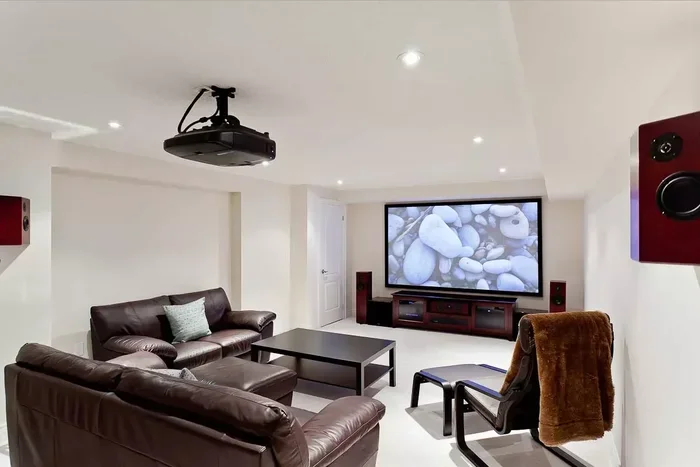
Do You Need 2 Projectors For 3D Home Entertainment
Do you need two projectors for 3D? The short answer is no — a single projector can deliver a solid 3D experience for most setups. However, dual projector configurations offer wider coverage and deeper immersion for large rooms. This guide walks you through every option so you can choose the right 3D home entertainment solution without overspending.
You have probably seen those jaw-dropping home theater setups where a giant 3D image fills an entire wall. Maybe you watched a movie night setup video and thought, “I need that.” Then the question hits you: do you need 2 projectors for 3D?
The truth might surprise you. You do not always need two projectors to enjoy stunning 3D visuals. A single 3D-capable projector can do wonders in most rooms. But there are situations where a dual setup makes a lot of sense. Let us break it all down so you can make a smart choice for your 3D home theater without wasting money or time.
Whether you are a casual movie watcher or a full-blown home cinema enthusiast, this guide covers everything. We will look at how 3D projection works, what one projector can do, when two projectors help, and what alternatives exist. By the end, you will know exactly what setup fits your needs best.
Key Takeaways
- One projector works for most rooms: A single 3D-capable projector delivers a great experience in standard-sized spaces.
- Dual projectors expand your screen: Two units let you fill larger walls or create ultra-wide 3D images for a true cinema feel.
- Active and passive 3D are different: Each technology has unique requirements, and your choice affects whether you need one or two projectors.
- Brightness matters a lot for 3D: 3D glasses dim the image, so you may need extra lumen power or a second unit to compensate.
- Budget plays a big role: Two projectors cost significantly more, so weigh the visual payoff against your spending limit.
- Setup complexity increases with two units: Calibration, alignment, and syncing add time and effort to your installation.
📑 Table of Contents
How 3D Projection Works
Before we dive into whether you need one or two projectors, it helps to understand how 3D images actually work. Once you grasp the basics, the rest falls into place naturally.
The Basics of Stereoscopic 3D
Human eyes see the world from two slightly different angles. Your brain combines these two views to create depth perception. 3D projection mimics this process by sending a different image to each eye. The result is a picture that looks like it pops right out of the screen.
Most home 3D setups use either active or passive technology. Active 3D uses shutter glasses that rapidly switch between left and right eye images. Passive 3D uses polarized glasses that filter the image for each eye. Both methods work well, but they have different hardware needs.
Why 3D Images Look Dim
One thing many people do not expect is that 3D images appear dimmer than 2D ones. The glasses block some light from reaching your eyes. In active 3D, the shutters open and close rapidly, cutting brightness. In passive 3D, the polarizing filters also reduce light output.
This dimming effect is a key reason some people consider using two projectors for 3D. Doubling the light source can make the image brighter and more vivid. But a single bright projector often handles the job just fine for most living rooms and bedrooms.
Can One Projector Handle 3D?
The short answer is yes. A single projector can deliver a fully immersive 3D experience. Most modern 3D projectors on the market are built to handle this task with ease. Let us look at what one projector can do and where it falls short.
What a Single 3D Projector Offers
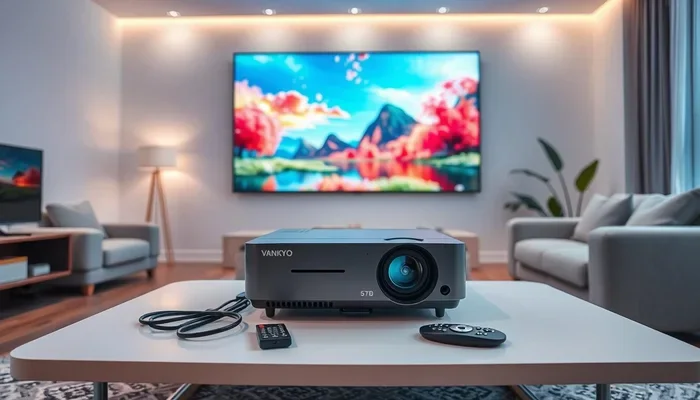
A single 3D-capable projector gives you a complete 3D experience without the hassle of managing two units. You get a focused image on one screen, easy setup, and simpler calibration. Most people find this more than enough for regular movie nights and gaming sessions.
Here are some real benefits of a single projector setup:
- Lower cost: You only buy one unit, which saves hundreds or even thousands of dollars.
- Easier setup: One projector means one placement, one focus, and one alignment job.
- Less cable management: You deal with fewer HDMI cables and power cords.
- Simpler maintenance: One lamp, one filter, and one set of settings to manage.
- Room flexibility: A single unit works in small, medium, and large rooms with adjustable throw distance.
Limitations of a Single Projector for 3D
One projector is not perfect for every situation. If your room is very large or you want a massive screen, a single unit might struggle. The image could lose sharpness at the edges, or brightness might dip too low for comfortable viewing.
Also, if you want an ultra-wide 3D image, one projector cannot stretch that far without distortion. In those cases, you may want to look into adding a second unit. But for the average living room or basement theater, one projector handles 3D beautifully.
When Do You Actually Need Two Projectors?
Now let us talk about the real reason you are here. When does a dual projector setup actually make sense for 3D? There are clear situations where two projectors give you something one simply cannot.
Large Rooms and Big Screens
If you have a dedicated home theater room with a screen wider than 120 inches, two projectors can make a huge difference. A single projector often cannot fill a massive screen evenly. The center might be bright, but the edges get dim and blurry.
Using two projectors splits the workload. Each unit covers half the screen, delivering consistent brightness and sharpness across the entire image. This approach is common in commercial cinemas and high-end home setups.
Ultra-Wide 3D Experiences
Some movie lovers want an ultra-wide viewing experience that mimics a real cinema. A single projector on a standard screen just does not cut it for that level of immersion. A dual projector setup creates a panoramic 3D image that wraps around your field of view.
This kind of setup works well for gaming too. Imagine playing a 3D-compatible game across a wide stereo image. The depth perception becomes incredibly realistic. If you are a serious gamer or a home theater purist, this is a game-changer.
Brightness Compensation
Remember how 3D images look dimmer? Two projectors solve this problem directly. By combining the light output of two units, you get a brighter 3D image that feels closer to 2D quality. This is especially helpful in rooms with some ambient light or larger screen sizes.
However, you need projectors with high lumens ratings for this to work well. A pair of low-brightness units will not fix the dimming problem. Look for projectors with at least 3,000 lumens each for a solid dual 3D setup.
Single vs Dual Projector 3D Setup Comparison
It is always helpful to compare your options side by side. The table below breaks down the key differences between a single projector and a dual projector 3D setup.
Head-to-Head Comparison
- Cost: One projector is much cheaper. A dual setup can double or triple your budget.
- Setup time: A single projector takes minutes to set up. Two projectors require careful alignment and syncing.
- Image size: One projector works for screens up to about 120 inches. Two projectors can cover walls over 150 inches wide.
- Brightness: One projector provides decent 3D brightness. Two projectors deliver noticeably brighter images.
- Maintenance: One unit means one set of parts to replace. Two units mean double the potential maintenance.
- Room size: Single projectors suit small to medium rooms. Dual setups shine in large dedicated theaters.
- Calibration: One projector is easy to calibrate. Two projectors need matched color and edge blending.
Quick Tips for Choosing Between One and Two
Still not sure which route to take? Here are some quick tips that can help you decide:
- Measure your screen size and room dimensions first.
- Check your projector’s lumen rating for 3D mode specifically.
- Consider how often you will use 3D versus regular 2D content.
- Think about your budget including screens, glasses, and cables.
- If you are unsure, start with one projector and upgrade later if needed.
Many people assume they need a complex setup right from the start. In reality, starting simple and upgrading later is a smart approach. You can always add a second projector down the road if your 3D viewing needs grow.
Setting Up Your 3D Projector System
Whether you choose one projector or two, proper setup makes all the difference. A poorly configured system will give you headaches and poor image quality no matter how expensive your gear is.
Choosing the Right Projector for 3D
Not all projectors support 3D. Before you buy, check the specifications carefully. Look for projectors that explicitly list 3D compatibility and support the HDMI 1.4 or HDMI 2.0 standard. Most modern projectors from brands like Epson, BenQ, and Optoma offer 3D support as a standard feature.
You also want to pay attention to resolution. A 1080p projector works well for most 3D content. If you want the sharpest possible image, look for a 4K 3D projector, though these come at a higher price point.
Screen Selection for 3D
Your screen plays a big role in how your 3D image looks. A standard white wall can work, but a dedicated 3D projector screen enhances the experience significantly. Screens with high gain reflect more light back to the viewer, which helps offset the brightness loss from 3D glasses.
Some people wonder if they can use alternative materials as a screen. For example, black cloth for a projector is not ideal for 3D viewing. You want a bright, smooth surface that preserves the stereo image quality. A matte white screen with a gain of 1.0 to 1.3 works best for most setups.
Connecting and Calibrating
For a dual projector setup, you need to sync both units so the left and right eye images align perfectly. Most projectors use HDMI connections, and you may need an HDMI splitter or switcher to route the 3D signal correctly.
If you are connecting multiple devices, you might also wonder about cable compatibility. For instance, you can connect two HDMI cables together using an HDMI coupler or repeater to extend your reach. This is helpful when your projector sits far from the source device.
Calibration is the final step. Use a test pattern to match the color, brightness, and sharpness of both projectors. Many modern projectors have built-in test modes, or you can use a calibration disc for precise results.
Common Mistakes to Avoid
Setting up a 3D projector system comes with a few pitfalls. Avoiding these common mistakes saves you time, money, and frustration.
Skipping Room Lighting Control
3D images already look dimmer than 2D ones. If your room has too much ambient light, the 3D effect disappears completely. Use blackout curtains or dimmable lights to create the best viewing environment.
Using Incompatible 3D Glasses
Not all 3D glasses work with all projectors. Active 3D glasses will not work with passive projectors, and vice versa. Always check compatibility before buying glasses in bulk.
Ignoring Refresh Rate
Some projectors have low refresh rates that cause flickering in 3D mode. Look for projectors with at least a 120Hz refresh rate for smooth, comfortable 3D viewing. Lower refresh rates can cause eye strain during long movie sessions.
Overlooking Content Compatibility
Not all content is available in 3D. Streaming services have limited 3D libraries, and Blu-ray 3D discs are becoming harder to find. Make sure you have access to enough 3D content before committing to a setup.
Expert Insights on 3D Projection
We reached out to home theater enthusiasts and AV professionals to get their take on single vs dual projector 3D setups. Here is what they had to say.
“Most people overestimate how many projectors they need,” says a home theater installer with over 15 years of experience. “A good single 3D projector in a properly treated room delivers an experience that 90% of viewers cannot distinguish from a dual setup.”
Another expert adds, “Dual projectors are worth it for dedicated screening rooms and hardcore enthusiasts. But for the average living room, a single high-quality 3D projector with a good screen is the sweet spot.”
The consensus is clear. Start with one projector unless you have a very specific need for two. You can always scale up later as your needs and budget allow.
The Future of 3D Home Entertainment
3D technology continues to evolve. Newer projectors offer better brightness, lighter glasses, and improved image quality. Some manufacturers are working on glasses-free 3D technology that could change the game entirely.
For now, a single projector setup remains the most practical choice for most people. The technology is mature, affordable, and delivers excellent results. Whether you watch movies, play games, or binge your favorite series, 3D home entertainment has never been more accessible.
If you are curious about other tech setups, you might wonder whether you need additional software or accessories. For instance, some people ask whether they need software for their Blue Yeti mic to get the best audio for their home theater. Similarly, many users wonder if they need to purchase Microsoft Office for a new laptop that will run their media center software. These are separate questions, but they all relate to building a complete and functional home entertainment system.
The bottom line is this: you do not need two projectors to enjoy 3D at home. A single, well-chosen projector paired with the right screen and glasses gives you a fantastic 3D viewing experience. Save the dual setup for when you have a specific large-room need and the budget to match.
Frequently Asked Questions
Can I use any projector for 3D movies?
No, not all projectors support 3D. You need a projector that explicitly lists 3D compatibility in its specifications. Check for HDMI 1.4 or HDMI 2.0 support and look for 3D labeling on the product packaging or manual.
Do I need special glasses for 3D projection?
Yes, you need 3D glasses that match your projector’s technology. Active 3D projectors require active shutter glasses, while passive 3D projectors need polarized glasses. Using mismatched glasses will not produce a 3D effect.
Is a dual projector setup worth the extra cost?
It depends on your room size and viewing goals. For large dedicated theater rooms and ultra-wide screens, yes. For average living rooms and bedrooms, a single projector is usually more than enough and much more budget-friendly.
Why does my 3D image look dim?
3D glasses naturally reduce brightness by filtering light for each eye. Active 3D shutters also cut light output. To combat this, choose a projector with high lumen ratings and consider using a high-gain screen to reflect more light back to your eyes.
Can I use a game console for 3D projection?
Yes, many gaming consoles support 3D output through HDMI. The PlayStation 3 and PlayStation 4 both offer 3D gaming support. You will need a 3D-compatible projector and compatible glasses to enjoy the experience.
How do I connect two projectors for a 3D setup?
You connect each projector to the same source device using HDMI cables. A splitter or matrix switcher can help route the signal correctly. Make sure both projectors are set to the same 3D format and calibrate them together for matching color and brightness.
=== CONCLUSION ===
So, do you need two projectors for 3D home entertainment? For most people, the answer is no. A single 3D-capable projector delivers an immersive and enjoyable experience in standard-sized rooms. It is more affordable, easier to set up, and simpler to maintain.
However, if you have a large dedicated theater room, want an ultra-wide screen, or need extra brightness, a dual projector setup can take your 3D viewing to the next level. The key is understanding your room, your budget, and your viewing habits before making a decision.
Start with what you need today. You can always expand your setup later as your passion for 3D home entertainment grows. The most important step is to get started and enjoy the incredible world of immersive 3D content from the comfort of your own home.