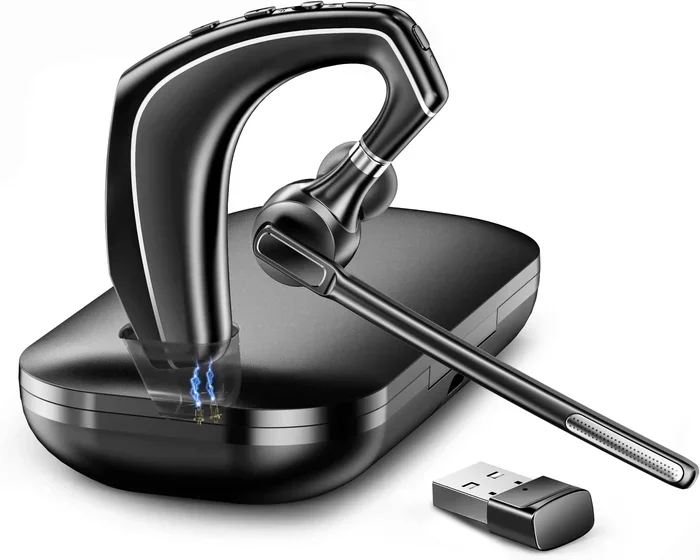
Do You Need Wi Fi To Connect To Bluetooth Headphones
No, you do not need Wi-Fi to connect Bluetooth headphones. Bluetooth is a standalone wireless technology that pairs devices directly without any internet connection. However, Wi-Fi can enhance certain features like streaming from online services, updating firmware, or extending range in smart home setups.
Do you need Wi-Fi to connect Bluetooth headphones? This is one of the most common questions people ask when they set up a new pair of wireless headphones. The short answer is no. Bluetooth and Wi-Fi are two completely different wireless technologies. They do not depend on each other to work.
But the full story is a bit more interesting. While you do not need Wi-Fi for basic Bluetooth connectivity, Wi-Fi can unlock some useful features. It can also cause confusion when things do not work the way you expect. Let us break it all down in simple terms.
Bluetooth headphones have become everywhere. People use them at the gym, on commutes, at work, and while relaxing at home. Understanding how they connect helps you get the best experience. Whether you are a casual listener or an audio enthusiast, this guide covers everything you need to know about Bluetooth connectivity and its relationship with wireless networks.
Key Takeaways
- Bluetooth works independently: You can pair and use Bluetooth headphones without any Wi-Fi or internet connection at all.
- Wi-Fi adds extra features: With Wi-Fi, you can stream music from online services, update headphone firmware, and use multi-room audio.
- Bluetooth range is limited: Standard Bluetooth works up to 30 feet, but Wi-Fi can help extend wireless audio range in some setups.
- Health concerns are minimal: Wi-Fi and Bluetooth signals use very low power and are considered safe by health authorities.
- Offline Bluetooth is common: Many people use Bluetooth headphones on flights, in cars, and in areas with no internet access every day.
- Personal hotspots are an alternative: If you need internet but no Wi-Fi, a personal hotspot can provide connectivity for streaming while still using Bluetooth.
📑 Table of Contents
- What Is Bluetooth and How Does It Work?
- When Do You NOT Need Wi-Fi for Bluetooth Headphones?
- When Does Wi-Fi Help with Bluetooth Headphones?
- Common Myths About Bluetooth and Wi-Fi
- Health and Safety Considerations
- Tips for Getting the Best Bluetooth Experience Without Wi-Fi
- Can Wi-Fi Replace Bluetooth for Audio?
- Can You Use Bluetooth Headphones Anywhere Without Wi-Fi?
- Final Thoughts
What Is Bluetooth and How Does It Work?
Bluetooth is a wireless communication standard. It lets devices talk to each other over short distances using radio waves. Think of it like a private conversation between two devices. No internet, no router, no Wi-Fi needed.
When you pair Bluetooth headphones to your phone, the two devices create a direct link. This is called a point-to-point connection. Your phone sends audio signals straight to your headphones through this link. The whole process happens using the Bluetooth protocol, which operates on the 2.4 GHz frequency band.
How Bluetooth Pairing Works
Pairing is the process of linking two Bluetooth devices together. Here is how it typically works:
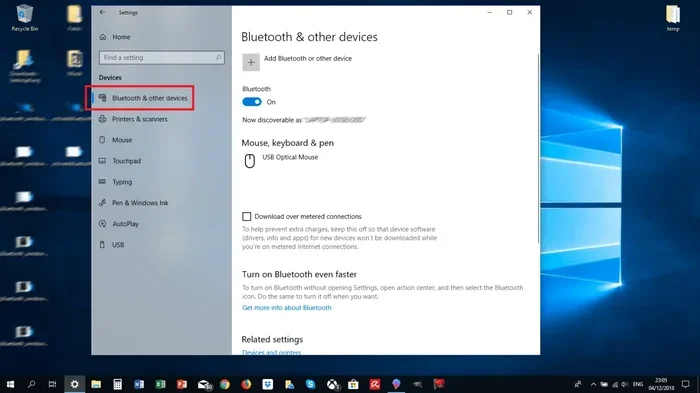
- You turn on Bluetooth on your phone or computer.
- Your headphones enter pairing mode by holding down a button.
- Your phone detects the headphones and shows them in a list of available devices.
- You tap on the headphones to connect.
- The devices exchange a small encryption key to secure the connection.
That is it. No Wi-Fi router. No internet service provider. No password. The two devices handshake directly and start transmitting audio. This is why you can use Bluetooth headphones on a plane, in a remote cabin, or in a basement with no signal at all.
Bluetooth vs. Wi-Fi: Key Differences
People often confuse Bluetooth and Wi-Fi because both are wireless. But they serve very different purposes. Here is a quick comparison:
- Bluetooth is designed for short-range, low-power device-to-device connections.
- Wi-Fi is designed for high-speed internet access over a local network.
- Bluetooth uses very little power, which is why it works great on headphones.
- Wi-Fi uses more power because it transmits larger amounts of data over longer distances.
- Bluetooth connects directly between two devices.
- Wi-Fi connects devices to a router, which then connects to the internet.
Understanding this difference is the key to answering the main question. Your Bluetooth headphones do not need Wi-Fi because they do not go through a router. They communicate directly with your source device.
When Do You NOT Need Wi-Fi for Bluetooth Headphones?
There are many everyday situations where you use Bluetooth headphones with zero Wi-Fi. In fact, most of the time, you probably do not even notice Wi-Fi is missing. Here are common scenarios where Bluetooth works perfectly on its own.
Listening to Offline Music
If you have music downloaded on your phone or MP3 player, Bluetooth headphones can play it without any internet. This is how many people listen to music during workouts or commutes. You simply open your music app, pick a song, and the audio flows through Bluetooth connectivity to your headphones.
Taking Phone Calls
Phone calls use Bluetooth’s hands-free profile. When someone calls you, the audio routes through your Bluetooth headphones. This works even if you have no data or Wi-Fi connection. The wireless signal between your phone and headphones handles everything.
Using Headphones on Airplanes
Many travelers use Bluetooth headphones during flights. While airlines sometimes restrict Wi-Fi or cellular signals, Bluetooth often works fine. This is because Bluetooth operates on a different frequency and power level than cellular or Wi-Fi signals. You can enjoy wireless audio during your entire flight without any internet access.
Gaming on Offline Devices
Console gaming or offline PC gaming can use Bluetooth headphones too. As long as your gaming device supports Bluetooth or has a compatible adapter, you can game with wireless headphones without connecting to the internet.
When Does Wi-Fi Help with Bluetooth Headphones?
While Bluetooth works alone, Wi-Fi can add value in certain situations. Here is when having both technologies active makes a difference.
Streaming Music from Online Services
Services like Spotify, Apple Music, and YouTube Music need an internet connection to stream songs. In this case, Wi-Fi provides the internet, and Bluetooth delivers the audio to your headphones. They work together but serve different roles. Wi-Fi brings the data, and Bluetooth plays it on your headphones.
This is an important distinction. Your headphones still connect via Bluetooth. The Wi-Fi connection is what allows the music app to fetch songs from the cloud. Without Wi-Fi or cellular data, you cannot stream online content. But Bluetooth itself is still doing the wireless audio delivery.
Firmware Updates for Smart Headphones
Many modern Bluetooth headphones have smart features. Brands like Sony, Bose, and Jabra release firmware updates that improve sound quality, add features, and fix bugs. These updates require an internet connection. So if your headphones support app-based updates, you will need Wi-Fi or mobile data to download them.
Multi-Room Audio and Smart Home Integration
Some advanced Bluetooth headphones and speakers can connect to smart home systems. In these setups, Wi-Fi helps manage multiple devices across your home. For example, you might use Wi-Fi to send music from one room to speakers in another room, while Bluetooth handles the direct connection to your headphones in the current room.
Extended Range with Wi-Fi Assist
Standard Bluetooth has a range of about 30 feet. Some newer technologies like Bluetooth LE Audio can extend this. However, if you want to move freely through a large house while streaming from an online source, Wi-Fi helps maintain the internet connection that feeds your Bluetooth headphones.
Common Myths About Bluetooth and Wi-Fi
There are several misconceptions floating around about Bluetooth and Wi-Fi. Let us clear up the most common ones.
Myth: Bluetooth Uses Wi-Fi to Work
This is the biggest myth. Bluetooth uses its own radio frequency. It does not borrow from your Wi-Fi network. The two technologies coexist peacefully on your device without interfering with each other. Your Bluetooth headphones will pair and work even if your Wi-Fi router is turned off completely.
Myth: Bluetooth and Wi-Fi Interfere With Each Other
Both Bluetooth and Wi-Fi operate on the 2.4 GHz band, so there can be minor interference in crowded environments. However, Bluetooth uses frequency hopping to avoid this. In practice, most people never notice any impact. If you do experience issues, moving closer to your source device usually fixes it.
Myth: Bluetooth Headphones Need an Internet Connection to Play Local Files
This is simply not true. Any audio file stored on your device plays through Bluetooth without any internet. Whether it is an MP3, FLAC, or AAC file, Bluetooth connectivity handles the transfer locally. You do not need Wi-Fi for offline playback at all.
Myth: Wi-Fi Gives You Better Sound Quality Through Bluetooth
Wi-Fi does not improve Bluetooth audio quality directly. Bluetooth has its own codecs like SBC, AAC, aptX, and LDAC that determine sound quality. However, a stable Wi-Fi connection can prevent buffering when streaming high-quality audio from online services, which indirectly improves your listening experience.
Health and Safety Considerations
Some people worry about the safety of wireless technologies. It is natural to wonder about exposure to wireless signals every day.
Bluetooth uses very low power. A typical Bluetooth headphone emits about 10 to 40 milliwatts of power. Compare this to a Wi-Fi router, which can emit up to 1,000 milliwatts. Bluetooth radiation is extremely low. Health organizations around the world consider Bluetooth devices safe for everyday use.
If you are concerned about Wi-Fi signals specifically, you can read more about the topic on our page about whether Wi-Fi signals can cause cancer. The research consistently shows that the power levels from consumer devices are well within safe limits.
For Bluetooth headphones, the signal strength is even lower because the device sits close to your body but transmits over a very short distance. The wireless connection between your phone and headphones is one of the safest wireless technologies you can use.
Tips for Getting the Best Bluetooth Experience Without Wi-Fi
You do not need Wi-Fi to enjoy great Bluetooth audio. But there are steps you can take to improve your experience when using headphones offline.
- Keep your headphones charged. Bluetooth uses battery power, and low battery can cause dropouts. Charge your headphones regularly for reliable Bluetooth pairing.
- Stay within range. Keep your source device within 30 feet for the best connection. Walls and obstacles reduce range.
- Download music in advance. If you know you will be without Wi-Fi, download playlists or podcasts beforehand. This way you have plenty of offline content.
- Use a Bluetooth adapter if needed. Some laptops and PCs do not have built-in Bluetooth. A USB Bluetooth adapter can add this capability easily.
- Keep firmware updated. When you do have Wi-Fi, update your headphone firmware. This ensures optimal performance and bug fixes.
- Turn off unused wireless connections. If you are not using Wi-Fi or cellular data, turning them off can save battery on both your phone and headphones.
These simple tips help you get the most out of your wireless headphones whether or not you have a Wi-Fi network available. The beauty of Bluetooth is that it just works, no strings attached.
Can Wi-Fi Replace Bluetooth for Audio?
Some people wonder if Wi-Fi can take over the role of Bluetooth for headphones. The answer is partially yes. Wi-Fi headphones exist, and they offer some advantages.
Wi-Fi headphones can stream higher-quality audio with less compression. They also tend to have a longer range than standard Bluetooth. Companies like Sonos and Bose make Wi-Fi speakers and headphones that connect directly to your home network.
However, Wi-Fi headphones need a Wi-Fi network to work. They cannot pair directly to your phone the way Bluetooth does. For everyday portability and simplicity, Bluetooth headphones still win. They connect instantly, work anywhere, and use very little battery.
Some modern devices now support both Bluetooth and Wi-Fi audio simultaneously. This lets you switch between the two depending on your needs. For example, you might use Bluetooth at the gym and Wi-Fi at home for better sound quality.
Can You Use Bluetooth Headphones Anywhere Without Wi-Fi?
Absolutely. Bluetooth headphones are designed to be portable and independent of internet access. You can use them while hiking, traveling internationally, working offline, or in any location without a Wi-Fi network. The Bluetooth connection is self-contained between your device and your headphones.
This independence is one of the biggest advantages of Bluetooth technology. You are not tied to a router or an internet service provider. As long as your headphones and source device have battery power, you can enjoy wireless audio anywhere, anytime.
For situations where you do need internet but have no Wi-Fi, consider using a personal hotspot from your phone. This gives you mobile data access while still allowing your Bluetooth headphones to connect normally. It is a great solution for travel or areas with limited connectivity.
Final Thoughts
So do you need Wi-Fi to connect Bluetooth headphones? The answer is a clear no. Bluetooth is a standalone wireless technology that connects devices directly without any internet or Wi-Fi network. Your headphones will pair and play audio perfectly in airplane mode, in remote locations, and anywhere else you can think of.
Wi-Fi becomes useful when you want to stream online content, update headphone software, or integrate with smart home systems. But for basic Bluetooth connectivity, Wi-Fi is completely optional. The two technologies work side by side but do not depend on each other.
The next time someone tells you that Bluetooth needs Wi-Fi, you can confidently set them straight. Your wireless headphones work on their own, powered by Bluetooth technology, giving you freedom and flexibility wherever you go. Enjoy your music, podcasts, and calls without worrying about any network at all.
Frequently Asked Questions
Can Bluetooth headphones work without any internet connection?
Yes, Bluetooth headphones work completely without the internet. They connect directly to your device using radio waves, not through a Wi-Fi network or data connection. You can listen to offline music, take calls, and use all basic features without any internet at all.
Do Bluetooth headphones use Wi-Fi to transmit audio?
No, Bluetooth headphones do not use Wi-Fi to transmit audio. They use the Bluetooth protocol on the 2.4 GHz frequency band to create a direct wireless link between your device and the headphones. Wi-Fi and Bluetooth are separate technologies that operate independently.
Will my Bluetooth headphones work on an airplane?
Most Bluetooth headphones work on airplanes. Airlines typically allow Bluetooth devices during flights. Since Bluetooth does not require Wi-Fi or cellular data, it functions independently of in-flight Wi-Fi systems. Always check with your airline for specific rules.
Can I use Bluetooth headphones in an area with no Wi-Fi or cellular signal?
Yes, Bluetooth does not need Wi-Fi or cellular signal to work. As long as your source device has audio files or is connected to a call, your Bluetooth headphones will play it. This makes them perfect for remote areas, outdoor activities, and offline use.
Does Wi-Fi improve Bluetooth sound quality?
Wi-Fi does not directly improve Bluetooth sound quality. Bluetooth audio quality depends on the codec used by your headphones and device. However, a stable Wi-Fi connection can prevent buffering when streaming online music, which indirectly improves your listening experience.
What is the difference between Bluetooth and Wi-Fi headphones?
Bluetooth headphones connect directly to your device without needing a network. Wi-Fi headphones connect to your home Wi-Fi network and need internet to work. Bluetooth headphones are more portable and versatile, while Wi-Fi headphones may offer higher audio quality in home settings.