Does Frontier Airlines Have Tv For In Flight Entertainment
Yes, Frontier Airlines offers in-flight entertainment options, including seatback screens on select aircraft and streaming to personal devices via Wi-Fi. Understanding what Frontier provides helps you plan ahead and avoid boredom on your flight. Frontier Airlines TV options vary by aircraft type, route, and fare class, so knowing what to expect makes a big difference. This guide covers everything from seatback TVs to wireless streaming and Bluetooth headphone compatibility.
Does Frontier Airlines have TV? It is a question many travelers ask before booking a budget flight. The short answer is yes, but the full picture is a bit more nuanced. Frontier Airlines provides in-flight entertainment through seatback screens on many of its aircraft and through streaming options on personal devices. How you access content depends on the plane type, your route, and the Wi-Fi package you choose.
Frontier Airlines is known for keeping base fares low, but that does not mean you are stuck with no entertainment. The airline has invested in systems that let passengers watch movies, TV shows, and even play games during their flights. Whether you are on a short hop or a longer route, knowing what entertainment options exist helps you plan better and enjoy the trip more.
So, does Frontier Airlines have TV for in-flight entertainment? Absolutely. But the details matter. Let us walk through everything you need to know about staying entertained on Frontier flights.
Key Takeaways
- Frontier Airlines offers seatback TV screens on many aircraft: Most mainline planes include personal screens with movies, TV shows, and games.
- Streaming to personal devices is available with Wi-Fi: You can cast or mirror content from your phone or laptop to the seatback screen or use the airline’s Wi-Fi for streaming.
- Not all Frontier planes have the same setup: Aircraft types vary, so entertainment options differ by plane and route.
- Bluetooth headphones work with some in-flight systems: You can use wireless headphones, but check compatibility before your flight.
- Frontier Wi-Fi packages unlock more entertainment: Purchasing a Wi-Fi plan opens up streaming options and internet access.
- Downloading content beforehand is a smart backup: Always have offline entertainment ready in case of Wi-Fi issues or no screen available.
📑 Table of Contents
- Does Frontier Airlines Have Tv On Their Planes?
- How Frontier Airlines In-Flight Entertainment Works
- Using Your Personal Devices On Frontier Flights
- Frontier Airlines Wi-Fi And Streaming Options
- Can You Use Bluetooth Headphones With Frontier Entertainment?
- Tips For The Best Entertainment Experience On Frontier
- What If Frontier Airlines Does Not Have Tv On Your Flight?
- Final Thoughts On Frontier Airlines Tv And Entertainment
Does Frontier Airlines Have Tv On Their Planes?
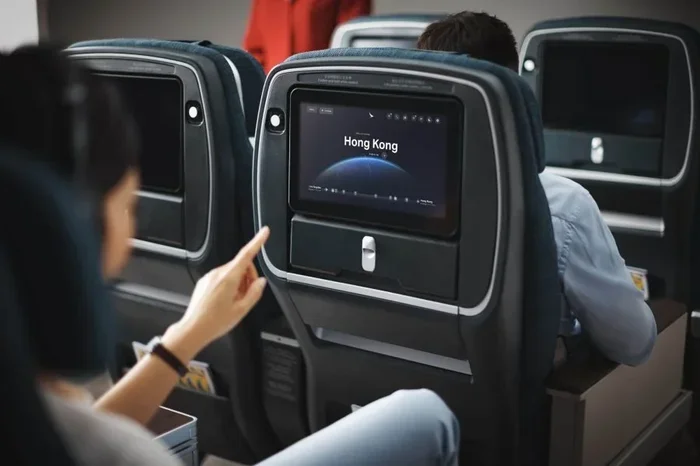
Frontier Airlines equips many of its aircraft with seatback entertainment screens. These screens are built into the back of the seat in front of you and offer a selection of movies, TV shows, and music. You do not need an internet connection to use them. They work right out of the box, which is a big plus for travelers who want simple, reliable entertainment.
However, not every Frontier plane has seatback screens. The airline operates a mixed fleet, and older or smaller aircraft may not include them. This is why it helps to check your specific flight before you travel. You can usually find the aircraft type when you book or by checking your flight details closer to departure.
What Types Of Content Are Available On Frontier Seatback Screens?
When your Frontier flight has a seatback screen, you typically get access to a library of content. Here is what you can usually expect:
- Movies: A mix of new releases and classic films across different genres.
- TV Shows: Popular series and some reality TV options.
- Music: Curated playlists and radio channels.
- Games: Simple games to pass the time on longer flights.
The content library updates periodically, so you may find new titles added regularly. The selection is not as vast as what you get on full-service carriers, but it covers the basics well. If you are a casual viewer looking to kill a few hours, the seatback screen on a Frontier plane does the job.
How Frontier Airlines In-Flight Entertainment Works
Frontier Airlines uses a system called Thales IFE (In-Flight Entertainment) on many of its aircraft. This system delivers content directly to seatback screens or allows you to stream to your own device. The setup is straightforward and user-friendly, even for passengers who are not very tech-savvy.
Here is how the system typically works:
- Power on the screen: Look for the screen on the back of the seat in front of you.
- Browse the menu: Use the remote or touch controls to navigate categories like movies, TV, and music.
- Select your content: Pick what you want to watch or listen to.
- Enjoy your flight: Content plays directly on the screen with no internet needed.
The system is designed to be intuitive. Even if you have never used it before, you should feel comfortable within a few minutes. The controls are simple, and the interface is clean and easy to navigate.
Can You Connect Your Personal Devices To Frontier Entertainment?
Yes, you can. Frontier Airlines supports connecting personal devices to its in-flight entertainment system in some cases. If you want a bigger screen or prefer using your own device, you can look into whether your specific flight supports device connectivity. For example, if you want to connect your phone to a TV screen, checking whether Can I Connect My Phone To Hdmi Tv gives you a good idea of the general process and what adapters or cables you might need.
This is especially useful on longer flights when you want more control over what you watch. You can also use your own headphones, which brings us to an important point about audio options.
Using Your Personal Devices On Frontier Flights
Many travelers prefer using their own devices for entertainment. It is more familiar, and you get access to your own content library. Frontier Airlines supports this approach through a few different methods.
First, you can use the Frontier Airlines app on your phone or tablet. The app offers some in-flight entertainment features, especially when connected to the airline’s Wi-Fi. You can browse available content, check your flight status, and even manage your booking all from one place.
Second, you can stream content from your own accounts. If you subscribe to Netflix, Hulu, Disney+, or any other streaming service, you can download shows or movies before your flight and watch them offline. This is a great backup plan if the seatback screen does not have what you want or if your flight does not have screens at all.
Streaming From Your Laptop Or Tablet
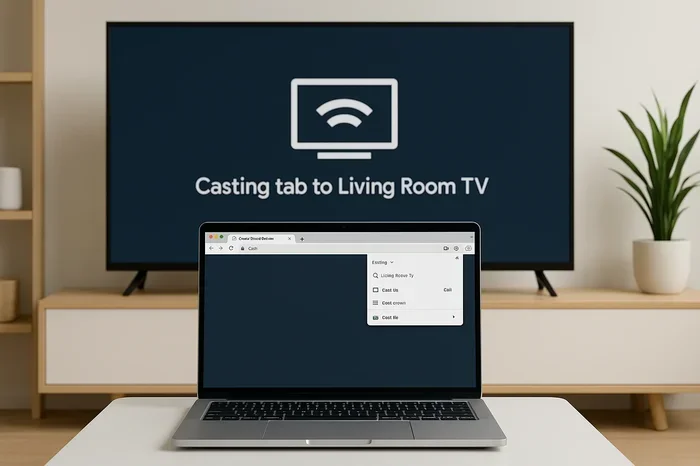
If you prefer a larger screen, you can stream from your laptop or tablet. The key question is whether you can connect these devices to the in-flight entertainment system. For instance, if you are wondering about wireless connections, you might want to look into whether Can I Connect My Laptop To Tv Wirelessly applies to your setup. Many modern laptops support screen mirroring or casting, which can work with airline seatback screens that support wireless input.
Here are some tips for using your personal devices on Frontier flights:
- Download content before your flight: Do not rely on in-flight Wi-Fi for streaming unless you have a strong plan.
- Charge your devices fully: Bring a portable charger if your flight is long.
- Use headphones: Be considerate of fellow passengers and use headphones at all times.
- Check device compatibility: Some airline screens only work with specific connection types.
Frontier Airlines Wi-Fi And Streaming Options
Frontier Airlines offers Wi-Fi on many of its flights, and this opens up additional entertainment possibilities. With Wi-Fi, you can access the internet, browse the web, and in some cases stream content directly to your device. However, the quality and speed of the Wi-Fi depend on your flight route and the package you purchase.
Frontier offers different Wi-Fi packages. Some plans give you full-speed internet, while others are slower and better suited for browsing and light streaming. If you plan to watch movies or TV shows during your flight, you will want a faster plan. Budget plans may work fine for checking emails or reading articles but could struggle with video streaming.
Does Frontier Wi-Fi Support Casting And Streaming?
Yes, Frontier Wi-Fi can support casting and streaming to compatible devices. If you have ever wondered about using adapters or dongles to connect wirelessly, you might find useful information in guides like Can I Use A Bluetooth Adapter On My Tv, which covers similar wireless connectivity concepts that apply to in-flight setups too.
The Wi-Fi system on Frontier planes uses air-to-ground technology. This means your connection relies on ground-based cell towers, which works well over land but can be spotty over oceans or remote areas. For domestic flights within the United States, Wi-Fi is generally reliable enough for streaming.
Here is a quick comparison of Frontier Wi-Fi options:
- Free Texting Plan: Lets you send text messages over Wi-Fi. No streaming capability.
- Surf Plan: Basic internet browsing and light use. Streaming may be slow or unreliable.
- Stream Plan: Full-speed internet designed for video streaming and heavy data use.
Choosing the right plan depends on your entertainment needs. If you just want to browse social media or reply to messages, the free texting or surf plan may be enough. If you want to watch movies or TV shows, go with the stream plan.
Can You Use Bluetooth Headphones With Frontier Entertainment?
Using Bluetooth headphones on a Frontier flight is possible, but it depends on the specific aircraft and entertainment system. Some seatback screens support wireless headphone connections, while others require wired headphones. Always check your aircraft type before your flight to avoid surprises.
If your seatback screen does not support Bluetooth, you can still use Bluetooth headphones with your personal device. Just pair your headphones with your phone or tablet and enjoy your downloaded content. This is one of the reasons many travelers prefer using their own devices for entertainment.
For those curious about Bluetooth headphone compatibility with TV systems, checking guides like Can I Use Any Bluetooth Headphones With My Tv can give you helpful insights into how wireless audio works with different display setups, including airline seatback screens.
Here are a few quick tips for using headphones on Frontier flights:
- Bring both wireless and wired options: You never know which connection type the seatback screen will support.
- Charge your wireless headphones: A dead battery ruins the experience fast.
- Pack extra earbuds: They are lightweight and work as a reliable backup.
Tips For The Best Entertainment Experience On Frontier
Getting the most out of your entertainment on a Frontier flight comes down to a little preparation. Here are some expert tips that make a real difference:
Download Before You Fly
This is the single most important tip. Download movies, TV shows, podcasts, and music to your device before you leave home. In-flight Wi-Fi can be unpredictable, and seatback screens may not always have the content you want. Having your own library ready ensures you are never bored.
Check Your Aircraft Type
Frontier operates different types of aircraft, and entertainment features vary. When you book, try to find out which aircraft type is assigned to your flight. You can usually find this information in your booking confirmation or by checking the airline’s website closer to departure. This tells you whether you will have a seatback screen, Wi-Fi, or both.
Bring A Power Bank
Frontier flights can be long, and entertainment drains battery life quickly. A portable power bank keeps your phone, tablet, or laptop charged throughout the flight. Look for one that is TSA-friendly and easy to carry in your carry-on bag.
Use The Frontier App
The Frontier Airlines app is more than just a booking tool. It can help you check your flight details, including aircraft type and available amenities. Some versions of the app also offer entertainment options or links to Wi-Fi purchase pages. Download it before your trip and explore what it offers.
Plan For Short Flights Too
Even on short Frontier flights under two hours, having some entertainment ready helps. A good podcast, a few downloaded songs, or a short movie can make the time fly by. Do not assume a short flight means you do not need anything.
What If Frontier Airlines Does Not Have Tv On Your Flight?
Sometimes, your Frontier flight may not have seatback screens or Wi-Fi. This is more common on shorter routes or with older aircraft in the fleet. When this happens, you need a backup plan. The best approach is to have your own entertainment ready on your personal device.
Here is what to do if your Frontier flight lacks in-flight TV:
- Use downloaded content: This is your best friend. Movies, shows, and podcasts downloaded to your device work without any internet connection.
- Read a book or magazine: Old-fashioned but effective. A good book or a downloaded magazine app keeps you occupied.
- Listen to podcasts or music: Download a few episodes or playlists before you leave.
- Play offline games: Many mobile games work without an internet connection.
Being prepared for a flight without entertainment takes the stress out of the experience. You will not feel stuck or bored if you have your own content ready to go.
How To Prepare For A No-Screen Frontier Flight
Preparing for a flight without screens is simple. A day before your trip, download a few movies or shows to your phone or tablet. Pick a mix of genres so you have options. Charge all your devices fully. Pack your headphones and a portable charger. With these steps, you are ready for any situation.
Some travelers also like to bring a small notebook or coloring book. These low-tech options work surprisingly well for passing time, especially on shorter flights where you do not need much entertainment.
Final Thoughts On Frontier Airlines Tv And Entertainment
So, does Frontier Airlines have TV? The answer is yes, with some important caveats. Seatback screens are available on many aircraft, Wi-Fi opens up streaming options, and personal devices give you flexibility and control. The key is to know what to expect and prepare accordingly.
Frontier Airlines may be a budget carrier, but it still offers solid entertainment options for passengers who take a few minutes to plan ahead. Whether you rely on the seatback screen, stream to your own device, or download content for offline viewing, you have plenty of ways to stay entertained in the air.
The next time you book a Frontier flight, use the tips in this guide to set yourself up for a more enjoyable experience. Check your aircraft type, pick the right Wi-Fi plan, download your favorite content, and pack the right accessories. A little preparation goes a long way toward making your flight more comfortable and entertaining.
Remember, every flight is different. What works on one Frontier route may not work on another. Stay flexible, stay prepared, and you will always find something to enjoy at 35,000 feet.
Frequently Asked Questions
Does Every Frontier Airlines Plane Have A Tv Screen?
No, not every Frontier plane has a seatback TV screen. The airline operates a mixed fleet, and entertainment features vary by aircraft type and route. Check your specific flight details before you travel to know what to expect.
Can I Stream Netflix On Frontier Airlines Wi-Fi?
Yes, if you purchase a Frontier Wi-Fi stream plan, you can access the internet and stream content from services like Netflix. However, streaming quality depends on the Wi-Fi speed and your flight route. Downloading content before your flight is a more reliable option.
Is Frontier Airlines Wi-Fi Free?
Frontier offers free texting over Wi-Fi on some flights, but full internet access and streaming require a paid Wi-Fi package. Prices vary, and you can purchase plans before your flight or onboard.
What If My Frontier Flight Has No Wi-Fi And No Seatback Screen?
Download entertainment to your personal device before your flight. This includes movies, shows, music, podcasts, and offline games. A portable charger and a pair of wired headphones serve as reliable backups in this situation.
Can I Use My Own Headphones With Frontier Seatback Screens?
It depends on the aircraft. Some seatback screens support wireless Bluetooth headphones, while others require wired connections. Bringing both options ensures you are prepared for any setup.
How Do I Find Out What Aircraft Type Is On My Frontier Flight?
You can check your aircraft type in your booking confirmation, on the Frontier Airlines app, or by looking up your flight number on the airline’s website closer to departure. This information tells you what entertainment features are available.
=== CONCLUSION ===
Frontier Airlines does offer TV and in-flight entertainment options, but they vary by aircraft, route, and Wi-Fi package. Seatback screens provide a simple, no-internet-needed experience on many flights, while Wi-Fi opens up streaming and personal device options for those who want more control. The best approach is to prepare ahead of time by downloading content, choosing the right Wi-Fi plan, and bringing the right accessories.
With a little planning, you can turn any Frontier flight into an entertaining experience. Whether you are watching movies on a seatback screen, streaming to your own device, or enjoying offline content, staying entertained at 35,000 feet is entirely doable on Frontier Airlines.