How Can I Watch Movies On My Projector Without Wifi
You can absolutely watch movies on your projector without wifi. There are several easy ways to enjoy your favorite films offline, including using a USB drive, an HDMI cable from a laptop or phone, a Bluetooth connection, or even a dedicated media player. This guide covers every practical method so you can set up a movie night without needing an internet connection.
There is nothing quite like watching a movie on a big projector screen. It transforms your living room into a personal cinema. But here is the problem many people face. You want to watch your favorite film, and there is no wifi available. Maybe you are camping, or your internet is down, or you simply prefer to keep things simple. The good news is that you do not need wifi to enjoy movies on your projector.
Watching movies on my projector without wifi is easier than most people think. There are multiple ways to get content from your devices to the screen. You can use a USB drive, an HDMI cable, Bluetooth, or even a standalone media player. Each method has its own benefits, and I will walk you through all of them in this guide. By the end, you will know exactly how to set up an amazing offline movie night.
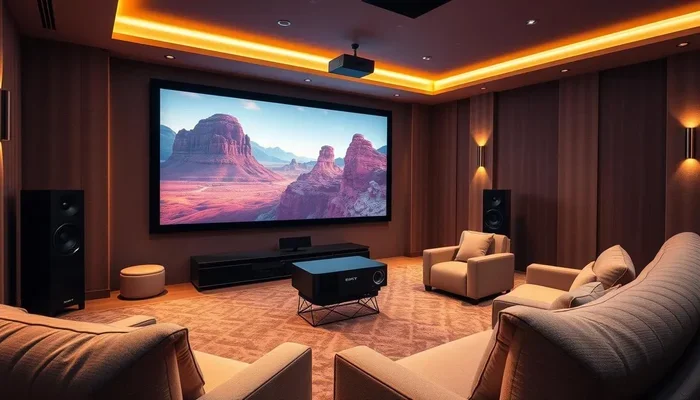
Whether you own a portable projector or a big home theater setup, these tips will help you get started. Let us dive into the different ways you can watch movies on my projector without wifi and enjoy your favorite films anytime, anywhere.
Key Takeaways
- USB Drive Method: Load movie files onto a USB drive and plug it directly into your projector for instant offline playback.
- HDMI Connection: Connect a laptop, phone, or media player to your projector using an HDMI cable for high-quality movie streaming.
- Bluetooth & Wireless Options: Use Bluetooth adapters or screen mirroring to send content from your devices to the projector without wifi.
- Built-In Projector Features: Many projectors have onboard storage or media players that work offline right out of the box.
- Portable Media Players: Devices like Roku or dedicated media players can store and play movies without any internet connection.
📑 Table of Contents
- Why Watch Movies On Your Projector Without Wifi
- Method 1: Use A USB Drive To Play Movies
- Method 2: Connect Your Devices With An HDMI Cable
- Method 3: Use Bluetooth To Connect Your Devices
- Method 4: Use A Portable Media Player Or Built-In Projector Storage
- Method 5: Pre-Download Content And Use Screen Mirroring
- Quick Tips For Troubleshooting Common Problems
- Expert Insights: Making The Most Of Your Offline Setup
- Conclusion
Why Watch Movies On Your Projector Without Wifi
Before we get into the how-to, let us talk about why this matters. Many people assume that a projector always needs an internet connection. That is simply not true. Projectors are display devices. They just show you what you feed them. The content source can be completely offline.
There are several reasons you might want to watch movies on my projector without wifi. First, not everyone has reliable internet all the time. Second, streaming with wifi can sometimes cause buffering or lag. Third, watching offline means you do not use up your data plan. And fourth, it gives you more flexibility. You can set up your projector anywhere, even in a backyard or a cabin in the woods.
Knowing your options also gives you peace of mind. You will never be stuck without something to watch just because the wifi is not working. You will always have a backup plan ready to go.
Method 1: Use A USB Drive To Play Movies
How It Works
This is the simplest and most popular way to watch movies on my projector without wifi. Most modern projectors come with a USB port. You can load movie files onto a USB flash drive or external hard drive and plug it right into the projector. The projector reads the files and plays them directly on the screen.
Here is what you need to do. First, check your projector manual to see which file formats it supports. Most projectors play common formats like MP4, AVI, MKV, and MOV. Next, download or copy your movie files onto your computer. Then, plug the USB drive into your computer and transfer the files. Finally, unplug the drive and plug it into your projector. Navigate to the USB or media option on your projector menu, select your movie, and hit play.
Best USB Drives For Projector Movie Nights
Not all USB drives are the same. Here are some quick tips for choosing the right one:
- Capacity: A 32GB or 64GB drive can hold many full-length movies. A single HD movie takes about 4 to 8GB of space.
- Speed: Look for USB 3.0 drives for faster loading times. No one wants to wait through a slow buffering screen.
- Reliability: Go with trusted brands like SanDisk, Samsung, or Kingston. Cheap drives can corrupt your files.
- Format: Make sure your USB drive is formatted as FAT32 or NTFS, as most projectors only recognize these formats.
Common Issues And How To Fix Them
Sometimes things do not go smoothly. If your projector does not recognize the USB drive, try reformatting it. If a movie will not play, the file format might not be supported. Use a free tool like HandBrake to convert your movies into a compatible format. If the video plays but there is no sound, check your projector audio settings or try a different file format.
One thing to keep in mind. If you are looking for a way to connect your phone to the projector using a cable, check out our guide on Can I Connect My Phone To Projector With USB Cable for more detailed steps.
Method 2: Connect Your Devices With An HDMI Cable
The Simplest Wired Connection
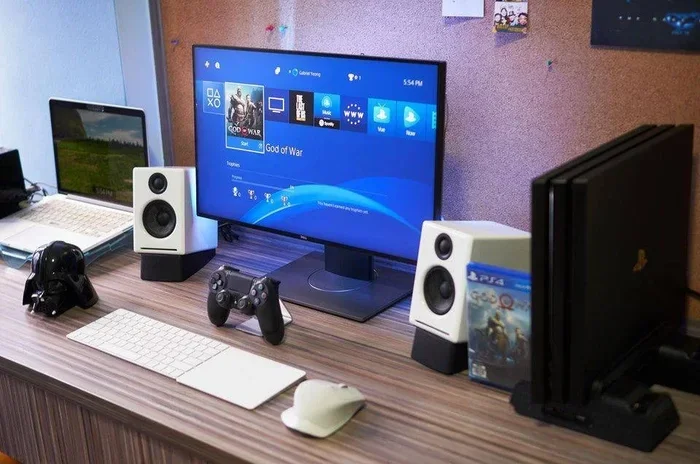
An HDMI cable is one of the most reliable ways to watch movies on my projector without wifi. You can connect almost any device to your projector using HDMI. This includes laptops, desktop computers, Blu-ray players, gaming consoles, and even some phones with the right adapter.
The beauty of HDMI is that it carries both video and audio through a single cable. You get high-definition picture quality without any wireless interference or lag. It is as simple as plugging one end into your device and the other into your projector.
How To Set Up An HDMI Connection
Follow these steps for a smooth setup:
- Turn off both your projector and your source device.
- Plug the HDMI cable into your device.
- Plug the other end into the HDMI port on your projector.
- Turn on your projector and select the HDMI input source.
- Turn on your device and start playing your movie.
If you are using a laptop, you might need to press a function key to switch the display output to the projector. On most laptops, this is the Fn key plus one of the F-keys at the top of the keyboard.
Using A Laptop Or Media Player For Offline Movies
One of the best things about using an HDMI connection is that you can play downloaded movies directly from your laptop. You do not need any internet connection at all. Simply download your favorite movies beforehand, store them on your hard drive, and play them through the projector. This works great for long trips or areas with poor internet service.
If you want to use a dedicated device, a media player like a Roku can also work offline if you have pre-downloaded content. Learn more about using a Roku with your projector in our article Can I Use A Roku With A Projector.
Method 3: Use Bluetooth To Connect Your Devices
Going Wireless Without Wifi
Did you know you can use Bluetooth to connect devices to your projector even without wifi? Bluetooth creates a direct point-to-point connection between two devices. It does not need an internet router or hotspot. This makes it a great option for watching movies on my projector without wifi.
Some projectors come with built-in Bluetooth. If yours does, you can pair your phone, tablet, or laptop directly to the projector. If your projector does not have Bluetooth, you can buy a Bluetooth transmitter. This small device plugs into your projector’s audio output and pairs wirelessly with your phone or other device.
Setting Up Bluetooth For Movie Playback
Here is a quick guide to get you started:
- Step 1: Turn on Bluetooth on your phone or laptop.
- Step 2: Put your projector or Bluetooth transmitter into pairing mode.
- Step 3: Search for available devices on your phone.
- Step 4: Select your projector or transmitter from the list.
- Step 5: Once connected, open your movie app or file and start playing.
Keep in mind that Bluetooth is mainly useful for audio streaming. If you want to mirror your entire screen, you may need a different method. For iPhone users who want to mirror their screen to a projector, check out our guide on Can I Mirror My Iphone To A Projector.
Bluetooth vs HDMI: Which Is Better For Offline Movies
Both methods have their strengths. HDMI gives you the best picture quality and is the most reliable. Bluetooth is more convenient because there are no cables to manage. For the best experience, you can even use both together. Connect via HDMI for video and Bluetooth for audio if your projector supports it.
Method 4: Use A Portable Media Player Or Built-In Projector Storage
Standalone Devices That Work Offline
You do not always need a phone or laptop to play movies on your projector. There are standalone media players designed to work without any internet connection. Devices like the Amazon Fire TV Stick, Roku, or even a simple portable DVD player can connect to your projector and play downloaded content.
Many modern projectors also come with built-in storage or even a built-in Android operating system. This means they can run apps and play media files directly. You can download movies onto the projector’s internal storage or onto an SD card inserted into the projector. Then you can play them right from the device.
Best Portable Media Players For Offline Viewing
Here are some options worth considering:
- Amazon Fire TV Stick: Affordable and easy to use. You can download movies and apps for offline viewing.
- Roku Streaming Stick: Works well with projectors and supports offline content if pre-loaded.
- Portable Media Players: Devices like the WD TV Live or VLC-compatible players can read files directly from a USB drive.
- SD Cards: Many projectors have an SD card slot. Load your movies onto a microSD card and insert it directly.
Having a dedicated media player means your projector becomes a self-contained entertainment system. You do not need to bring a laptop or phone. Just plug in and play.
Method 5: Pre-Download Content And Use Screen Mirroring
Download Before You Go Offline
One of the smartest things you can do is prepare ahead of time. If you know you will be somewhere without wifi, download your movies and shows before you lose connection. Most streaming apps like Netflix, Amazon Prime, and Disney Plus allow you to download content for offline viewing. You can then cast or mirror that content to your projector.
Screen mirroring sends your device screen to the projector wirelessly. Some projectors support Miracast or Chromecast built-in. This lets you mirror your phone or tablet screen without needing wifi. The connection happens directly between your device and the projector through a local wireless signal.
Tips For The Best Offline Movie Experience
Here are some quick tips to make your offline projector movie nights perfect:
- Download movies in advance: Do this while you still have good internet. Download the highest quality available.
- Check your projector’s resolution: Make sure your downloaded files match your projector’s resolution for the best picture.
- Use a quality audio source: Projector built-in speakers are often weak. Consider connecting external speakers via Bluetooth or a 3.5mm cable.
- Bring a backup power source: If you are outdoors, a portable power bank or generator keeps everything running.
- Test everything beforehand: Do a trial run before your movie night to make sure all connections work smoothly.
For more tips on setting up your projector in different locations, you might want to read about whether you can use a projector instead of a TV for a full home theater experience.
Quick Tips For Troubleshooting Common Problems
Even with the best setup, you might run into hiccups. Here are some quick fixes for the most common issues:
- No sound: Check your audio output settings on your source device. Make sure it is set to HDMI or Bluetooth, not the device’s own speaker.
- Video will not play: The file format might not be supported. Convert the file using a free tool like VLC Media Player or HandBrake.
- USB drive not recognized: Try a different USB port or reformat the drive to FAT32.
- HDMI connection not working: Try a different HDMI cable or port. Make sure both devices are powered on before connecting.
- Bluetooth pairing fails: Make sure both devices are within close range and in pairing mode. Restart both devices and try again.
- Poor picture quality: Adjust the projector settings. Clean the lens and make sure the projector is positioned at the right distance from the screen.
These simple fixes solve the vast majority of problems people encounter when setting up offline movie playback. Keep a few spare cables and adapters on hand, and you will be ready for anything.
Expert Insights: Making The Most Of Your Offline Setup
Professional AV technicians often recommend having multiple connection options available. This way, you are never stuck if one method fails. A good setup might include a projector with built-in media player, a USB drive loaded with movies, an HDMI cable, and a Bluetooth transmitter for audio. With these four tools, you can watch movies almost anywhere, anytime.
Another expert tip is to organize your movie files properly. Create folders on your USB drive or hard drive by genre or title. This makes it much easier to find what you want to watch in the dark. You can also create a playlist if your projector supports it, so movies play one after another without interruption.
If you are using a phone or tablet as your source, consider getting a protective case and a long charging cable. Playing movies drains battery quickly. You want your device to stay powered throughout the entire movie. For those wondering about keeping devices plugged in for long periods, check out our guide on Can I Leave My Dell Laptop Plugged In 24 7 for helpful battery management tips.
Conclusion
Watching movies on my projector without wifi is completely doable, and there are more ways to do it than most people realize. Whether you use a USB drive, an HDMI cable, Bluetooth, or a portable media player, you can enjoy a great movie experience without ever needing an internet connection. Each method has its advantages, and the best approach depends on your specific projector and what devices you have available.
The key is to plan ahead. Download your movies, prepare your cables and devices, and test your setup before the big movie night. With a little preparation, you can turn any room or outdoor space into a personal theater. So grab some popcorn, dim the lights, and enjoy your favorite films on the big screen. Your projector does not need wifi to deliver an amazing experience. It just needs content, and now you know exactly how to provide it.
Frequently Asked Questions
Can I watch Netflix movies on my projector without wifi?
Yes, you can. Download movies and shows from the Netflix app while you still have internet. Then open the downloaded content on your device and connect it to your projector using an HDMI cable or screen mirroring. The movie will play without needing wifi.
What file formats work best for projector USB playback?
MP4 and AVI are the most widely supported formats. MKV and MOV also work on many projectors. Check your projector manual for the exact list of supported formats to avoid any playback issues.
Do I need a special projector to watch movies offline?
No, you do not. Most projectors with a USB port or HDMI input can play offline content. Even older projectors work fine as long as they have the right input options for your source device.
Can I use Bluetooth headphones with my projector for private listening?
Yes, if your projector has Bluetooth or you use a Bluetooth transmitter, you can pair wireless headphones directly. This lets you enjoy movies without disturbing anyone else in the room.
How many movies can I fit on a 64GB USB drive?
A 64GB USB drive can hold roughly 15 to 20 full HD movies, depending on the file size and quality. Standard HD movies take about 4GB each, so you will have plenty of room for a movie night.
Is screen mirroring the same as casting?
They are similar but not the same. Screen mirroring shows your entire device screen on the projector. Casting sends specific content from an app to the projector. Both can work offline if your projector supports direct wireless connections.