Are There Any Bluetooth Projectors You Can Actually Use
Yes, Bluetooth projectors exist and they are changing how we watch movies, present at work, and set up home theaters. These wireless projectors let you stream audio and screen content without any cables, making setup fast and simple. Whether you want a portable option for camping or a powerful unit for your living room, there is a Bluetooth projector for you. In this guide, we break down how they work, what to look for, and which ones are worth buying.
Key Takeaways
- Bluetooth projectors are real: Many brands now offer projectors with built-in Bluetooth for wireless audio and screen sharing.
- They are great for home theaters: You can connect speakers, soundbars, and headphones without any wires.
- Portability is a big plus: Most Bluetooth projectors are compact and easy to carry anywhere.
- Setup is simple: Pairing a Bluetooth projector takes just a few minutes and no technical skills.
- Battery-powered options exist: You can use Bluetooth projectors outdoors or in rooms without power outlets.
- Check Bluetooth version: Newer versions like Bluetooth 5.0 offer better range and fewer connection drops.
📑 Table of Contents
- Are There Any Bluetooth Projectors You Can Actually Use?
- How Bluetooth Projectors Work
- Benefits of Using a Bluetooth Projector
- What to Look for When Buying a Bluetooth Projector
- Top Bluetooth Projectors You Can Actually Buy
- Common Uses for Bluetooth Projectors
- Quick Tips for Getting the Best Experience
- Common Mistakes People Make with Bluetooth Projectors
- Expert Insights on Bluetooth Projector Technology
- Conclusion
Are There Any Bluetooth Projectors You Can Actually Use?
The short answer is yes. Bluetooth projectors are not just a concept anymore. They are here, and they work really well. If you have ever dealt with a tangle of cables behind your TV or struggled to connect a projector to a speaker, you know how frustrating wired setups can be. Bluetooth projectors solve that problem completely.
These projectors use Bluetooth technology to connect to speakers, headphones, and even your phone or laptop. You can stream movies, share presentations, and play games all without a single cable. The wireless projector market has grown a lot in recent years, and the technology keeps getting better. Bluetooth 5.0 and newer versions mean faster connections, longer range, and fewer interruptions.
But not all Bluetooth projectors are created equal. Some are great for home theaters. Others are built for business presentations or outdoor movie nights. In this article, we will walk you through everything you need to know. We will cover how Bluetooth projectors work, what features matter most, and which ones you should consider buying.
How Bluetooth Projectors Work
Understanding how a Bluetooth projector works is simpler than you might think. The projector has a built-in Bluetooth chip inside it. This chip lets it talk to other Bluetooth devices nearby. You pair your phone, tablet, or laptop with the projector just like you would pair wireless earbuds with your phone.
The Basics of Bluetooth Connectivity
Bluetooth uses radio waves to send data between devices. The range is usually about 30 feet indoors. Newer Bluetooth versions can go even farther. When you pair your device with a Bluetooth projector, the audio and video signals travel wirelessly. This means no cables, no clutter, and no fuss.
Most Bluetooth projectors also support Wi-Fi screen mirroring. So you can use both Bluetooth and Wi-Fi at the same time. Bluetooth handles the audio while Wi-Fi handles the video stream. This setup gives you the best of both worlds.
What Devices Can You Connect?
You can connect a lot of devices to a Bluetooth projector. Here are some common ones:
- Smartphones: Both Android and iPhone work with most Bluetooth projectors.
- Laptops: Windows and Mac laptops can pair easily.
- Tablets: iPads and Android tablets connect without issues.
- Bluetooth speakers: You can use external speakers for better sound.
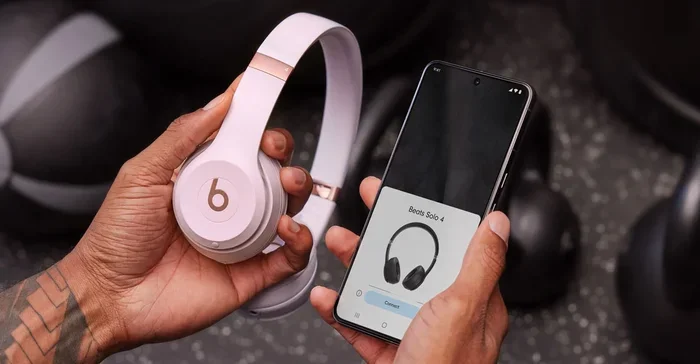
- Headphones: Great for late-night watching without disturbing others.
- Gaming consoles: Some projectors support Bluetooth audio from consoles.
It is worth noting that Bluetooth technology has come a long way. Just as computers are used in medicine for everything from imaging to patient records, Bluetooth connectivity now spans many industries and everyday devices. The wireless revolution has touched nearly every corner of modern life.
Benefits of Using a Bluetooth Projector
There are many reasons to choose a Bluetooth projector over a traditional one. Let us look at the biggest benefits.
No More Cables
The most obvious benefit is going wireless. You do not need HDMI cables, audio cords, or any extra wires. This makes setup a breeze. You can set up a projector in minutes instead of wrestling with cables behind a screen.
Portability
Most Bluetooth projectors are small and lightweight. Many of them are battery-powered too. This means you can take them camping, to the backyard, or to a friend’s house. A portable projector with Bluetooth gives you a lot of freedom.
Better Sound Options
With Bluetooth, you are not stuck with the projector’s built-in speakers. You can connect any Bluetooth speaker or soundbar you want. This gives you much better audio quality. You can even use wireless headphones for private listening.
Quick Setup
Pairing a Bluetooth projector is fast. You turn on Bluetooth on your device, find the projector in your settings, and tap to connect. Most projectors remember your devices, so you do not have to pair them every time. This makes repeated use very convenient.
Cleaner Aesthetic
A wireless setup looks much cleaner. There are no cables running across the floor or hanging from the ceiling. Your viewing area looks neat and organized. This is especially important if you use your projector in a living room or office.
What to Look for When Buying a Bluetooth Projector
Not all Bluetooth projectors are the same. Some are amazing, and some are not worth your money. Here are the key things you should check before buying.
Bluetooth Version
Always check which Bluetooth version the projector supports. Bluetooth 5.0 is the current standard, and it offers the best performance. It has a longer range, faster data transfer, and fewer connection drops. Older versions like Bluetooth 4.0 work fine for basic use but may have more issues.
Resolution
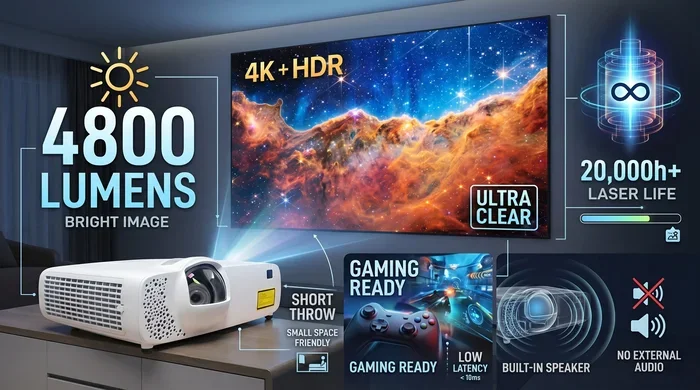
Resolution matters a lot for picture quality. Look for at least 1080p (Full HD). Some projectors now offer 4K resolution, which is stunning. The higher the resolution, the sharper and clearer the image will be.
Brightness
Brightness is measured in lumens. For indoor use, 1,500 to 2,500 lumens is usually enough. If you plan to use the projector outside or in bright rooms, look for 3,000 lumens or more. A brighter projector gives you a clearer picture even in daylight.
Battery Life
If you want a portable Bluetooth projector, battery life is critical. Some projectors last only 1.5 hours, while others can run for 3 to 4 hours on a single charge. Think about how long your movie nights usually are and pick accordingly.
Built-In Smart Features
Many modern projectors come with smart features built in. They run Android TV or similar operating systems. This means you can stream directly from apps like Netflix, YouTube, and Hulu without needing an extra device. Some also support voice control through Alexa or Google Assistant.
Keystone Correction
Keystone correction fixes the image when the projector is not perfectly aligned with the screen. This is a handy feature, especially for portable setups where you might set the projector on a table at an angle. Digital keystone correction works well, but optical keystone is even better.
Top Bluetooth Projectors You Can Actually Buy
Now that you know what to look for, let us talk about some of the best Bluetooth projectors on the market right now. These picks cover different budgets and use cases.
Budget-Friendly Option
If you want a solid Bluetooth projector without spending a lot, look for models in the $200 to $400 range. These usually offer 1080p resolution, decent brightness, and reliable Bluetooth 5.0 connectivity. They are perfect for bedrooms and small apartments.
Mid-Range Pick
In the $400 to $800 range, you get much better picture quality and more features. Many projectors in this category offer smart operating systems, higher brightness, and better speakers. They work great as a main home theater projector.
Premium Choice
For the best experience, spend $800 or more. Premium Bluetooth projectors offer 4K resolution, excellent color accuracy, and powerful built-in speakers. They also tend to have the latest Bluetooth versions and the longest battery life. These are perfect for serious movie lovers and gamers.
Common Uses for Bluetooth Projectors
Bluetooth projectors are incredibly versatile. Here are some of the most popular ways people use them.
Home Theater Setup
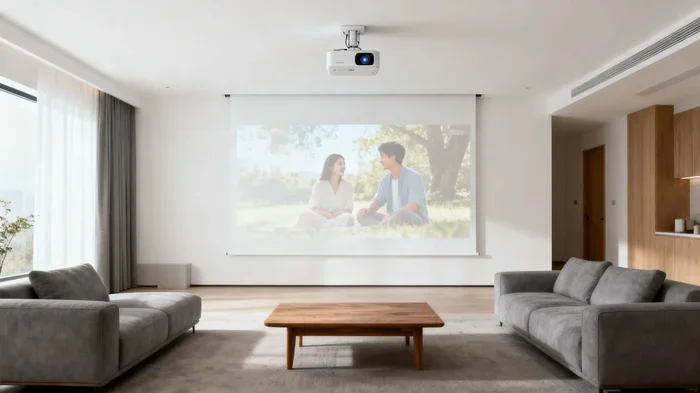
This is the number one use case. You can connect your Bluetooth projector to a big screen, pair it with a quality sound system, and turn any room into a movie theater. The wireless setup means no cables running across your living room floor.
Outdoor Movie Nights
Battery-powered Bluetooth projectors are perfect for backyard movie nights. Set up a white sheet or portable screen, connect your phone, and enjoy a movie under the stars. The wireless connection means you do not need a power outlet nearby for audio either.
Business Presentations
Bluetooth projectors are great for the office too. You can wirelessly share your screen from a laptop during meetings. This saves time and makes presentations look more professional. No one wants to fumble with cables in front of a client.
Gaming
Gamers love Bluetooth projectors because they can connect wirelessly to consoles or PCs. The big screen experience makes gaming more immersive. Just make sure you pick a projector with low input lag for the best gaming experience.
Education and Learning
Teachers and students use Bluetooth projectors in classrooms. Wireless screen sharing makes lessons more interactive. You can move around the room freely without being tied to a laptop.
Quick Tips for Getting the Best Experience
Here are some practical tips to help you get the most out of your Bluetooth projector:
- Keep devices close: Stay within 30 feet of the projector for the best connection.
- Update firmware: Always check for firmware updates. These often improve Bluetooth performance.
- Use a dedicated Bluetooth speaker: Projector speakers are usually small. A good external speaker makes a huge difference.
- Turn off other Bluetooth devices: Too many connected devices can cause interference and drops.
- Use a dark room: Projectors work best in low-light conditions for the clearest picture.
- Clean the lens regularly: Dust on the lens can make the image blurry and dull.
- Use the right screen: A white wall works, but a proper projection screen gives much better results.
Common Mistakes People Make with Bluetooth Projectors
Avoid these common mistakes to get the best experience with your Bluetooth projector:
- Ignoring Bluetooth version: Older Bluetooth versions have shorter range and more connection issues.
- Placing the projector too far away: Bluetooth range is limited. Keep the projector within range of your devices.
- Not checking brightness: A dim projector in a bright room will give you a washed-out image.
- Forgetting about Wi-Fi: Many Bluetooth projectors also need Wi-Fi for streaming content. Make sure your Wi-Fi is strong too.
- Skipping the manual: Every projector has unique settings. Reading the manual helps you unlock features you might otherwise miss.
Expert Insights on Bluetooth Projector Technology
The wireless projector industry is evolving fast. Experts predict that future Bluetooth projectors will offer even longer ranges, faster connections, and better battery life. Some brands are already experimenting with Bluetooth mesh technology, which allows multiple devices to connect seamlessly.
One thing is clear: wireless technology is the future of projection. As Bluetooth continues to improve, we can expect projectors to become even more versatile and user-friendly. The days of cable clutter are numbered.
If you are still on the fence about buying a Bluetooth projector, now is a great time. Prices have dropped significantly, and the quality is better than ever. Whether you are a casual movie watcher or a tech enthusiast, a Bluetooth projector can really upgrade your experience.
Conclusion
Bluetooth projectors are real, they work well, and they are ready for everyday use. They offer wireless freedom, easy setup, and great versatility. Whether you want a portable option for outdoor adventures or a powerful unit for your home theater, there is a Bluetooth projector that fits your needs.
Focus on the features that matter most to you. Check the Bluetooth version, resolution, brightness, and battery life. Read reviews and compare models before you buy. With the right Bluetooth projector, you can enjoy a big-screen experience without any wires getting in the way.
The wireless revolution has made entertainment more flexible and more enjoyable. A Bluetooth projector is a great step into that world. So go ahead, cut the cables, and start projecting.
Frequently Asked Questions
Do Bluetooth projectors need Wi-Fi to work?
Not always. Bluetooth itself does not need Wi-Fi. You can pair your phone directly with the projector using Bluetooth alone. However, if you want to stream content from apps like Netflix or YouTube, you will need Wi-Fi or a cellular data connection. Some projectors also have built-in Wi-Fi and apps, which makes streaming even easier.
Can I connect multiple devices to a Bluetooth projector at once?
Most Bluetooth projectors can remember multiple paired devices. However, they usually connect to one device at a time for audio or screen sharing. You can switch between devices easily by disconnecting one and connecting another. Some higher-end models support multi-device pairing, which lets you switch seamlessly.
How far can Bluetooth reach on a projector?
Bluetooth range depends on the version. Bluetooth 5.0 can reach up to 80 feet in open spaces. Indoors, you can expect around 30 to 40 feet. Walls and furniture can reduce the range. For the best experience, keep your connected device within 30 feet of the projector.
Are Bluetooth projectors good for gaming?
Yes, they can be great for gaming. Look for projectors with low input lag and high refresh rates. Bluetooth handles the audio wirelessly, while you can use an HDMI or USB connection for the video signal from your console or PC. This setup gives you a big-screen gaming experience without any wire clutter around your audio.
Do Bluetooth projectors have built-in speakers?
Most Bluetooth projectors do have built-in speakers. However, these speakers are usually small and not very powerful. If sound quality matters to you, consider connecting external Bluetooth speakers or a soundbar. This will give you much richer and louder audio for movies and games.
Can I use a Bluetooth projector for presentations at work?
Absolutely. Bluetooth projectors are excellent for business presentations. You can wirelessly share your laptop screen with the projector, which makes meetings smoother and more professional. Many business-focused projectors also support wireless presentation systems and screen mirroring apps. This removes the need for cables and adapters entirely.
=== INTERNAL LINKS ===