How Do I Amplify The Sound On My Projector Right Now
Most projectors have weak built-in speakers that struggle in noisy rooms. You can amplify projector sound by connecting external speakers, using a soundbar, or adjusting audio settings. This guide covers every method to make your projector audio louder and clearer.
This is a comprehensive guide about How Do I Amplify The Sound On My Projector.
Key Takeaways
- Built-in projector speakers are usually weak: Most projectors prioritize image quality over sound, leaving you wanting more volume.
- External speakers are the best fix: Bluetooth and wired speakers dramatically improve projector audio with minimal setup.
- Soundbars offer a clean solution: A projector soundbar gives you rich, room-filling sound without extra cables cluttering your space.
- Adjusting projector settings helps: Tweaking EQ and volume settings inside your projector can make a noticeable difference.
- Placement matters a lot: Where you put your projector and speakers affects how loud and clear the sound feels.
- Multiple connection options exist: You can use Bluetooth, HDMI ARC, AUX, or USB to link audio devices to your projector.
[FEATURED_IMAGE_PLACEHOLDER]
How Do I Amplify The Sound On My Projector Right Now
You set up your projector. The picture looks amazing. But the sound? Barely audible. You are not alone. Most projector speakers are tiny and weak. They were never built to fill a room with rich audio. Whether you are watching a movie, giving a presentation, or gaming, poor audio kills the experience fast.
The good news is that amplifying projector sound is easier than you think. You do not need expensive gear or a degree in audio engineering. A few simple steps can transform your projector from a visual-only device into a full entertainment center. This guide walks you through every method that works right now.
You will learn how to connect external speakers, tweak built-in settings, and choose the right audio gear for your setup. By the end, you will know exactly what to do to get louder, clearer sound from your projector. Let us dive in.
Why Projector Sound Is Usually So Weak
Before fixing the problem, it helps to understand why it exists. Most projector manufacturers focus on display quality. They spend money on resolution, brightness, and color accuracy. Sound gets left behind. The tiny speakers inside most projectors produce just 2 to 5 watts of power. That is barely enough to fill a small bedroom.
Another reason is design. Projectors are meant to sit far from the audience, often mounted on a ceiling or placed at the back of a room. The speakers face downward or sideways, so the sound has to travel a long way before it reaches your ears. By the time it does, it sounds faint and muffled.
Room size also plays a big role. A small bedroom might tolerate weak projector audio. A large living room or backyard setup? Not a chance. If you have ever asked yourself why your projector volume is so low, now you know the answer. It is not your fault. It is just how most projectors are built.
Built-In Speaker Limitations
Even premium projectors with decent built-in speakers cannot match a dedicated audio setup. The speaker cones are small, the amplifiers are weak, and the bass response is almost nonexistent. You will notice this especially with action movies, music, or any content with deep low-end sounds. The projector audio output simply was not designed for serious listening.
How To Amplify Projector Sound With External Speakers
The single best way to improve projector sound is to add external speakers. This gives you volume, clarity, and bass that built-in speakers simply cannot match. There are several ways to connect speakers to a projector, and most are very straightforward.
Bluetooth Speakers
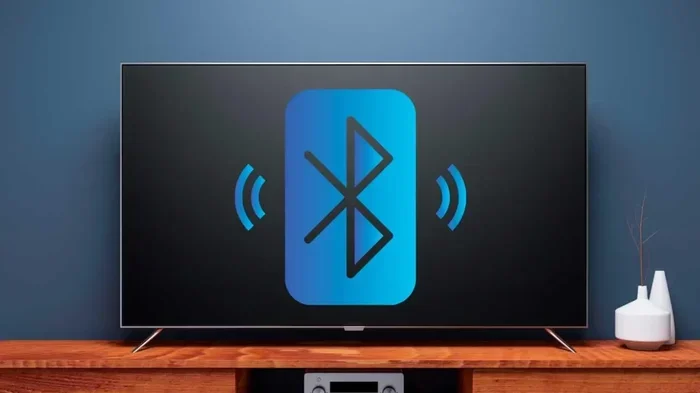
Bluetooth speakers are the easiest option. Many modern projectors come with Bluetooth built in. You just pair your speaker and you are good to go. This works great for portable setups. You can even grab a Bluetooth speaker and take it to the backyard for movie nights.
Place the Bluetooth speaker near the projector or slightly in front of your seating area. This creates a more balanced sound experience. The connection range is usually around 30 feet, so you have flexibility in where you set things up.
Wired Speakers With AUX or RCA
If your projector has an audio output jack, you can connect wired speakers directly. Look for a 3.5mm AUX port or RCA audio outputs on the back of your projector. Run a cable from the projector to your speaker system. This gives you a stable connection with no lag or interference.
Wired connections are ideal for permanent setups. You do not have to worry about battery life or signal drops. Just plug in and play. This method also works well if you are using a soundbar for projector or a small home theater system.
HDMI Audio Extraction
Some projectors send audio through the HDMI cable but do not have a dedicated audio output. In this case, you can use an HDMI audio extractor. This small device splits the HDMI signal into video and audio. You connect the video to your projector and the audio to your speakers.
This might sound complicated, but these extractors are plug-and-play. You do not need any special skills. Just connect the cables and your projector audio will route to your external speakers. It is one of the cleanest ways to improve projector sound when your projector lacks direct audio outputs.
Using A Soundbar With Your Projector
A soundbar is one of the best upgrades you can make for projector audio. It sits neatly below or in front of the projector and delivers rich, room-filling sound. Most soundbars connect via Bluetooth or AUX cable, making them compatible with nearly any projector.
When choosing a soundbar, look for one with good reviews and solid bass. You do not need an expensive model to notice a big difference. Even a budget soundbar will blow away built-in projector speakers. A projector soundbar setup takes minutes and transforms your viewing experience instantly.
Position the soundbar directly in front of your seating area. Angle it slightly upward if it is sitting on a low table. This helps the sound reach your ears more directly. If your projector has HDMI ARC support, you can connect the soundbar through the projector for even simpler control.
Adjusting Projector Audio Settings
Sometimes the fix is simpler than adding new hardware. Your projector likely has audio settings you can adjust to get better sound from the built-in speakers. These tweaks will not turn a tiny speaker into a powerhouse, but they can make a meaningful difference.
Volume And EQ Settings
Go into your projector menu and look for audio or sound settings. Turn the volume all the way up if it is not already. Some projectors have a “loud” or “enhanced” mode that boosts the audio output. Try enabling it and see if it helps.
Many projectors also offer an equalizer or EQ setting. Boost the mid and high frequencies for clearer dialogue. Reduce the bass if it sounds muddy. These small adjustments can make your projector audio much more pleasant, even without external speakers.
Audio Output Format
If your projector supports different audio output formats, experiment with them. Some projectors default to stereo while others support surround or Dolby Audio. Switching to a higher-quality audio format can improve clarity and volume. Check your projector manual or settings menu for available options.
Disable Audio Enhancements On Your Source Device
Sometimes the problem is not the projector but the device sending the signal. If you are streaming from a laptop or phone, check its audio settings. Disable any audio enhancements or volume limiters that might be capping the output. You want the source device to send the strongest possible signal to your projector.
Best External Audio Options For Projectors
Not sure which audio device to buy? Here is a quick comparison of the most popular options for amplifying projector sound.
- Bluetooth Speakers: Portable, easy to pair, affordable. Best for casual viewing and outdoor setups. Limited bass compared to larger systems.
- Soundbars: Compact, good sound quality, clean look. Best for home theater setups. May require AUX or HDMI connection.
- Portable Bluetooth Speakers With Subwoofers: Great bass, loud volume, wireless freedom. Best for larger rooms and outdoor use. Slightly bulkier.
- Full Home Theater System: Best audio quality, multiple speakers, deep surround sound. Best for dedicated media rooms. More complex setup and higher cost.
- USB Audio Adapters: Useful if your projector has a USB port but no audio output. Can connect to small powered speakers. Limited compatibility.
Your choice depends on your budget, room size, and how often you use the projector. For most people, a Bluetooth speaker or soundbar hits the sweet spot between price and performance.
Quick Tips To Maximize Projector Sound
Here are some fast, practical tips to get the most out of your projector audio setup:
- Place the projector closer to the seating area. This is especially helpful if you are using built-in speakers. The closer the speaker is to your ears, the louder and clearer it sounds. If you have been wondering can I project directly on the wall, know that this also affects how sound travels in your room.
- Use a reflective surface under the projector. Placing the projector on a hard, flat surface can help bounce sound toward the audience.
- Avoid placing the projector inside a closed cabinet. Enclosed spaces muffle sound and reduce volume significantly.
- Clean the speaker grills regularly. Dust buildup on projector speakers can dampen sound output over time.
- Pair your projector with a phone or tablet. If your projector supports screen mirroring, you can also route audio through your mobile device. Check out can I connect my phone to projector with USB cable for wired audio routing options.
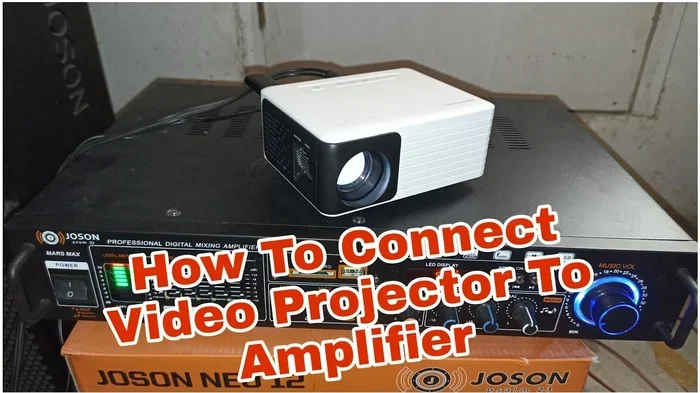
- Use an audio amplifier for large rooms. A small amp between your projector and speakers can boost the signal and increase volume significantly.
Common Mistakes That Make Projector Sound Worse
Avoid these common mistakes that keep your projector audio from reaching its full potential:
- Ignoring the audio cable quality: Cheap or damaged cables can reduce audio quality and volume. Use good quality AUX or HDMI cables for the best results.
- Placing speakers too far away: Even with external speakers, distance matters. Keep them within a reasonable range for the best sound.
- Overlooking Bluetooth interference: Other wireless devices can interfere with Bluetooth audio. Keep your speaker close to the projector to avoid dropouts.
- Setting volume too high on the source device: Cranking the volume on your laptop or phone can introduce distortion. Keep the source volume around 70 to 80 percent and adjust from the projector instead.
- Forgetting to update firmware: Some projectors receive audio improvements through firmware updates. Check the manufacturer website periodically.
Expert Insights On Projector Audio
Audio professionals often recommend treating your projector setup the same way you would treat a TV or home theater system. The projector is just the display. The audio deserves equal attention. A simple Bluetooth speaker or soundbar can elevate your entire experience from mediocre to memorable.
If you are using your projector as a replacement for a TV, you should invest in audio just like you would for a television setup. Many people who use a projector instead of a TV quickly realize that audio is the missing piece. Once you add a decent speaker, everything clicks into place.
For streaming setups, devices like Roku can also handle audio output. If you are exploring this route, look into can I use a Roku with a projector to see how audio routing works with streaming devices.
How To Choose The Right Audio Setup For Your Projector
Choosing the right audio setup depends on a few factors. Consider these questions before making a purchase:
- What is the size of your room? Larger rooms need louder, more powerful speakers.
- How often do you use the projector? Daily users benefit more from a quality soundbar or speaker system.
- Do you need portability? If you move your projector around, a portable Bluetooth speaker is the way to go.
- What is your budget? You can find great Bluetooth speakers for under $50. Soundbars range from $50 to $300 or more.
- What devices do you connect? Make sure your chosen speaker is compatible with your projector’s output options.
Take your time and read reviews before buying. The best speaker for your projector is one that fits your room, your budget, and your usage habits. There is no one-size-fits-all answer, but there is definitely a right answer for you.
Final Thoughts On Amplifying Projector Sound
Amplifying the sound on your projector does not have to be hard or expensive. Whether you use a Bluetooth speaker, a soundbar, or just tweak your projector settings, you can make a big difference. The key is to match your audio solution to your room size and usage needs.
Start with the simplest fix. Try adjusting the volume and EQ settings on your projector. If that is not enough, add an external speaker. You will be amazed at how much better your movies, presentations, and games sound with just a small upgrade.
Remember, your projector is only half the experience. Great picture quality paired with weak audio leaves something to be desired. Take the steps outlined in this guide, and you will enjoy rich, clear sound every time you turn on your projector. Your ears will thank you.
Frequently Asked Questions
Can I amplify projector sound without buying extra equipment?
Yes, you can. Adjust the volume and EQ settings in your projector menu first. You can also move the projector closer to your seating area. Disabling audio limiters on your source device can help too. These free tricks can make a noticeable difference without spending a dime.
What is the best Bluetooth speaker for a projector?
Look for a speaker with at least 10 watts of power and good reviews for clarity. Portable options from brands like JBL and Anker work well with most projectors. Choose one that supports aptX or AAC codecs for better audio quality over Bluetooth.
Can I connect a soundbar directly to my projector?
Yes, most soundbars connect to projectors via AUX cable or Bluetooth. If your projector has HDMI ARC, that is the best connection method. Simply pair or plug in the soundbar, and you will have much louder, clearer audio in minutes.
Why does my projector sound distorted at high volume?
Distortion usually happens when the built-in amplifier is being pushed beyond its limits. Projector speakers are small and cannot handle high volume without distorting. The fix is to use external speakers that can handle more power. This removes the strain from the projector’s tiny internal amp.
Do I need an audio extractor if my projector only has HDMI?
It depends. If your projector has a 3.5mm audio out or RCA ports, you do not need an extractor. If the only output is HDMI, an audio extractor will split the signal so you can send audio to external speakers while the video goes to the projector.
Can I use my phone as a speaker for my projector?
Yes, you can. If your projector supports screen mirroring or casting, you can route audio through your phone or tablet. Just make sure your phone volume is turned up and not muted. This is a quick workaround when you do not have external speakers handy.
Frequently Asked Questions
What is How Do I Amplify The Sound On My Projector?
How Do I Amplify The Sound On My Projector is an important topic with many practical applications.