How Do I Choose A Bluetooth Headset That Is Right For Me
Choosing the right Bluetooth headset comes down to understanding your needs, budget, and lifestyle. Whether you want a headset for work calls, gaming, music, or travel, this guide walks you through every key factor. You will learn about Bluetooth versions, noise cancellation, battery life, and comfort fit so you can make a confident choice.
Wireless audio has changed the way we listen to music, take calls, and enjoy entertainment. A good Bluetooth headset gives you freedom from tangled wires and lets you move around freely. But with so many options on the market, picking the right one can feel overwhelming. This guide breaks everything down into simple, easy-to-understand steps.
Whether you are looking for a wireless headset for work, workouts, or weekend gaming sessions, you are in the right place. We will cover every important factor so you can shop with confidence. Let us dive in and find the perfect Bluetooth headset for you.
Key Takeaways
- Know Your Use Case: Picking the right headset starts with understanding whether you need it for calls, music, gaming, or travel.
- Bluetooth Version Matters: Newer versions offer better range, lower latency, and improved energy efficiency.
- Battery Life Is Critical: Look for at least 6-8 hours of playback for all-day use.
- Noise Cancellation Changes Everything: Active noise cancelling (ANC) blocks out background noise and boosts call clarity.
- Comfort and Fit Come First: A headset that hurts your ears after 30 minutes is not worth buying.
- Check Compatibility: Make sure your headset works with your devices, including phones, TVs, and PCs.
- Price Does Not Always Mean Quality: Many mid-range headsets deliver excellent performance.
📑 Table of Contents
Understand Your Primary Use Case
The first step in choosing a Bluetooth headset is figuring out what you will use it for most. Different headsets are built for different purposes, and picking the wrong type can lead to disappointment. Think about your daily routine and where you will use the headset the most.
For Work and Office Calls
If your main goal is hands-free calling during work hours, you need a headset with a clear microphone and solid battery life. Look for models with noise-cancelling microphones that block out background sounds. Over-ear styles tend to feel more comfortable during long work sessions than in-ear options.
Many professionals prefer headsets that support multipoint connection. This lets you switch between your work phone and laptop without reconnecting every time. It is a small feature that makes a big difference in productivity.
For Music and Media Listening
Music lovers should focus on audio quality and sound profile. The best Bluetooth earbuds and headsets for music support advanced Bluetooth codecs like aptX or LDAC. These codecs deliver richer, more detailed sound compared to basic Bluetooth connections.
Over-ear headphones usually offer better sound than in-ear models because they have larger drivers. If you want deep bass and clear highs, look for headsets with a wide frequency response range. You can also check if the headset lets you adjust the sound profile through an app.
For Gaming
Gamers need low latency and surround sound support. Standard Bluetooth connections can have a slight delay, which matters when you need instant audio feedback. Some headsets designed for gaming use specialized wireless dongles to reduce this delay significantly.
You might also want to check if you can use Bluetooth headphones with PS4 or other consoles. Not all headsets are compatible with gaming systems, so always verify before buying. A headset that works well for calls may not be the best choice for gaming.
For Travel and Commuting
If you travel often or commute daily, active noise cancelling should be at the top of your list. ANC technology blocks out engine noise, chatter, and other background sounds. This lets you enjoy your music or podcasts at lower volumes, which is better for your hearing.
Battery life becomes extra important for travel. Look for headsets that offer at least 20 hours of playback with ANC turned on. Many travel-friendly headsets also come with a carrying case that charges the headset on the go.
Bluetooth Version and Connectivity
The Bluetooth version your headset uses affects range, sound quality, and battery efficiency. Most modern headsets use Bluetooth 5.0 or newer, and this is a good starting point. Older versions like Bluetooth 4.2 work fine for basic use but lack some advanced features.
Why Bluetooth Version Matters
Newer Bluetooth versions bring real benefits. Bluetooth 5.0 and above offer a longer Bluetooth range, sometimes up to 80 feet without obstacles. They also use less power, which means your headset battery lasts longer between charges.
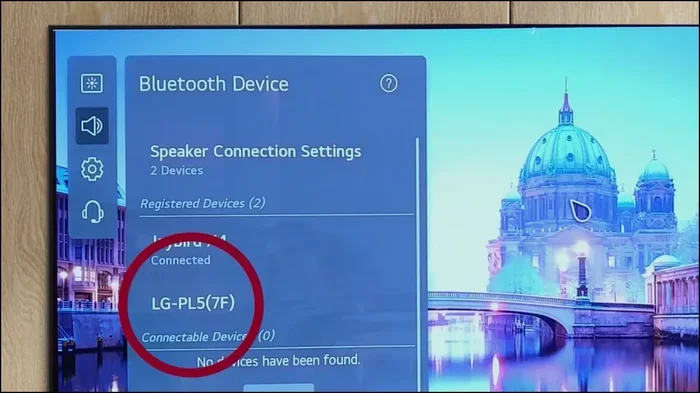
Lower latency is another big win. With newer versions, the delay between audio and video is barely noticeable. This matters when you are watching shows or playing games. If you want to use any Bluetooth headphones with my TV, make sure your TV and headset both support a recent Bluetooth version.
Understanding Bluetooth Codecs
A Bluetooth codec is the format used to compress and send audio wirelessly. Different codecs affect sound quality differently. The most common codecs you will see are SBC, aptX, aptX HD, LDAC, and AAC.
SBC is the default codec and works with all devices, but it does not deliver the best quality. aptX and LDAC offer much better sound reproduction. If audio quality is important to you, choose a headset that supports at least aptX or AAC.
Battery Life and Charging
Nothing is more frustrating than a headset that dies in the middle of a call or a long commute. Battery life is one of the most important factors to consider when choosing a wireless headset.
What Battery Life Should You Look For?
For everyday use, aim for at least 6 to 8 hours of playback on a single charge. If you plan to use the headset for work calls throughout the day, look for 10 hours or more. Travel headsets should offer 20 hours or more, especially with ANC enabled.
Keep in mind that features like ANC and high volume drain the battery faster. Most manufacturers list battery life without ANC turned on, so always check reviews for real-world numbers. A good wireless headset will also offer quick charging, giving you several hours of use from just a 10-minute charge.
Charging Options and Convenience
USB-C charging has become the standard for most modern headsets. This makes it easy to charge with the same cable you use for your phone. Some headsets also support wireless charging, which adds convenience if you already have a wireless charging pad at home or in your office.
Carrying cases with built-in batteries extend the total playback time significantly. A case can add another 20 to 30 hours on top of the headset’s own battery. This is especially useful for long trips where you might not have access to a power outlet.
Comfort, Fit, and Build Quality
A headset might have amazing sound and features, but if it hurts your ears, you will stop using it. Comfort and fit should never be an afterthought when choosing a Bluetooth headset.
Over-Ear vs. In-Ear vs. On-Ear
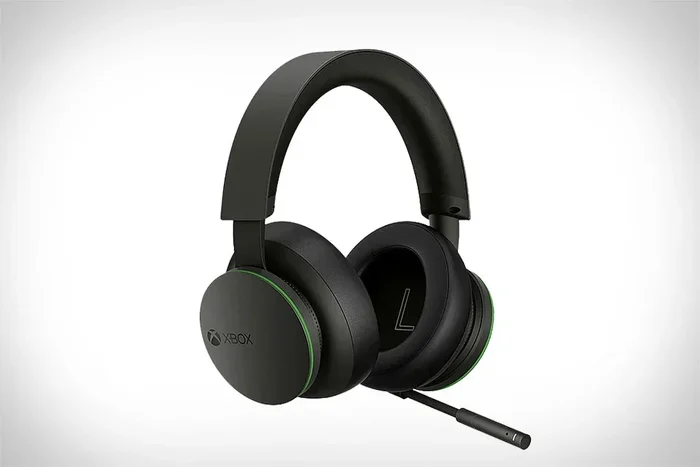
Over-ear headsets have large ear cups that completely cover your ears. They tend to be the most comfortable for long sessions and offer the best sound isolation. However, they can be bulky and less portable.
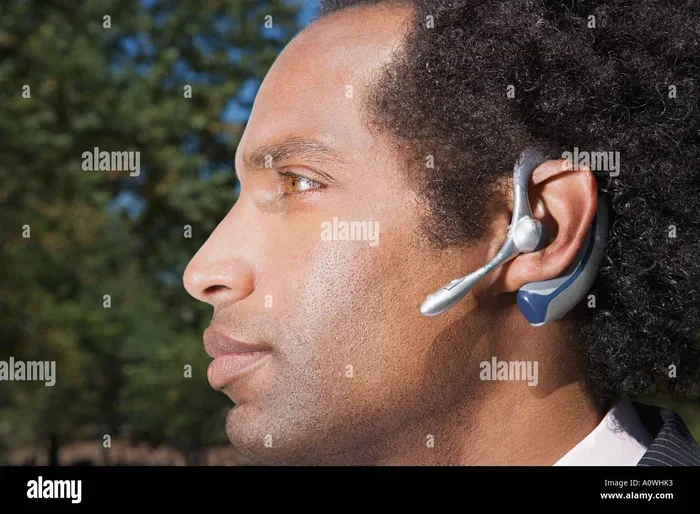
In-ear headsets, also called earbuds, are small and lightweight. They fit inside your ear canal and are easy to carry around. The downside is that some people find them uncomfortable after extended wear. In-ear monitors with silicone or foam tips can improve comfort significantly.
On-ear headsets rest on top of your ears rather than around them. They are a middle ground between over-ear and in-ear styles. They are generally more portable than over-ear models but can cause ear fatigue during long use.
Weight and Clamping Force
Lightweight headsets reduce neck strain during long use. Look for headsets under 300 grams if you plan to wear them for hours. The clamping force, which is how tightly the headset grips your head, should be firm enough to stay in place but not so tight that it causes headaches.
If you are shopping online, always check user reviews for comfort feedback. What feels comfortable for one person might not work for another. Your ear shape and head size play a big role in how a headset feels over time.
Sound Quality and Features
Sound quality is the heart of any Bluetooth headset. While personal preferences play a role, there are some objective factors you can look at to compare headsets.
Driver Size and Type
The driver is the small speaker inside the headset that produces sound. Larger drivers generally produce richer bass and louder sound. Most over-ear headsets have drivers between 40mm and 50mm. In-ear earbuds usually have smaller drivers, around 6mm to 11mm, but quality engineering can make up for the size difference.
Noise Cancellation Options
Active noise cancelling uses microphones to detect outside noise and creates an inverse sound wave to cancel it out. This is different from passive noise isolation, which simply blocks sound with physical barriers like ear cup padding.
ANC is especially useful in noisy environments like offices, airports, and city streets. It makes your music sound cleaner and your calls more private. Some headsets also offer adjustable ANC levels, so you can let in some ambient sound when you need to stay aware of your surroundings.
Microphone Quality for Calls
If you take a lot of calls, microphone quality is just as important as sound quality. Look for headsets with beamforming microphones that focus on your voice and reduce background noise. Some headsets also offer wind noise reduction, which is helpful if you use the headset outdoors.
For those who frequently make calls while on the move, you might wonder if you can talk on the phone with Bluetooth headphones. The answer is yes, but the quality depends on the headset’s microphone and noise-cancelling technology. Premium headsets handle this much better than budget options.
Price Range and Value
Bluetooth headsets come in a wide range of prices, from under $20 to over $300. Understanding where to spend your money helps you get the best value.
Budget Options (Under $50)
Budget headsets offer decent sound quality and basic features. They are great for casual listening and short calls. You may sacrifice battery life, build quality, and advanced features like ANC. However, some budget options surprise you with solid performance.
Mid-Range Options ($50 to $150)
This is the sweet spot for most buyers. Mid-range headsets offer a great balance of sound quality, comfort, battery life, and features. Many models in this range include ANC, multipoint connection, and app customization. If you want the best value for your money, this is where you should focus your search.
Premium Options (Over $150)
Premium headsets deliver top-tier sound, the best ANC technology, and premium build materials. They often include advanced features like spatial audio, multipoint pairing, and extended battery life. These are ideal for audiophiles, professionals, and anyone who wants the absolute best experience.
Common Mistakes to Avoid
Shopping for a Bluetooth headset can be tricky, and many people make avoidable mistakes. Here are some common pitfalls to watch out for:
- Ignoring compatibility: Not every headset works well with every device. Check if the headset is compatible with your phone, tablet, or computer before buying.
- Overlooking comfort: A headset that looks great online might feel terrible after 20 minutes. Always check comfort reviews and, if possible, try before you buy.
- Chasing brand names: A well-known brand does not always mean the best headset for you. Smaller brands often offer excellent quality at lower prices.
- Ignoring return policies: Buy from retailers that offer easy returns. This gives you the freedom to test the headset and send it back if it does not meet your expectations.
- Focusing only on price: The cheapest option is not always the worst, and the most expensive is not always the best. Focus on features that matter for your specific needs.
If you are thinking about upgrading your car audio setup, you might also consider whether you can use a Bluetooth transmitter for my car to stream music wirelessly. This is a great alternative if you do not want a headset but still want the freedom of wireless audio.
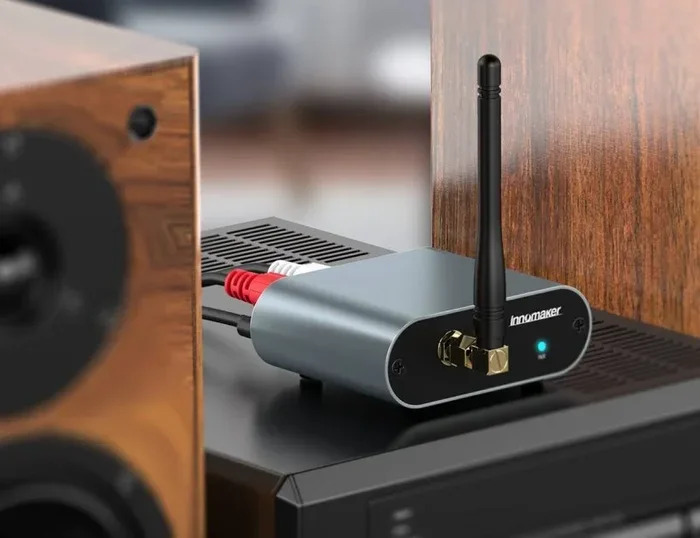
Similarly, if you want to make your old stereo Bluetooth-enabled, you can explore options to turn my stereo into Bluetooth. This opens up wireless listening without replacing your entire audio setup.
Final Thoughts
Choosing the right Bluetooth headset does not have to be complicated. Start by identifying your primary use case, then focus on the features that matter most to you. Whether it is battery life, noise cancellation, comfort fit, or audio quality, there is a perfect headset out there for everyone.
Remember that the best headset is the one that fits your lifestyle and budget. Do not get swayed by flashy features you will never use. Instead, invest in a headset that delivers solid performance in the areas you care about most. With the knowledge from this guide, you are now ready to make a confident and informed choice.
Take your time, compare a few options, and do not be afraid to read user reviews. A good wireless headset can transform your daily routine, making calls clearer, music richer, and entertainment more immersive. Happy listening.
Frequently Asked Questions
What is the best Bluetooth headset for beginners?
If you are new to wireless audio, start with a mid-range over-ear headset that offers solid battery life and comfortable ear pads. Models in the $50 to $100 range usually provide the best balance of features and value for first-time buyers.
Can I use a Bluetooth headset with my TV?
Yes, you can use any Bluetooth headphones with my TV as long as your TV supports Bluetooth or you use a Bluetooth adapter. Many modern smart TVs have built-in Bluetooth, but older models may need an external transmitter to connect wirelessly.
How long does a Bluetooth headset battery last?
Battery life varies by model and usage. Most headsets offer between 6 and 30 hours of playback on a single charge. Features like active noise cancelling and high volume levels will reduce battery life, so check real-world reviews for accurate estimates.
Is Bluetooth safe to use for long periods?
Yes, Bluetooth technology uses low-level radio waves that are considered safe for everyday use. The radiation levels are far lower than those from cell phones. If you are concerned, you can take regular breaks and give your ears some rest.
What is multipoint connection on a Bluetooth headset?
Multipoint connection allows your headset to stay paired with two or more devices at the same time. You can switch between your phone and laptop seamlessly without disconnecting and reconnecting. This feature is very useful for people who work across multiple devices.
Do I need an app to manage my Bluetooth headset?
Many modern headsets come with companion apps that let you customize sound profiles, update firmware, and adjust ANC levels. However, not all headsets require an app. Basic models work perfectly fine without any additional software, so check the product details before purchasing.
=== CONCLUSION ===
Finding the right Bluetooth headset is all about matching features to your needs. Focus on your use case, check the Bluetooth version and codecs, prioritize battery life and comfort, and do not overlook the importance of sound quality. With these factors in mind, you will find a wireless headset that delivers a great experience every single day.