How Do I Choose A Smart Plug And Save Big On Energy
Choosing the right smart plug is one of the easiest ways to cut energy waste and lower your electricity bills. A smart plug lets you control any device from your phone, set schedules, and monitor power usage in real time. This guide walks you through everything you need to know, from compatibility and features to energy-saving strategies that actually work.
Have you ever left a device plugged in and wondered if it was still using power? The answer is yes. Many electronics draw energy even when turned off. This hidden waste adds up fast on your electricity bill. A smart plug solves this problem in a simple and affordable way.
A smart plug sits between your wall outlet and your device. It turns any dumb appliance into a smart one. You can control it from your phone, set timers, and track how much energy each device uses. The best part? You can start saving money the very first day you use one.
But with so many options on the market, picking the right one can feel overwhelming. Different brands offer different features. Some plugs work only with certain voice assistants. Others lack energy monitoring or overload protection. This guide breaks it all down so you can make a confident choice. Let us dive into everything you need to know about smart plugs and how they can help you save big on energy.
Key Takeaways
- Smart plugs save money: They cut standby power waste and let you schedule devices to run only when needed.
- Compatibility matters: Check if the plug works with Alexa, Google Home, or Apple HomeKit before buying.
- Energy monitoring is a game changer: Plugs with usage tracking help you see exactly where your electricity goes.
- Look for surge protection: It protects your devices from power spikes and extends their lifespan.
- Size and design count: Choose a plug that fits your outlets without blocking adjacent sockets.
- Set it and forget it: Scheduling and automation make energy savings effortless.
📑 Table of Contents
- What Is A Smart Plug And How Does It Work
- Key Features To Look For In A Smart Plug
- Smart Plug Compatibility With Your Devices
- How Smart Plugs Help You Save On Energy Bills
- Types Of Smart Plugs Compared
- Common Mistakes To Avoid When Choosing A Smart Plug
- Expert Tips For Maximizing Savings With A Smart Plug
- Final Thoughts On Choosing The Right Smart Plug
What Is A Smart Plug And How Does It Work
A smart plug is a small device that plugs directly into a standard wall outlet. It acts as a bridge between your regular appliances and your home network. Once connected, you can turn any plugged-in device on or off using your phone or voice commands.
Here is how it works in simple terms. You plug the smart plug into the wall. Then you plug your lamp, fan, or coffee maker into the smart plug. The smart plug connects to your Wi-Fi network. From there, you control it through an app or a voice assistant like Alexa or Google Home.
Why Smart Plugs Matter For Energy Savings
Many people do not realize that devices use power even when switched off. This is called phantom load or standby power. A television on standby still draws electricity. So does a phone charger left in the outlet. A smart plug cuts this waste completely. You can turn devices off remotely or set them to shut off automatically.
Think about it this way. Your gaming console uses power in standby mode all night. Your coffee maker stays ready to brew all day. A smart plug stops this hidden energy drain in its tracks. Over weeks and months, those small savings add up to real money.
Key Features To Look For In A Smart Plug
Not all smart plugs are created equal. Some come packed with useful features while others are very basic. Knowing what to look for helps you find the best value for your money.
Wi-Fi Connectivity
Most smart plugs connect to your home Wi-Fi network. This lets you control them from anywhere with an internet connection. Some plugs use Bluetooth instead, which limits your range. Wi-Fi plugs are generally better because you can reach them from across town. You can turn off a device you accidentally left on while you are at work.
Voice Assistant Compatibility
One of the best things about a smart plug is voice control. You can turn devices on and off without lifting a finger. But not every plug works with every voice assistant. Some plugs work only with Alexa, while others support Google Home or Apple HomeKit. Before you buy, check that the plug is compatible with the assistant you already use. For example, if you use Alexa to control your smart home devices, make sure the plug is Alexa compatible. You can even use a smart plug alongside devices like a Bluetooth speaker to create a full smart home setup.
Energy Monitoring
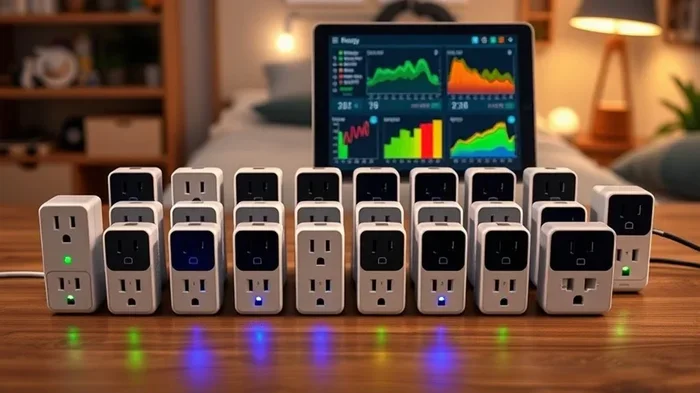
This is a feature that truly sets premium smart plugs apart. Energy monitoring tracks how much electricity each device uses in real time. The app shows you daily, weekly, and monthly usage stats. You can see exactly how much your devices cost to run. This data helps you make smarter decisions about your energy habits.
Scheduling And Timer Functions
A good smart plug lets you create schedules. You can set your lamp to turn on at sunset and off at bedtime. You can schedule your space heater to run only during certain hours. Timer functions add another layer of convenience. You can set a device to turn off after a specific amount of time. These features make energy savings automatic and effortless.
Surge Protection
Power surges can damage your electronics. Some smart plugs include built-in surge protection. This adds a layer of safety for your valuable devices. If you live in an area with frequent electrical storms or unstable power, surge-protected plugs are a smart investment.
Smart Plug Compatibility With Your Devices
Before buying a smart plug, check what you plan to connect to it. Most smart plugs work well with low-power devices. Lamps, fans, and phone chargers are perfect fits. But some devices draw too much power for a standard smart plug.
Here are some common devices that work great with smart plugs:
- Lamps and light fixtures – great for scheduling and remote control
- Fans and heaters – save energy by running only when needed
- Phone and laptop chargers – stop phantom charging power drain
- Coffee makers and toasters – turn them off remotely for safety
- Entertainment systems – cut standby power to TVs and soundbars
Be careful with high-draw appliances like space heaters and air conditioners. Check the wattage rating of the smart plug before connecting heavy devices. Most standard plugs handle up to 15 amps or about 1800 watts. Going beyond this limit can be dangerous.
If you are already using smart home devices, make sure your smart plug fits into your existing setup. For instance, if you have a smart thermostat like the kind you might install in an RV or camper, you want all your devices to work together seamlessly. A smart plug should complement your setup, not complicate it.
How Smart Plugs Help You Save On Energy Bills
The real reason most people buy a smart plug is to save money. And the savings can be significant. Let us look at how this works in practice.
Cutting Standby Power Waste
Phantom load accounts for about 5 to 10 percent of a typical household electricity bill. That is money you pay for nothing. A smart plug eliminates this waste by cutting power completely when devices are not in use. You can set plugs to turn off at night or when you leave the house.
Smart Scheduling Reduces Usage
Scheduling is where smart plugs really shine. Instead of running your devices 24/7, you set them to operate only during specific hours. Your coffee maker turns on 10 minutes before your alarm. Your desk lamp shuts off when you leave for work. These small changes create big savings over time.
Tracking Energy Usage Changes Behavior
When you see real-time data on how much energy your devices use, you naturally start making better choices. You might notice that your old gaming console uses a surprising amount of power. Or that your desktop computer draws energy even in sleep mode. This awareness alone leads to smarter usage habits.
Smart plugs also pair well with other energy-saving devices. For example, if you use a digital thermostat to manage heating and cooling, adding smart plugs to your other devices creates a comprehensive energy-saving strategy. Together, these tools can reduce your monthly bill by a noticeable amount.
Types Of Smart Plugs Compared
The market offers several types of smart plugs. Each has its own strengths. Here is a quick comparison to help you decide.
| Type | Best For | Pros | Cons |
|---|---|---|---|
| Basic Smart Plug | Simple on/off control | Affordable, easy setup | No energy monitoring |
| Energy Monitoring Plug | Tracking power usage | Detailed usage data, saves more money | Pricier than basic models |
| Outdoor Smart Plug | Patio and garden devices | Weather resistant, durable | Higher cost, larger size |
| Surge-Protected Smart Plug | Protecting expensive gear | Safety built in, peace of mind | Bulkier, slightly more expensive |
For most households, an energy monitoring plug offers the best value. You get the basic on/off control plus the ability to track usage. This gives you the tools to really understand and reduce your energy consumption.
Common Mistakes To Avoid When Choosing A Smart Plug
Buying the wrong smart plug wastes money and causes frustration. Here are some common mistakes to watch out for.
Skipping compatibility checks. Not every plug works with every ecosystem. If you use Google Home, make sure the plug supports it. Buying a plug that only works with Alexa will frustrate you if your household runs on Google.
Ignoring wattage limits. Every smart plug has a maximum wattage rating. Plugging in a device that exceeds this limit can trip a breaker or even cause a fire. Always check the rating before connecting high-power devices.
Forgetting about app quality. The app controls your smart plug. A poorly designed app makes the whole experience frustrating. Read reviews about the app before you buy the plug. Look for apps that are easy to navigate and offer useful features.
Overlooking update frequency. Smart plugs need firmware updates from time to time. Some brands update regularly while others stop supporting their products after a year or two. Choose a brand with a good track record of ongoing support.
Expert Tips For Maximizing Savings With A Smart Plug
Getting the most from your smart plug is about more than just plugging it in. Here are some expert tips that make a real difference.
- Group devices by room. Create room-based groups in your app. This lets you turn off all devices in a room with a single tap.
- Use away modes. When you leave home, set all smart plugs to turn off. This stops every phantom load at once.
- Set seasonal schedules. Adjust your device schedules with the seasons. Run fans more in summer and heaters less in winter.
- Review your energy data weekly. Check the app regularly. Look for devices that use more power than expected and adjust your habits.
- Combine with other smart devices. A smart plug works best as part of a larger smart home system. Pair it with sensors, cameras, and other devices for maximum automation.
The beauty of a smart plug is its simplicity. You do not need to be a tech expert to use one. Just plug it in, download the app, and follow the setup instructions. Within minutes, you will be controlling your devices and watching your energy savings grow.
Many users report saving 5 to 15 percent on their electricity bills after adding smart plugs throughout their home. That might not sound like much, but it adds up over a year. A single smart plug costs between 15 and 30 dollars. Most users recoup that cost within the first month of use. The savings only grow from there.
Think of a smart plug as a small investment with a fast return. You are not just buying a gadget. You are buying control over your energy usage and your electricity costs. Every device you connect becomes a chance to save.
Final Thoughts On Choosing The Right Smart Plug
Choosing the right smart plug comes down to understanding your needs. Do you want basic remote control? A basic plug will do the job. Do you want to track energy usage and save the most money? Go for a plug with energy monitoring. Do you need protection for your devices? Choose a surge-protected model.
Start small if you are new to smart home tech. Buy one or two plugs and see how they fit into your routine. Once you experience the convenience and savings, you will likely want more. Most people start with a smart plug for their living room lamp or bedroom fan and quickly expand from there.
The bottom line is this. A smart plug is one of the simplest and most affordable ways to take control of your energy usage. It pays for itself quickly and makes your home more convenient at the same time. You have nothing to lose and real savings to gain.
Take some time today to evaluate your current energy habits. Identify the devices that waste the most standby power. Then pick a smart plug that fits your budget and your smart home setup. You will wonder why you did not make the switch sooner.
Frequently Asked Questions
Can I use a smart plug with any device?
Most smart plugs work with standard appliances like lamps, fans, and chargers. However, you should avoid plugging in high-draw devices that exceed the plug’s wattage rating. Always check the manufacturer’s guidelines before connecting anything.
Do smart plugs really save money on energy bills?
Yes, they do. Smart plugs eliminate phantom power drain and let you schedule devices to run only when needed. Many users see a 5 to 15 percent reduction in their electricity bills after using smart plugs throughout their home.
Are smart plugs hard to set up?
Not at all. Most smart plugs take just a few minutes to set up. You plug them into the wall, download the companion app, and follow the on-screen instructions. No special tools or technical skills are required.
Will a smart plug work if my Wi-Fi goes down?
This depends on the plug. Most smart plugs need Wi-Fi to work remotely. However, many still allow manual control at the plug itself. Some also support Bluetooth as a backup connection method.
Can I use multiple smart plugs in one room?
Absolutely. You can use as many smart plugs as you have available outlets. Just make sure the total wattage of all connected devices does not exceed the circuit’s capacity. Grouping them by room in your app makes control much easier.
What is the difference between a smart plug and a smart switch?
A smart plug sits between the outlet and your device and is easy to move anywhere. A smart switch replaces your wall switch and controls hardwired fixtures. Smart plugs are more flexible, while smart switches offer a more permanent and built-in solution.
=== CONCLUSION ===
A smart plug is one of the smartest purchases you can make for your home. It is affordable, easy to use, and delivers real savings on your energy bills. By choosing the right plug with the features you need, you take control of your power usage and start saving money immediately. Start with one plug, see the difference, and build your smart home setup from there. Your wallet will thank you.