Can I Use A Projector Instead Of A TV In My Living Room
Using a projector instead of a TV in your living room is a great idea for many homeowners. A projector delivers a bigger, more cinematic viewing experience that can transform how you watch movies and shows. However, there are trade-offs like brightness, setup complexity, and maintenance. This guide covers everything you need to know about projector vs TV decisions for your home entertainment setup.
Can I use a projector instead of a TV in my living room? This is a question more homeowners are asking every day. The short answer is yes. A projector can absolutely replace your television and deliver a far more immersive experience. But the full answer comes with some important details you need to consider before making the switch.
Many people dream of having a home theater setup without spending thousands of dollars. A projector makes that dream possible for most budgets. Whether you love movie nights, sports events, or gaming, a projector can change the way you enjoy content at home. Let us walk through everything you need to know about replacing your TV with a projector.
Key Takeaways
- Bigger Screen Size: Projectors can display images from 80 to 150 inches or more, far exceeding most TVs.
- Cost Efficiency for Large Screens: Getting a massive image with a projector is often cheaper than buying a very large TV.
- Ambient Light Matters: Projector image quality drops in bright rooms, so light control is essential.
- Setup and Maintenance: Projectors require more installation effort and periodic lamp or bulb replacements.
- Modern Projectors Are Smart: Many projectors now come with built-in smart features and 4K resolution.
- Eye Comfort: Projected light is easier on the eyes than direct LED or OLED screen light during long viewing sessions.
- Living Room Fit Depends on Your Space: Room size, wall color, and lighting conditions all determine if a projector works for you.
📑 Table of Contents
- Why Homeowners Are Switching from TV to Projector
- Living Room Projector Setup: What You Need to Know
- Projector vs TV: Head-to-Head Comparison
- Projector Brightness: The Key to a Great Image
- Types of Projectors for Living Room Use
- Projector Maintenance: What to Expect
- Making the Switch: Practical Tips for Your Living Room
- Conclusion
Why Homeowners Are Switching from TV to Projector
The trend of replacing a TV with a projector has grown fast in recent years. More people want a cinematic experience in the comfort of their own homes. A big screen creates a feeling of being inside the action. This is something a standard TV simply cannot match no matter how large it is.
There are several reasons why the projector vs TV debate has shifted in favor of projectors. Let us look at the biggest motivators driving this change.
Screen Size That Impresses
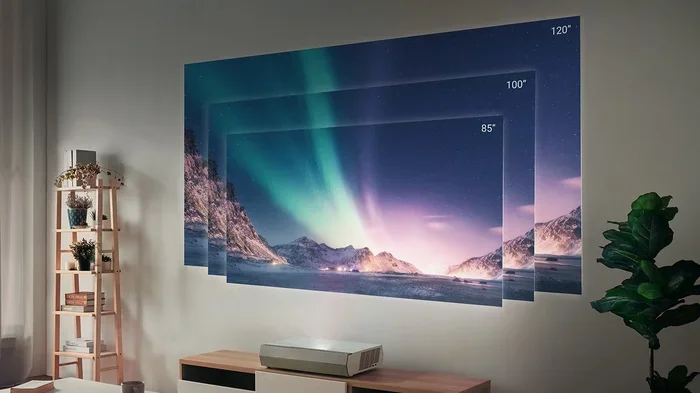
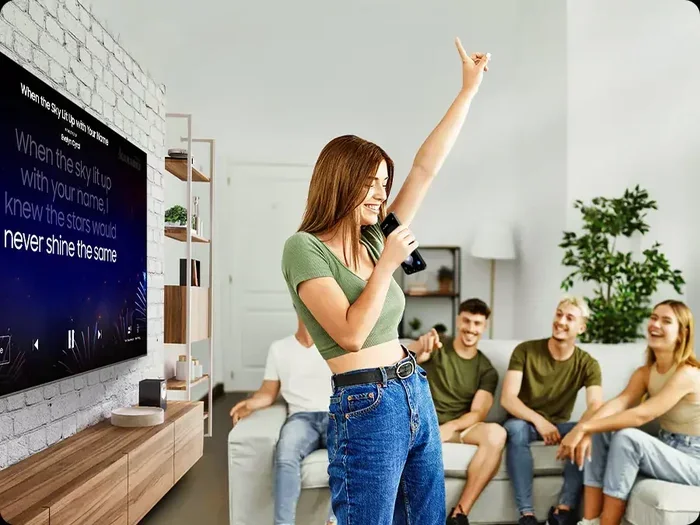
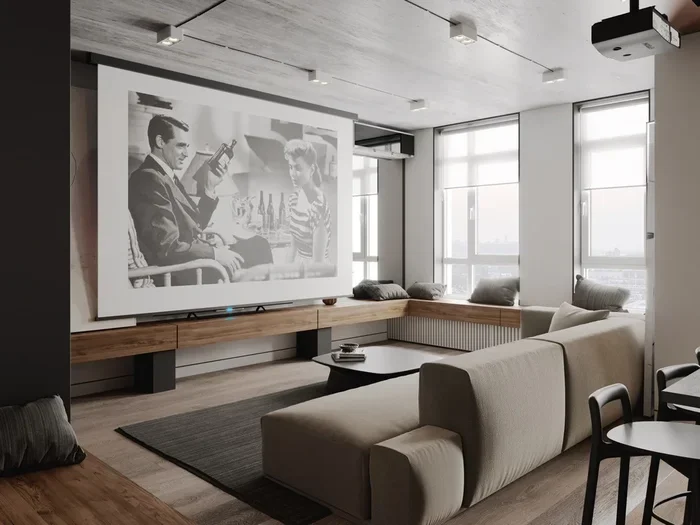
The most obvious advantage of a projector is the screen size. Most TVs top out around 75 to 85 inches. A projector can easily display images between 80 and 150 inches. Some setups can go even larger with the right screen and projector combination. That kind of size makes watching movies feel like a real theater experience.
Think about it this way. A 65-inch TV takes up a lot of wall space and still feels small compared to a 120-inch projected image. The immersion factor is completely different. When you watch a football game or a blockbuster movie on a huge screen, the experience is hard to beat.
Cost Savings on Big Screens
Here is a reality check. A 75-inch TV costs a pretty penny. An 85-inch TV? Even more. If you want to go bigger, the price skyrockets. A quality projector that delivers a 100-inch image costs a fraction of what a comparably sized TV would run you.
This cost advantage is one of the main reasons people choose a projector over a TV. You get a massive picture without breaking the bank. Of course, you also need to factor in the cost of a projector screen, mounting equipment, and possibly an audio setup. But even with those extras, the total cost often stays lower than a very large TV.
Eye Comfort During Long Viewing Sessions
This is a benefit many people overlook. Projected light reflects off a screen and enters your eyes softly. TV screens emit light directly into your eyes. Over long viewing sessions, direct LED or OLED light can cause more eye strain and fatigue.
With a projector, the light bounces off the screen first. This creates a gentler viewing experience. If you or your family members watch movies for hours, a projector can be easier on your eyes. This is especially true for kids who spend a lot of time watching animated content.
Living Room Projector Setup: What You Need to Know
Setting up a projector in your living room is different from just plugging in a TV. There are a few key factors that determine how well your projector will work in this space. Let us break down what matters most.
Room Size and Projector Distance
The size of your living room plays a big role in projector performance. A small apartment living room will not give you the same experience as a large open-plan space. You need enough distance between the projector and the screen to create a big image.
Most projectors need between 8 and 15 feet of throw distance to create a 100-inch image. If your living room is compact, you might want to look at a short throw projector. These models can produce a large image from just a few feet away. They are perfect for smaller spaces where traditional projector placement is not practical.
Wall Color and Surface
Not all walls are created equal when it comes to projecting images. A white, flat wall works best for most projectors. Dark or colored walls can distort the image and reduce brightness. If your living room has textured walls, the projected image may look uneven or blurry.
Many projector users invest in a dedicated projector screen. These screens are designed to reflect light evenly and boost image quality. You can get a pull-down screen, a fixed frame screen, or even an inflatable outdoor screen depending on your needs. A proper screen makes a huge difference in how your projected image looks.
Ambient Light Control
This is the biggest challenge of using a projector in a living room. TVs shine bright and can compete with daylight or lamps easily. Projectors struggle with ambient light. The more light in your room, the washed out your projected image becomes.
To get the best results, you need to control the light in your space. Heavy curtains or blackout blinds are very helpful. You can also position your projector screen away from windows. Some projectors have higher brightness ratings that handle ambient light better. We will talk more about projector brightness in a moment.
Projector vs TV: Head-to-Head Comparison
Let us put the projector vs TV debate into perspective. Here is a side-by-side look at how they compare across the most important factors.
| Feature | Projector | TV |
|---|---|---|
| Screen Size | 80 to 150+ inches | 43 to 98 inches |
| Cost for Large Screen | Lower cost per inch | Higher cost for big sizes |
| Brightness | Struggles in bright rooms | Excellent in all lighting |
| Eye Comfort | Better for long sessions | More eye strain over time |
| Setup Complexity | More involved | Plug and play |
| Maintenance | Lamp or bulb replacement | Minimal maintenance |
| Portability | Easy to move | Heavy and fixed |
| Smart Features | Available on most models | Built-in on all models |
As you can see from the comparison, both options have clear strengths. A projector wins on screen size and cost for big images. A TV wins on convenience, brightness, and ease of use. Your choice depends on what matters most to you and your household.
Projector Brightness: The Key to a Great Image
One of the most important specs to understand when choosing a projector is brightness. Projector brightness is measured in lumens. The higher the lumen count, the brighter the image. This matters a lot for living room use where some ambient light is unavoidable.
For a living room projector setup, you want at least 2,000 to 3,000 lumens. If your room gets a lot of natural light during the day, aim for 3,000 lumens or higher. A brighter projector will produce a clearer image even when the curtains are open or the lamps are on.
Here are some quick tips for managing projector brightness in your living room:
- Use light-colored or gray screens to boost contrast.
- Close curtains or blinds during daytime viewing.
- Turn off or dim nearby lamps when watching content.
- Choose a projector with a high ANSI lumen rating.
- Consider an ambient light rejection screen for better results.
Brightness is the factor that makes or breaks the projector vs TV comparison. If you can control the light in your room, a projector will deliver stunning image quality. If your living room is very bright and you cannot control the light, a TV might still be the better choice.
Types of Projectors for Living Room Use
Not all projectors are the same. Different types of projectors serve different needs. Here is a look at the most popular options for living room entertainment setups.
Standard Throw Projectors
These are the traditional projectors most people think of. They need a longer distance between the projector and the screen to create a large image. Standard throw projectors work well in larger living rooms where you can place the projector on a shelf or mount it on the ceiling.
They tend to offer excellent image quality and brightness. Many standard throw models support 4K resolution and HDR content. They are a great choice if you have the space and want the best possible picture quality.
Short Throw Projectors
Short throw projectors are designed to produce a large image from a much shorter distance. These are ideal for living rooms where space is limited. You can place a short throw projector on a coffee table or a low shelf and still get a 100-inch image.
One benefit of short throw projectors is that they reduce shadows on the screen. Since the projector sits close to the screen, people walking in front of it are less likely to block the image. This makes them a practical choice for family living rooms.
Ultra Short Throw Projectors
Ultra short throw projectors sit very close to the screen, sometimes just a few inches away. They can produce a large image from a spot right next to the wall. These projectors are perfect for small living rooms or bedrooms.
The trade-off is that ultra short throw projectors tend to be more expensive. They also require a very flat, smooth surface or a dedicated screen to look their best. If budget allows, they offer a fantastic and space-saving entertainment solution.
Smart Projectors
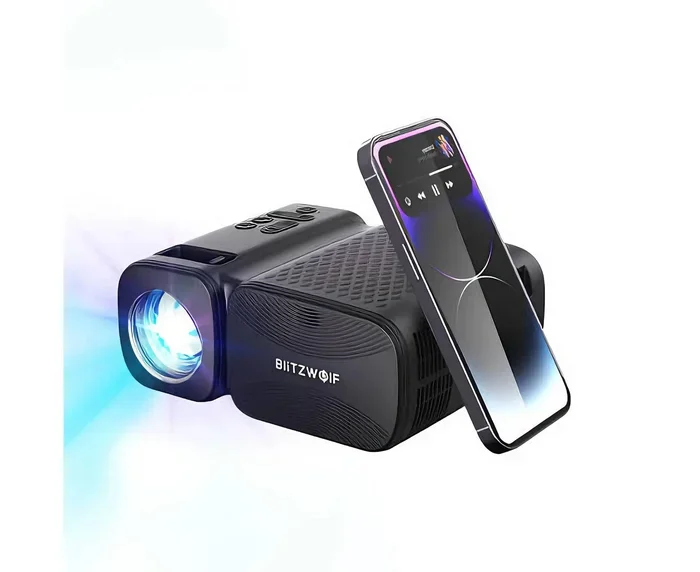
Smart projectors are a newer category that combines projector hardware with built-in streaming capabilities. Many smart projectors run Android TV or similar operating systems. You can browse apps, stream content, and mirror your phone directly from the projector.
This eliminates the need for extra streaming devices or cables. A smart projector makes the setup process much simpler. It brings the convenience of a TV-like experience to the big screen of a projector.
Projector Maintenance: What to Expect
Owning a projector comes with some maintenance responsibilities that a TV does not have. Understanding these upkeep needs will help you keep your projector running smoothly for years.
Most traditional projectors use replaceable lamps or bulbs. These lamps typically last between 2,000 and 5,000 hours depending on the model. That means after a few years of regular use, you will need to replace the lamp. Replacement lamps can cost anywhere from 50 to 300 dollars depending on the projector brand and model.
Modern laser projectors are changing this equation. Laser projectors do not use traditional lamps. They have much longer lifespans, often lasting 20,000 hours or more. This means less maintenance and lower long-term costs. However, laser projectors usually come with a higher upfront price tag.
Here are some simple maintenance tips for your projector:
- Clean the air filter regularly to prevent overheating.
- Replace lamps or bulbs when brightness starts to fade.
- Keep the projector in a dust-free environment.
- Allow the projector to cool down before moving it.
- Check the warranty terms for lamp replacement coverage.
With proper care, a projector can last many years and continue delivering excellent picture quality. The maintenance is manageable and worth the effort for the big-screen experience it provides.
Making the Switch: Practical Tips for Your Living Room
If you have decided to replace your TV with a projector, here are some practical tips to ensure a smooth transition and the best possible setup.
Choose the Right Projector for Your Space
Measure your living room before buying a projector. Consider the distance between where the projector will sit and the wall or screen. Match this distance with the projector’s throw ratio to ensure you get the screen size you want.
Also consider the brightness level you need based on your room’s lighting. A darker room allows you to choose a projector with lower lumens, which often costs less. A bright room requires a brighter projector, which will cost more but deliver a better image.
Invest in a Good Screen
Do not just project onto a bare wall if you can avoid it. A quality projector screen improves image sharpness, color accuracy, and contrast. There are many affordable screen options available that make a noticeable difference in picture quality.
Think About Sound
Most projectors have small built-in speakers that do not sound very impressive. For a true home theater experience, consider adding an external soundbar or speaker system. Good audio completes the big-screen experience and makes movie nights much more enjoyable.
Plan for Cable Management
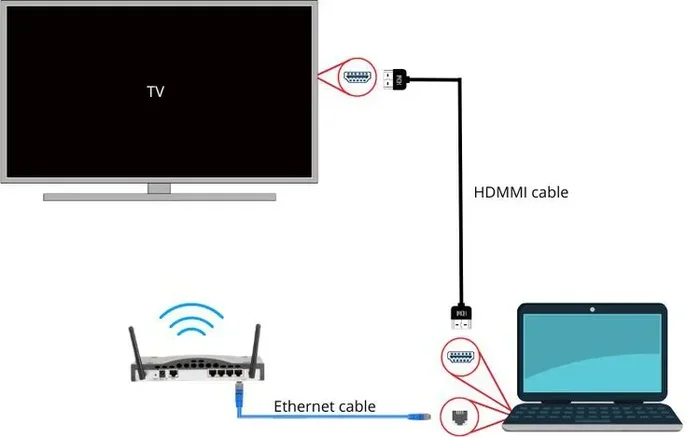
A projector setup involves more cables than a TV. You will need power cables, HDMI cables for your streaming devices or gaming consoles, and possibly audio cables. Plan your cable routing carefully to keep your living room looking clean and organized.
In-wall cable kits and cable raceways are affordable solutions that keep wires hidden. A tidy setup looks much better and also reduces trip hazards in your living room.
Test Before You Commit
If possible, visit a store and see a projector in action before you buy one. Seeing the image size and quality in person helps you make a more informed decision. You can also read reviews and watch comparison videos online to narrow down your options.
Conclusion
So can I use a projector instead of a TV in my living room? Absolutely yes. A projector offers a bigger, more cinematic, and more comfortable viewing experience that can truly transform your entertainment setup. The initial setup takes a bit more effort than plugging in a TV, but the results are well worth it.
Consider your living room size, lighting conditions, and budget before making the switch. Choose the right type of projector for your space, invest in a good screen, and plan for proper maintenance. With the right setup, a projector can deliver an experience that rivals a commercial movie theater from the comfort of your couch.
The projector vs TV debate does not have a single winner. It depends on your personal preferences, your room, and how you plan to use the setup. If you want a big, immersive screen and are willing to put in a little extra effort, a projector is a fantastic choice. Your living room movie nights will never feel the same again.
Frequently Asked Questions
Can I use a projector in a bright living room?
Yes, but you need a projector with high brightness, at least 3,000 lumens. You should also control ambient light with curtains or blinds. The more light you can reduce in the room, the better your projected image will look.
Is a projector cheaper than a TV for a big screen?
Yes, a projector is significantly cheaper if you want a large screen. A 100-inch projector setup costs much less than a 100-inch TV. Even factoring in the cost of a screen and mounting equipment, the projector option saves you a considerable amount of money.
How long do projector lamps last?
Most projector lamps last between 2,000 and 5,000 hours. Laser projectors last much longer, often 20,000 hours or more. Regular use of a few hours per day means a lamp can last several years before needing replacement.
Can I use a projector for gaming?
Yes, many projectors work great for gaming. Look for models with low input lag and high refresh rates. A short throw projector is especially convenient for gaming setups where space is limited.
Do I need a special screen for a projector?
A dedicated projector screen is highly recommended. It improves image quality, brightness, and contrast compared to projecting on a bare wall. You can find affordable screens that make a big difference in your viewing experience.
What size projector do I need for my living room?
The size you need depends on your room dimensions and viewing distance. Measure the distance from the projector to the screen and use the projector’s throw ratio to calculate the image size. Most living rooms work well with a projector that produces an 80 to 120-inch image.