Can I Use A USB Bluetooth Dongle On My TV For Streaming
Yes, you can use a USB Bluetooth dongle on your TV to stream audio wirelessly to headphones, speakers, and soundbars. This simple plug-and-play solution works on most smart TVs and older models alike. You just need a compatible dongle, a free USB port, and a few minutes to set things up. Let us walk you through everything you need to know about USB Bluetooth dongle TV streaming.
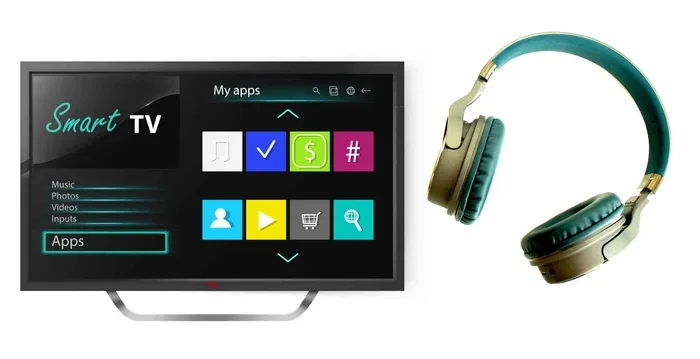
Have you ever wanted to watch your favorite show on TV with wireless headphones but did not know where to start? A USB Bluetooth dongle might be the easiest solution you have been overlooking. This small device plugs right into your TV and opens up a world of wireless audio possibilities. You can connect Bluetooth headphones, speakers, soundbars, and even your phone without any messy cables. The best part is that it works on most TVs, even older models that do not have built-in Bluetooth.
In this guide, we will cover everything you need to know about using a USB Bluetooth dongle on your TV for streaming. We will talk about how it works, what to look for, and how to set it up step by step. By the end, you will feel confident buying and using one yourself. Let us dive right in.
Key Takeaways
- A USB Bluetooth dongle can add wireless audio streaming to almost any TV with an available USB port.
- Compatibility depends on your TV brand, model, and whether it supports USB audio devices.
- Setting up a Bluetooth dongle is straightforward and usually takes less than five minutes.
- Choosing the right dongle matters for audio quality, range, and latency performance.
- Common issues like audio delay and pairing problems have simple fixes you can try at home.
📑 Table of Contents
- What Is a USB Bluetooth Dongle and How Does It Work?
- Can You Connect a Bluetooth Dongle to Any TV?
- How to Set Up a USB Bluetooth Dongle on Your TV
- Best USB Bluetooth Dongles for TV Streaming
- Benefits of Using a Bluetooth Dongle for TV Streaming
- Common Problems and How to Fix Them
- Expert Insights on USB Bluetooth Dongles for TV
- Final Thoughts
What Is a USB Bluetooth Dongle and How Does It Work?
A USB Bluetooth dongle is a small adapter that plugs into a USB port on your television. It acts as a bridge between your TV and Bluetooth-enabled devices like headphones and speakers. Think of it as a tiny wireless radio that sends and receives audio signals. Once plugged in, your TV can recognize and connect to Bluetooth devices nearby.
The dongle uses Bluetooth technology to transmit audio wirelessly. It sends sound from your TV to a paired device in real time. Most modern dongles support Bluetooth 4.0 or higher, which means better range and stability. Some even support advanced codecs like aptX for higher quality sound. The whole process is plug and play, meaning you do not need complicated software or technical skills.
One thing to keep in mind is that the TV USB port needs to supply enough power for the dongle to work. Most TVs have USB ports that provide 5 volts, which is perfect for these small adapters. If your TV USB port does not work, you might need a powered USB hub. This is a common issue with older TVs. You can learn more about what components are inside your TV by checking out our guide on 5 components that are found on the motherboard, which explains the internal parts that make connectivity possible.
Can You Connect a Bluetooth Dongle to Any TV?
The short answer is yes, but with some conditions. Not every TV handles USB Bluetooth dongles the same way. Your TV needs to meet a few basic requirements for the dongle to work properly.
TV Compatibility Requirements
- A working USB port: This is the most basic requirement. Your TV must have at least one USB port that is functional.
- USB host mode support: Some TVs only support USB for storage devices like flash drives. Your TV needs to support USB audio devices too.
- Compatible operating system: Smart TVs running Android TV, webOS, Tizen, or Roku OS tend to work well with Bluetooth dongles.
- Sufficient power output: The USB port must provide enough power to keep the dongle running without disconnecting.
TV Brands That Work Well With Bluetooth Dongles
Most major TV brands support USB Bluetooth dongles. Here is a quick look at popular brands and their compatibility:
- Samsung: Most Samsung smart TVs with USB ports work with Bluetooth dongles, especially models from 2018 onward.
- LG: LG webOS TVs generally accept USB audio devices, making them great candidates for Bluetooth dongles.
- Sony: Sony Android TVs have good support for third-party Bluetooth adapters.
- TCL and Hisense: These budget-friendly brands often support Bluetooth dongles since they run Android TV or Roku OS.
- Vizio: Vizio Smart Cast TVs can work with Bluetooth dongles, but compatibility varies by model.
If you are unsure about your TV, try plugging in the dongle and checking if the TV recognizes it. You can also look up your specific model online to confirm USB audio device support. Understanding how your TV handles internal components can give you a better picture of its capabilities. Our article on 5 components that are found on the motherboard provides useful background on how connectivity works at the hardware level.
How to Set Up a USB Bluetooth Dongle on Your TV
Setting up a USB Bluetooth dongle on your TV is simpler than you might think. Most people complete the process in under five minutes. Here is a detailed walkthrough.
Step 1: Choose the Right USB Port
Look at the back or side of your TV for an available USB port. If your TV has multiple ports, try using a USB 2.0 port first, as it tends to be more stable for audio devices. Avoid using USB ports that are shared with other features like TV firmware updates.
Step 2: Plug in the Dongle
Insert the Bluetooth dongle gently into the USB port. Wait about 10 to 15 seconds for your TV to recognize the device. Some TVs will show a notification on screen. Others might display a new audio output option in the settings menu.
Step 3: Put Your Bluetooth Device in Pairing Mode
Turn on your Bluetooth headphones, speaker, or soundbar. Put it into pairing mode by holding down the Bluetooth button or following the device manual. You should see a flashing light indicating it is ready to pair.
Step 4: Pair the Devices
Go to your TV settings and look for the Bluetooth or audio output section. Select “Search for Devices” or “Add New Device.” Your TV should find the Bluetooth device within a few seconds. Select it and wait for the pairing confirmation.
Step 5: Test the Audio
Play any video or music on your TV. The audio should now come through your Bluetooth device. If you hear sound, you are all set. If not, check the audio output settings and make sure the Bluetooth device is selected as the primary output.
Quick Tips for a Smooth Setup
- Keep the dongle close to your Bluetooth device during the initial pairing process.
- Restart your TV if it does not recognize the dongle right away.
- Update your TV firmware before pairing for the best compatibility.
- Use a short USB extension cable if the dongle does not fit flush in the port.
Understanding how the internal hardware handles these connections can make troubleshooting much easier. The motherboard components manage all USB and Bluetooth communication. Check out our piece on 5 components that are found on the motherboard for a deeper look at how these connections work behind the scenes.
Best USB Bluetooth Dongles for TV Streaming
Not all Bluetooth dongles are created equal. Some offer better audio quality, while others provide longer range or lower latency. Here are some of the best options for TV streaming in 2024.
| Dongle | Bluetooth Version | Codec Support | Range | Price Range |
|---|---|---|---|---|
| TP-Link UB500 | Bluetooth 5.0 | aptX, AAC, SBC | 30 feet | $10 – $15 |
| ASUS USB-BT500 | Bluetooth 5.0 | aptX, AAC, SBC | 30 feet | $12 – $18 |
| Kinivo BTD-400 | Bluetooth 4.0 | SBC, aptX | 20 feet | $15 – $20 |
| Avantree DG40S | Bluetooth 5.0 | aptX Low Latency, aptX HD | 30 feet | $25 – $35 |
| 1Mii B06 | Bluetooth 5.3 | aptX, aptX HD, AAC, SBC | 50 feet | $20 – $30 |
When choosing a Bluetooth dongle for TV, pay attention to the Bluetooth version. Version 5.0 and above offer better range and lower power consumption. Codec support also matters a lot for audio quality. The aptX codec delivers clearer sound with less compression. If you are sensitive to audio delay, look for dongles that support aptX Low Latency. This reduces the gap between video and audio, which is especially important for movies and gaming.
For most casual users, a basic dongle in the $10 to $20 range works perfectly fine. Power users who want premium audio quality should consider the Avantree or 1Mii options. These support advanced codecs and offer longer Bluetooth range. Whatever you choose, make sure it is compatible with your TV’s USB port and operating system.
Benefits of Using a Bluetooth Dongle for TV Streaming
Using a USB Bluetooth dongle for TV streaming comes with several real advantages. Here are the biggest reasons people love this simple solution.
1. Wireless Freedom
Say goodbye to tangled cables and short headphone cords. With a Bluetooth dongle, you can move freely around your room while watching TV. This is a game changer for late-night viewing when family members are sleeping. You can enjoy your shows at your own volume without disturbing anyone.
2. Works with Multiple Devices
A Bluetooth dongle is not limited to just one device. You can pair your Bluetooth headphones, wireless speakers, and soundbar with the same dongle. Switching between devices takes just a few seconds. This makes the dongle a versatile addition to your home entertainment setup.
3. Improves Accessibility
For people with hearing difficulties, a Bluetooth dongle connected to wireless headphones makes TV watching much more comfortable. The audio goes directly to the listener without raising the volume for others in the room. This is one of the most practical uses of a USB Bluetooth dongle on TV.
4. Affordable Upgrade
Buying a new smart TV with built-in Bluetooth can cost hundreds of dollars. A Bluetooth dongle costs a fraction of that price. For under $30, you can add wireless audio capability to your existing TV. This is one of the most budget-friendly upgrades you can make.
5. Easy to Use
Most Bluetooth dongles follow a simple plug and play design. You do not need to install drivers or download apps. Just plug it in, pair your device, and start streaming. The simplicity of this setup makes it accessible to everyone, regardless of technical skill level.
Common Problems and How to Fix Them
While using a Bluetooth dongle for TV streaming is generally smooth, you might run into a few issues. Here are the most common problems and their solutions.
Audio Delay or Latency
Audio delay, also called latency, is the most common complaint with Bluetooth audio. You might notice the sound does not match the lip movements on screen. This happens because Bluetooth adds a small delay to the audio signal. To fix this, try using a dongle that supports aptX Low Latency. You can also reduce the distance between the dongle and your Bluetooth device. Keeping them within 10 feet of each other helps minimize delay.
Dongle Not Recognized by TV
If your TV does not detect the dongle, try these steps. First, unplug the dongle and plug it into a different USB port. Second, restart your TV and wait for it to fully boot up. Third, check if the USB port is working by plugging in a USB flash drive. If the flash drive works but the dongle does not, the dongle might be incompatible with your TV model.
Paired Device Keeps Disconnecting
Intermittent disconnections can be frustrating. This usually happens when the Bluetooth device is too far from the dongle. Move the device closer to the TV. Also, make sure nothing is blocking the signal between the dongle and the Bluetooth device. Walls, metal objects, and other electronic devices can interfere with the Bluetooth signal. If the problem persists, try unpairing and re-pairing the devices.
Poor Audio Quality
If the sound sounds muffled or distorted, the issue might be with the codec. Try switching the audio codec in your TV Bluetooth settings. SBC is the most universal codec but offers lower quality. aptX and AAC provide better sound. Also, check if your Bluetooth headphones support high-quality codecs. A Bluetooth transmitter with aptX support can make a noticeable difference in audio clarity.
No Sound After Pairing
If you paired successfully but hear no sound, check your TV audio output settings. Go to Settings > Sound > Audio Output and select the Bluetooth device. Some TVs require you to manually switch the output from TV speakers to the Bluetooth device. Also, make sure the volume is not muted on either the TV or the Bluetooth device.
Expert Insights on USB Bluetooth Dongles for TV
Using a USB Bluetooth dongle for TV streaming has become one of the most popular ways to add wireless audio to any television. The technology has improved significantly over the past few years. Bluetooth 5.0 and 5.3 dongles now offer reliable connections with minimal audio delay. For most users, the experience is nearly identical to wired audio output.
One important thing to remember is that not all Bluetooth dongles are created equal. Cheap dongles from unknown brands might save you a few dollars upfront but often have poor audio quality and short range. Investing in a reputable brand like TP-Link, ASUS, or Avantree pays off in the long run. These brands offer better codec support, stronger signals, and more reliable connections.
The Bluetooth range of most TV dongles is around 30 feet. This means you can move freely around your living room without losing connection. However, walls and obstacles can reduce this range. If you plan to listen from another room, consider a dongle with Bluetooth 5.0 or higher for better penetration through walls.
Another tip is to keep your dongle and Bluetooth device firmware updated. Some manufacturers release updates that improve stability and audio quality. Check the manufacturer website periodically for firmware downloads. This small step can make a big difference in your streaming experience.
Finally, if your TV has both a USB port and an HDMI ARC port, you might also consider a Bluetooth transmitter that connects via HDMI ARC. This alternative can sometimes offer better audio quality and lower latency. But for most users, a simple USB Bluetooth dongle is the easiest and most cost-effective solution.
Final Thoughts
Using a USB Bluetooth dongle on your TV for streaming is one of the simplest and most affordable upgrades you can make. It transforms your TV into a wireless audio hub. You can connect headphones, speakers, and soundbars without any cables or complicated setup. Whether you are a casual viewer or a dedicated movie watcher, a Bluetooth dongle adds real convenience to your daily routine.
The key is to choose a compatible dongle, follow the setup steps carefully, and troubleshoot any issues that come up. With the right dongle, you will enjoy high-quality wireless audio from your TV in no time. So go ahead, grab a dongle, and start streaming wirelessly today.
Frequently Asked Questions
Can any USB Bluetooth dongle work with my TV?
Most USB Bluetooth dongles work with TVs that have a USB port and support USB audio devices. However, compatibility depends on your TV brand and model. Smart TVs running Android TV, webOS, or Roku OS tend to work best. Always check your TV specifications before buying a dongle to ensure it supports USB audio input.
Does using a Bluetooth dongle cause audio delay on TV?
Some audio delay, or latency, is normal with Bluetooth connections. Most dongles add a small delay of 100 to 200 milliseconds. For movies, this can cause a slight mismatch between video and audio. Choosing a dongle with aptX Low Latency support significantly reduces this delay and provides a much better viewing experience.
Can I connect multiple Bluetooth devices to one dongle?
Yes, most Bluetooth dongles support multiple paired devices. You can pair your headphones, speaker, and soundbar to the same dongle. However, only one device can stream audio at a time. You will need to switch the audio output in your TV settings to change which device receives the sound.
Is a USB Bluetooth dongle better than a Bluetooth transmitter?
Both have their advantages. A USB Bluetooth dongle is simpler and works directly through a USB port. A Bluetooth transmitter connects via the 3.5mm audio jack or optical port and may offer better audio quality in some cases. For most users, a dongle is the easier and more convenient option, especially if your TV has a free USB port.
What Bluetooth version should I look for in a TV dongle?
Look for Bluetooth 5.0 or higher for the best performance. Bluetooth 5.0 offers improved range, better battery efficiency, and more stable connections compared to older versions. If you want the latest features and longest range, Bluetooth 5.3 dongles are the best choice available today.
Will a USB Bluetooth dongle work on a non-smart TV?
Yes, a Bluetooth dongle can work on non-smart TVs as long as the TV has a USB port that supports audio devices. The dongle adds Bluetooth capability to any TV with a USB port. However, you may need to manually switch the audio output to the Bluetooth device in your TV settings after pairing.
=== CONCLUSION ===
Adding a USB Bluetooth dongle to your TV is a smart and simple way to enjoy wireless audio streaming. It works on most TVs, costs very little, and takes just minutes to set up. Whether you want to watch movies with wireless headphones or listen to music through a Bluetooth speaker, a dongle makes it all possible. Choose a good quality dongle, follow the setup steps, and you will be streaming wirelessly in no time. The freedom of wireless audio is just one USB plug away.