Can You Get Stereo From Bluetooth And How To Do It
Yes, you can absolutely get stereo from Bluetooth. Bluetooth technology supports stereo audio through protocols like A2DP, allowing you to stream left and right channels wirelessly to speakers, headphones, and adapters. Setting up stereo Bluetooth is simple and can transform your music listening, movie watching, and gaming experience with immersive wireless sound.
You have a Bluetooth speaker. You love your music. But when you press play, something feels off. The sound seems flat. It lacks depth. You wonder if your setup is holding you back. The big question is simple: can you get stereo from Bluetooth? The answer is a resounding yes. Bluetooth has supported stereo audio for years, and the technology keeps getting better. Whether you want to fill a room with rich sound or enjoy personal listening with clear left and right channels, Bluetooth stereo is within your reach. Let us walk you through everything you need to know.
Wireless audio has changed how we listen to music. Gone are the days of tangled cables and limited movement. Today, Bluetooth stereo sound is everywhere. It is in our headphones, our speakers, our cars, and even our TVs. But not everyone understands how it works or how to get the best results. This guide breaks it all down. You will learn the science behind Bluetooth stereo, the different ways to set it up, and tips to improve your wireless audio experience. By the end, you will be a Bluetooth stereo pro.
Key Takeaways
- Stereo Bluetooth is fully supported: Modern Bluetooth versions deliver high-quality wireless stereo audio to compatible devices.
- A2DP is the key protocol: The Advanced Audio Distribution Profile handles stereo streaming between your source and output device.
- Multiple methods exist: You can use native stereo pairing, Bluetooth adapters, or dual-speaker setups to achieve stereo from Bluetooth.
- True Wireless Stereo (TWS) is popular: Many wireless earbuds and speakers now offer built-in TWS stereo mode for seamless left-right separation.
- Common issues are fixable: Problems like mono sound or poor connectivity usually have simple solutions you can try at home.
- Sound quality keeps improving: Newer Bluetooth versions like 5.0 and above offer better audio codecs and range for richer stereo experience.
📑 Table of Contents
What Is Stereo Bluetooth and Why Does It Matter
Stereo Bluetooth means sending two separate audio channels, left and right, wirelessly through a Bluetooth connection. Regular mono audio plays the same sound in both ears or speakers. Stereo creates a sense of space. You hear instruments on the left, vocals in the center, and drums on the right. This separation makes music feel alive. It makes movies more immersive. It makes gaming more exciting.
So why does this matter for your setup? Most modern devices support stereo Bluetooth out of the box. Your phone, tablet, and laptop all have the built-in ability to send stereo audio. The challenge is making sure your receiving device plays it back correctly. A single speaker in mono mode will not give you the full experience. But pair two speakers or use a stereo-compatible device, and the difference is night and day.
Bluetooth stereo relies on a specific profile called A2DP, which stands for Advanced Audio Distribution Profile. This is the technology that handles high-quality stereo streaming. When your phone connects to a Bluetooth speaker, A2DP kicks in. It compresses the audio, sends it wirelessly, and the receiving device decodes it back into stereo sound. All of this happens in milliseconds. You barely notice any delay.
How A2DP Makes Stereo Possible
The A2DP profile is the backbone of wireless stereo audio. It defines how audio data travels from a source device to a sink device. The source is usually your phone or computer. The sink is your speaker or headphones. A2DP supports multiple codecs, which are like different languages for audio data. Some codecs prioritize quality, while others prioritize low latency.
Here are the most common Bluetooth audio codecs you should know:
- SBC: The default codec for all Bluetooth devices. It works well but is not the most efficient.
- AAC: Common in Apple devices. Offers good quality at moderate bitrates.
- aptX: Delivers higher quality audio with better compression. Popular in Android devices.
- aptX HD: An upgraded version of aptX with even better sound quality.
- LDAC: Sony’s codec. Supports very high bitrates for near-lossless audio.
- LC3: The new codec in Bluetooth 5.2. Offers excellent quality at low bitrates.
Each codec affects your wireless stereo sound quality differently. A better codec means clearer highs, richer mids, and deeper bass. If your devices support the same codec, they will automatically use it. If not, they fall back to SBC. Understanding this helps you troubleshoot when your bluetooth audio does not sound as good as it should.
How Stereo Bluetooth Technology Works
Understanding how stereo Bluetooth works helps you get the most from your setup. The process is simpler than it sounds. When you hit play on your phone, the audio file splits into two channels. The left channel goes to the left speaker. The right channel goes to the right speaker. Bluetooth carries both channels simultaneously through a single wireless connection.
Here is a basic breakdown of the stereo Bluetooth process:
- Audio encoding: Your device encodes the left and right channels into a single Bluetooth stream.
- Wireless transmission: The encoded stream travels through the air via radio waves.
- Audio decoding: The receiving device decodes the stream back into two separate channels.
- Sound output: Each channel plays through its respective speaker or driver.
This whole process happens in real time. Modern Bluetooth versions handle it with minimal lag. Bluetooth 5.0 and newer offer even better performance. They provide stronger signals, longer range, and improved audio quality. If you are still on an older version, upgrading your device can make a noticeable difference in your wireless music experience.
Bluetooth Versions and Their Impact on Stereo Quality
Not all Bluetooth versions are created equal. Each new version brings improvements in speed, range, and audio quality. Here is a quick look at how different versions affect your bluetooth stereo experience:
- Bluetooth 4.0: Introduced low energy audio. Decent stereo quality but limited range.
- Bluetooth 4.2: Faster connection and better security. Good for everyday stereo use.
- Bluetooth 5.0: Double the speed and four times the range. Noticeably better stereo performance.
- Bluetooth 5.2: Introduced the LC3 codec. Better audio quality at lower bitrates.
- Bluetooth 5.3: Improved stability and lower power consumption. Great for continuous stereo streaming.
Your stereo Bluetooth quality depends on both your source device and your receiving device. If your phone supports Bluetooth 5.0 but your speaker only supports 4.2, the connection defaults to 4.2. Both devices need to support the same or compatible versions for the best results.
How To Get Stereo From Bluetooth
Now for the practical part. How do you actually get stereo from Bluetooth? There are several methods depending on your equipment and setup. Let us walk through each one step by step.
Method 1: Native Stereo Pairing with Compatible Speakers
Many modern Bluetooth speakers support stereo pairing. This means you connect two identical speakers together. One acts as the left channel, and the other acts as the right channel. The result is full stereo sound that fills a room beautifully.
Here is how to set up stereo pairing on most speakers:
- Turn on both speakers and make sure they are fully charged.
- Put both speakers into pairing mode. Usually, you press and hold the Bluetooth button.
- On your phone or source device, search for Bluetooth devices.
- Connect to the first speaker.
- Look for a stereo pairing or dual speaker mode in the speaker’s companion app.
- Follow the on-screen instructions to pair the second speaker.
Brands like JBL, Sony, Bose, and Ultimate Ears all offer stereo pairing features. The exact steps vary by model, so check your user manual. Once paired, your bluetooth connectivity creates a true left and right audio experience.
Method 2: Using a Bluetooth Stereo Adapter
What if your existing speaker only has a mono output? You are not stuck. A bluetooth adapter can help. These small devices plug into your speaker’s audio input. They receive the Bluetooth stereo signal and split it into left and right channels through the speaker’s built-in circuitry.
Look for adapters that support A2DP stereo mode. Some adapters also include a built-in amplifier for louder playback. Popular options include the TaoTronics Bluetooth 5.0 receiver and the 1Mii Bluetooth adapter. These are affordable and easy to use.
Quick setup steps:
- Plug the adapter into your speaker’s AUX or RCA input.
- Power on the adapter.
- Put it in pairing mode.
- Connect your phone to the adapter.
- Play music and enjoy stereo sound.
Method 3: True Wireless Stereo (TWS) Mode
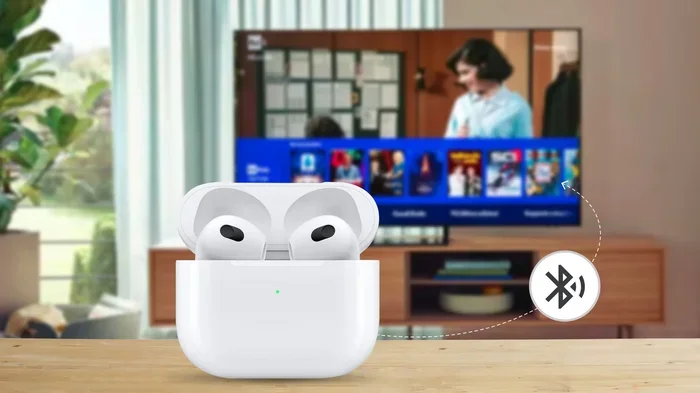
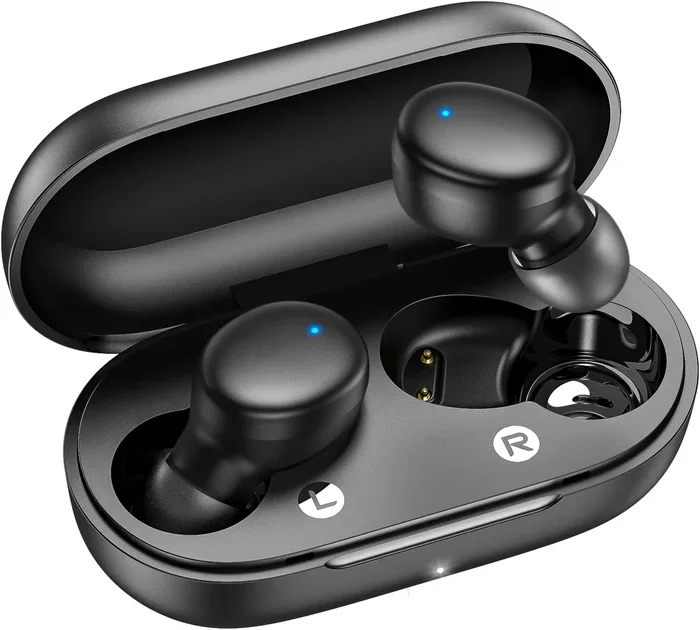
TWS, or True Wireless Stereo, is the technology behind wireless earbuds like Apple AirPods and Samsung Galaxy Buds. Each earbud receives its own channel. The left earbud gets the left channel, and the right earbud gets the right channel. This creates a personal stereo experience with no wires at all.
Some Bluetooth speakers also support TWS mode. In this setup, one speaker connects directly to your phone and acts as the primary unit. The second speaker connects to the first speaker wirelessly. Together, they create a stereo pair without needing a separate adapter or complex setup.
To enable TWS mode on a compatible speaker:
- Turn on both speakers.
- Connect the primary speaker to your phone via Bluetooth.
- Press the TWS button on the primary speaker.
- The secondary speaker automatically connects.
- Stereo mode activates, and you hear full left and right audio.
Method 4: Using Your TV or Computer as a Stereo Source
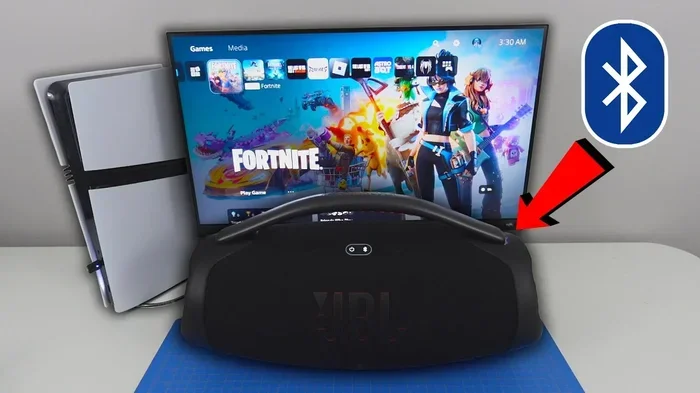
You can also use a TV or computer as your Bluetooth stereo source. Many modern TVs have built-in Bluetooth. You can connect a stereo Bluetooth speaker or headphones directly to your TV for immersive sound while watching movies or shows.
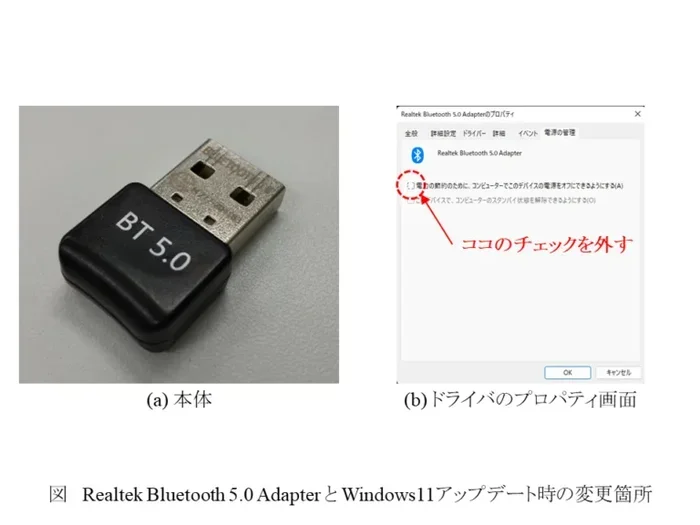
For computers, a bluetooth adapter plugged into the USB port works well. Make sure the adapter supports A2DP stereo. Once paired, your computer sends stereo audio to the speaker wirelessly. This is a great option for home office setups or desktop listening stations.
Best Devices For Stereo Bluetooth Audio
Not all Bluetooth speakers and headphones are created equal when it comes to stereo performance. Some excel at delivering rich, balanced stereo sound. Others fall short. Here are some top devices to consider for your wireless audio setup.
Top Stereo Bluetooth Speakers
- JBL Flip 6: Great stereo sound with deep bass. Supports stereo pairing with another Flip 6.
- Sony SRS-XB43: Powerful stereo output with extra bass. Has a dedicated stereo mode for dual speakers.
- Bose SoundLink Revolve+: 360-degree stereo sound. Excellent for medium-sized rooms.
- Ultimate Ears Hyperboom: Loud stereo output with adjustable EQ. Great for outdoor gatherings.
- Apple HomePod Mini: Spatial audio with stereo pairing. Works seamlessly with Apple devices.
Top Stereo Bluetooth Headphones
- Sony WH-1000XM5: Industry-leading noise cancellation with crisp stereo sound.
- Bose QuietComfort Ultra: Immersive stereo audio with spatial audio support.
- Sennheiser Momentum 4: Rich, detailed stereo with excellent soundstage.
- Apple AirPods Pro 2: TWS stereo with adaptive EQ and spatial audio.
When choosing a device, look for stereo mode support, codec compatibility, and range. These factors directly impact your bluetooth audio quality. A device with aptX or LDAC support will deliver noticeably better stereo sound than one limited to SBC only.
Common Problems And How To Fix Them
Even with the best setup, you may run into issues with your stereo bluetooth connection. Here are the most common problems and their solutions.
Problem 1: Sound Plays in Mono Instead of Stereo
This is the most common stereo Bluetooth issue. You expect left and right separation, but both speakers play the same audio. Usually, this happens because stereo mode is not enabled on your device.
Try these fixes:
- Check if your speaker has a stereo pairing mode and make sure it is turned on.
- Restart both speakers and re-pair them to your source device.
- Check your phone’s Bluetooth audio settings. Some phones have a mono audio toggle. Make sure it is turned off.
- Update your speaker’s firmware through the manufacturer’s app.
Problem 2: Audio Cuts Out or Crackles
Interference can disrupt your bluetooth connectivity and cause audio dropouts. Wi-Fi routers, microwaves, and other Bluetooth devices can all cause interference.
Solutions include:
- Move closer to the speaker. Bluetooth range is typically 30 feet indoors.
- Remove other wireless devices from the area.
- Switch your Wi-Fi router to a different channel.
- Keep your source device close to the speaker for a stronger signal.
Problem 3: Left and Right Channels Are Reversed
Sometimes the left audio comes out of the right speaker and vice versa. This can be confusing during stereo playback. The fix is usually simple.
Check your source device’s audio settings. Most phones and computers have an option to swap left and right channels. On iPhone, go to Settings, then Accessibility, then Audio/Visual. Look for the balance slider. Adjust it to center if it is off to one side.
Expert Tips To Improve Your Bluetooth Stereo Experience
Want to take your wireless stereo sound to the next level? Here are some expert tips that make a real difference.
Keep Your Devices Updated
Firmware updates often include audio improvements and bug fixes. Check for updates on both your source device and your Bluetooth speaker regularly. Manufacturers release these updates to improve bluetooth audio performance and fix connectivity issues.
Use High-Quality Audio Files
Bluetooth stereo quality depends on the source audio. Streaming low-quality audio over Bluetooth will never sound great. Use high-quality streaming services like Tidal, Apple Music, or Spotify’s highest quality setting. If you have local files, use lossless formats like FLAC for the best stereo experience.
Position Your Speakers Correctly
Speaker placement matters a lot for stereo sound. Place your two speakers at least three feet apart. Angle them slightly toward your listening position. This creates a wider soundstage and better channel separation. Avoid placing speakers in corners or against walls, as this can muddy the bass and muffle the highs.
Minimize Bluetooth Interference
Keep your Bluetooth speaker away from other wireless devices. USB 3.0 ports can also interfere with Bluetooth signals. If you notice audio issues, try moving USB devices away from your speaker or source device.
Use the Right Bluetooth Codec
If your devices support advanced codecs like aptX or LDAC, make sure they are enabled. These codecs deliver better stereo quality than the default SBC codec. Check your device settings or companion app to see which codecs are available.
Key Takeaways
- Stereo Bluetooth is fully supported: Modern Bluetooth versions deliver high-quality wireless stereo audio to compatible devices.
- A2DP is the key protocol: The Advanced Audio Distribution Profile handles stereo streaming between your source and output device.
- Multiple methods exist: You can use native stereo pairing, Bluetooth adapters, or dual-speaker setups to achieve stereo from Bluetooth.
- True Wireless Stereo (TWS) is popular: Many wireless earbuds and speakers now offer built-in TWS stereo mode for seamless left-right separation.
- Common issues are fixable: Problems like mono sound or poor connectivity usually have simple solutions you can try at home.
- Sound quality keeps improving: Newer Bluetooth versions like 5.0 and above offer better audio codecs and range for richer stereo experience.
Conclusion
Can you get stereo from Bluetooth? Absolutely. Bluetooth stereo technology has come a long way. It is reliable, convenient, and delivers impressive sound quality. Whether you are using stereo pairing, a Bluetooth adapter, or TWS mode, you can enjoy rich wireless audio that fills your space with life.
The key is understanding your devices and settings. Make sure both your source and output devices support stereo Bluetooth. Enable the right modes. Choose quality codecs when available. And position your speakers for the best soundstage. With these steps, your bluetooth stereo setup will outperform most wired alternatives.
Start experimenting with your setup today. Try stereo pairing with two speakers. Test a Bluetooth adapter with your favorite speaker. You will be amazed at the difference stereo makes. Wireless audio is here to stay, and stereo Bluetooth puts that power right at your fingertips. Enjoy the music the way it was meant to be heard.
Frequently Asked Questions
Can any Bluetooth speaker produce stereo sound?
Not all Bluetooth speakers produce stereo sound on their own. A single speaker usually plays mono audio. However, many speakers support stereo pairing with a second unit, or they have built-in stereo drivers that create a wider soundstage. Check your speaker’s specifications to see if it supports stereo mode or pairing.
What is the difference between mono and stereo Bluetooth audio?
Mono Bluetooth audio plays the same sound through both channels, so there is no left or right separation. Stereo Bluetooth splits the audio into two channels, creating a sense of space and direction. Stereo makes music sound more natural and immersive compared to mono.
Do I need special equipment to get stereo from Bluetooth?
You do not always need special equipment. Many modern phones and speakers support stereo Bluetooth natively. However, if your speaker is mono-only, a Bluetooth stereo adapter can help you achieve stereo sound. Stereo pairing requires two compatible speakers of the same model.
Does Bluetooth stereo have any lag or delay?
Most modern Bluetooth devices have very little lag. Bluetooth 5.0 and newer versions offer low-latency stereo streaming. Some codecs like aptX Low Latency reduce delay even further. For casual listening, the lag is barely noticeable. For video watching, make sure your devices support low-latency codecs.
Can I connect more than two speakers for stereo Bluetooth?
Standard stereo Bluetooth uses two channels, so two speakers are ideal for stereo. Some manufacturers offer multi-speaker setups with additional speakers, but these usually create a surround-like effect rather than true stereo. For pure stereo sound, stick with a two-speaker setup.
Why is my Bluetooth stereo sound quality poor?
Poor stereo sound quality can result from several factors. Interference from other wireless devices, outdated Bluetooth versions, or low-quality audio files can all affect performance. Also, make sure both devices support the same audio codec. Switching to a better codec like aptX or LDAC can significantly improve your wireless audio quality.