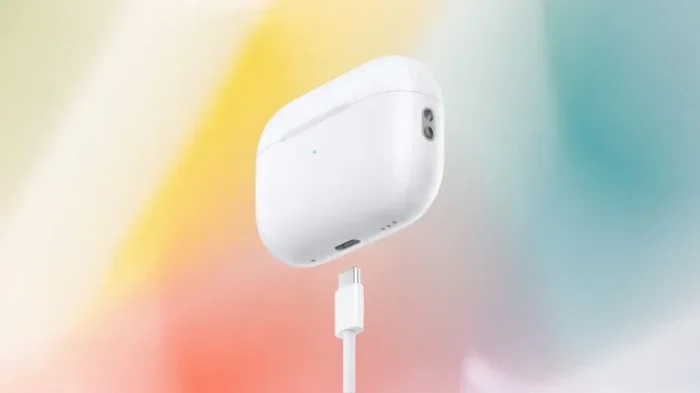
Can I Change My Airpods Pro To Usb C A Complete Guide
You cannot directly convert your existing Lightning AirPods Pro to USB-C. Apple does not offer an official adapter or firmware update for this change. However, you can charge your current AirPods Pro using a USB-C to Lightning cable or upgrade to the new AirPods Pro 2 USB-C model. This guide covers all your options in detail.
If you have been using AirPods Pro with a Lightning connector, you may have noticed the shift toward USB-C in the Apple ecosystem. New iPhones, iPads, and MacBooks all use USB-C now. So it makes sense to wonder about your AirPods Pro. Can I change my Airpods Pro to USB C? The short answer is no, not directly. But there are workarounds and upgrades that make this easier than you think.
This guide breaks down everything you need to know. We will cover adapters, new models, charging options, and common mistakes. Whether you want to keep your current AirPods Pro or upgrade, you will find clear answers here. Let us dive in.
Key Takeaways
- No direct conversion: You cannot change your existing AirPods Pro from Lightning to USB-C natively.
- Use an adapter: A USB-C to Lightning cable lets you charge your current AirPods Pro with a USB-C power source.
- Upgrade path: Apple now sells AirPods Pro 2 with a USB-C charging case as a separate model.
- Check compatibility: Make sure your USB-C accessories match your AirPods Pro model and firmware.
- Reset your case: Sometimes resetting the AirPods Pro charging case solves USB-C charging issues.
- MagSafe works: USB-C AirPods Pro cases support MagSafe charging for convenient wireless power.
- Battery health matters: Always check your AirPods Pro battery health before making any change.
📑 Table of Contents
Understanding AirPods Pro Charging Options
Apple has used two charging connectors for AirPods Pro over the years. The original AirPods Pro and early AirPods Pro 2 models use a Lightning connector. The newer AirPods Pro 2 with a USB-C case uses, you guessed it, USB-C. Understanding which model you have is the first step.
Lightning vs USB-C: What is the Difference?
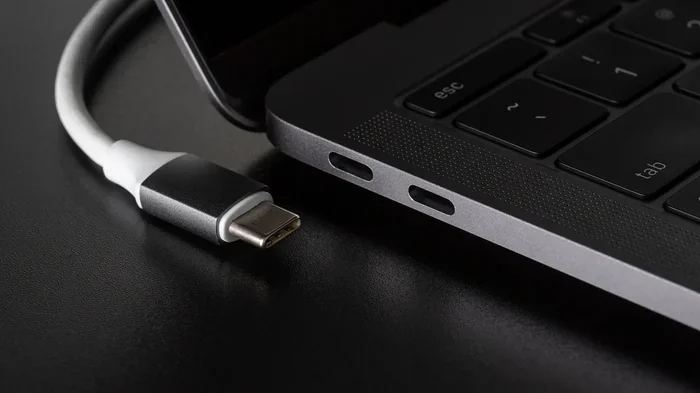
Lightning connectors have been Apple’s standard for years. They are small and reversible. USB-C is a newer, more universal connector. It is faster, more durable, and works across many devices. Most Android phones, laptops, and tablets now use USB-C. Apple finally adopted it across its lineup too.
Here is why this matters for your AirPods Pro. If you carry a USB-C power bank or use a USB-C wall charger, you need the right cable to charge your AirPods Pro. A Lightning cable will not plug into a USB-C port directly.
Which AirPods Pro Model Do You Have?
Check your charging case. Look at the connector on the bottom. If it is a small oval-shaped port, you have a Lightning model. If it is a wider, rectangular port, you have a USB-C model. You can also check in your iPhone settings. Go to Settings, then Bluetooth, tap your AirPods Pro, and look for the model number.
Knowing your model helps you choose the right charging solution. It also tells you whether a USB-C upgrade is possible without buying a new pair.
Can You Convert Lightning AirPods Pro to USB-C?
This is the big question. Can I change my Airpods Pro to USB C without buying a whole new pair? Let us be honest. Apple does not offer a conversion kit. There is no adapter you can buy that turns your Lightning AirPods Pro case into a USB-C case. The internal hardware and firmware are tied to the Lightning connector.
Why Apple Does Not Offer a Conversion
Apple designs its products as sealed systems. The charging case and the internal battery management are built together. Swapping the connector would require replacing the entire case. This is not something Apple supports or recommends. It would also void your warranty.
Some third-party sellers claim to offer conversion services. They may open the case and swap the internal board. This is risky. It can damage your AirPods Pro. It also removes any water resistance the case has. We strongly advise against this route.
The Only Official Workaround: USB-C to Lightning Cable
You can still charge your Lightning AirPods Pro using a USB-C power source. Here is how. Get a USB-C to Lightning cable. Plug the USB-C end into your charger or power bank. Plug the Lightning end into your AirPods Pro case. This works perfectly fine.
Apple sells a USB-C to Lightning cable on its website. Many other brands make them too. Just make sure the cable is MFi certified. MFi stands for Made for iPhone. It ensures the cable meets Apple’s safety and performance standards.
This workaround is simple and effective. You get the convenience of USB-C charging without buying new AirPods Pro. It is the best option for most people who want to stick with their current pair.
How to Charge AirPods Pro with USB-C
If you want to use USB-C charging with your existing AirPods Pro, the process is straightforward. You just need the right cable and power source.
Step-by-Step Charging Guide
Follow these steps to charge your Lightning AirPods Pro with a USB-C setup:
- Get a USB-C to Lightning cable. Make sure it is MFi certified.
- Plug the USB-C end into a USB-C charger, power bank, or laptop port.
- Plug the Lightning end into the bottom of your AirPods Pro charging case.
- Place the case on a flat surface. The LED light should turn on.
- Wait for the LED to turn green, which means the case is fully charged.
That is it. You can now charge your AirPods Pro case using any USB-C power source. This works with wall adapters, car chargers, portable power banks, and even your MacBook.
Quick Tips for Better Charging
- Use a 20W or higher USB-C power adapter for faster charging.
- Avoid cheap cables. Non-certified cables can damage your AirPods Pro case.
- Clean the Lightning port on your case regularly. Dust and lint can block the connection.
- Remove the case from its cover while charging. Some cases trap heat and slow down charging.
- Store your case at 50% charge if you are not using it for a long time.
Charging Speed Comparison
Charging speed depends on the power adapter you use. A standard 5W charger will charge your AirPods Pro case slowly. A 20W USB-C adapter charges it much faster. Here is a simple comparison.
| Charger Type | Wattage | Approx. Charge Time |
|---|---|---|
| 5W USB-A charger | 5W | About 2 hours |
| 20W USB-C adapter | 20W | About 1 hour |
| 30W USB-C adapter | 30W | About 45 minutes |
| USB-C power bank | 10-20W | About 1-1.5 hours |
As you can see, using a USB-C power adapter significantly reduces charging time. This is one of the main benefits of moving to a USB-C charging setup, even if your AirPods Pro case itself still uses Lightning.
AirPods Pro 2 USB-C vs Lightning Models
Apple now offers the AirPods Pro 2 with a USB-C charging case. This is a separate product from the Lightning version. If you are asking can I change my Airpods Pro to USB C, this is the closest you will get to a real answer: buy the USB-C version.
Key Differences Between the Two Models
Both models share the same great features. They have the same H2 chip, the same Active Noise Cancellation, and the same Transparency mode. The main difference is the charging connector on the case.
Here is what you need to know about each model:
- AirPods Pro 2 (Lightning): Uses a Lightning cable for charging. Works with MagSafe when you use a MagSafe-compatible Lightning charger.
- AirPods Pro 2 (USB-C): Uses a USB-C cable for charging. Works with MagSafe directly without any adapter.
- Both models support wireless charging on a Qi-compatible charging pad.
- Both models have the same battery life: up to 6 hours with ANC on and up to 30 hours with the case.
Which Model Should You Choose?
If you already own AirPods Pro with a Lightning case, you do not need to upgrade just for USB-C. Use a USB-C to Lightning cable instead. But if your Lightning AirPods Pro are old or the battery is wearing down, upgrading to the AirPods Pro 2 USB-C model makes a lot of sense.
Think about your ecosystem. If you have a USB-C iPhone, a USB-C iPad, and a USB-C MacBook, the USB-C AirPods Pro fit right in. One cable type for everything. That is the whole point of the switch to USB-C.
Price and Availability
The AirPods Pro 2 USB-C model costs the same as the Lightning version. You can buy it from Apple.com, Apple Store, or authorized retailers. It comes in the same colors: white and black (the black version was introduced more recently).
If you buy the USB-C version, you get a USB-C charging case with the AirPods Pro earbuds inside. You do not need to buy a separate cable or adapter. Everything works right out of the box.
Best USB-C Accessories for AirPods Pro
Whether you use a USB-C to Lightning cable or upgrade to the USB-C AirPods Pro, you need the right accessories. Here are some of the best options.
USB-C Cables
Not all USB-C cables are the same. Apple’s own USB-C to Lightning cable is the safest choice. It is MFi certified and works reliably. If you prefer third-party options, look for cables from Anker, Belkin, or Cable Matters. These brands are trusted and their cables are MFi certified too.
Avoid cheap, uncertified cables from unknown brands. They may not charge properly. Worse, they could damage your AirPods Pro case or even your iPhone.
USB-C Power Adapters
Apple sells a 20W USB-C power adapter that works great with AirPods Pro. You can also use any USB-C charger rated at 20W or higher. GaN (Gallium Nitride) chargers are compact and powerful. They are a great choice if you travel often.
USB-C Hubs and Docks
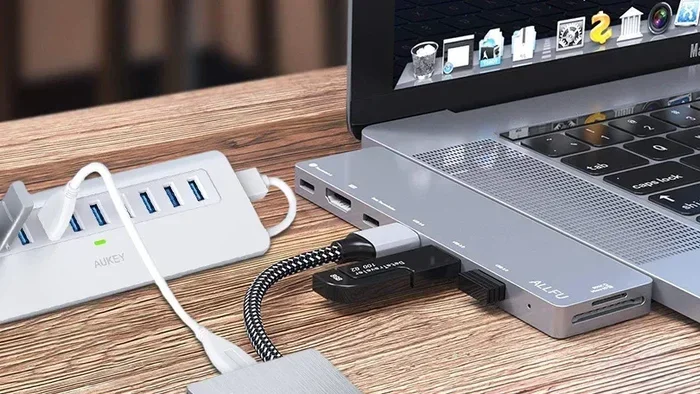
If you use a USB-C laptop, a USB-C hub with a built-in USB-C port works perfectly for charging your AirPods Pro. Some hubs even have multiple ports, so you can charge your AirPods Pro, phone, and watch at the same time.
MagSafe Chargers
If you have the USB-C AirPods Pro, you can use a MagSafe charger directly. The USB-C case magnets onto the MagSafe charger wirelessly. This is super convenient. Just place your case on the charger and it snaps right into place.
For Lightning AirPods Pro, MagSafe charging requires a MagSafe-compatible Lightning charger. Apple sells one, and several third-party brands make them too.
Common Mistakes and How to Avoid Them
Many people make mistakes when trying to switch their AirPods Pro to USB-C. Here are the most common ones and how to avoid them.
Buying the Wrong Cable
Some people buy a USB-C to USB-C cable and try to plug it into their Lightning AirPods Pro case. This will not work. You need a USB-C to Lightning cable for Lightning AirPods Pro. Make sure you check the connector type before you buy.
Using Uncertified Accessories
Cheap, uncertified cables and chargers can cause problems. They may charge slowly, overheat, or even damage your device. Always look for MFi certification when buying cables for your AirPods Pro.
Not Resetting the Case
If your AirPods Pro case is not charging properly with a USB-C cable, try resetting it. Put both AirPods Pro in the case. Close the lid. Wait 30 seconds. Open the lid. Press and hold the setup button on the back of the case for about 15 seconds. The LED will flash amber, then white. This resets the case and often fixes charging issues.
Ignoring Firmware Updates
Apple releases firmware updates for AirPods Pro. These updates can improve charging performance and fix bugs. Make sure your AirPods Pro are connected to your iPhone and that your iPhone is connected to Wi-Fi. Place the AirPods Pro in the case and open the lid. Wait for the firmware to update. This simple step can solve many charging problems.
Forcing a Conversion
Do not try to open your AirPods Pro case and swap the connector yourself. This will destroy the case and void your warranty. It is not worth the risk. Stick to official solutions like adapters or upgrading to a new model.
Expert Insights on the USB-C Transition
Apple’s move to USB-C was driven by European Union regulations. The EU mandated that all smartphones and portable devices use USB-C by 2024. Apple complied, and now the entire Apple ecosystem uses USB-C. This includes iPhones, iPads, MacBooks, Apple Watches, and now AirPods Pro.
From a tech expert perspective, the USB-C switch is a good thing. It means fewer cables to carry. One USB-C cable can charge your phone, tablet, laptop, and AirPods Pro. It is more convenient and more sustainable. Less e-waste, fewer adapters, and a simpler setup.
However, the transition is not instant. Many people still have Lightning devices and accessories. That is why Apple continues to sell USB-C to Lightning cables and adapters. You do not have to throw away your old Lightning gear overnight. Transition at your own pace.
If you are planning to upgrade your AirPods Pro, the USB-C model is the way to go. It is future-proof. You will not need to worry about Lightning cables becoming obsolete. And the USB-C AirPods Pro 2 offer the same great sound quality and features as the Lightning version.
Final Thoughts
So, can I change my Airpods Pro to USB C? You cannot convert your existing Lightning AirPods Pro case to USB-C directly. But you have solid options. You can use a USB-C to Lightning cable to charge your current AirPods Pro with a USB-C power source. Or you can upgrade to the AirPods Pro 2 USB-C model for a seamless USB-C experience.
Both paths are easy and practical. The cable workaround costs very little. The upgrade costs more but gives you a future-proof setup. Either way, you will enjoy the benefits of USB-C charging.
We hope this guide helped you understand your options. Take your time, choose the solution that fits your budget and needs, and enjoy your AirPods Pro with a modern USB-C charging setup.
Frequently Asked Questions
Can I use a USB-C to USB-C cable with my Lightning AirPods Pro case?
No, a USB-C to USB-C cable will not work with a Lightning AirPods Pro case. You need a USB-C to Lightning cable to charge your Lightning AirPods Pro. Using the wrong cable will not damage your device, but it will not charge it either.
Is it worth upgrading to AirPods Pro 2 USB-C if I have the Lightning version?
It depends on your situation. If your Lightning AirPods Pro are still in good condition, a USB-C to Lightning cable is the cheaper option. But if your AirPods Pro are old or the battery is weak, upgrading to the USB-C AirPods Pro 2 is a great choice. You get a fresh pair and a modern connector.
Does the USB-C AirPods Pro case support wireless charging?
Yes, both the Lightning and USB-C AirPods Pro 2 cases support wireless charging on a Qi-compatible charging pad. The USB-C case also supports MagSafe charging directly, which is a nice convenience.
Can I charge my AirPods Pro case with a power bank that has USB-C?
Absolutely. Just use a USB-C to Lightning cable to connect your Lightning AirPods Pro case to a USB-C power bank. This is a great option for travel. You can charge your AirPods Pro on the go without carrying a Lightning wall adapter.
Will firmware updates change my AirPods Pro to USB-C?
No, firmware updates do not change the physical connector on your AirPods Pro case. The Lightning or USB-C connector is hardware, not software. You cannot change it through a software update. You need a new case or an adapter.
Are USB-C AirPods Pro cases compatible with Lightning cables?
No, USB-C AirPods Pro cases are not compatible with Lightning cables. They require a USB-C cable for charging. If you try to use a Lightning cable, it will not fit into the USB-C case port.
=== CONCLUSION ===
The question can I change my Airpods Pro to USB C comes up a lot, and now you have all the answers. You cannot convert your existing Lightning AirPods Pro case to USB-C natively. Apple does not offer a conversion kit or adapter for this. But you are not stuck. You can use a USB-C to Lightning cable to charge your current AirPods Pro with any USB-C power source. This is simple, affordable, and works great.
If you want a full USB-C experience, consider upgrading to the AirPods Pro 2 USB-C model. It is a future-proof choice that fits perfectly into the modern Apple ecosystem. You will enjoy faster charging, MagSafe compatibility, and the convenience of one cable type for all your devices.
Whatever path you choose, the key is to act now. USB-C is the future, and Apple is fully committed to it. Do not get left behind with outdated cables and adapters. Make the switch today and enjoy a simpler, cleaner charging setup for your AirPods Pro.