Can I Connect Xbox 360 Using Hdmi to My TV Right Now
Yes, you can connect Xbox 360 using HDMI to your TV if your console model supports it. The Xbox 360 S and Xbox 360 E come with built-in HDMI ports, while the original Xbox 360 needs an HDMI adapter or a different cable. This guide walks you through every step, from picking the right cable to fixing common connection problems. You will learn about HDMI vs. composite cables, how to boost your picture quality, and expert tips for a smooth setup.
If you are sitting in front of your TV with an Xbox 360 and wondering whether you can plug it in using HDMI, you are not alone. Many gamers want to know if their older console can work with modern TVs that have HDMI inputs. The good news is that in most cases, the answer is yes. You can connect Xbox 360 using HDMI, but the exact method depends on which Xbox 360 model you own.
Back in the day, the Xbox 360 came with composite or component cables. Those cables work fine, but they do not give you the best picture quality. HDMI delivers a much cleaner and sharper image. It also sends audio through the same cable, which means fewer cables tangled behind your TV. Whether you are a casual gamer or a dedicated fan of classic Xbox 360 titles, getting that HDMI connection right makes a real difference.
In this guide, we will walk you through everything you need to know. We will cover which Xbox 360 models support HDMI, what cables and adapters you need, how to set it up step by step, and how to fix common problems. By the end, you will feel confident connecting your console and enjoying your games in the best quality possible.
Key Takeaways
- Xbox 360 S and Xbox 360 E support HDMI natively: These models have an HDMI port built right in, making setup simple and fast.
- Original Xbox 360 needs an HDMI adapter: You can add HDMI output to older models with a dedicated adapter or use component cables instead.
- HDMI gives you better picture and sound: Switching from composite or component cables to HDMI improves resolution and audio quality.
- Check your TV input and cable quality: Using the right HDMI port on your TV and a good cable makes a big difference.
- Troubleshooting is simple: Most HDMI issues with Xbox 360 can be fixed with basic steps like checking connections and adjusting display settings.
📑 Table of Contents
- Which Xbox 360 Models Support HDMI?
- How to Connect Xbox 360 Using HDMI
- What If You Have the Original Xbox 360 Without HDMI?
- Benefits of Using HDMI with Xbox 360
- Common Problems and How to Fix Them
- Do You Need a Special HDMI Cable for Xbox 360?
- How HDMI Improves Your Gaming Experience
- Final Thoughts on Connecting Xbox 360 Using HDMI
Which Xbox 360 Models Support HDMI?
The Xbox 360 came in several versions over the years. Not all of them have the same connection options. Here is a quick breakdown of the main models and their HDMI support.
Xbox 360 Original (Core and Premium)
The very first Xbox 360, released in 2005, does not have a built-in HDMI port. These early models use AV cables that connect through the proprietary Xbox 360 AV connector. If you own one of these original units, you cannot plug an HDMI cable directly into the back of the console. You will need an additional accessory to get HDMI output.
Xbox 360 S (2009)
The Xbox 360 S brought a big upgrade. This model includes a built-in HDMI port right on the back panel. You can connect Xbox 360 using HDMI directly without any extra adapters. The Xbox 360 S also supports 1080p HD resolution over HDMI, which was a major step up from the original model. If you have this version, you are in luck.
Xbox 360 E (2013)
The final revision of the Xbox 360, the Xbox 360 E, also comes with HDMI support out of the box. It has a clean and compact design with an HDMI port built in. The picture quality and setup process are very similar to the Xbox 360 S. If you are using an Xbox 360 E, connecting via HDMI is straightforward and hassle-free.
How to Connect Xbox 360 Using HDMI
Now that you know which model you have, let us get into the actual setup process. Follow these steps to get your Xbox 360 connected to your TV through HDMI.
Step 1: Check Your Console and TV
First, look at the back of your Xbox 360. Find the HDMI port. It looks like a small trapezoid-shaped slot. Next, check your TV for available HDMI input ports. Most modern TVs have at least three or four HDMI ports labeled HDMI 1, HDMI 2, and so on. Make sure you know which port you will use.
Step 2: Get the Right HDMI Cable
You need a standard HDMI cable to make the connection. Any decent HDMI cable will work with the Xbox 360. You do not need an expensive premium cable for this console. A basic High Speed HDMI cable handles 1080p resolution just fine. Look for cables that are at least 6 feet long so you have room to place your console comfortably.
Step 3: Plug in the Cable
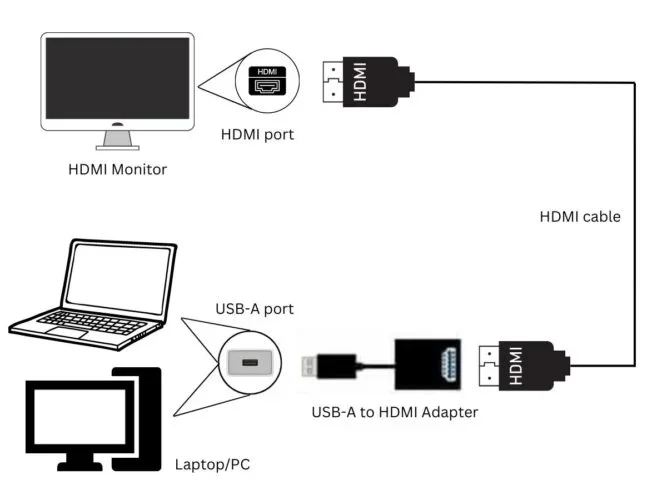
Insert one end of the HDMI cable into the HDMI port on your Xbox 360. Push it in gently until it clicks. Then plug the other end into your chosen HDMI input on the TV. Make sure both connections are firm and secure.
Step 4: Switch Your TV Input
Turn on your TV and use your remote to switch to the HDMI input you plugged into. Press the Input or Source button on your TV remote and select the correct HDMI port. You should see the Xbox 360 dashboard appear on screen.
Step 5: Adjust Display Settings
Once you see the Xbox 360 dashboard, go to System Settings and then select Console Settings. Choose Display and pick the resolution that matches your TV. For most HDTVs, 720p or 1080p works great. The console will automatically detect the best settings, but you can always change them manually.
Quick Tip: If your TV picture looks blurry or cut off, try changing the HDMI resolution in the display settings. Sometimes switching between 720p and 1080p fixes the problem instantly.
What If You Have the Original Xbox 360 Without HDMI?
So you own the original Xbox 360 and it does not have an HDMI port. Do not worry. You still have options to get a better picture on your TV.
Option 1: Use an HDMI Adapter
You can buy an Xbox 360 HDMI adapter from Microsoft or third-party sellers. This adapter plugs into the AV port on the back of your original Xbox 360 and gives you an HDMI output. You then connect a standard HDMI cable from the adapter to your TV. These adapters are affordable and easy to find online. They support up to 1080p resolution, which is a huge upgrade from composite cables.
Option 2: Use Component Cables
If you do not want to buy an adapter, component cables are a solid alternative. They use red, green, and blue RCA connectors for video and red and white for audio. Component cables support up to 1080p and give you a much better picture than the basic composite cables that come in the box. They are not as clean as HDMI, but they are a big step forward.
Option 3: Use a VGA Adapter
Microsoft sold an official VGA adapter for the Xbox 360. This adapter connects through the AV port and gives you a VGA output for PC monitors or TVs with VGA inputs. It supports 1080p resolution and works well if you have a monitor setup. However, VGA only carries video, so you will still need separate audio cables.
| Connection Type | Model Support | Max Resolution | Audio Included |
|---|---|---|---|
| HDMI (Built-in) | Xbox 360 S, Xbox 360 E | 1080p | Yes |
| HDMI Adapter | Original Xbox 360 | 1080p | Yes |
| Component Cable | All Xbox 360 Models | 1080p | No (separate RCA) |
| VGA Adapter | All Xbox 360 Models | 1080p | No (separate cable) |
| Composite Cable | All Xbox 360 Models | 480p | Yes |
The comparison table above shows how each connection type stacks up. HDMI is clearly the best option when available. It gives you the highest quality picture and sound through a single cable. If your console does not support HDMI natively, an adapter is the next best choice.
Benefits of Using HDMI with Xbox 360
Switching to HDMI from older cables brings several real benefits. Here is why you should make the switch if you can.
- Better Picture Quality: HDMI supports digital signals, which means no interference or signal loss. Your games look sharper and colors are more vibrant compared to analog cables.
- Higher Resolution: HDMI allows your Xbox 360 to output at 720p or 1080p. This makes games look much cleaner on modern HDTVs and HD monitors.
- Simplified Setup: With HDMI, you only need one cable for both video and audio. No need to run separate red and white audio cables behind your TV stand.
- Better Audio: HDMI supports digital surround sound. If you have a soundbar or home theater system, HDMI delivers much better audio than the analog output from composite or component cables.
- Future-Proof Connection: HDMI is the standard connection type for modern TVs. Using HDMI means your setup will work with any TV or monitor you buy in the future.
Expert Insight: According to display technology experts, digital connections like HDMI maintain signal quality over longer cable runs. If your console is far from your TV, HDMI is the way to go. Analog cables like composite and component lose quality the longer they get.
Common Problems and How to Fix Them
Even with a simple setup like HDMI, you might run into some issues. Here are the most common problems and how to solve them.
No Picture on the TV Screen
If you plug everything in and see no picture, start by checking your connections. Make sure the HDMI cable is firmly seated in both the console and the TV. Try a different HDMI port on your TV. Sometimes the port you picked is not working. You can also try a different HDMI cable to rule out a faulty cable.
Black Screen with Sound
If you can hear the Xbox 360 but see a black screen, the issue is likely a resolution mismatch. Your TV might not support the resolution your console is trying to output. Boot your Xbox 360 while holding the sync button to force it into a safe resolution mode. Then go into display settings and lower the resolution.
Flickering or Intermittent Signal
A flickering picture usually means a loose connection or a bad cable. Check both ends of the HDMI cable and make sure they are fully inserted. If the problem continues, try a new HDMI cable. Cheap or damaged cables are a common cause of flickering issues.
No Audio Through HDMI
If your picture is fine but you have no sound, check your TV audio settings. Make sure the TV is set to use the HDMI input for audio output. Some TVs have separate audio settings for each HDMI port. You may also need to check the Xbox 360 audio settings and make sure HDMI audio is enabled.
Common Mistakes to Avoid:
- Do not use a very long HDMI cable (over 25 feet) without a signal booster. Long cables can weaken the signal.
- Do not force the HDMI connector into the port. If it does not fit easily, check the orientation.
- Do not ignore your TV firmware. Some older TVs need a firmware update to work well with HDMI devices.
Do You Need a Special HDMI Cable for Xbox 360?
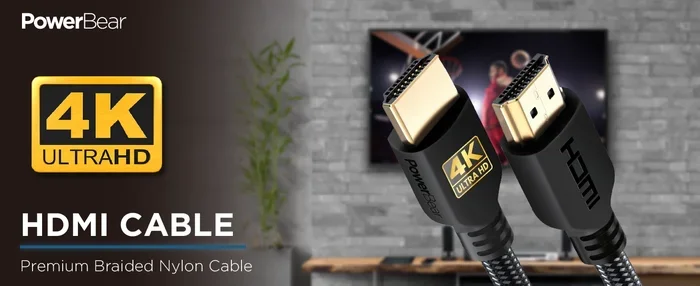
A lot of people think they need an expensive premium HDMI cable for their Xbox 360. The truth is, you do not. The Xbox 360 outputs at 1080p maximum, and any standard High Speed HDMI cable handles that resolution easily. You can buy an affordable HDMI cable from any electronics store or online and it will work perfectly.
Microsoft used to sell their own Xbox 360 HDMI cables, but they are not necessary. Any HDMI cable that is High Speed or Premium High Speed will deliver excellent results. The key is to avoid the cheapest no-name cables that might not meet the specification. Stick with reputable brands or well-reviewed cables and you will be fine.
If you are shopping for a cable, look for these features:
- High Speed HDMI certification
- Gold-plated connectors for better durability
- Braided or thick outer jacket for longevity
- At least 6 feet in length for flexible placement
How HDMI Improves Your Gaming Experience
Connecting Xbox 360 using HDMI does more than just give you a clearer picture. It enhances your entire gaming experience in ways you might not expect.
First, the reduced input lag from a digital connection can make your games feel more responsive. While the Xbox 360 itself does not have advanced features like variable refresh rate, a clean HDMI signal ensures your controller inputs translate to the screen as quickly as possible.
Second, HDMI supports better color depth and contrast. Games that were designed for HD look noticeably better on a modern TV through HDMI compared to composite cables. Dark scenes in games like Gears of War or Halo 3 have more detail and depth when viewed through an HDMI connection.
Third, if you use an HDMI switch or an AV receiver, HDMI makes it easy to switch between your Xbox 360 and other devices like a Blu-ray player or a streaming stick. One remote, one cable per device, and your TV handles the rest. This kind of convenience is something you simply cannot get with older analog connections.
For collectors and retro gamers who still love their Xbox 360 library, HDMI is the best way to experience those classic games today. Many of the best Xbox 360 titles were designed with HD graphics in mind. You deserve to see them the way they were meant to look.
Quick Tip: If you are using an Xbox 360 with a projector or a monitor, HDMI is your best bet. Most projectors and PC monitors only have HDMI inputs now, so an adapter or a model with built-in HDMI is essential.
Final Thoughts on Connecting Xbox 360 Using HDMI
The bottom line is clear. You can connect Xbox 360 using HDMI in most cases. If you have an Xbox 360 S or Xbox 360 E, it is as simple as plugging in a cable. If you have the original Xbox 360, an HDMI adapter solves the problem. Either way, the upgrade from older cables to HDMI is well worth the effort.
You will notice better picture quality, simpler cable management, and improved audio. The setup takes only a few minutes, and the results last for years. Whether you are playing old favorites or showing your console to a friend, HDMI makes the Xbox 360 look and sound its best.
Do not let confusion about cables and adapters stop you. Follow the steps in this guide, and you will have your Xbox 360 running through HDMI in no time. Grab a cable, plug it in, and get back to gaming. Your TV and your eyes will thank you.
Frequently Asked Questions
Can I connect Xbox 360 using HDMI without an adapter?
Yes, if you own an Xbox 360 S or Xbox 360 E, both models have built-in HDMI ports. You can connect Xbox 360 using HDMI directly without any adapter. Just plug in a standard HDMI cable and you are good to go. Original Xbox 360 models need an HDMI adapter to get HDMI output.
What HDMI cable do I need for Xbox 360?
You need any standard High Speed HDMI cable. The Xbox 360 outputs at up to 1080p, and any certified High Speed HDMI cable handles that resolution easily. You do not need an expensive premium cable. A basic well-reviewed HDMI cable works perfectly for Xbox 360 gaming.
Will HDMI improve the picture quality on my Xbox 360?
Yes, absolutely. HDMI delivers a digital signal that is much cleaner than composite or component cables. You will see sharper images, better colors, and more detail in dark scenes. HDMI also carries audio through the same cable, reducing cable clutter behind your TV.
Can I use an HDMI adapter with the original Xbox 360?
Yes, Microsoft sold an official HDMI adapter for the original Xbox 360. Third-party adapters are also widely available and work well. The adapter plugs into the AV port on the back of the console and gives you an HDMI output. This lets you connect Xbox 360 using HDMI even on the original model.
Why is there no picture when I connect Xbox 360 using HDMI?
No picture usually means a loose connection or a resolution mismatch. Check that the HDMI cable is firmly plugged in at both ends. Try a different HDMI port on your TV. You can also boot the console while holding the sync button to force a safe resolution. Trying a different HDMI cable is another good troubleshooting step.
Does Xbox 360 support 1080p over HDMI?
Yes, Xbox 360 models with HDMI support can output at 1080p resolution. Both the Xbox 360 S and Xbox 360 E support 1080p over HDMI. You can select this resolution in the console display settings. Note that some games were designed for 720p, so the improvement depends on the specific title you are playing.
=== CONCLUSION ===
Connecting Xbox 360 using HDMI is easier than most people think. Whether you have a newer model with built-in HDMI or an original console that needs an adapter, the process is straightforward. The results speak for themselves. Better picture quality, cleaner audio, and a simpler setup behind your TV. You do not need expensive equipment or technical skills. A basic HDMI cable and a few minutes of your time is all it takes.
Now that you know how to connect Xbox 360 using HDMI, you can enjoy your favorite games the way they were meant to be seen. Grab the right cable, follow the steps, and upgrade your gaming setup today. Your Xbox 360 library deserves to look its best on your modern TV.