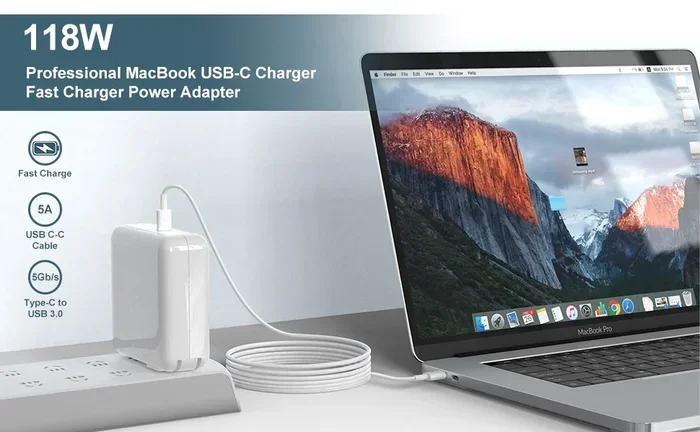
Can I Use A 30w Charger For Macbook Pro Without Damage
Yes, you can use a 30W charger for MacBook Pro in many cases, but it depends on your specific model and needs. A 30W USB-C charger works best for lighter MacBook Pro models and can charge your battery safely without causing damage. However, heavier usage may result in slower charging speeds and the battery draining during intensive tasks.
Key Takeaways
- Safe to Use: A 30W charger will not damage most MacBook Pro models when used correctly.
- Slower Charging: You may notice slower charging speeds, especially during heavy workloads.
- Model Matters: Compatibility depends on your specific MacBook Pro model and year.
- USB-C Power Delivery: Modern MacBook Pro devices use USB-C PD, which works with 30W adapters.
- Battery Health: Using a lower-wattage charger won’t harm your battery long term.
- Third-Party Options: Many reputable brands offer certified 30W USB-C chargers that work well.
- Best for Light Use: A 30W charger suits browsing, writing, and light tasks, not heavy video editing.
📑 Table of Contents
- Can I Use A 30W Charger For MacBook Pro Safely?
- Understanding Your MacBook Pro Charging Needs
- What Happens When You Use a 30W Charger?
- Which MacBook Pro Models Work With a 30W Charger?
- USB-C Charging and Power Delivery Explained
- Pros and Cons of Using a 30W Charger for MacBook Pro
- Tips for Safe Charging With a 30W Adapter
- Common Mistakes People Make With MacBook Pro Chargers
- Expert Insights on MacBook Pro Charging
- Comparison: 30W vs. Original MacBook Pro Chargers
- Final Thoughts
Can I Use A 30W Charger For MacBook Pro Safely?
If you own a MacBook Pro and have a 30W charger lying around, you might be wondering whether it is safe to use. Maybe your original charger broke, or you bought a new one by mistake. Either way, the question can I use a 30W charger for MacBook Pro comes up a lot. And the short answer is yes, in most cases.
Using a 30W USB-C charger with your MacBook Pro will not cause damage. Apple designs its laptops with smart power management systems that regulate how much power flows into the battery. This means your MacBook Pro will only draw the power it needs, even if the charger can supply less than the original adapter.
That said, there are some important things to know. Charging speed, model compatibility, and usage patterns all play a role. Let us walk through everything you need to know about using a 30W charger for MacBook Pro safely and effectively.
Why People Ask This Question
Many users end up with a 30W charger because they own both an iPad and a MacBook. Apple sells a 20W USB-C power adapter for the iPad, and some people upgrade to a 30W adapter for faster iPad charging. When they need a charger for their MacBook too, they naturally wonder if the same power adapter will work.
Others buy third-party USB-C chargers rated at 30W because they are smaller, lighter, or cheaper than Apple’s original MacBook Pro power supply. Whatever the reason, the concern is the same: will it harm the laptop or the battery?
Understanding Your MacBook Pro Charging Needs
To understand whether a 30W charger works for your MacBook Pro, you need to know a little about how USB-C charging works. Modern MacBook Pro models use USB-C Power Delivery, also known as USB-C PD. This is a smart charging protocol that negotiates power between the charger and the laptop.
When you plug in a USB-C cable connected to a 30W power adapter, your MacBook Pro and the charger talk to each other. They agree on the right amount of power to deliver. If your laptop needs 60W but the charger only provides 30W, your MacBook will still charge. It just might do so more slowly.
What Wattage Does Your MacBook Pro Need?
Different MacBook Pro models need different amounts of power. Here is a simple breakdown:
- MacBook Pro 13-inch (M1, M2, M3): These models work great with a 30W charger. They typically need around 30W to 60W depending on usage.
- MacBook Pro 14-inch and 16-inch: These larger models benefit from 67W, 96W, or 140W chargers. A 30W charger will work but will charge slowly.
- Older MacBook Pro models with USB-C: Most models from 2016 onward support USB-C PD and can use a 30W adapter.
The key takeaway is that a 30W charger is best suited for the smaller 13-inch MacBook Pro models. Larger models will still charge, but they may not keep up with heavy usage.
What Happens When You Use a 30W Charger?
Let us get into the real-world experience. What actually happens when you plug a 30W USB-C charger into your MacBook Pro? Here is what you can expect.
Charging Speed
With a 30W power adapter, your MacBook Pro will charge, but not as fast as it would with the original Apple charger. If your laptop uses 45W while running demanding apps, a 30W charger might not even keep up. In that case, the battery could slowly drain even while the charger is plugged in.
For light tasks like browsing the web, writing documents, or watching videos, a 30W charger will keep up just fine. Your laptop will charge steadily without any issues.
Battery Health
One common concern is whether a lower-wattage charger for MacBook Pro will hurt your battery health over time. The good news is that it will not. Apple’s built-in battery management system protects your battery from overcharging, overheating, and power irregularities.
Using a 30W charger will not degrade your battery faster than the original power supply would. The battery charges the same way regardless of the adapter wattage, as long as the charger is compatible and certified.
Heat and Safety
Some users worry that a 30W charger might overheat or cause safety issues. This is not the case with quality chargers. A certified USB-C charger from a reputable brand will regulate its output safely. Your MacBook Pro will draw only what it needs.
That said, you should always avoid cheap, uncertified third-party chargers. Poorly made power adapters can be dangerous regardless of their wattage rating. Stick with trusted brands and look for USB-IF certification or MFi certification when possible.
Which MacBook Pro Models Work With a 30W Charger?
Not all MacBook Pro models are created equal when it comes to charger compatibility. Here is a closer look at which models work well with a 30W USB-C charger.
MacBook Pro 13-inch (2016 and Newer)
The 13-inch MacBook Pro is the best match for a 30W charger. These laptops have lower power demands compared to the larger models. A 30W adapter can charge a 13-inch MacBook Pro at full speed during light to moderate use.
Apple officially recommends a 61W USB-C power adapter for the 13-inch MacBook Pro. But a 30W charger will still work. You just might notice slower charging during heavy workloads like compiling code or running virtual machines.
MacBook Pro 14-inch and 16-inch
The 14-inch and 16-inch MacBook Pro models are power-hungry machines. They come with 67W, 96W, or 140W Apple USB-C power adapters for a reason. These laptops need more power to run their brighter displays, more powerful processors, and dedicated graphics chips.
You can use a 30W charger with these models. But you should expect significantly slower charging times. During intense tasks like video editing or 3D rendering, the battery might not charge at all. It could actually drain while the charger is connected.
MacBook Pro M1, M2, and M3 Series
Apple Silicon MacBook Pro models are more energy-efficient than older Intel-based laptops. The M1, M2, and M3 MacBook Pro chips sip power compared to their predecessors. This makes them more forgiving when used with a lower-wattage charger.
A 30W charger for MacBook Pro M1 or M2 models works very well for everyday use. Even the M3 MacBook Pro 13-inch charges reliably with a 30W USB-C adapter during normal tasks.
USB-C Charging and Power Delivery Explained
Understanding USB-C Power Delivery helps you make smarter choices about chargers and cables. Here is a simple explanation of how it all works.
What Is USB-C Power Delivery?
USB-C PD is a charging standard that allows devices to negotiate power levels automatically. When you connect a USB-C cable between your charger and your MacBook Pro, they communicate. The charger tells the laptop how much power it can provide, and the laptop decides how much it needs.
This is why a 30W charger will not fry your MacBook Pro. The power delivery protocol ensures safe and controlled charging at all times. The laptop simply will not pull more power than the charger can supply.
Does Cable Quality Matter?
Yes, it absolutely does. A cheap or damaged USB-C cable can limit charging speed or even cause problems. Always use a high-quality USB-C cable that supports USB-C PD and the wattage you need.
Look for cables that are rated for at least 30W or 60W. A good USB-C cable ensures your 30W charger for MacBook Pro performs as expected. Avoid ultra-thin or unbranded cables whenever possible.
Fast Charging With a 30W Adapter
Fast charging usually requires a higher-wattage power adapter. A 30W charger is not considered a fast charger for larger MacBook Pro models. However, for the 13-inch versions, it provides reasonable charging speeds for overnight or desk-top charging.
If you need fast charging on the go, a 67W or 96W USB-C charger is a better choice for 14-inch and 16-inch models. But for casual use and travel, a 30W adapter is lightweight and convenient.
Pros and Cons of Using a 30W Charger for MacBook Pro
Every charging solution has trade-offs. Here is a balanced look at the advantages and disadvantages of using a 30W charger for MacBook Pro.
Pros
- Lightweight and Portable: A 30W USB-C charger is small and easy to carry in your bag.
- Affordable: 30W chargers cost less than higher-wattage Apple power adapters.
- Safe for Your Battery: Your MacBook Pro’s built-in power management protects the battery.
- Versatile: A 30W charger can also charge iPads, iPhones, and other USB-C devices.
- No Damage Risk: Using a 30W adapter will not harm your MacBook Pro.
Cons
- Slower Charging: Especially during heavy workloads or on larger MacBook Pro models.
- Not Ideal for 14-inch and 16-inch Models: These laptops need more power for optimal performance.
- Battery May Drain During Intensive Tasks: If your laptop uses more than 30W, the battery will slowly deplete.
- Not Best for Professional Workflows: Video editors, developers, and designers may notice limitations.
Tips for Safe Charging With a 30W Adapter
If you decide to use a 30W charger for MacBook Pro, here are some practical tips to get the best experience.
Use a Certified Charger
Always choose a certified USB-C charger from a reputable brand. Look for USB-IF certification or MFi certification on the packaging. Certified power adapters meet safety standards and deliver consistent power output.
Monitor Your Battery Percentage
When using a 30W charger with a power-hungry MacBook Pro, keep an eye on your battery percentage. If you notice the battery is dropping even while plugged in, you may need to reduce workload or use a higher-wattage charger.
Avoid Using While Charging Intensive Apps
Running heavy apps while charging on a 30W adapter can stress your system. If possible, close unnecessary apps and browser tabs. This reduces power draw and allows your 30W charger to keep up with charging.
Keep Your Charger and Cable in Good Condition
Inspect your USB-C cable and power adapter regularly. Frayed cables or bent connectors can cause charging issues or safety hazards. Replace damaged charging accessories promptly to maintain safe power delivery.
Use the Original Apple Cable When Possible
If you have the original Apple USB-C cable that came with your MacBook Pro, use it with your 30W charger. Apple cables are built to high standards and support reliable USB-C PD charging.
Common Mistakes People Make With MacBook Pro Chargers
Many users make avoidable mistakes when it comes to MacBook Pro charging. Here are a few to watch out for.
- Using an uncertified charger: Cheap knockoff power adapters can be unsafe and unreliable.
- Ignoring cable quality: A poor USB-C cable can limit charging speed and damage your port over time.
- Assuming all USB-C chargers are equal: Not every USB-C charger supports USB-C PD. Check the wattage and protocol before buying.
- Using the wrong charger for your model: A 30W charger is great for a 13-inch MacBook Pro but not ideal for a 16-inch model.
- Leaving the laptop plugged in 24/7: Even with a 30W charger, it is good practice to let your battery cycle occasionally for optimal battery health.
Expert Insights on MacBook Pro Charging
According to Apple’s official support documentation, using a compatible USB-C charger with lower wattage is perfectly safe. Apple states that its MacBook Pro devices are designed to manage power draw intelligently. The laptop will never force more power through than the charger can supply.
Tech experts also recommend investing in a quality USB-C charger rather than chasing the highest wattage. A well-built 30W charger from a trusted brand will serve you reliably for years. The key is to match the charger wattage to your actual usage needs.
If you are a casual user who mainly browses, writes, and streams content, a 30W charger for MacBook Pro is more than enough. Power users should consider a 67W or higher adapter for the best experience with larger models.
Comparison: 30W vs. Original MacBook Pro Chargers
Here is a quick side-by-side comparison to help you decide.
- 30W USB-C Charger: Lightweight, affordable, safe for all models, slower on large models, great for light use.
- 61W USB-C Charger (Apple): Official charger for 13-inch MacBook Pro, faster charging, moderate size and weight.
- 67W, 96W, or 140W Charger (Apple): Best for 14-inch and 16-inch models, fast charging, heavier and bulkier.
- Third-Party 30W Certified Charger: Budget-friendly alternative, safe if certified, may lack brand reliability.
The right choice depends on your laptop model, usage habits, and whether portability or speed matters more to you.
Final Thoughts
So, can you use a 30W charger for MacBook Pro without damage? Absolutely. A 30W USB-C charger is a safe, practical option for many MacBook Pro users. It will not harm your laptop, your battery, or your charging port.
The main trade-off is charging speed. If you own a 13-inch MacBook Pro and use it for everyday tasks, a 30W charger will serve you well. If you have a 14-inch or 16-inch model and need fast charging during heavy workloads, consider a higher-wattage power adapter.
Always choose certified chargers and cables, monitor your battery health, and use your laptop responsibly. With the right 30W charger for MacBook Pro, you can keep your laptop powered up safely and conveniently wherever you go.
The bottom line: a 30W charger is a reliable, safe, and portable solution for MacBook Pro charging. Just make sure it fits your model and your needs, and you will be all set.
Frequently Asked Questions
Will a 30W charger damage my MacBook Pro?
No, a 30W charger will not damage your MacBook Pro. Apple laptops have built-in power regulation systems that prevent overcharging and manage power draw safely. Your MacBook Pro will only take the power it needs from the 30W adapter.
Can I use a 30W charger for MacBook Pro 14-inch or 16-inch?
Yes, you can, but charging will be slow on these models. The 14-inch and 16-inch MacBook Pro need more power than a 30W charger can provide during heavy use. Your battery may even drain while the charger is connected if you are running demanding apps.
How long does it take to charge a MacBook Pro with a 30W charger?
Charging time depends on your model and battery level. A 13-inch MacBook Pro will charge at a reasonable pace with a 30W USB-C charger. Larger models like the 14-inch or 16-inch will take significantly longer and may not charge fully during intensive use.
Is a 30W charger enough for MacBook Pro M1 or M2?
Yes, a 30W charger works well with M1 and M2 MacBook Pro models, especially the 13-inch versions. These chips are energy-efficient and do not demand as much power as older Intel-based laptops. For light to moderate use, a 30W adapter is more than sufficient.
Can I use a third-party 30W charger for MacBook Pro?
Yes, as long as the third-party charger is certified and supports USB-C Power Delivery. Look for USB-IF certification or MFi certification to ensure safety and compatibility. Avoid cheap, uncertified power adapters that may pose safety risks.
Will using a 30W charger affect my MacBook Pro battery health?
No, using a 30W charger will not harm your battery health. Your MacBook Pro manages charging internally, regardless of the adapter wattage. As long as you use a certified charger and cable, your battery will remain healthy over time.
=== CONCLUSION ===
Using a 30W charger for MacBook Pro is a safe and practical choice for many users. It will not cause damage, and it works reliably with most MacBook Pro models. The key is understanding your specific needs and choosing the right charger wattage accordingly.
For 13-inch models and everyday use, a 30W USB-C charger is a great option. For larger models or power users, consider stepping up to a higher-wattage Apple USB-C power adapter. Either way, always prioritize certified chargers and cables for the safest and most reliable charging experience.
Now that you know the answer to can I use a 30W charger for MacBook Pro, you can charge with confidence. Keep your MacBook Pro powered up safely and enjoy the freedom of a versatile 30W charging solution.