Can We Use Any Type C Adapter For Iphone Without Worry
Not all Type C adapters work safely with iPhones. Using the wrong Type C adapter for iPhone can damage your device, slow down charging, or void your warranty. This guide breaks down exactly which adapters are safe, what to look for, and how to avoid common pitfalls.
Have you ever grabbed a Type C adapter lying around your desk and wondered if it would work with your iPhone? It is a really common question, especially now that Apple has shifted to USB-C on newer models. The short answer is no, you cannot just use any Type C adapter for iPhone without checking a few things first.
Using the wrong adapter might seem harmless at first. But over time, it can hurt your battery, slow down your data speeds, or even damage the charging port. Nobody wants that. In this guide, we will walk you through everything you need to know about Type C adapter for iPhone compatibility. We will cover safety risks, what to look for, and how to pick the right one every single time.
Whether you own an iPhone 15 or an older model with a Lightning port, this article has you covered. Let us dive in and make sure your charging setup is safe and efficient.
Key Takeaways
- Not every Type C adapter is iPhone-compatible: You need one with proper chip authentication and power delivery specs.
- USB-C to Lightning cables are the safest choice: They are MFi certified and designed specifically for iPhones.
- Cheap, uncertified adapters pose real risks: These can harm your battery, slow data transfer, or even cause overheating.
- iPhone 15 and newer models use USB-C natively: These phones need a different adapter approach than older models.
- Always check for MFi certification: This is the single most important factor when choosing an adapter.
- Fast charging requires specific adapter wattage: A standard adapter won’t give you the speed you want.
📑 Table of Contents
- What Exactly Is a Type C Adapter for iPhone?
- Why Are Type C Adapters So Popular Now?
- Can You Use Any Type C Adapter with iPhone?
- How to Choose the Right Type C Adapter for iPhone
- Common Mistakes People Make with Type C Adapters
- Expert Tips for Using Type C Adapters Safely
- Quick Comparison: Certified vs. Uncertified Adapters
- Final Verdict: Should You Use Any Type C Adapter for iPhone?
What Exactly Is a Type C Adapter for iPhone?
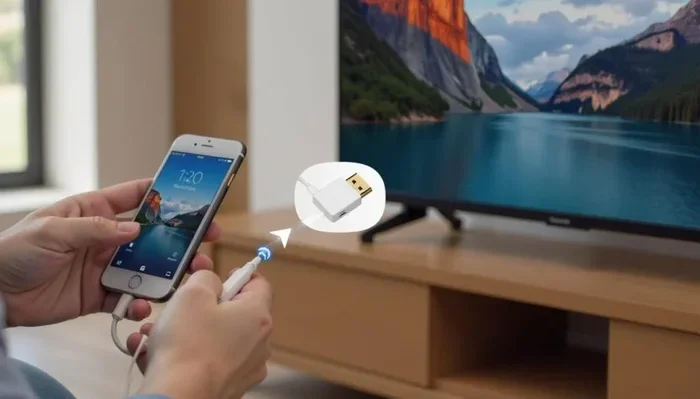
A Type C adapter for iPhone is a small accessory that bridges the gap between a USB-C connection and your iPhone’s charging port. On older iPhones, this means a USB-C to Lightning adapter. On iPhone 15 and newer models, it means a USB-C to USB-C adapter or cable.
These adapters come in all shapes and sizes. Some are simple cable adapters. Others are multi-port hubs that let you charge your phone and connect other devices at the same time. The key thing to understand is that not all of them are built the same way.
How Do Type C Adapters Work?
Type C adapters carry both power and data signals. When you plug one into your iPhone, the adapter tells the phone how much power to draw and what data speed to use. This communication happens through tiny chips inside the adapter. If those chips are missing or low quality, your iPhone might not charge properly or transfer data at full speed.
Apple uses a technology called MFi certification. MFi stands for Made for iPhone. It means Apple has tested the accessory and confirmed it works safely. Any USB-C adapter for iPhone that carries the MFi badge has passed strict quality and safety checks.
Why Are Type C Adapters So Popular Now?
The shift to USB-C happened for a big reason. The European Union passed a law requiring all smartphones to use USB-C by 2024. Apple followed suit with the iPhone 15 lineup. This change made Type C charging the new standard for iPhones.
But here is the thing. Just because USB-C is now the standard does not mean every adapter on the market is safe. The market is flooded with cheap, uncertified options. Many people grab the first one they see online without thinking twice. That is where problems start.
The Rise of Cheap, Uncertified Adapters
Online marketplaces are full of Type C adapters that cost just a few dollars. They look fine on the outside. But inside, they often skip important safety components. These adapters may not regulate power properly. They might send too much voltage to your iPhone, which can harm the battery over time.
Certified adapters cost a little more, but they protect your device. Think of it like buying a seatbelt. You do not skip it just because it costs a bit more. The same logic applies here.
Can You Use Any Type C Adapter with iPhone?
This is the big question, and the honest answer is no. You really cannot use just any Type C adapter for iPhone without worry. Here is why.
Different adapters have different chipsets. Some support power delivery protocols that iPhones need for fast charging. Others do not. Some adapters handle data transfer speeds properly. Others bottleneck the connection and slow everything down.
What Happens When You Use the Wrong Adapter?
Using an incompatible or low-quality adapter can cause several problems:
- Slow charging speeds: Your phone might take hours to charge instead of minutes.
- Battery degradation: Poor power regulation can wear out your battery faster over time.
- Overheating: Cheap adapters may generate excess heat during charging.
- Data transfer failures: Files might not transfer correctly or at full speed.
- Port damage: In rare cases, a bad adapter can physically damage the USB-C port on your iPhone.
- Warranty voiding: If Apple finds that a non-certified accessory caused damage, they may refuse to honor your warranty.
iPhone 15 and Newer vs. Older Models
If you have an iPhone 15 or 16, your phone uses USB-C natively. You need a USB-C to USB-C cable or adapter. These are generally more straightforward because both ends use the same connector type.
If you have an older iPhone with a Lightning port, you need a USB-C to Lightning adapter. This is a different product entirely. Plugging a USB-C to USB-C adapter into a Lightning port will not work. Always double-check which type your phone needs before buying.
How to Choose the Right Type C Adapter for iPhone
Choosing the right adapter does not have to be confusing. Follow these simple steps to make a smart purchase.
Step 1: Check for MFi Certification
This is the number one rule. Look for the MFi certification label on the product or its packaging. This means Apple has approved the adapter for use with iPhones. It is your first line of defense against cheap, unsafe accessories.
Step 2: Match the Wattage to Your Needs
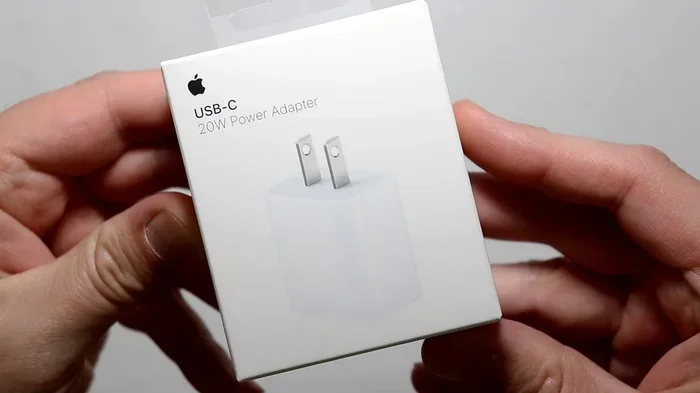
If you want fast charging, check the wattage. Most iPhones support fast charging with a 20W USB-C power adapter or higher. A basic 5W adapter will charge your phone, but it will take much longer. For the best fast charging iPhone experience, pair a USB-C to Lightning cable with a 20W or higher adapter.
Step 3: Consider Data Transfer Speed
If you use your iPhone to transfer photos, videos, or files, data speed matters. USB 3.0 and USB 3.1 adapters offer much faster transfer rates than older USB 2.0 options. Look for adapters that specify their data transfer standard if speed is important to you.
Step 4: Check the Build Quality
Good adapters feel solid. The connectors should be snug and not wobbly. The cable should be flexible but durable. Avoid adapters that feel flimsy or lightweight. They often use cheap internal components that compromise safety.
Step 5: Read Reviews and Buy from Trusted Sellers
Always buy from reputable brands or trusted sellers. Reading reviews can help you spot adapters that have real-world issues. Look for feedback on charging speed, durability, and whether the adapter works reliably with iPhones.
Common Mistakes People Make with Type C Adapters
Even with the best intentions, people make mistakes when choosing adapters. Here are the most common ones to avoid.
Buying Based on Price Alone
The cheapest adapter is not always the best deal. A $3 adapter that damages your battery or charging port will cost you far more in the long run. Invest in quality.
Ignoring Compatibility Labels
Some adapters are labeled for Android devices only. They might still physically fit your iPhone, but they will not work correctly. Always check the compatibility list before purchasing.
Using Damaged or Worn Adapters
A frayed cable or a loose connector is a red flag. Using a damaged adapter can cause short circuits or inconsistent charging. Replace worn accessories immediately.
Assuming All USB-C Is the Same
Not all USB-C adapters support the same protocols. Some only support basic charging. Others support video output, data transfer, and fast charging. Know what you need before you buy.
Expert Tips for Using Type C Adapters Safely
Here are some practical tips from tech experts to keep your iPhone safe and performing at its best.
Stick with Apple or Apple-Certified Accessories
Apple’s own adapters are the gold standard. If you prefer third-party options, choose ones that are MFi certified. This gives you near-Apple-level safety and performance.
Avoid Charging Your iPhone in Hot Environments
Even a good adapter can cause issues if your phone overheats. Keep your iPhone in a cool, ventilated area while charging. Remove thick cases if you notice the phone getting warm.
Unplug When the Phone Is Fully Charged
Leaving your iPhone plugged in all night is not great for battery health. Modern iPhones have battery optimization features, but unplugging when full is still a good habit.
Inspect Your Adapter and Cable Regularly
Take a quick look at your USB-C cable and adapter every few weeks. Look for fraying, bent pins, or discoloration. Catching problems early can prevent bigger issues down the road.
Use One Adapter Per Device When Possible
Sharing adapters between multiple devices can lead to compatibility issues. If you can, dedicate one Type C adapter for iPhone and another for other devices. This reduces wear and tear and keeps everything running smoothly.
Quick Comparison: Certified vs. Uncertified Adapters
| Feature | MFi Certified Adapter | Uncertified Adapter |
|---|---|---|
| Safety Testing | Passed Apple standards | Unknown or minimal |
| Charging Speed | Supports fast charging | Often slow or inconsistent |
| Data Transfer | Full speed supported | Often bottlenecked |
| Battery Health | Protects battery | May degrade battery faster |
| Warranty Coverage | No risk of voiding | May void iPhone warranty |
| Price Range | Moderate to high | Very low |
| Longevity | Lasts longer | Prone to early failure |
As you can see from the table above, certified adapters clearly win in almost every category. The small price difference is more than worth the protection and performance you get.
Final Verdict: Should You Use Any Type C Adapter for iPhone?
The bottom line is simple. You should not use any Type C adapter for iPhone without checking its certification and compatibility. The right adapter keeps your phone safe, charges it quickly, and protects your investment.
Always look for MFi certification. Match the adapter to your specific iPhone model. Buy from trusted sellers. And do not let a few dollars saved today turn into a costly repair tomorrow.
Your iPhone is a significant investment. Treating it with the right accessories is one of the easiest ways to protect that investment. A quality Type C adapter for iPhone is a small price to pay for peace of mind and reliable performance every single day.
Take a moment right now to check what adapter you are currently using. If it is not certified or you are unsure about its quality, now is the perfect time to upgrade. Your iPhone will thank you for it.
Frequently Asked Questions
Can I use a USB-C adapter from my Android phone with my iPhone?
It depends on the adapter. If the adapter is MFi certified and matches your iPhone model, it should work. However, many Android USB-C adapters are not designed for iPhone compatibility. Always check for MFi certification before using an adapter from another device with your iPhone.
Why does my iPhone charge slowly with a Type C adapter?
Slow charging usually means the adapter does not support enough wattage or lacks proper power delivery. iPhones need at least a 20W adapter for fast charging. Cheap or uncertified adapters often cannot deliver the power your phone needs for quick charging.
Will using a non-certified Type C adapter void my iPhone warranty?
Yes, it can. If Apple determines that a non-certified accessory caused damage to your iPhone, they may refuse to cover the repair under warranty. Always use MFi certified accessories to keep your warranty intact.
Do I need a special adapter for iPhone 15 and newer models?
iPhone 15 and newer models use USB-C natively. You need a USB-C to USB-C cable or adapter. Older iPhones with Lightning ports require a USB-C to Lightning adapter. Make sure you buy the right type for your specific model.
How can I tell if a Type C adapter is MFi certified?
Look for the MFi logo on the product packaging or the adapter itself. You can also check the product listing on the manufacturer’s website. Reputable sellers always display MFi certification clearly. If you cannot find it, it is best to avoid the product.
Can a bad Type C adapter damage my iPhone battery?
Yes, it can. Poor-quality adapters may send inconsistent power to your iPhone, which can degrade battery health over time. This leads to shorter battery life and the need for more frequent charging or even a battery replacement.
=== CONCLUSION ===
Using the right Type C adapter for iPhone is more important than most people realize. It affects your charging speed, battery health, data transfer, and overall safety. The key takeaway is simple: do not just grab any adapter off the shelf. Always check for MFi certification, match the adapter to your iPhone model, and buy from trusted sources.
A few extra dollars spent on a certified adapter today can save you from expensive repairs tomorrow. Your iPhone deserves the best accessories, and now you know exactly how to choose them. Make the smart choice and keep your device running at its best.