Can You Use Any Usb C To Charge Without Any Worries
Not every USB C cable or charger works the same way. Using the wrong USB C cable can lead to slow charging, damaged ports, or even safety risks. This guide explains exactly what to look for, how USB-C power delivery works, and how to avoid common charging mistakes. You will learn to pick the right USB C charger and cable for your device with confidence.
You grab your phone or laptop, reach for a USB C cable, and plug it in. But wait — does it matter which USB C cable you use? The short answer is no, not all USB C cables and chargers are created equal. The longer answer is that USB-C compatibility depends on several factors that most people overlook. This guide breaks it all down so you never have to worry about charging again.
USB-C has become the go-to connector for almost every modern gadget. From smartphones to tablets, from laptops to earbuds, the USB-C connector is everywhere. But here is the thing — just because a cable fits does not mean it works properly. Some USB C cables charge slowly. Others cannot handle the power your device needs. And some cheap cables are outright dangerous.
In this article, we will walk through everything you need to know about USB-C charging. We will cover power delivery, charging speed, cable quality, and common mistakes. By the end, you will know exactly how to pick the right cable and charger for any device.
Key Takeaways
- USB-C is universal, but not all cables are equal: Different USB C cables support different wattage levels and charging speeds.
- Power delivery matters: USB-C Power Delivery (PD) determines how fast your device charges and whether it charges at all.
- Cheap cables can be risky: Low-quality USB-C cables may cause overheating, slow charging, or device damage.
- Check your device requirements: Always match the USB C charger wattage and cable specs to your device’s needs.
- Thunderbolt and USB-C are not the same: Thunderbolt 3 and 4 use the USB-C connector but offer much faster data and power.
- Look for certified cables: USB-IF certified and E-Marked USB C cables ensure safety and compatibility.
- You can mix and match smartly: With the right knowledge, you can use most USB C cables and chargers safely across devices.
📑 Table of Contents
- What Is USB-C and Why Does It Matter?
- Can You Use Any USB C To Charge — The Short Answer
- Understanding USB-C Power Delivery
- Common USB-C Charging Mistakes
- How to Choose the Right USB-C Charger and Cable
- Devices That Support USB-C Charging
- Quick Tips for Safe and Fast USB-C Charging
- Expert Insights on USB-C Charging
- Key Takeaways
- Conclusion
What Is USB-C and Why Does It Matter?
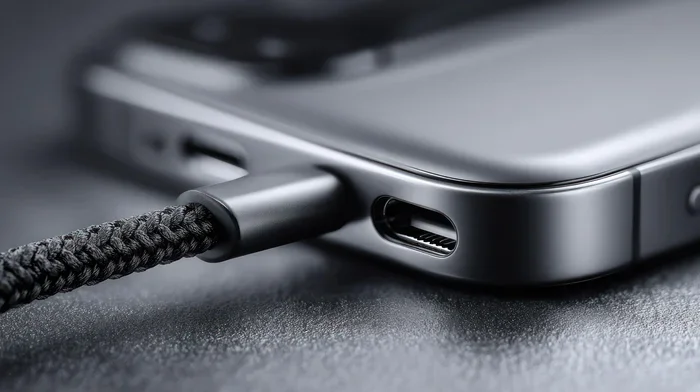
USB-C is a type of connector standard used for charging and data transfer. It replaced older connectors like USB-A and Micro-USB in most modern devices. The USB-C port is small, oval-shaped, and reversible. That means you can plug it in either way — no more flipping the cable three times before it fits.
The Universal Connector
One of the biggest selling points of USB-C is its universality. A single USB-C cable can charge your phone, tablet, laptop, and even some gaming controllers. It also supports data transfer speeds that are much faster than older USB standards. This is why so many device makers adopted USB-C as their go-to port.
But here is where people get confused. Just because a cable has a USB-C connector on both ends does not mean it can do everything. A basic USB-C cable might only support 2.5 watts of power. That is enough to charge a phone slowly, but it will struggle with a laptop. So the connector type alone does not tell the whole story.
Not All USB-C Cables Are the Same
This is the most important thing to understand. USB-C refers to the shape of the connector, not the capabilities inside the cable. A USB-C to USB-C cable can have very different specs depending on what it was built for. Some support fast charging and high-speed data. Others are basic and only handle low power.
When you ask yourself, “Can you use any USB C to charge,” the real question is whether the cable and charger can deliver the right amount of power. Let us dig into that next.
Can You Use Any USB C To Charge — The Short Answer
The honest answer is: it depends. You can physically plug most USB C cables into most USB C ports. But that does not mean the charging will work well. A USB-C charger and cable need to support the right charging protocol and wattage for your device.
Why Compatibility Matters
Every device has a specific power requirement. A smartphone might need 10 to 15 watts. A laptop could need 45, 65, or even 100 watts. If your USB C cable or charger cannot deliver enough power, you will get slow charging or no charging at all. In some cases, the device might not recognize the charger properly.
For example, if you try to charge a modern laptop with a cheap 5-watt USB C charger, it might charge extremely slowly or not at all. The laptop needs more power than the charger can provide. On the flip side, using a high-wattage charger with a device that does not support it usually works fine — the device will only draw the power it needs.
So yes, you can use many different USB C cables and chargers. But you need to make sure they meet your device’s requirements. That is the key to worry-free USB-C charging.
Understanding USB-C Power Delivery
USB-C Power Delivery, also known as USB PD, is a protocol that allows devices to negotiate the right amount of power. This is what makes fast charging possible over USB-C. Without USB PD, a USB C cable is basically just a basic power line.
Wattage and Fast Charging
Wattage is the measure of power delivery. The higher the wattage, the faster the charge. Here is a simple breakdown of what different wattage levels mean:
- 5 watts: Slow charging. Fine for small devices like earbuds or fitness trackers.
- 10 to 15 watts: Standard charging for most smartphones.
- 18 to 30 watts: Fast charging for phones and some tablets.
- 45 to 65 watts: Ideal for most laptops.
- 100 watts and above: Supports larger laptops and even some monitors.
When you buy a USB C cable, check if it supports USB Power Delivery. Cables that support USB PD can handle higher wattage and adjust power based on what the device needs. This is the difference between a cable that charges your laptop in two hours versus one that takes eight.
USB-C vs USB-A Charging
USB-A is the older, rectangular connector you see on many wall chargers and power banks. You cannot plug a USB-A cable directly into a USB-C port without an adapter. However, many chargers come with a USB-A to USB-C cable included. These work fine but may not support fast charging unless the charger itself supports USB PD.
If you want the best charging experience, look for a charger that has a built-in USB-C cable or one that supports USB Power Delivery through a USB-C to USB-C connection. This is the most reliable path for fast and safe charging.
Common USB-C Charging Mistakes
Even though USB-C is simple to use, people make mistakes that hurt their devices or slow down charging. Here are the most common ones to avoid.
Using Cheap, Uncertified Cables
This is the number one mistake. Cheap USB C cables from unknown brands often use thin wires and poor-quality connectors. They may not support the wattage they claim. Worse, they can overheat, melt, or even damage your device. Always look for USB-IF certified cables or ones with E-Mark chips, which verify the cable’s capabilities.
Ignoring Cable Length
Longer USB C cables tend to deliver less power. A 6-foot cable might only support 60 watts, while a 1-foot cable of the same spec can handle 100 watts. If you need a longer cable, make sure it is rated for the wattage you need. Check the cable specifications before buying.
Assuming All USB-C Ports Are Equal
Not every USB-C port on a device is the same. Some ports support charging and data. Others only support data or display output. On some laptops, there are multiple USB-C ports, but only one or two support USB Power Delivery for charging. Always check your device manual or specs to know which port to use.
Using the Wrong Charger for the Device
Plugging a phone charger into a laptop will not damage the laptop, but it will charge very slowly. And plugging a laptop charger into a phone is usually fine — the phone will only draw the power it needs. Still, matching the right charger to the right device ensures the best performance and longevity.
How to Choose the Right USB-C Charger and Cable
Picking the right USB-C charger and cable does not have to be confusing. Follow these simple steps and you will get it right every time.
Step 1: Check Your Device’s Charging Requirements
Look at your device’s original charger or check the manufacturer’s website. Find out the recommended wattage and whether it supports USB Power Delivery. This gives you a baseline for what to look for.
Step 2: Buy USB-IF Certified Cables
USB-IF certification means the cable has been tested and meets official USB standards. These cables reliably deliver the power and data speeds they advertise. They are worth the small extra cost for peace of mind.
Step 3: Consider a GaN Charger
GaN chargers use gallium nitride technology to deliver high wattage in a small, compact size. They are more efficient and run cooler than traditional silicon chargers. If you travel often, a GaN USB-C charger is a great investment.
Step 4: Match the Cable to the Use Case
For everyday phone charging, a basic USB-C cable works fine. For laptops, choose a thicker, shorter cable rated for high wattage. For data transfer, pick a cable that supports USB 3.0 or USB 3.1 speeds.
Devices That Support USB-C Charging
USB-C is now standard across a wide range of devices. Here is a quick look at the most common ones.
- Smartphones: Most Android phones, Google Pixel, Samsung Galaxy, and now even some iPhones use USB-C.
- Laptops: MacBook, Dell XPS, HP Spectre, Lenovo ThinkPad, and many others charge via USB-C.
- Tablets: iPad Pro, Samsung Galaxy Tab, and many Android tablets use USB-C.
- Earbuds and Headphones: Many true wireless earbuds and over-ear headphones now use USB-C for charging.
- Gaming Controllers: Xbox, PlayStation, and Nintendo Switch Pro controllers all use USB-C.
- Cameras and Drones: Many modern cameras and drones charge and transfer data via USB-C.
The beauty of USB-C is that once you have a good USB-C cable and a decent USB-C charger, you can use them across many devices. This reduces cable clutter and makes travel much simpler.
Quick Tips for Safe and Fast USB-C Charging
- Always check the cable rating before using it for high-power devices like laptops.
- Avoid stretching or bending USB C cables sharply — this damages the internal wires.
- Store cables properly by coiling them loosely instead of wrapping them tightly.
- Use the charger that came with your device when possible, or buy a replacement from a trusted brand.
- Unplug cables when they are hot — overheating is a sign of a problem.
- Keep cables away from water and extreme heat to extend their lifespan.
- Replace damaged cables immediately — frayed or exposed wires are a safety hazard.
Expert Insights on USB-C Charging
Tech experts agree: the USB-C standard is incredibly versatile, but its flexibility means you need to pay attention to specs. According to the USB Implementers Forum, a USB-C cable that supports USB Power Delivery can deliver up to 240 watts of power with the latest USB PD 3.1 standard. This is enough to charge even the most power-hungry laptops and monitors.
However, not all cables on the market support this. Many budget cables only support older USB PD profiles with lower wattage limits. This is why checking for certification and reading the fine print matters so much. A certified USB-C cable from a reputable brand gives you the safety and performance you need.
Another expert tip: look for E-Marked cables. These cables have a small chip inside that communicates with the charger and tells it exactly how much power the cable can safely handle. This prevents overheating and ensures optimal charging speed. If you are buying a USB-C cable for a laptop or high-power device, E-Marked cables are a must.
Key Takeaways
- USB-C is universal, but not all cables are equal: Different USB C cables support different wattage levels and charging speeds.
- Power delivery matters: USB-C Power Delivery (PD) determines how fast your device charges and whether it charges at all.
- Cheap cables can be risky: Low-quality USB-C cables may cause overheating, slow charging, or device damage.
- Check your device requirements: Always match the USB C charger wattage and cable specs to your device’s needs.
- Thunderbolt and USB-C are not the same: Thunderbolt 3 and 4 use the USB-C connector but offer much faster data and power.
- Look for certified cables: USB-IF certified and E-Marked USB C cables ensure safety and compatibility.
- You can mix and match smartly: With the right knowledge, you can use most USB C cables and chargers safely across devices.
Conclusion
So, can you use any USB C to charge? The answer is yes, with some important caveats. You can plug a USB C cable into a USB C port and most of the time it will work. But for the best results, you need the right cable and charger for your device. Pay attention to power delivery, wattage, and cable certification. Avoid cheap, uncertified cables. And always match your charger to your device’s power needs.
USB-C charging is convenient and versatile, but it is not one-size-fits-all. A little knowledge goes a long way in keeping your devices safe, charged, and running at their best. Now that you know what to look for, you can charge any device with confidence and without any worries.
Can You Use Any USB C To Charge FAQ
Can I use any USB C cable to charge my laptop?
Not all USB C cables can charge a laptop. Laptops usually need higher wattage, often 45 watts or more. Make sure your USB C cable and charger support USB Power Delivery and the correct wattage for your laptop. Using a low-power cable may result in very slow charging or no charging at all.
Is it safe to use a third-party USB C charger?
Yes, as long as the charger is from a reputable brand and is certified. Look for USB-IF certification or E-Mark support on the charger. Cheap, uncertified chargers may not regulate power properly and could damage your device or pose a safety risk.
Can I use a USB C cable to charge my phone faster?
Yes, if both your phone and the USB C charger support fast charging protocols like USB Power Delivery. A higher-wattage USB C charger will charge your phone faster than a basic 5-watt charger. Just make sure the cable is rated for the wattage you need.
What happens if I use the wrong USB C cable?
Using the wrong USB C cable usually results in slow charging. In rare cases with very poor-quality cables, it can cause overheating or damage to the USB-C port. Always use certified cables that match your device’s power requirements.
Does cable length affect USB-C charging speed?
Yes, longer USB C cables tend to lose more power during delivery. A shorter cable usually charges faster than a longer one of the same rating. If you need a long cable, make sure it is rated for higher wattage to compensate for the power loss over distance.
Are all USB-C ports on my device the same?
No, USB-C ports on the same device can have different capabilities. Some support charging and data, while others may only support data or display output. Check your device manual to find out which USB-C port supports charging and power delivery.