Can You Still Get Internet Without Wifi Right Now
Yes, you can still get internet without wifi. There are several reliable methods to stay connected, from mobile hotspots and cellular data to satellite internet and USB tethering. Whether your wifi router is down or you simply need internet access on the go, these options keep you online without needing a traditional wireless network.
Have you ever found yourself in a situation where the wifi just stops working? Maybe your router crashed, your internet service provider had an outage, or you are traveling somewhere with no wireless signal at all. The panic sets in. How do you get online? The good news is that you can still get internet without wifi right now. There are plenty of practical ways to stay connected, and most of them are easier than you think.
In this guide, we will walk through every real method you can use to access the internet without relying on a traditional wifi connection. Whether you are at home dealing with a broken router or on the road with no wireless signal in sight, these solutions will keep you connected. Let us dive right in.
Key Takeaways
- Mobile hotspots are the easiest way to get internet without a wifi router using your phone’s cellular data.
- USB tethering and Bluetooth tethering let you share your phone’s data connection with a laptop or tablet.
- Satellite internet options like Starlink offer broadband access without any wifi infrastructure at all.
- Ethernet connections provide stable, fast internet without relying on wireless signals.
- Public ethernet ports and cable connections at libraries, cafes, and hotels still work without wifi.
- Portable hotspot devices (MiFi) are dedicated tools that create a personal internet connection anywhere.
- Understanding your data plan limits helps you choose the right method for getting online without wifi.
📑 Table of Contents
What Does It Mean to Get Internet Without Wifi?
When most people think about getting online, they picture a wifi router blinking in the corner of their room. But wifi is just one way to receive an internet signal. The internet itself is a massive global network of computers. Wifi is simply a local method of connecting your device to that network through a router.
Getting internet without wifi means using a different connection method entirely. Instead of picking up a wireless signal from a router, you use something else to reach the internet. This could be a cellular network, a wired connection, a satellite signal, or even a shared connection from another device.
The key idea here is simple. You do not need a wifi router to access the internet. You need an internet source and a way to connect to it. Everything else is just the delivery method.
Why People Need Internet Without Wifi
There are many reasons someone might need internet access without a wifi network. Let us look at the most common ones:
- Wifi router is broken or malfunctioning. Routers can fail unexpectedly, leaving you without a home internet connection.
- Traveling or commuting. Hotels, trains, buses, and remote areas often lack reliable wifi.
- Wifi outage from your ISP. Your internet service provider might have a service disruption in your area.
- No wifi infrastructure available. Rural areas or developing regions may not have wifi coverage at all.
- Security concerns. Some users prefer not to connect to public wifi networks due to privacy risks.
- Temporary situations. You just need a quick connection while your main setup gets fixed.
No matter the reason, knowing your options gives you power. You will never have to sit idle just because the wifi is down.
Methods to Get Internet Without Wifi
There are several proven methods to access the internet without a wifi connection. Let us go through each one in detail so you can pick what works best for your situation.
1. Mobile Hotspot and Tethering
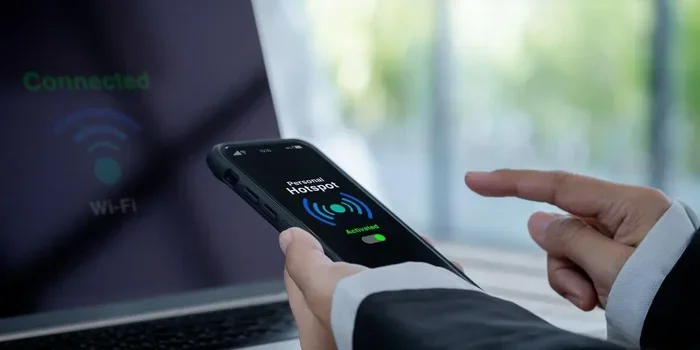
This is the most popular and straightforward method. Almost every smartphone today can share its cellular data connection with other devices. This process is called tethering or creating a mobile hotspot.
To use this method, you need a phone with a working cellular data plan. You then turn on the hotspot feature in your phone settings. Other devices like laptops, tablets, or even other phones can connect to your phone as if it were a wifi router.
Here is how to set it up on most phones:
- Open your phone settings.
- Look for Network or Connections.
- Find the Hotspot or Tethering option.
- Turn it on and set a password.
- Connect your other device to the new network.
The biggest advantage of mobile hotspot is convenience. You always carry your phone, so your internet goes wherever you go. The main limitation is data usage. Streaming videos or downloading large files will eat through your data plan quickly.
Quick Tip: Check your data plan before relying on tethering for heavy use. Some carriers limit hotspot data or charge extra for it.
2. USB Tethering
USB tethering is a lesser-known but highly effective method. Instead of broadcasting a wifi signal, you connect your phone directly to your computer using a USB cable. Your phone shares its cellular data connection with the computer through that cable.
USB tethering has some great benefits:
- Faster and more stable than wifi tethering. The wired connection reduces interference.
- Uses less battery. Your phone charges while connected.
- More secure. A physical cable is harder to intercept than a wireless signal.
To use USB tethering, plug your phone into your computer with a cable. Go to your phone settings and enable USB tethering. Your computer should recognize the connection within seconds.
3. Bluetooth Tethering
Bluetooth tethering works similarly to USB tethering but uses a wireless Bluetooth connection instead of a cable. It is slower than USB or wifi tethering, but it is useful when you need a wireless connection and do not want to create a full hotspot.
This method works best for light tasks like checking emails or browsing simple websites. It is not ideal for streaming or large downloads. But in a pinch, Bluetooth tethering can save the day.
4. Ethernet Connection
An Ethernet cable provides a direct wired connection to the internet. Many people forget about this option because they associate Ethernet with wifi routers. But you can connect a computer directly to a modem or a wall Ethernet port without any wifi involved.
Where can you find Ethernet access?
- Hotel rooms. Many hotels still offer wired internet ports in the wall.
- Libraries. Public libraries often have Ethernet ports at study desks.
- Offices and coworking spaces. Desks usually have wired connections available.
- Wall-mounted internet ports. Some apartments and buildings have Ethernet outlets in common areas.
All you need is an Ethernet cable and a device with an Ethernet port. If your laptop does not have one, you can buy a cheap USB-to-Ethernet adapter. This gives you a fast, reliable connection without any wifi at all.
5. Satellite Internet
Satellite internet is a game-changer for people in areas with no traditional broadband or wifi infrastructure. Services like Starlink, HughesNet, and Viasat beam internet directly from satellites in space to a dish installed at your location.
Satellite internet does not need a wifi router to work. The dish connects directly to your modem, and you can plug a computer in with a cable. Some people also connect a router to the modem to create a local network, but the wifi part is optional.
The main advantages of satellite internet include:
- Available almost anywhere on Earth. You just need a clear view of the sky.
- No phone line or cable needed. It works in remote and rural areas.
- Decent speeds. Modern satellite services offer speeds comparable to standard broadband.
The downside is latency. Satellite signals travel a long distance, so there can be a slight delay. This makes real-time gaming or video calls a bit tricky. But for browsing, streaming, and general use, satellite internet works very well.
6. Portable Hotspot Devices (MiFi)
A MiFi device is a small, portable gadget that creates its own personal internet connection using a SIM card and cellular data. Think of it as a wifi router that is not attached to a fixed internet line. You can carry it in your pocket and use it anywhere there is cellular coverage.
Popular MiFi devices include the Netgear Nighthawk, Huawei E5, and Skyroam Solis. These devices are especially useful for travelers, remote workers, and anyone who needs reliable internet on the go.
Benefits of a portable hotspot device:
- Does not drain your phone battery. Unlike phone tethering, a MiFi device runs on its own battery.
- Supports multiple devices. Most MiFi devices can connect five to ten devices at once.
- Dedicated data plan. You get a separate data allowance that does not affect your phone bill.
- Compact and portable. They fit easily in a bag or pocket.
You can buy a MiFi device and pair it with a prepaid data plan. This gives you full control over your internet connection without any wifi infrastructure at home.
7. Public Wired Internet Options
Many people do not realize that public places still offer wired internet access. Even though wifi has become the norm, wired connections have not disappeared. Here are some places to look:
- Internet cafes. Many still offer desktop computers with wired connections.
- Government buildings. Libraries and community centers often have Ethernet ports.
- Universities and colleges. Campuses usually have wired network ports in study areas.
- Conference centers. Event venues often provide wired internet at registration desks.
These options may require you to be physically present, but they are excellent backup methods when wifi is not available or not working.
8. Dial-Up Internet (Yes, It Still Exists)
It sounds old-school, but dial-up internet is still available in some areas. It uses a phone line and a modem to connect to the internet. The speeds are very slow compared to modern broadband, but it is an option when nothing else works.
Dial-up does not need wifi at all. It uses a physical phone line and a dial-up modem. Some rural areas still rely on this technology because it does not require any modern infrastructure.
Of course, dial-up is not suitable for most modern internet use. Streaming, video calls, and large downloads are nearly impossible. But for basic email and text-based browsing, it gets the job done.
Comparing Internet Without Wifi Options
With so many methods available, it helps to compare them side by side. Here is a quick look at how the main options stack up:
| Method | Speed | Portability | Cost | Best For |
|---|---|---|---|---|
| Mobile Hotspot | Medium to Fast | Very High | Uses phone data | Quick access on the go |
| USB Tethering | Fast | Medium | Uses phone data | Stable laptop connection |
| Bluetooth Tethering | Slow to Medium | High | Uses phone data | Light browsing tasks |
| Ethernet | Very Fast | Low | Free or low cost | Home or office use |
| Satellite Internet | Medium | Low | Monthly subscription | Rural and remote areas |
| MiFi Device | Medium to Fast | Very High | Device + data plan | Travel and remote work |
| Dial-Up | Very Slow | Medium | Low | Basic email and browsing |
As you can see, each method has its strengths. The best choice depends on your specific situation. If you need speed and reliability, Ethernet or USB tethering wins. If you need mobility, a mobile hotspot or MiFi device is the way to go.
Common Mistakes People Make When Using Internet Without Wifi
Even though getting internet without wifi is straightforward, people often make mistakes that cause frustration. Here are the most common ones to avoid:
Ignoring Data Limits
The biggest mistake is not checking your data allowance. Whether you are using phone tethering or a MiFi device, you are using cellular data. If you blow through your data limit, your speeds will drop dramatically or you will face extra charges. Always monitor your usage when relying on a non-wifi connection.
Quick Tip: Set up data alerts on your phone so you get a warning before you hit your limit.
Forgetting to Turn Off the Hotspot
Many people turn on their mobile hotspot and forget about it. This drains your phone battery and keeps using data in the background. Always turn off your hotspot when you are done using it.
Using Public Wifi When You Do Not Have To
This might sound backwards since this article is about getting internet without wifi. But some people use public wifi when a simple Ethernet cable or USB tethering would be faster and more secure. Do not default to public wifi just because it is available. Consider your options first.
Not Having a Backup Plan
Relying on a single method to get online is risky. If that one method fails, you are completely disconnected. Always have a backup plan, whether it is a MiFi device, a second data plan, or knowledge of nearby wired internet access points.
Expert Tips for Staying Connected Without Wifi
We asked networking professionals for their top tips on staying online without a wifi connection. Here is what they recommend:
1. Keep a portable hotspot device charged and ready. These small gadgets are lifesavers during emergencies or travel. Keep them in your bag at all times.
2. Download important content in advance. If you know you will be in an area without wifi, download documents, maps, and media beforehand. This way, you do not need to be online for everything.
3. Use data-saving modes on your devices. Both Android and iOS have data-saving features that reduce background usage and help your data last longer.
4. Carry a spare Ethernet cable. A short Ethernet cable weighs almost nothing and can save you in countless situations where a wired connection is available but you forgot your cable.
5. Know your carrier coverage map. Before traveling, check where your cellular provider has coverage. This helps you choose the right method and avoid dead zones.
6. Consider a dual-SIM phone. A phone with two SIM cards lets you switch between data plans. This gives you a backup data source if one plan runs out or has poor coverage.
Frequently Asked Questions
Can I get internet without wifi at home?
Yes, you can. You can connect your computer directly to your modem using an Ethernet cable. You can also use USB tethering from your phone or set up a satellite internet connection. None of these methods require a wifi router to work.
Is it safe to use internet without wifi?
Generally, yes. Wired connections like Ethernet are considered more secure than wireless ones. USB tethering is also very safe since it uses a direct cable connection. Just be cautious with public wired connections and avoid entering sensitive information on shared devices.
How much data do I need for internet without wifi?
It depends on what you plan to do. Light browsing and email use about 50 to 100 MB per day. Streaming video can use 1 to 3 GB per hour. Check your data plan and adjust your usage accordingly to avoid running out.
Can I use a VPN with internet that does not use wifi?
Absolutely. A VPN works on any internet connection, whether it is Ethernet, cellular data, satellite, or USB tethering. Using a VPN adds an extra layer of security, especially on public or shared connections.
Do I need special equipment to get internet without wifi?
Not necessarily. For most methods, you only need your phone and a cable. For satellite internet, you need a dish and modem. For Ethernet, you need a cable and sometimes an adapter. MiFi devices require a purchase but are relatively affordable.
Will getting internet without wifi cost more?
It depends on the method. Using your phone as a hotspot uses your existing data plan, so there is no extra cost. Satellite internet and MiFi devices require separate subscriptions. Ethernet connections at public locations are usually free or low cost.
Final Thoughts
The answer to whether you can still get internet without wifi right now is a clear and definitive yes. The internet is not tied to wifi. Wifi is just one convenient way to access a much larger network. There are numerous other paths to get online, and most of them are simple, affordable, and effective.
From mobile hotspots and USB tethering to satellite internet and Ethernet connections, you have more options than ever before. The key is knowing what is available and choosing the right method for your situation. Keep a backup plan, monitor your data usage, and stay connected no matter what.
Next time the wifi goes down or you find yourself in a spot with no wireless signal, do not panic. You now know exactly how to get internet without wifi. Use these methods, stay prepared, and you will never be stuck offline again.