Can You See App History On Your Wifi Router Settings
Can you see app history on your WiFi router? The short answer is yes, but with important limits. Your router can log which devices connected, what domains they visited, and how much data they used. However, it usually cannot show the specific apps you opened or the exact pages you viewed within those apps. Understanding what your WiFi router can and cannot reveal helps you take control of your digital privacy and network security.
Have you ever wondered whether your WiFi router keeps a record of everything you do online? Maybe you shared a network with family members or roommates. Or perhaps you are a network administrator managing a business connection. Either way, the question can you see app history on your WiFi router comes up a lot.
The truth is both simpler and more complicated than most people think. Your WiFi router does collect data about your internet activity. But it does not work like a browser history tracker. The information it gathers depends on the type of traffic, the apps you use, and the router’s capabilities. Let us walk through exactly what your router can see, how to check it, and what you can do to protect your privacy.
By the end of this guide, you will have a clear picture of WiFi router logs, what they reveal, and how to take charge of your network. No technical degree required. Just straightforward, practical advice you can use right away.
Key Takeaways
- Your WiFi router can track connected devices, DNS requests, and bandwidth usage. It logs basic network activity but not deep app-level details.
- You can access router logs through the admin panel. Most routers let you view connected devices and traffic data with a simple login.
- Encrypted apps and HTTPS websites hide content from router logs. Your router sees domain names but not the specific pages or messages you access.
- Using a VPN or DNS-over-HTTPS blocks router tracking. These tools encrypt your traffic and prevent your router from seeing your browsing activity.
- Network monitoring tools offer deeper insights. Advanced software can analyze router data to reveal more about app usage and device behavior.
- Router settings and parental controls add visibility. Features like DNS filtering and activity reports give you more control over what you can monitor.
📑 Table of Contents
What Your WiFi Router Can Actually See
When you connect to the internet through a WiFi router, your traffic passes through that device first. This gives the router a front-row seat to certain types of activity. But it does not see everything. Understanding the difference between network traffic and app-level data is the key to answering our main question.
DNS Requests: The Biggest Clue
Every time you type a website address or open an app that connects to the internet, your device sends a DNS request. Think of DNS as the internet’s phonebook. It translates names like “facebook.com” into IP addresses your device can reach.
Your WiFi router can log these DNS requests. That means it knows which websites and services you accessed. It can see that you visited YouTube or opened a Netflix session. But it usually cannot tell you which specific video you watched or what you searched for inside the app.
Here is what your router can typically log from DNS requests:
- The domain names you visited
- The timestamp of each request
- The IP address assigned to your device
- The amount of data transferred
- Which device on the network made the request
What Your Router Cannot See
Now here is the important part. Modern apps and websites use HTTPS encryption. This means the content of your traffic is scrambled. Your router can see that you connected to a server, but it cannot read the data inside that connection.
So if you use a messaging app like WhatsApp or Signal, your router sees that data flowed to those app servers. It does not see your messages. If you browse a website using HTTPS, your router sees the domain. It does not see the specific pages you clicked on or the forms you filled out.
This is why many people ask can you see app history on WiFi router and get different answers depending on who you ask. The router sees the “what” and “when” but not the “how much” or “why.”
How to Check Your Router’s Logs
Curious about what your own router has been tracking? Checking your router logs is easier than most people think. You do not need to be a tech expert. Here is a step-by-step walkthrough.
Step 1: Find Your Router’s IP Address
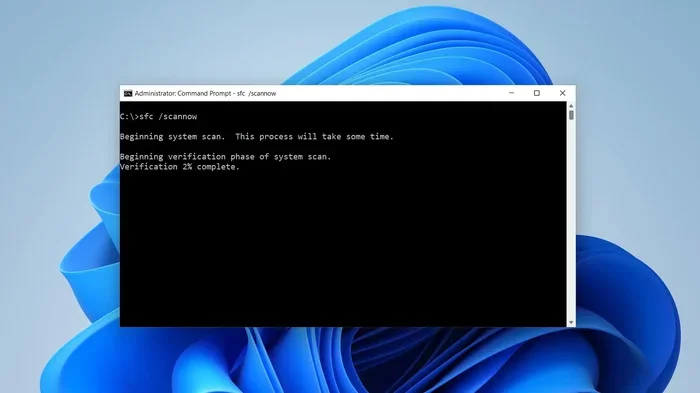
Every router has a local IP address. On most home networks, this is 192.168.1.1 or 192.168.0.1. You can find it in your device’s network settings. On Windows, open Command Prompt and type “ipconfig.” Look for the Default Gateway. On Mac, go to System Preferences and click Network.
Step 2: Log Into the Admin Panel
Type that IP address into your web browser. You will see a login page. The default username and password are usually printed on a sticker on the back of your router. Common combos are admin/admin or admin/password. If you changed them and forgot, you can reset the router to factory settings.
Step 3: Navigate to the Logs Section
Once logged in, look for a section called “Logs,” “System Logs,” “Activity,” or “Traffic.” Different brands use different names. TP-Link, Netgear, ASUS, and Linksys all have logging features, but they are buried in slightly different menus.
Step 4: Review the Data
The logs will show you connected devices, DNS queries, and sometimes bandwidth usage. Some routers let you filter by date or device. This is your window into the network activity for that connection.
Quick Tip: Take screenshots of the logs for your records. Router interfaces vary, and you may want to compare data over time.
What App History Can You Really See?
This is where things get interesting. The answer to can you see app history on your WiFi router settings depends on the type of app and the level of encryption involved.
Social Media Apps
Apps like Instagram, Facebook, and TikTok use encrypted connections. Your router can see that these apps are sending and receiving data. It can even tell you how much data each app used. But it cannot show you the posts you liked, the messages you sent, or the videos you watched.
Streaming Services
Netflix, Spotify, and YouTube all communicate with their own servers. Your router logs will show DNS requests to those services. You might see “netflix.com” or “spotify.com” in your logs. But the specific shows you streamed or the songs you played remain hidden behind encryption.
Gaming Apps
Online games like Fortnite or Call of Duty send frequent data packets. Your router can see that a gaming app is active and how much bandwidth it uses. Some routers can even identify the game by its server address. But the in-game chats, purchases, and gameplay details stay encrypted.
Browser-Based Apps
Apps that run inside a web browser are slightly different. If someone uses a browser on the same WiFi network, the router can log the domain names they visit. But with HTTPS, it still cannot see the specific pages or form entries.
Advanced Network Monitoring Options
If you want deeper visibility into app usage, standard router logs are not enough. You need more advanced tools. Here are some options that go beyond the basics.
Network Monitoring Software
Tools like Wireshark, GlassWire, and PRTG can analyze network traffic in real time. They can identify which apps are sending data and how much bandwidth each one uses. Some can even recognize specific app protocols. This gives you a much clearer picture of internet activity on your network.
These tools work by capturing and inspecting data packets. They are more powerful than router logs alone. But they also require more technical knowledge to set up and interpret.
Parental Control Features
Many modern routers come with built-in parental controls. Brands like Netgear, ASUS, and Eero offer apps that show detailed activity reports. These reports can include which devices are online, which domains they visited, and sometimes which apps they used.
Parental control apps are the most user-friendly way to monitor app usage tracking on a home network. They translate raw router data into easy-to-read summaries. This makes them great for families who want to keep an eye on screen time and online habits.
DNS-Level Filtering Services
Services like OpenDNS, CleanBrowsing, and Cloudflare Gateway let you control and monitor DNS requests at the network level. When you change your router’s DNS settings to point to one of these services, you gain better visibility and control over what domains get accessed on your network.
These services also block malicious websites and adult content. They are a popular choice for families and small businesses that want both security and monitoring.
Can Your ISP See Your App History?
Your Internet Service Provider plays a big role in this conversation. While your WiFi router handles local traffic, your ISP sees everything that leaves your network. This includes all DNS requests, destination IP addresses, and unencrypted data.
In many countries, ISPs are allowed to collect and store browsing data. Some sell anonymized data to advertisers. Others hand it over to law enforcement when asked. This means your ISP tracking can reveal far more than your WiFi router ever could.
The good news is you can limit ISP tracking. Using a VPN encrypts all traffic between your device and the VPN server. Your ISP can only see that you connected to a VPN. It cannot see the domains you visited or the apps you used. This is one of the most effective ways to protect your privacy.
How to Protect Your Privacy on Shared Networks
If you are worried about others seeing your network traffic, there are several steps you can take. These are simple but effective.
Use a VPN
A VPN is the single best tool for protecting your online privacy. It encrypts all data between your device and the VPN server. Your WiFi router, your ISP, and anyone else on the network cannot see what you are doing. Popular VPN services include NordVPN, ExpressVPN, and Surfshark.
Enable DNS-over-HTTPS
DNS-over-HTTPS, or DoH, encrypts your DNS requests. This means your WiFi router cannot see which domains you are looking up. Most modern browsers support DoH. You can also configure it at the device or router level.
Use Private Browsing Mode
Private browsing does not hide your activity from your router. But it does prevent your browser from saving local history, cookies, and cache. It is a good habit to form, especially on shared devices.
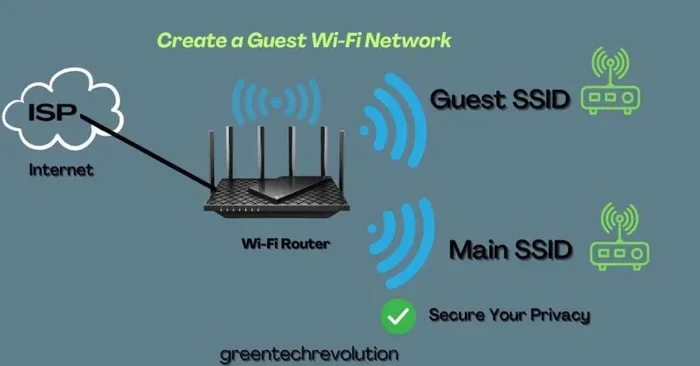
Separate Your Networks
If you run a home network, consider creating a guest network. Guests connect to the guest network, which keeps their traffic separate from yours. This limits what they can see on your main network and vice versa.
Common Mistakes People Make With Router Monitoring
Many people get confused about what router logs can and cannot do. Here are some common mistakes to avoid.
- Assuming router logs show full browsing history. They do not. Encrypted traffic hides the content of your visits.
- Thinking deleting browser history clears router logs. It does not. Router logs are stored separately on the router itself.
- Believing incognito mode hides activity from the router. Incognito only hides data locally. The router still sees your DNS requests.
- Ignoring router firmware updates. Outdated firmware can have security flaws. Regular updates keep your router secure and functioning properly.
- Overlooking bandwidth monitoring. Many people focus only on logs and forget that routers also track data usage per device. This can reveal a lot about app activity.
Expert Insight: Network security professionals recommend reviewing router logs regularly. This helps you spot unauthorized devices and unusual traffic patterns early. It is a simple habit that goes a long way in keeping your network safe.
The Bottom Line
So, can you see app history on your WiFi router settings? The answer is nuanced. Your router can show you which devices connected, which domains were accessed, and how much data was used. It can give you a general picture of online activity. But it cannot reveal the specific content of encrypted apps and websites.
If you want full visibility into app usage, you need advanced monitoring tools or VPN-based solutions. And if you want to protect your own privacy, a VPN and DNS-over-HTTPS are your best bets.
Your WiFi router is a powerful tool for managing your network. But it is not a spy. It watches the door, not the conversations behind it. Understanding this difference puts you in control of your digital life.
Take a few minutes today to check your router logs and settings. You might be surprised by what you find. And more importantly, you will know exactly what you can and cannot see.
Frequently Asked Questions
Can my WiFi router see my browsing history in incognito mode?
Yes, it can. Incognito mode only prevents your browser from saving history locally. Your WiFi router still logs DNS requests and connection data. Incognito does not hide your activity from the network.
Can I see which specific apps someone is using on my WiFi network?
Generally, no. Your router can see that data is flowing to certain servers, but it cannot identify the specific app. Advanced monitoring tools like Wireshark can sometimes recognize app protocols, but standard router logs cannot.
Does using a VPN stop my WiFi router from seeing my activity?
Yes. A VPN encrypts all traffic between your device and the VPN server. Your WiFi router can only see that you connected to a VPN server. It cannot see the websites you visit or the apps you use.
How long do WiFi routers keep logs?
This varies by router model and settings. Some routers keep logs for a few hours. Others store them for days or weeks. Many consumer routers do not save logs permanently and overwrite old data automatically.
Can the owner of a WiFi network see my app usage?
The network owner can see which domains you accessed and how much data you used. They cannot see the specific content of encrypted apps. Using a VPN prevents the owner from seeing any of your activity.
Is it legal to monitor WiFi network traffic?
It depends on your location and the network. Monitoring your own home network is generally legal. Monitoring a network you do not own or have permission to access is illegal in most jurisdictions. Always check local laws before monitoring any network.
=== CONCLUSION ===
Understanding what your WiFi router can and cannot reveal about your app usage is essential in today’s connected world. Your router logs show device connections, DNS requests, and bandwidth data. But the deep content of your app activity stays hidden behind encryption. With the right tools and knowledge, you can take full control of your network visibility and privacy. Start by checking your own router settings today, and consider adding a VPN or DNS-over-HTTPS for extra protection.