Can Wifi Owner See Guest Mode And Track Your Activity
Can Wifi Owner See Guest Mode? The short answer is yes, in many cases. When you connect to a guest network, the WiFi owner can still see your connected device, the times you go online, and the domains you visit. However, encrypted websites and VPN usage add strong layers of protection that make it much harder to track your specific browsing activity. Understanding how guest mode WiFi works helps you stay safe and informed.
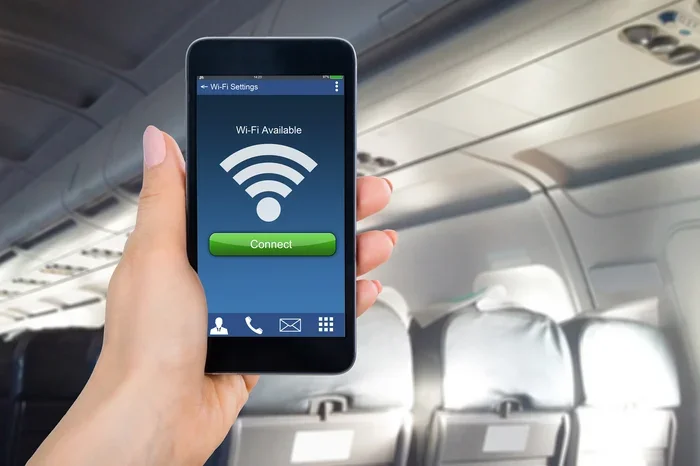
You just walked into a friend’s house or a hotel room. You see a WiFi network called “Guest” or “Visitor Network.” You connect without thinking twice. But a question nags at the back of your mind. Can Wifi Owner See Guest Mode and track what you do online?
This is a smart question. More people are asking it every day. With privacy concerns growing, it makes sense to understand what happens when you hop onto a guest network. Guest mode WiFi is not a magic shield. It does not make you invisible. The WiFi owner can still see quite a bit. But the good news is that you have options to protect yourself.
In this article, we will break down exactly what the network administrator can and cannot see. We will look at how guest networks work behind the scenes. And we will share practical tips to keep your online privacy intact. Let us dive in.
Key Takeaways
- Guest mode does not hide your activity: The WiFi owner can still see your device and online behavior in most cases.
- DNS requests reveal visited domains: Even on a guest network, the router logs which websites you try to reach.
- HTTPS encryption protects page content: The owner cannot see your specific page activity on encrypted sites.
- VPN adds a powerful privacy layer: A VPN encrypts all traffic, making it nearly impossible for the owner to monitor you.
- Router admin access gives full visibility: Anyone with router login details can see all connected devices and their activity.
- Incognito mode does not hide you from WiFi owners: It only hides your browser history locally on your device.
- Using a guest network is still safer than the main network: It limits what other users on the same network can access.
📑 Table of Contents
- What Is Guest Mode on WiFi?
- Can Wifi Owner See Guest Mode Activity?
- How Does WiFi Guest Mode Work?
- What Can the WiFi Owner Actually See?
- How to Protect Your Privacy on a Guest Network
- Common Mistakes People Make on Guest Networks
- Expert Insights on Guest Network Monitoring
- Key Takeaways on Can Wifi Owner See Guest Mode
What Is Guest Mode on WiFi?
Most modern routers come with a guest network feature. It creates a separate WiFi connection for visitors. The idea is simple. Guests get internet access without sharing your main network password. This keeps your personal devices and files safer from unwanted access.
But here is the part people often misunderstand. Guest mode does not mean private mode. It means separate access. Your traffic still flows through the same router. The same internet service provider handles your connection. The owner still controls the network. So your activity is never truly hidden from the person who owns the router.
How Guest Networks Are Set Up
Setting up a guest WiFi network is easy. Most router brands like Netgear, TP-Link, and ASUS include this option in their admin panel. You simply log in, find the guest network setting, and turn it on. You can give it a separate name and password.
Some routers let you set bandwidth limits for guests. Others allow you to block certain websites. But none of these settings make your traffic invisible. They just control what guests can do on the network.
Here are common features of a guest network:
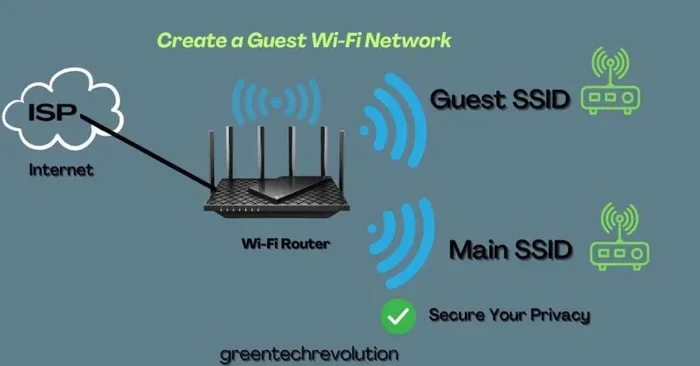
- A separate SSID (network name) from your main WiFi
- A different password from your main network
- Access to the internet only (no access to local devices)
- Bandwidth or speed limits
- Time limits for guest access
Can Wifi Owner See Guest Mode Activity?
The direct answer to Can Wifi Owner See Guest Mode is yes. The owner has access to the router. The router handles all traffic that passes through it. That includes traffic from the guest network. So the owner can monitor and log a surprising amount of information.
However, what the owner can see depends on several factors. These include the type of websites you visit, whether you use encryption, and the router’s logging capabilities. Let us look at this in more detail.
What the Router Logs
Most WiFi routers keep logs. These logs record which devices connected and when. They also record DNS requests. A DNS request is what your device sends when you type in a website address. It asks the DNS server, “Where is www.example.com?”
The router sees this request. So the WiFi owner can see which domains you visited. They may not see the exact pages you looked at. But they know you visited a particular website. That is more information than most people realize.
Here is what a typical router log might show:
- The MAC address of your device
- The time you connected
- The duration of your session
- The domains you visited via DNS requests
- The amount of data you used
Can the Owner See Your Browsing History?
This is where things get nuanced. If you visit an HTTPS website (look for the padlock icon in your browser), the owner cannot see the specific pages you visit. The traffic between you and the website is encrypted.
But the owner can still see that you visited the domain. For example, they know you went to youtube.com. They do not know which specific video you watched. They cannot see your search queries on that site. HTTPS encryption protects the content of your traffic.
On the other hand, if you visit an HTTP website (no padlock), the owner can see everything. Every page. Every search. Every click. HTTP is unencrypted. It is like sending a postcard. Anyone along the way can read it.
How Does WiFi Guest Mode Work?
Understanding how guest mode WiFi actually works helps you see why it does not hide your activity. A guest network uses something called network isolation. This prevents guest devices from talking to each other or to devices on the main network.
But all guest traffic still goes through the same router. The same internet connection. The same ISP. So from the network owner’s perspective, a guest device is just another connected device. It shows up in the list of connected devices.
The Role of the Router
The router acts as a gatekeeper. Every request you make online goes through it. It decides where to send your traffic and what to send back. Because of this central role, the router has a clear view of all activity on the network.
Think of it like a post office. Every letter that goes in and out passes through the counter. The post office can see the address on the envelope. That is what the router does with your internet traffic. It can see where your data goes, even if it cannot read what is inside.
Network Isolation vs. Privacy
Network isolation in guest mode only protects your local network. It stops other guests from accessing your printer or shared files. It does not protect you from the network owner. The owner still has full access to the router and its logs.
This is a common point of confusion. Many people think guest mode means private mode. It does not. Guest mode separates devices from each other. It does not separate your traffic from the owner.
What Can the WiFi Owner Actually See?
Let us get specific. Here is a clear breakdown of what a WiFi owner can and cannot see when you use their guest network.
What They Can See
- Your device name and MAC address: Every device has a unique identifier. The owner can see this.
- Connection times: When you connected and how long you stayed online.
- Domains you visited: Through DNS logs, they know which websites you accessed.
- Data usage: How much data you consumed during your session.
- Your general location: Based on IP address and DNS data.
- Unencrypted traffic: If you visit HTTP sites, they can see all your activity.
What They Cannot See
- Your specific page activity on HTTPS sites: They know you visited google.com, not what you searched for.
- Content of encrypted communications: Messages, emails, and files sent over encrypted connections stay private.
- Your passwords on HTTPS sites: These are encrypted and not visible to the router.
- Your browsing history inside apps: Many apps use encryption that the router cannot decrypt.
Comparison Table: Guest Mode Visibility
| What the Owner Can See | Visibility Level |
|---|---|
| Connected devices and MAC addresses | Full visibility |
| Connection and disconnection times | Full visibility |
| Domains visited (DNS requests) | Full visibility |
| Data usage per device | Full visibility |
| Specific pages on HTTPS sites | No visibility |
| Search queries on HTTPS sites | No visibility |
| Content of encrypted traffic | No visibility |
| Passwords entered on HTTPS sites | No visibility |
How to Protect Your Privacy on a Guest Network
If you are using a guest network and want to stay safe, you have several options. These steps can significantly reduce what the WiFi owner can see. They are simple and effective.
Use a VPN
A virtual private network is the single best tool for privacy on any WiFi network. A VPN encrypts all your traffic before it leaves your device. The WiFi owner sees that you are connected to a VPN server. But they cannot see what websites you visit or what you do online.
Popular VPN services like NordVPN, ExpressVPN, and Surfshark are easy to use. You install the app, connect to a server, and your traffic is encrypted. This works on both guest and main networks.
Stick to HTTPS Websites
Always look for the padlock icon in your browser. This means the site uses HTTPS encryption. It protects the content of your visit. Avoid entering sensitive information on HTTP sites. Those sites offer no encryption at all.
Use Your Mobile Data for Sensitive Tasks
If you need to do banking or enter passwords, use your mobile data instead of guest WiFi. Your phone’s cellular connection is much harder to intercept. It does not pass through the router at all.
Turn Off Auto-Connect
Many devices automatically connect to open or guest networks. Turn this feature off in your WiFi settings. This prevents your phone from quietly connecting to networks you do not trust.
Clear Your DNS Cache
Your device stores DNS requests in a cache. This can reveal which sites you visited. Clearing your DNS cache after using a guest network removes these records from your device.
Quick Tips for Guest Network Safety
- Always use a VPN when connecting to any guest network
- Check for HTTPS before entering any personal information
- Avoid downloading files or streaming on untrusted networks
- Forget the network after you leave to prevent auto-reconnection
- Use two-factor authentication on important accounts
- Keep your device’s firewall turned on
Common Mistakes People Make on Guest Networks
There are a few mistakes that put your privacy at risk. Avoiding these can make a big difference.
Thinking Incognito Mode Makes You Invisible
Many people open an incognito or private browsing window and think they are hidden. This is a common mistake. Incognito mode only deletes your browser history from your device. The WiFi owner can still see your DNS requests and the domains you visited.
Assuming Guest Mode Equals Privacy
As we discussed, guest mode separates your device from others on the network. It does not hide your traffic from the owner. Treat every guest network as a public network. Be cautious about what you do on it.
Using the Same Password for Everything
If you use the same password on a guest network login and your email, you are at risk. Always use unique passwords. Consider a password manager to keep them organized.
Ignoring Software Updates
Outdated devices have security vulnerabilities. Hackers can exploit these on shared networks. Keep your operating system and apps updated at all times.
Expert Insights on Guest Network Monitoring
Cybersecurity experts agree on one thing. No public or guest WiFi network is truly private. The network owner always has more visibility than the average user realizes.
“The guest network is designed to protect your local devices from guests, not to protect guests from the network owner,” says a network security specialist. “If you want real privacy, use a VPN or stick to your own mobile data.”
Network monitoring tools have become more advanced. Some routers come with built-in analytics. Others can be paired with monitoring software that tracks every packet of data. This makes it even more important to take your own privacy steps.
Here are some expert tips for staying safe:
- Never access sensitive accounts on a guest network without a VPN
- Assume that all unencrypted traffic is visible to the owner
- Use DNS-over-HTTPS (DoH) to encrypt your DNS requests
- Regularly check your device’s connected networks and forget old ones
- Be especially cautious with hotel and airport guest networks
Key Takeaways on Can Wifi Owner See Guest Mode
So, can the WiFi owner see your activity on a guest network? The answer is a clear yes. Guest mode provides separation from other users, not privacy from the owner. The router logs your connections, your DNS requests, and your data usage.
But you are not completely exposed either. HTTPS encryption protects the content of your visits. A VPN encrypts everything. These tools give you real control over your privacy.
The best approach is a combination of awareness and action. Know what guest networks can and cannot hide. Take steps to protect yourself. Use a VPN. Stick to HTTPS sites. Avoid sensitive tasks on unfamiliar networks.
Can Wifi Owner See Guest Mode activity? Yes. But with the right precautions, you can browse with confidence and keep your personal data safe. Stay informed, stay cautious, and enjoy your internet access without worry.
Frequently Asked Questions
Can the WiFi owner see my browsing history on a guest network?
The owner can see which domains you visited through DNS logs. They cannot see the specific pages or content if the site uses HTTPS encryption. Using a VPN hides even the domain information from the owner.
Does incognito mode hide my activity from the WiFi owner?
No. Incognito mode only deletes your local browser history. The WiFi owner can still see your DNS requests, connection times, and the domains you accessed through the router logs.
Is it safe to do online banking on a guest WiFi network?
It is not recommended without a VPN. Guest networks are not private. The owner can see your connection patterns. A VPN encrypts all your traffic and makes banking on guest WiFi much safer.
Can the WiFi owner see what apps I use on guest mode?
The owner can see that your device is connected and how much data it uses. They may be able to see which domains the apps connect to. But the content of encrypted app traffic remains hidden.
Does using a VPN on guest WiFi make me completely invisible?
A VPN encrypts all your traffic and hides your browsing from the WiFi owner. They will know you are connected to a VPN server but cannot see what you do online. It is the strongest privacy tool for guest networks.
Can the WiFi owner track my device after I disconnect from guest mode?
The owner can see your device’s MAC address and connection history in the router logs. However, they cannot track your device in real time after you disconnect unless you are still on their network or using their DNS settings.
=== CONCLUSION ===
Can Wifi Owner See Guest Mode and track your activity? The answer is yes, to a significant degree. Guest networks are designed to keep your devices separate from others, not to hide your traffic from the owner. The WiFi owner can see your connected device, your online times, and the domains you visit.
But you are not powerless. HTTPS encryption, VPN usage, and smart browsing habits give you real protection. Understanding how guest mode WiFi works puts you in control of your privacy.
Next time you see a guest network, connect with confidence. Just make sure you have taken the right steps to protect yourself. Your online privacy is worth the extra effort.