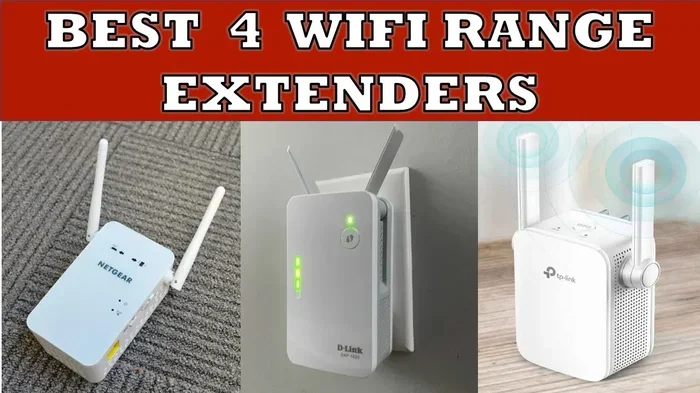
Can A Wi Fi Extender Go Bad Here Is What You Need To Know
Yes, a WiFi extender can go bad over time due to hardware wear, overheating, or outdated firmware. Many users experience slow speeds, dropped connections, and dead zones when their network range extender starts to fail. This guide covers every reason your wireless signal booster might stop working and what you can do about it.
You rely on your WiFi extender to push internet into every corner of your home. But one day, the signal drops. The lights blink weirdly. And you start wondering, can a WiFi extender go bad? The short answer is yes. Just like any electronic device, a network range extender has a lifespan. It can wear out, overheat, or simply stop working after years of use.
In this guide, we will walk through everything you need to know. We will cover the signs of a failing extender, the common causes, and what you can do to fix or replace it. Whether you use a wireless repeater or a WiFi signal booster, this article has you covered. Let us dive in.
Key Takeaways
- WiFi extenders can and do go bad: They have a limited lifespan and can fail from overheating, age, or firmware issues.
- Watch for warning signs: Slow speeds, blinking lights, and dropped connections often mean your extender is failing.
- Overheating is a top cause: Poor ventilation and hot environments can kill your extender faster.
- Firmware matters: Outdated software leads to compatibility and performance problems.
- Placement is critical: Bad positioning causes signal issues that feel like hardware failure.
- Most extenders last 3 to 5 years: After that, upgrading is often the best move.
- Simple fixes come first: Restart, reposition, and update before buying a new one.
📑 Table of Contents
- What Does a WiFi Extender Do and Why Does It Matter?
- Can a WiFi Extender Actually Go Bad?
- Signs Your WiFi Extender Is Failing
- Common Reasons Why WiFi Extenders Stop Working
- How to Extend the Life of Your WiFi Extender
- When to Replace Your WiFi Extender
- Quick Tips for WiFi Extender Troubleshooting
- Expert Insights on WiFi Extender Lifespan
- Common Mistakes That Shorten Extender Lifespan
- Conclusion
What Does a WiFi Extender Do and Why Does It Matter?
A WiFi extender takes the signal from your router and rebroadcasts it. This helps reach areas in your home where the wireless signal is weak. These dead zones can be frustrating. You might lose connection in the backyard, the basement, or the far bedroom.
Most people set up an extender and forget about it. But like any piece of networking equipment, it needs care. Understanding how it works helps you spot problems early. A WiFi range extender is not magic. It is a small computer with antennas, a processor, and a fan or heat sink. And just like any computer, it can break down over time.
The internet speed you get through an extender depends on several factors. The quality of the device matters. So does its placement and the bandwidth it supports. When any of these elements fail, your network coverage suffers.
How a WiFi Extender Works
A wireless repeater receives the signal from your router. It then sends that signal out again at a wider range. Think of it like a relay runner passing a baton. The baton is your internet signal. If the runner gets tired, the baton slows down. That is exactly what happens with an aging extender.
Most modern extenders work on both the 2.4 GHz and 5 GHz bands. They pick up the wireless network from your router and rebroadcast it. Some models even act as a second access point when connected by cable. This is called a wired backhaul, and it gives better network performance than wireless-only setups.
Can a WiFi Extender Actually Go Bad?
The honest answer is yes. A WiFi extender can go bad. It is not a question of if but when. Electronics age. Components degrade. Heat builds up. And over time, the device loses its ability to perform the way it once did.
Most WiFi signal boosters have an average lifespan of three to five years. Cheap models may fail sooner. Higher quality ones can last longer with proper care. But no extender lasts forever. Eventually, you will need to think about extender replacement.
Hardware Failure in WiFi Extenders
Hardware failure is one of the most common reasons an extender dies. The internal components wear out. Capacitors can bulge. Antennas can loosen. The processor may slow down or stop working entirely. These are physical problems that no software fix can solve.
Another cause is power supply issues. The power adapter that comes with your extender can wear out. If the adapter fails, the extender will not turn on or will keep restarting. This is often mistaken for a broken extender when it is really just a faulty power supply.
Firmware and Software Problems
Firmware is the software that runs inside your extender. It controls how the device connects to your router and rebroadcasts the signal. When firmware becomes outdated, problems start. The extender may lose compatibility with newer routers. It might drop connections more often. Or it could suffer from security vulnerabilities.
Many people never update their extender firmware. This is a big mistake. Just like your phone or computer, your extender needs regular updates. These updates fix bugs, improve network stability, and add new features. Ignoring updates can make your extender seem like it has gone bad when it really just needs a refresh.
Signs Your WiFi Extender Is Failing
How do you know if your WiFi extender is going bad? There are clear signs. Catching them early can save you from frustration and unnecessary spending. Let us look at the most common warning signals.
Slow or Unstable Internet Speeds
If your internet used to be fast and now feels sluggish, your extender might be the culprit. A failing WiFi extender cannot process data as quickly. You may notice that pages take longer to load. Videos buffer more often. And downloads crawl along at a fraction of their normal speed.
Run a speed test near your router. Then run one near the extender. If the speeds are drastically different, the extender is likely struggling. This is one of the first signs that something is wrong with your network range extender.
Frequent Disconnections
Do you keep losing connection to the WiFi? Does your phone or laptop drop off the network multiple times a day? This is a red flag. A healthy wireless repeater should maintain a steady connection. If it keeps cutting in and out, the internal hardware may be failing.
Interference from other devices can also cause disconnections. But if you have ruled that out, the extender itself is probably the problem. This is especially true if the issue happens in one specific spot where the extender sits.
Extender Lights Acting Strangely
Most extenders have LED lights that show their status. If these lights start blinking erratically or stay solid red, something is wrong. A WiFi signal booster that will not power on at all is a clear sign of failure. But even subtle changes in light behavior can point to internal problems.
Check your extender manual for the meaning of each light pattern. Different brands use different codes. But in general, a solid white or green light means everything is working. Red or blinking lights usually mean trouble.
Overheating and Physical Damage
Feel your extender. Is it hot to the touch? Overheating is a serious problem. It can damage internal components over time. If your extender feels like it is about to melt, it probably is in trouble.
Look for physical signs too. Cracked casing, loose ports, or a burning smell are all bad news. These are clear indicators that the device has gone bad and needs to be replaced immediately.
The Extender Does Not Show Up in Device Lists
Try to access the extender settings through your browser. If it does not show up or you cannot log in, the device may have failed completely. This can happen after a power surge or when the internal memory corrupts. It is one of the most definitive signs that your network extender has gone bad.
Common Reasons Why WiFi Extenders Stop Working
Not every extender failure happens for the same reason. Understanding the root causes helps you prevent problems in the future. Here are the most common reasons a WiFi extender stops working.
| Cause | Description | Fixability |
|---|---|---|
| Overheating | Internal components degrade from excess heat | Partially fixable with better ventilation |
| Firmware Issues | Outdated or corrupted software | Usually fixable with a reset or update |
| Power Supply Failure | Adapter or power cable wears out | Easy fix with a replacement adapter |
| Hardware Aging | Internal components wear out over time | Requires full replacement |
| Firmware Corruption | Software becomes damaged or incompatible | Fixable with a factory reset |
| Electrical Surge Damage | Lightning or power spikes fry the device | Usually requires replacement |
| Physical Damage | Drops, spills, or general wear and tear | Not fixable, needs replacement |
| Placement Problems | Bad location causes signal issues | Fixable by moving the extender |
Overheating and Ventilation Issues
Overheating is the number one killer of WiFi extenders. These devices generate heat while working. If they sit in a closed cabinet or on a carpet, the heat has nowhere to go. Over time, this damages the internal circuitry.
Keep your extender in an open, ventilated space. Do not stack it on top of other electronics. A small fan nearby can also help. Some people even use USB-powered cooling pads for their extenders. This is a simple trick that can add months or even years to the device life.
Outdated Firmware and Compatibility Issues
Technology moves fast. Routers get updated. WiFi standards evolve. If your extender is running old firmware, it may not work well with newer routers. This creates connectivity issues that feel like a hardware failure.
Check the manufacturer’s website regularly for firmware updates. Most extenders have an auto-update feature. Make sure it is turned on. This one step can prevent a lot of headaches and keep your network speed at its best.
Power Surges and Electrical Issues
A sudden power surge can fry your extender instantly. This is especially common during thunderstorms. Even small daily surges can wear down the electronics over time. Using a surge protector is one of the best ways to prevent this.
Do not plug your extender directly into a wall outlet in areas prone to surges. A cheap surge protector can save you the cost of a new device. This is one of the easiest WiFi extender maintenance tips you will ever follow.
Placement and Signal Interference
Sometimes the extender is fine, but its location is wrong. If you place it too far from the router, it cannot pick up a strong signal. If you put it behind a thick wall or inside a metal cabinet, the wireless signal gets blocked.
The ideal spot for your extender is halfway between your router and the dead zone. It needs a clear line of sight. Avoid placing it near microwaves, cordless phones, or baby monitors. These devices cause wireless interference that weakens the signal.
How to Extend the Life of Your WiFi Extender
Good news. You can take steps to make your WiFi extender last longer. Proper care and maintenance go a long way. Here are some practical tips that actually work.
Keep the Firmware Updated
Check for updates at least once a month. Most modern extenders have a mobile app that notifies you when updates are available. If yours does not, log into the admin panel through your browser. Staying current with firmware is one of the best things you can do for network performance.
Restart Your Extender Regularly
Just like your router, your extender benefits from a regular restart. This clears the memory and refreshes the connection. Try unplugging it once a week and plugging it back in. This simple habit can prevent many connectivity issues before they start.
Keep It Cool and Clean
Dust buildup can block ventilation and cause overheating. Use a soft, dry cloth to wipe down your extender every few weeks. Make sure the vents are not covered by anything. Keeping the device cool is one of the simplest ways to extend its life.
Use a Surge Protector
Plug your extender into a surge protector, not a bare wall outlet. This shields the device from power spikes. A good surge protector costs just a few dollars. It can save you from buying a new extender prematurely.
Reposition When Needed
If you add new furniture or renovate your home, your extender placement might no longer be ideal. Move it if needed. The best position is always between your router and the area with weak signal. Test different spots to find the sweet spot.
When to Replace Your WiFi Extender
Sometimes fixing is not enough. If your extender is more than five years old and showing multiple failure signs, it is time to replace it. Technology improves quickly. A new WiFi range extender will likely be faster, more reliable, and more efficient than your old one.
Before buying a new one, consider whether a mesh WiFi system might be a better option. Mesh systems use multiple nodes to cover your entire home. They are more expensive than traditional extenders but offer much better network coverage and signal strength throughout the house.
Signs It Is Time for a New Extender
- The device is more than five years old.
- You have tried all the fixes and nothing works.
- The extender overheats even in a cool, ventilated spot.
- Firmware updates are no longer available from the manufacturer.
- Your internet needs have grown and the extender cannot keep up.
- Physical damage is visible or the device smells burnt.
Quick Tips for WiFi Extender Troubleshooting
Before you give up on your WiFi extender, try these quick fixes. Many problems have simple solutions that take just a few minutes.
- Restart the extender: Unplug it for 30 seconds and plug it back in.
- Check the lights: Look for solid green or white. Red or blinking usually means trouble.
- Move it closer to the router: Distance from the router can cause signal loss.
- Update the firmware: Check the manufacturer website or app for the latest version.
- Reset to factory settings: Hold the reset button for 10 seconds and set it up again.
- Check for interference: Move away from microwaves, baby monitors, and other electronics.
- Try a different power outlet: The outlet itself might not be providing enough power.
Expert Insights on WiFi Extender Lifespan
Networking experts agree that WiFi extenders are not built to last forever. The average lifespan depends heavily on usage and environment. A well-maintained extender in a cool, dry space can last five years or more. One sitting in a hot, cramped cabinet might die in two years.
Experts also recommend not relying on a single extender for large homes. If you need to cover more than 2,000 square feet, a mesh WiFi system is often a better investment. Mesh nodes work together to create seamless coverage. They also self-heal, meaning if one node fails, the others pick up the slack.
The key takeaway from experts is simple. Treat your extender like any other electronic device. Give it good ventilation, keep the firmware updated, and replace it when it no longer meets your needs. This approach will keep your wireless network running smoothly for years.
Common Mistakes That Shorten Extender Lifespan
Many people accidentally shorten the life of their WiFi extender without realizing it. Here are the most common mistakes to avoid.
- Blocking the vents: Hiding the extender in a closed cabinet traps heat and causes damage.
- Skipping firmware updates: Old software leads to bugs, security holes, and poor performance.
- Using the wrong power adapter: A mismatched adapter can deliver too much or too little power.
- Placing it too far from the router: This forces the extender to work harder and overheat.
- Ignoring overheating: If the device is hot, do not ignore it. Find a cooler spot immediately.
- Never restarting the device: Regular reboots clear memory and keep things running smoothly.
Conclusion
So, can a WiFi extender go bad? Yes, it absolutely can. Like any electronic device, a WiFi extender has a limited lifespan. It can fail from overheating, outdated firmware, power surges, or simple age. The good news is that many problems are fixable with simple steps. Restarting, repositioning, and updating firmware can bring a struggling extender back to life.
But when the time comes, do not be afraid to replace it. A new network range extender or even a mesh WiFi system can transform your home internet experience. Pay attention to the warning signs. Keep your device well-maintained. And when it is time to move on, make a smart choice that fits your home and your needs.
Your wireless network is only as strong as its weakest link. Take care of your extender and it will take care of you. That is the best way to keep your WiFi signal strong and your connections fast for years to come.
Frequently Asked Questions
How long does a WiFi extender typically last?
Most WiFi extenders last between three and five years with normal use. Higher quality models can last longer if properly maintained. Heat, power surges, and heavy usage can shorten this lifespan significantly.
Can a WiFi extender be repaired if it stops working?
Some issues like firmware problems or placement errors can be fixed without replacement. But hardware failure usually means the extender needs to be replaced. Most manufacturers do not offer repair services for extenders.
Does a WiFi extender wear out over time?
Yes, a WiFi extender wears out over time. Internal components degrade with heat and use. The processor slows down, capacitors age, and the antennas lose efficiency. This is a natural part of the device lifecycle.
Can power surges damage a WiFi extender?
Absolutely. Power surges can fry the internal electronics of a WiFi extender instantly. Using a surge protector is one of the easiest and most effective ways to prevent this kind of damage.
Is it better to get a mesh WiFi system instead of an extender?
For most homes, a mesh WiFi system is a better long-term solution. Mesh systems provide seamless coverage, self-healing connections, and better overall performance. They are more expensive but offer a superior experience compared to traditional extenders.
What should I do if my WiFi extender keeps disconnecting?
Start by restarting the extender and checking for firmware updates. Move it closer to the router and away from interfering devices. If the problem persists, the extender may be failing and need replacement.