Can A Tesla Car Work Without Internet While Driving
Can A Tesla Car Work Without Internet? Yes, a Tesla can still drive, brake, and steer without a web connection. Basic driving functions, safety features, and Autopilot continue to work even when offline. However, navigation, streaming, remote access, and software updates will be limited or unavailable. Understanding what works and what does not helps Tesla owners stay prepared and drive with confidence.
Can A Tesla Car Work Without Internet? This is a question many new Tesla owners ask, especially when they first realize their car relies heavily on connectivity. The short answer is yes. A Tesla can absolutely drive, brake, and steer without an active internet connection. The vehicle was designed to function as a car first and a tech gadget second.
But the full picture is more nuanced. While basic driving works fine offline, several features do need internet access. Navigation, streaming, remote control through the mobile app, and over-the-air software updates all depend on a connection. Understanding what works and what does not can save you from surprises on the road.
In this guide, we will walk through everything you need to know about Tesla internet connectivity. We will cover which features stay active offline, which ones go dark, and how to keep your Tesla connected when you need it most. Whether you are planning a road trip through a dead zone or just curious about your car’s capabilities, this article has you covered.
Key Takeaways
- A Tesla can drive without internet: Core driving, braking, and steering functions work fully offline.
- Safety systems stay active: Collision avoidance, emergency braking, and Autopilot do not need a constant connection.
- Navigation is limited offline: Live traffic and real-time routing stop working, but saved destinations still function.
- Entertainment takes a hit: Streaming services, Spotify, and Netflix require an active internet connection.
- Remote features go dark: The Tesla mobile app cannot lock, unlock, or locate the car without internet.
- Staying connected is easy: Built-in cellular data, WiFi, and a mobile hotspot can keep you online on the road.
- Offline mode is real: Tesla supports driving without internet, and most owners rarely notice the difference.
📑 Table of Contents
What Happens When Your Tesla Loses Internet?
When a Tesla loses its internet connection, the car does not shut down or stop working. The vehicle continues to operate just like any other car on the road. You can still accelerate, brake, turn, and park. The core systems that make a Tesla a car remain fully functional.
However, the moment the connection drops, certain features will either degrade or stop working entirely. This is because Tesla relies on cloud-based services for many of its advanced features. Think of it like your smartphone losing signal. Your calls and texts might stop, but your calculator and camera still work perfectly.
How Tesla Connects to the Internet
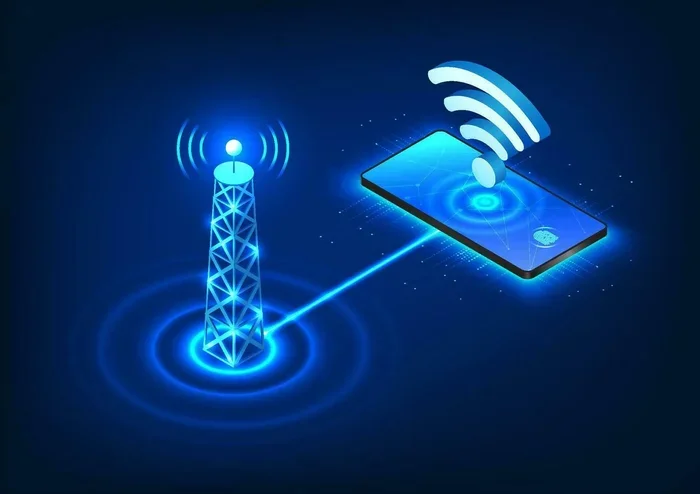
Tesla cars connect to the internet through two main methods. The first is a built-in cellular modem. Every Tesla comes with a cellular data plan that allows the car to connect to mobile networks just like a smartphone. The second method is WiFi. When your Tesla is parked at home, at work, or at a Supercharger station, it can connect to a local WiFi network.
The cellular connection uses a data plan that comes with the vehicle. Tesla offers different connectivity packages. The Standard Connectivity plan gives you basic features like navigation and media streaming. The Premium Connectivity plan adds live traffic, satellite views, and streaming video. You can also connect to WiFi networks to avoid using cellular data.
What Changes When the Connection Drops
When your Tesla loses internet, you will notice some changes right away. The touchscreen might show a disconnected icon. Live features like traffic updates will stop refreshing. You may see messages asking you to reconnect. But none of these disruptions affect the actual driving experience.
The car will still use its last known map data for navigation. Music you have already downloaded will continue to play. Your saved settings, driver profiles, and climate preferences remain intact. Tesla designed the car to be resilient, so a temporary loss of connection does not leave you stranded.
Tesla Features That Work Without Internet
The good news is that most of what you need a Tesla for still works offline. The car was engineered to be a reliable machine, not just a connected device. Here is a look at the features that continue to function without an internet connection.
Basic Driving Functions
The fundamentals of driving a Tesla do not require the internet. The electric motor, battery management system, regenerative braking, and drive controls all operate independently of any network. You can accelerate, decelerate, change gears, and park the car without ever touching a WiFi network or cellular signal.
Tesla vehicles also use local processing for many driving tasks. The onboard computer handles real-time decisions about speed, steering, and braking. This local processing is actually faster and more reliable than relying on a cloud connection. It means your car responds instantly, even in areas with no signal.
Safety Systems That Stay Active
Safety is one of the most important aspects of any car. Tesla takes this seriously, and the safety systems are designed to work without internet access. Autopilot, Automatic Emergency Braking, Collision Warning, and Blind Spot Monitoring all rely on local sensors and cameras. These systems process data in real time using the car’s onboard hardware.
The Tesla touchscreen interface also remains fully functional for adjusting climate controls, audio settings, and driving modes. You can still access rearview camera feeds, adjust suspension settings, and control regenerative braking levels. None of these features need a live internet connection to operate.
Keyless Driving and Access
Even without internet, you can still unlock and start your Tesla. The car uses Bluetooth and NFC technology for keyless entry and starting. Your phone key, key card, or physical key fob all work locally. You do not need to send a signal to the cloud to get into your vehicle or start the drive.
This is a great feature for Tesla owners who frequently drive through areas with poor or no connectivity. You can rely on your Tesla to grant access and start the car using Bluetooth or the key card, no matter where you are.
Features That Stop Working When Tesla Has No Internet
While the core driving experience remains intact, there are some features that do require internet access. Knowing what these are helps you plan ahead and avoid frustration. Here is a detailed look at the features that go offline when your Tesla loses its connection.
Navigation and GPS Limitations
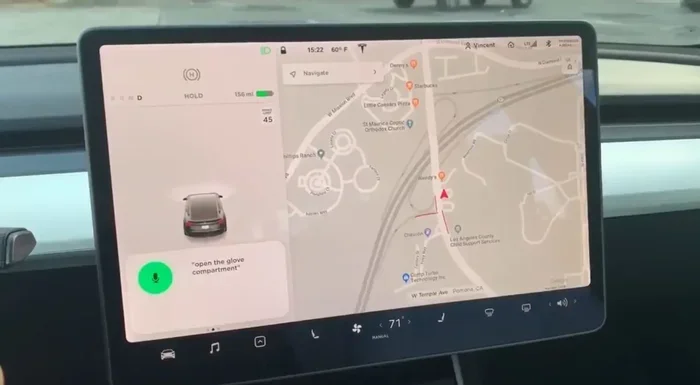
Tesla navigation is one of the most popular features of the car, and it is also one of the most affected by a lack of internet. When you are online, Tesla navigation provides live traffic updates, dynamic rerouting, and real-time Supercharger availability. Without internet, these features stop working.
However, Tesla does store map data locally on the car. You can still see your location on the map and navigate to a saved destination. The car will use the last downloaded map data to plot a route. But you will not get live traffic avoidance or up-to-date charging station status.
For long road trips, this can be a limitation. If you are driving through a remote area with no signal, you will need to plan your route and charging stops ahead of time. Many Tesla owners download their route while connected to WiFi before heading into a dead zone.
Entertainment and Streaming
If you enjoy streaming music, videos, or podcasts while driving or parked, you will notice the difference when the internet drops. Spotify, Netflix, YouTube, Twitch, and other streaming services require a live internet connection. You cannot download these apps to watch offline (with some exceptions for downloaded content).
However, Tesla does allow you to download music and podcasts for offline listening. If you download your favorite playlists while connected to WiFi at home, you can listen to them later without any internet. The same goes for some games and media content that the car supports for offline use.
The Tesla entertainment system also supports Bluetooth audio. You can pair your phone and play music from your phone’s local library without needing the internet. This is a simple workaround that works well for offline driving.
Remote Access and the Mobile App
The Tesla mobile app is a powerful tool that lets you control your car from your phone. You can lock and unlock doors, preheat or precool the cabin, locate the car, and check charging status. But all of these features require internet access on both ends.
When your Tesla has no internet, the mobile app cannot communicate with the car. You will not be able to send commands remotely. This means you cannot pre-condition the battery before a trip or check on the car’s status from a distance. For these features to work, both your phone and the car need an active connection.
This is why many Tesla owners keep their car connected at home through WiFi. It ensures that the mobile app is always ready when you need it. If you lose connectivity while driving, you simply wait until you reconnect to use these remote features again.
Software Updates and New Features
Tesla is famous for its over-the-air updates. These updates add new features, improve performance, and fix bugs. But downloading and installing these updates requires an internet connection. Without connectivity, your car will not receive new software.
This does not mean your car will stop working. It simply means you will stay on the current software version until you reconnect. Many Tesla owners prefer to download updates overnight while the car is parked and connected to WiFi at home. This avoids using cellular data for large update files.
Tesla Offline Mode and What It Means for Your Drive
Tesla does not have a formal “offline mode” switch, but the car effectively operates in offline mode whenever it loses internet connectivity. Understanding how this works can help you make the most of your driving experience, even in areas with no signal.
How Offline Mode Affects Autopilot
One of the biggest concerns for Tesla owners is whether Autopilot works without internet. The answer is yes. Autopilot uses the car’s onboard cameras, sensors, and computer to stay on the road and maintain safe distances. It does not rely on cloud processing or internet data to function.
The Tesla Full Self-Driving (FSD) feature also works offline. The neural networks that power FSD run locally on the car’s hardware. They do not need to send data to the cloud for real-time processing. This local processing is actually one of the reasons Tesla’s driver assistance system is so responsive.
That said, some FSD features that rely on cloud-based maps or real-time data may be limited without internet. But the core Autopilot functions, including lane keeping, adaptive cruise control, and auto lane change, continue to work normally.
Can You Still Use Tesla Without WiFi?
Yes, you can absolutely use a Tesla without WiFi. The built-in cellular modem handles most of the connectivity needs. As long as you have cellular coverage, your Tesla stays connected to the internet. The car does not need a WiFi network to function.
WiFi is mainly useful for large downloads, software updates, and media streaming at home or at work. When you are on the road, the cellular connection takes over. Tesla vehicles come with a built-in WiFi hotspot capability as well, so you can even share your car’s connection with other devices if needed.
For Tesla owners who frequently drive in areas with weak or no cellular coverage, the car handles this gracefully. You simply lose access to online features temporarily and regain them when the signal returns. The driving experience is not affected at all.
How to Stay Connected on the Road
If you want to keep your Tesla connected while driving, there are several practical steps you can take. Staying connected ensures you have access to navigation, entertainment, and remote features throughout your trip.
Tesla Cellular Data Plans
Every Tesla comes with a built-in cellular modem and a data plan. The Standard Connectivity plan provides basic features like navigation and media streaming for a limited time. The Premium Connectivity plan offers more features, including live traffic, satellite maps, and video streaming.
You can purchase or upgrade your data plan through the Tesla app or the in-car settings. If you find that your data is running low, you can switch to a WiFi connection when available to conserve cellular data. This is especially useful when parked at home or at work.
Tips for Maintaining Connectivity
Here are some practical tips to help you stay connected while driving your Tesla:
- Download maps and media before your trip. This ensures you have offline access to navigation and entertainment even in dead zones.
- Use WiFi whenever possible. Connecting to WiFi at home, at work, or at Supercharger stations saves cellular data and keeps your car updated.
- Keep your Tesla software up to date. Updates often include improvements to offline functionality and connectivity management.
- Use the Tesla mobile app to check connectivity status. The app shows whether your car is connected to cellular or WiFi, helping you plan your route.
- Carry a portable WiFi hotspot as a backup. If you frequently drive in remote areas, a mobile hotspot can provide a reliable backup connection.
- Monitor your data usage. Streaming video and downloading large files can eat through your data quickly. Use WiFi for these activities when possible.
Common Mistakes Tesla Owners Make With Internet Settings
Even experienced Tesla owners sometimes make mistakes when managing their car’s internet settings. These small errors can lead to frustration, especially when you are counting on certain features during a trip.
One common mistake is forgetting to download maps before a long drive through a remote area. If you rely solely on live navigation and you lose signal, you will be stuck with outdated map data. Always check your maps and download the latest version while connected to WiFi before heading out.
Another mistake is not managing your data plan wisely. Some owners stream high-quality video or music continuously, which can quickly use up their monthly data allowance. This can result in slow speeds or a loss of connectivity when you need it most. Setting your streaming quality to standard or downloading content ahead of time helps avoid this problem.
Some owners also forget that the Tesla Bluetooth connection to their phone works offline. They assume they need internet to play music from their phone, but Bluetooth streaming uses a local connection. You can play music from your phone’s library without any internet at all.
Finally, do not ignore the car’s WiFi settings. Tesla will automatically connect to known WiFi networks, but sometimes it fails to do so. Manually connecting to a WiFi network when you arrive at a location can save cellular data and keep your car running smoothly.
Final Thoughts
So, can A Tesla Car Work Without Internet? Absolutely. A Tesla is first and foremost a car, and it does not need the internet to drive, brake, steer, or keep you safe. The core features that matter most on the road, including Autopilot, safety systems, keyless access, and basic driving controls, all work without any internet connection.
At the same time, Tesla’s connected features add tremendous value. Live navigation, streaming entertainment, remote access through the mobile app, and over-the-air software updates make the ownership experience richer and more convenient. The key is understanding which features need internet and planning accordingly.
Whether you are driving through a tunnel, a remote mountain road, or an area with poor cellular coverage, your Tesla will keep running. The car is designed to handle connectivity changes gracefully. You may lose access to some features temporarily, but you will never lose the ability to drive safely to your destination.
Stay prepared, download what you need before you go offline, and enjoy the confidence that comes with knowing your Tesla works with or without an internet connection.
Frequently Asked Questions
Do I need internet to drive my Tesla?
No, you do not need internet to drive your Tesla. The car can accelerate, brake, steer, and park without any connection. All core driving functions work independently of the internet, so you can drive your Tesla anywhere, even in areas with no signal.
What happens to Tesla navigation without internet?
Without internet, Tesla navigation loses live traffic updates and dynamic rerouting. However, the car still uses locally stored map data to show your location and navigate to saved destinations. You can still get directions, but they will not include real-time traffic adjustments.
Can I use Autopilot without internet?
Yes, Autopilot works without internet. The system uses onboard cameras, sensors, and the car’s computer to stay on the road and maintain safe distances. It does not require a cloud connection or internet data to function properly.
Can I stream music or video without internet in my Tesla?
No, streaming services like Spotify, Netflix, and YouTube require an active internet connection. However, you can play music downloaded to the car or stream via Bluetooth from your phone’s local library without needing the internet.
Does the Tesla mobile app work without internet?
The Tesla mobile app needs internet on both your phone and the car to send commands. Without connectivity, you cannot lock, unlock, pre-condition the cabin, or locate the car remotely. Once the car reconnects to the internet, the app works normally again.
How can I keep my Tesla connected while driving?
Your Tesla uses a built-in cellular modem for internet access on the road. You can also connect to WiFi networks at home, work, or Supercharger stations. Downloading maps and media before your trip helps ensure you have access even in areas with weak or no signal.
=== CONCLUSION ===
Can A Tesla Car Work Without Internet While Driving? The answer is a clear yes. Tesla vehicles are built to function as reliable cars first, and their internet-connected features are a bonus, not a requirement. You can drive, steer, brake, and use all safety features without ever touching a WiFi network or cellular signal.
Features like navigation, streaming, remote access, and software updates do need internet, but losing these temporarily does not affect your ability to drive safely. Tesla’s offline capabilities are strong, and the car handles connectivity changes with ease.
By understanding what works offline and what does not, you can drive with confidence no matter where your journey takes you. Download your maps, manage your data plan, and enjoy the freedom that comes with owning a Tesla that truly works with or without the internet.