Do I Have To Have Wi Fi On My Phone Or Can I Turn It Off
You do not have to keep Wi-Fi on your phone at all times. Turning off Wi-Fi can save battery, reduce unnecessary data usage, and improve your phone’s overall performance. Many people leave Wi-Fi on by default without realizing they can switch it off whenever they want. This guide explains exactly what happens when you turn off Wi-Fi and when it makes sense to keep it on.
Have you ever looked at the top of your phone screen and wondered if you really need that little Wi-Fi icon glowing there? It is a common question. Many people leave their wireless network switched on all day without giving it a second thought. But the truth is, you have more control over your phone’s connections than you might think.
The short answer is no, you do not have to keep Wi-Fi on your phone. You can turn it off whenever you want, and your phone will still do almost everything it normally does. Some people turn it off to save battery. Others do it to protect their privacy. And some simply prefer using mobile data instead. Whatever your reason, this article covers everything you need to know about managing your Wi-Fi settings.
In this guide, we will walk through what happens when you switch off your wireless connection, how it affects your daily phone use, and the best times to keep it on or turn it off. By the end, you will feel confident making the right choice for your phone habits.
Key Takeaways
- You can turn off Wi-Fi anytime: Your phone will still work fine using mobile data or with no internet at all.
- Battery life improves: Turning off Wi-Fi stops your phone from constantly searching for networks, which saves power.
- Data usage changes: Without Wi-Fi, your phone relies on cellular data, so you need to watch your data plan limits.
- Security can improve: Using fewer public Wi-Fi networks reduces your exposure to potential security risks.
- Wi-Fi calling still works differently: Even with Wi-Fi off, you can make calls using your cellular network.
- Automatic Wi-Fi connects can drain resources: Disabling auto-connect prevents your phone from joining unknown networks without your permission.
- Offline activities work great: Music, games, and downloaded content work perfectly without any Wi-Fi connection.
📑 Table of Contents
- What Does Wi-Fi Do on Your Phone?
- Can You Turn Off Wi-Fi and Still Use Your Phone?
- How Turning Off Wi-Fi Affects Your Phone
- When Should You Keep Wi-Fi On?
- How to Manage Wi-Fi Settings Like a Pro
- Common Myths About Wi-Fi on Phones
- Expert Insights on Wi-Fi Management
- Should You Turn Off Wi-Fi at Night?
- Conclusion
What Does Wi-Fi Do on Your Phone?
Before you decide whether to keep Wi-Fi on or turn it off, it helps to understand what it actually does. Wi-Fi is a short-range wireless technology that connects your phone to the internet through a router. Think of it like a bridge between your phone and your home internet service.
When Wi-Fi is on, your phone constantly looks for nearby wireless networks. It scans for known networks it has connected to before. It also searches for new open networks in range. This scanning happens in the background, even when you are not actively browsing the web.
How Wi-Fi Connects You to the Internet
Your phone uses Wi-Fi to pull internet data from a nearby router instead of relying on cell towers. When you connect to your home network, your phone gets faster speeds and uses less battery than it would on a weak cellular signal. This is one of the biggest perks of staying connected to Wi-Fi.
Here is how it works in simple terms:
- Your phone sends a signal to your router.
- The router sends a signal back with internet data.
- Your phone displays websites, videos, and apps using that data.
All of this happens in seconds. But when you turn Wi-Fi off, none of this background scanning takes place. Your phone stops looking for networks entirely.
Can You Turn Off Wi-Fi and Still Use Your Phone?
Absolutely. You can turn off Wi-Fi and still use your phone for almost everything. Your phone has another way to reach the internet, and that is through your cellular network. Mobile data keeps you connected even when Wi-Fi is off.
Some people turn off Wi-Fi at night. Others do it to avoid automatic connections to public networks in cafes or malls. Whatever the reason, your phone will keep working normally.
What Still Works Without Wi-Fi?
Here are the things your phone can still do when Wi-Fi is off:
- Make phone calls: Your cellular signal handles all voice calls.
- Send text messages: SMS and MMS work through your carrier network.
- Use mobile data: Browsing the web, checking email, and using apps all work over 4G or 5G.
- Play downloaded content: Music, videos, and games you saved offline work without any internet.
- Use GPS navigation: Maps apps can guide you using satellite signals.
- Take photos and videos: Your camera works completely independently of Wi-Fi.
As you can see, turning off Wi-Fi does not break your phone. It simply changes how your phone reaches the internet.
How Turning Off Wi-Fi Affects Your Phone
Now that you know you can turn Wi-Fi off, let us look at what actually changes. Understanding the effects helps you make smarter decisions about when to keep it on or switch it off.
Battery Life Gets Better
One of the biggest benefits of turning off Wi-Fi is better battery life. When Wi-Fi stays on, your phone is always searching for networks. Even when you are not actively using the internet, your phone keeps scanning. This uses power in the background.
Studies show that turning off Wi-Fi when you do not need it can add hours to your battery life. If you are traveling or in an area with weak signals, your phone works even harder to find a network. This drains your battery faster.
Quick Tip: Try turning off Wi-Fi when you are on a long trip or in a rural area with poor coverage. You will notice the difference in battery performance.
Mobile Data Usage Changes
When Wi-Fi is off, your phone uses cellular data for everything. This means you need to keep an eye on your data plan. Streaming videos, downloading apps, and browsing the web all eat up your monthly data allowance faster on mobile data than they do on Wi-Fi.
If you have a limited data plan, turning off Wi-Fi might not be the best idea all the time. But if you have an unlimited plan, you have more freedom to switch between connections.
Your Phone May Feel Faster
Here is something people do not expect. Turning off Wi-Fi can sometimes make your phone feel snappier. Why? Because your phone stops juggling between Wi-Fi and mobile data. It focuses on one connection instead of switching back and forth.
This is especially true when you are in an area with a weak Wi-Fi signal but a strong cellular signal. Your phone spends less time trying to hold onto a bad Wi-Fi connection and more time on a stable one.
When Should You Keep Wi-Fi On?
While you can turn Wi-Fi off whenever you want, there are times when keeping it on makes a lot of sense. Here are the best situations to leave your wireless connection active.
At Home or at Work
If you are at home or in your office, keep Wi-Fi on. Your home network is fast, secure, and reliable. Using Wi-Fi there saves your mobile data and gives you better speeds for streaming, video calls, and large downloads.
Most modern phones have a feature called auto-connect. This lets your phone join your saved Wi-Fi networks automatically. You do not have to do anything. Your phone handles it for you.
When You Need to Save Mobile Data
If you are close to a Wi-Fi network and you want to conserve your cellular data, keep Wi-Fi on. This is especially helpful if you have a small data plan or if your carrier charges extra for going over your limit.
Quick Tip: Go to your phone settings and set your Wi-Fi to turn on automatically when you are near a known network. This way, you never have to think about it.
When Using Wi-Fi Calling
Wi-Fi calling is a feature that lets you make phone calls over a wireless network instead of using cell towers. If your carrier supports it, keeping Wi-Fi on helps you get better call quality in areas with weak cellular signals.
This is especially useful inside buildings, basements, or rural areas where cell coverage drops. Wi-Fi calling uses your internet connection to route your calls, so you stay connected even when the cell signal is poor.
How to Manage Wi-Fi Settings Like a Pro
Taking control of your Wi-Fi settings is easier than you think. Both iPhone and Android phones give you simple tools to manage your connections. Here is how to get the most out of your settings.
Turn Wi-Fi On and Off
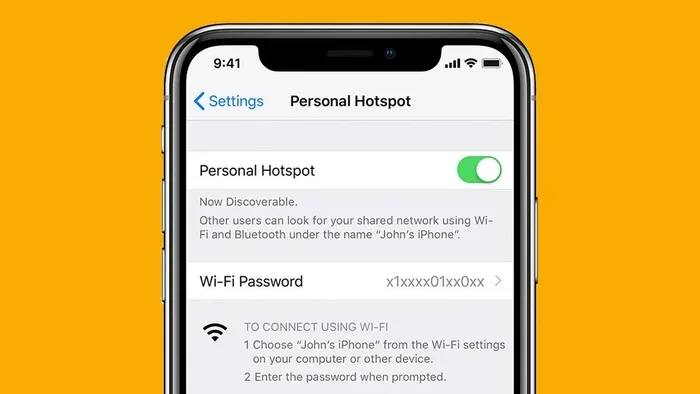
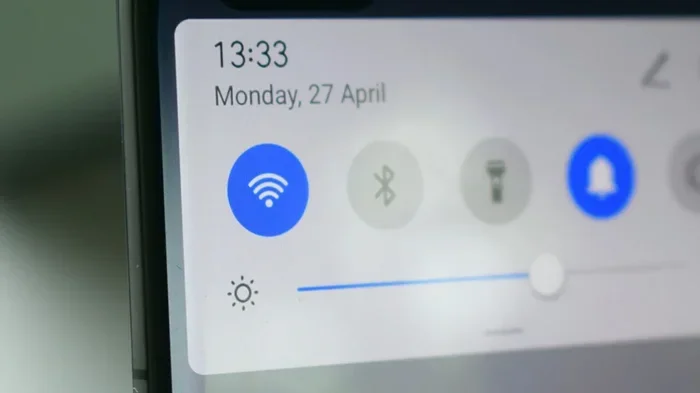
On most phones, you can toggle Wi-Fi on or off right from the quick settings panel. Swipe down from the top of your screen and tap the Wi-Fi icon. When it is off, the icon will be grayed out.
You can also go to your main settings menu. Look for the network or connections section. There you will find the Wi-Fi toggle switch. Tap it to turn your wireless connection on or off.
Disable Auto-Connect to Public Networks
One of the smartest things you can do is turn off auto-connect for public networks. Coffee shops, airports, and hotels often have open Wi-Fi networks. These can be convenient, but they also pose security risks.
When auto-connect is on, your phone might join a network you do not trust without asking you. To prevent this, go to your Wi-Fi settings and look for the auto-join or auto-connect option. Turn it off for any network you do not use regularly.
Use Airplane Mode for a Full Reset
If you want a complete break from all wireless connections, use airplane mode. This turns off Wi-Fi, cellular data, and Bluetooth all at once. It is a great way to give your phone a rest and save battery when you do not need any connections.
Quick Tip: You can still turn Wi-Fi back on while airplane mode is active. This lets you connect to a safe network without reconnecting to cellular towers.
Common Myths About Wi-Fi on Phones
There are a lot of misconceptions about Wi-Fi and phone usage. Let us clear up some of the most common ones so you can make informed decisions.
Myth 1: Leaving Wi-Fi on Always Drains Battery
This is only partially true. Wi-Fi uses more battery when your phone is actively searching for networks or transferring large amounts of data. But when you are already connected to a stable network, Wi-Fi actually uses less power than mobile data. So leaving Wi-Fi on at home can help your battery last longer, not shorter.
Myth 2: Wi-Fi Is Always Faster Than Mobile Data
Not always. A strong 5G cellular connection can be faster than a weak Wi-Fi signal. The speed depends on the quality of the connection, not just the type. If your Wi-Fi router is old or far away, mobile data might actually give you better speeds.
Myth 3: Turning Off Wi-Fi Saves Money
Turning off Wi-Fi does not directly save you money. But it can help you avoid using too much mobile data, which might lead to overage charges if your plan has a data limit. So indirectly, managing your connections can keep your bill lower.
Expert Insights on Wi-Fi Management
Networking experts agree that managing your Wi-Fi settings gives you better control over your phone experience. Here is what professionals recommend.
Tip 1: Turn off Wi-Fi when you are in areas with many public networks. This reduces the chance of your phone connecting to a rogue or insecure network without your knowledge.
Tip 2: Restart your router regularly. A fresh router connection often gives you faster speeds and a more stable wireless signal.
Tip 3: Check your phone’s network settings once a month. Look for unfamiliar connected devices or networks. This simple habit improves your network security.
Tip 4: If your phone keeps switching between Wi-Fi and mobile data, try turning Wi-Fi off temporarily. This stops the constant switching and can improve performance.
Tip 5: Use a Wi-Fi analyzer app to see which wireless channels are least crowded in your area. This helps you get the best signal from your router.
Should You Turn Off Wi-Fi at Night?
This is a question many people ask. The answer depends on your personal habits and needs. If you do not use your phone much at night, turning off Wi-Fi can help save battery while you sleep. It also reduces the number of background processes running on your phone.
However, if you use your phone as an alarm clock or rely on Wi-Fi calling for overnight updates, keeping Wi-Fi on might be more convenient. The choice is yours.
Quick Tip: Set a schedule if your phone supports it. Some phones let you turn Wi-Fi on and off automatically at certain times. This takes the guesswork out of the decision.
Conclusion
So, do you have to have Wi-Fi on your phone? The answer is a clear no. You can turn it off whenever you want, and your phone will continue to work just fine. Mobile data, calls, texts, and offline activities all function without a Wi-Fi connection.
Turning off Wi-Fi can bring real benefits. You get better battery life, fewer unwanted network connections, and a more secure phone experience. On the other hand, keeping Wi-Fi on at home or work gives you faster speeds and saves your mobile data.
The best approach is to be intentional about your connections. Pay attention to when and where you need Wi-Fi. Turn it off when you do not. Turn it on when it helps. With this simple habit, you take control of your phone and get more out of every day.
Remember: Your phone is your tool. You decide how it connects. Wi-Fi is just one part of the puzzle, and you have full power to manage it.
Frequently Asked Questions
Will turning off Wi-Fi stop me from receiving calls?
No, turning off Wi-Fi will not stop your phone from receiving calls. Your cellular network handles all voice calls. As long as you have a signal from your carrier, calls will come through normally. Wi-Fi calling is a separate feature that only works when Wi-Fi is on.
Does Wi-Fi use more battery than mobile data?
It depends on the situation. When your phone is actively connected to a stable Wi-Fi network, Wi-Fi uses less battery than mobile data. But when your phone is searching for networks or connected to a weak signal, Wi-Fi can drain your battery faster. Turning off Wi-Fi in areas with poor signals helps save power.
Can I use the internet without Wi-Fi?
Yes, you can use the internet without Wi-Fi by using mobile data. Your phone connects to the internet through cell towers just like it does with Wi-Fi. The difference is that mobile data comes from your cellular plan, so you need to watch your data usage to avoid extra charges.
Is it safe to connect to public Wi-Fi?
Public Wi-Fi can be convenient, but it also carries security risks. Open networks in cafes, airports, and hotels can expose your data to potential threats. To stay safe, avoid logging into sensitive accounts on public Wi-Fi. Use a VPN if you need to connect, and turn off auto-connect for unfamiliar networks.
How do I know if my phone is connected to Wi-Fi or mobile data?
Look at the top of your phone screen. A Wi-Fi icon means your phone is connected to a wireless network. Signal bars without the Wi-Fi symbol mean you are using mobile data. You can also go to your settings to see which connection your phone is currently using.
Should I turn off Wi-Fi to save money on my phone bill?
Turning off Wi-Fi does not directly reduce your bill. However, if you have a limited data plan, using Wi-Fi for heavy tasks like streaming or downloading helps you stay within your data limit. This can prevent overage charges and keep your monthly costs down.