Do I Need Wi Fi 6 in 2023 Heres What You Should Know
WiFi 6 is the latest wireless standard that promises faster speeds, better performance, and smarter handling of multiple devices. If you have a busy home with many connected gadgets, upgrading to WiFi 6 can make a real difference. This guide breaks down everything you need to know about whether WiFi 6 is right for you in 2023.
Have you been hearing a lot about WiFi 6 lately? Maybe your internet provider mentioned it, or a friend just bought a new wireless router and raved about the speed. The truth is, WiFi 6 is not just marketing hype. It is a real upgrade that changes how your home network handles data. In this article, we will walk through everything you need to know about WiFi 6 in 2023. We will cover what it is, who benefits most, and whether the upgrade is worth your money.
By the end of this guide, you will have a clear answer to the question on your mind: do you actually need WiFi 6? We will break it down in simple terms so you can make a confident decision. No jargon. No fluff. Just honest, practical advice to help you get the best performance from your home network.
Key Takeaways
- Faster Speeds: WiFi 6 offers significantly higher data throughput compared to older wireless standards.
- Better Multi-Device Handling: Technologies like OFDMA and MU-MIMO make WiFi 6 ideal for smart homes with many connected devices.
- Improved Range and Efficiency: WiFi 6 routers deliver stronger signal coverage and reduced latency for gaming and streaming.
- Worth It for Heavy Users: If you game, stream 4K content, or have 15+ smart home devices, WiFi 6 is a smart investment.
- Backward Compatible: WiFi 6 works with older devices, so you do not need to replace all your gear at once.
- Affordable Options Now: WiFi 6 routers are more budget-friendly in 2023 than ever before.
📑 Table of Contents
What Is WiFi 6 and Why Should You Care?
WiFi 6 is the newest wireless networking standard. It is also known as 802.11ax. Think of it as the next generation of WiFi, just like 5G is the next generation of mobile networks. WiFi 6 brings faster data speeds, lower latency, and the ability to handle many more devices at the same time without slowing down.
So why does this matter for your home? Most households today have far more connected devices than they did just a few years ago. Smart speakers, security cameras, phones, laptops, tablets, smart TVs, gaming consoles, and even smart appliances all compete for bandwidth on your wireless router. Older WiFi standards simply were not built to handle this kind of traffic. WiFi 6 was designed specifically for the modern connected home.
Key Features of WiFi 6
WiFi 6 comes packed with new technology that makes a real-world difference. Here are the main features that set it apart:
- OFDMA (Orthogonal Frequency Division Multiple Access): This lets your router talk to multiple devices at once instead of one at a time. It is like switching from a single-lane road to a multi-lane highway.
- MU-MIMO (Multi-User Multiple Input Multiple Output): WiFi 6 improves MU-MIMO so your router can send and receive data from several devices simultaneously.
- Higher Data Rates: WiFi 6 offers theoretical speeds up to 9.6 Gbps, which is a huge jump from WiFi 5’s 3.5 Gbps.
- Target Wake Time (TWT): This feature helps smart home devices save battery by scheduling when they wake up to send data.
- WPA3 Security: WiFi 6 supports the latest encryption standard, which keeps your home network safer from hackers.
These are not just numbers on a spec sheet. They translate into real improvements in your daily internet experience. Streaming, gaming, video calls, and browsing all feel smoother on WiFi 6.
How WiFi 6 Compares to Older Wireless Standards
To understand if you need WiFi 6, it helps to see how it stacks up against what you might already have. Most routers sold before 2019 use WiFi 5, also called 802.11ac. Even older routers may use WiFi 4, or 802.11n. Let us compare them side by side.
WiFi 6 vs WiFi 5 vs WiFi 4
Here is a simple breakdown of the differences:
- WiFi 4 (802.11n): Released in 2009. Max speed of 600 Mbps. Handles about 4-5 devices comfortably. This is very outdated for modern homes.
- WiFi 5 (802.11ac): Released in 2013. Max speed of 3.5 Gbps. Handles around 8-10 devices. Still works well for light users.
- WiFi 6 (802.11ax): Released in 2019. Max speed of 9.6 Gbps. Handles 20+ devices efficiently. Built for heavy multi-device households.
The biggest advantage of WiFi 6 is not just raw speed. It is how well it manages multiple devices at the same time. With WiFi 5, when many devices are active, performance drops. WiFi 6 keeps things running smoothly even when your home network is crowded.
Real-World Speed Improvements
In real-world testing, WiFi 6 delivers about 40% faster speeds than WiFi 5 in environments with many connected devices. For a household with a smart TV streaming 4K, a laptop on a video call, a phone downloading updates, and a gaming console online, WiFi 6 makes a noticeable difference. The latency drops, buffering decreases, and everything feels more responsive.
Even if you have a fast internet plan from your internet provider, an old router can bottleneck your speeds. A WiFi 6 router ensures you actually get the speeds you are paying for.
Who Actually Needs WiFi 6 in 2023?
Not everyone needs WiFi 6 right away. But certain situations make it a clear upgrade. Let us look at who benefits most from this technology.
You Have Many Smart Home Devices
If your home has more than 10 connected devices, WiFi 6 is a smart move. Smart home devices include things like smart plugs, doorbell cameras, smart bulbs, thermostat sensors, and voice assistants. Each one uses bandwidth, even when idle. WiFi 6 handles this load far better than older standards.
You Are a Gamer or Streamer
Online gaming demands low latency and stable connections. WiFi 6 reduces ping times significantly compared to WiFi 5. If you play competitive games like Fortnite or Call of Duty, or if you stream high-quality content on Twitch and YouTube, WiFi 6 gives you a real edge. Your gameplay feels smoother, and your streams buffer less.
You Work From Home
Remote work often involves video conferencing, large file uploads, and cloud-based tools. A WiFi 6 router ensures your work-from-home setup stays fast and reliable, even when other family members are streaming or browsing at the same time.
You Have a Large Household
Families with multiple people using the internet simultaneously benefit greatly from WiFi 6. Kids streaming on tablets, parents on laptops, and guests on phones all add up. WiFi 6 manages this traffic without slowdowns.
You Live in a Dense Neighborhood
If you live in an apartment building or a neighborhood with many WiFi networks close together, WiFi 6 helps. Its advanced signal processing reduces interference from neighboring networks. Your connection stays more stable even in crowded wireless environments.
You Do NOT Need WiFi 6 If…
On the other hand, if you live alone or with one other person, have fewer than 5 connected devices, and mostly browse the web or check email, your current router may be fine. WiFi 6 is not essential for light internet users. You can always upgrade later when your needs grow.
WiFi 6 Router Options and What They Cost
One of the best things about WiFi 6 in 2023 is the price. When WiFi 6 first launched, routers were expensive. Now, you can find solid WiFi 6 routers at very reasonable prices. There are also WiFi 6E routers, which extend into the 6 GHz band for even more bandwidth.
Budget WiFi 6 Routers
Budget WiFi 6 routers start around $70 to $100. Brands like TP-Link, ASUS, and Netgear offer entry-level WiFi 6 options that deliver great performance for small to medium homes. These are perfect for families who want the benefits of WiFi 6 without spending a fortune.
Mid-Range WiFi 6 Routers
Mid-range routers between $130 and $200 offer better range, more antennas, and extra features like parental controls and QoS (Quality of Service) settings. These are ideal for most households and strike a great balance between price and performance.
Premium WiFi 6 and WiFi 6E Routers
High-end routers costing $250 and above offer the best range, fastest speeds, and advanced features like tri-band support and dedicated backhaul channels. These are best for large homes, power users, and anyone who wants the absolute best performance.
Mesh WiFi 6 Systems
If you have a large home with dead zones, a mesh WiFi 6 system might be the answer. Mesh systems use multiple nodes to spread WiFi coverage throughout your home. Popular options include the Google Nest WiFi Pro, TP-Link Deco X60, and Netgear Orbi WiFi 6. These systems are easy to set up and manage through a phone app.
When shopping, look for WiFi 6 routers that support WPA3 encryption and have at least four antennas for the best range. Also check if the router supports your internet speed plan. A WiFi 6 router will not help if your internet plan only delivers 50 Mbps.
Common Mistakes When Upgrading to WiFi 6
Upgrading to WiFi 6 sounds simple, but people often make mistakes that reduce the benefits. Here are the most common ones to avoid.
Buying a WiFi 6 Router Without a WiFi 6 Device
WiFi 6 is backward compatible, which means older devices can connect to a WiFi 6 router. But they will not get WiFi 6 speeds. To truly experience the benefits, you need WiFi 6-capable devices. Check your phone, laptop, and tablet to see if they support WiFi 6.
Placing the Router in a Bad Spot
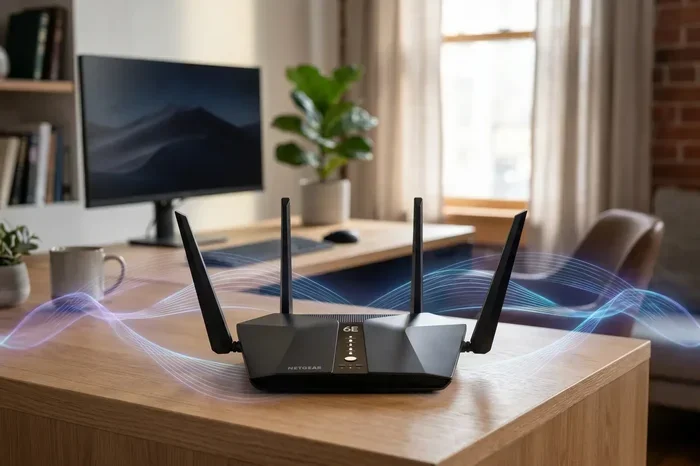
Even the best WiFi 6 router will struggle if it is hidden behind a TV, tucked in a closet, or placed on the floor. Always place your router in a central, elevated location. Keep it away from thick walls, metal objects, and microwaves, which can interfere with the signal.
Ignoring Your Internet Plan Speed
A WiFi 6 router cannot make your internet faster than what your provider gives you. If you have a 100 Mbps plan, your maximum speed will stay around 100 Mbps no matter how good your router is. Check your plan speed first and upgrade your internet plan if needed before buying a new router.
Not Updating Firmware
Router manufacturers release firmware updates that improve performance and fix bugs. Many people forget to update their router after setup. Check your router settings regularly and install the latest firmware to keep things running smoothly.
Skipping the Setup Process
Some people plug in a new router and never configure it properly. Taking 10 minutes to set up your WiFi 6 router correctly can make a huge difference. Use the manufacturer’s app to configure your network name, password, security settings, and QoS preferences.
Expert Tips and the Final Verdict on WiFi 6
So, do you need WiFi 6 in 2023? The answer depends on your situation, but here are some expert tips to help you decide.
Quick Tips for Deciding on WiFi 6
- Count your devices: If you have more than 10 connected devices, WiFi 6 is worth it.
- Check your router age: If your router is more than 4 years old, upgrading to WiFi 6 will feel like a refresh.
- Think about your usage: Heavy streaming, gaming, and remote work all benefit from WiFi 6.
- Consider future-proofing: WiFi 6 is the current standard, and WiFi 7 is already on the horizon. Investing now means your network stays relevant longer.
- Look for deals: WiFi 6 router prices have dropped significantly in 2023. Now is a great time to buy.
Expert Insight
Networking experts agree that WiFi 6 is the sweet spot for most households in 2023. The technology is mature, prices are competitive, and the benefits are clear. Even if you do not need WiFi 6 today, it is worth considering as your device count grows. Smart home technology is expanding fast, and a WiFi 6 router prepares your home network for the future.
Final Verdict
For most households in 2023, WiFi 6 is a worthwhile upgrade. It delivers faster speeds, handles more devices, reduces latency, and improves overall network performance. If you have a busy home with many connected gadgets, a gamer in the family, or someone working remotely, WiFi 6 makes a real difference in your daily internet experience.
If you are on the fence, start with a budget WiFi 6 router. You do not need to spend a fortune to enjoy the benefits. A $100 WiFi 6 router will outperform most older WiFi 5 routers, even at its lowest price point. The technology is accessible, the prices are right, and the performance gains are undeniable. WiFi 6 is not just for tech enthusiasts anymore. It is for anyone who wants a better home network in 2023.
Take a look at your current setup. Count your devices. Think about how your internet feels on a busy evening when everyone is online. If it slows down, buffers, or drops connections, WiFi 6 might be exactly what you need. The upgrade is simple, the rewards are immediate, and your home network will thank you.
Frequently Asked Questions
What is WiFi 6 and how is it different from WiFi 5?
WiFi 6 is the latest wireless networking standard, also known as 802.11ax. It offers faster speeds, better handling of multiple devices, and lower latency compared to WiFi 5 (802.11ac). The key improvements include OFDMA and enhanced MU-MIMO technology, which make WiFi 6 much more efficient for busy home networks.
Do I need a WiFi 6 router if I have a WiFi 5 phone?
You can use a WiFi 6 router with a WiFi 5 phone, but you will only get WiFi 5 speeds on that device. To experience the full benefits of WiFi 6, your phone, laptop, or tablet needs to support the WiFi 6 standard. Check your device specs to confirm compatibility.
Is WiFi 6 worth the extra cost in 2023?
Yes, WiFi 6 routers are now affordable, with budget options starting around $70. If you have more than 10 connected devices, game online, stream 4K content, or work from home, the performance improvements are well worth the investment. WiFi 6 also future-proofs your home network.
Can WiFi 6 improve my internet speed from my provider?
WiFi 6 can help you get closer to the speeds your internet provider offers, especially when multiple devices are active. However, it cannot make your internet plan faster than what you pay for. If your plan is slow, upgrading your router alone will not solve the problem entirely.
What is the difference between WiFi 6 and WiFi 6E?
WiFi 6E is an extension of WiFi 6 that adds support for the 6 GHz wireless band. This provides extra bandwidth and less interference. WiFi 6E routers are more expensive but offer better performance for power users and heavy multi-device households.
How do I know if my current router needs replacing?
If your router is more than 4 years old, struggles with multiple devices, drops connections often, or does not support the internet speeds you are paying for, it is time to replace it. A WiFi 6 router will significantly improve performance in all these situations.
=== CONCLUSION ===
WiFi 6 is one of the most meaningful upgrades you can make to your home network in 2023. It brings faster speeds, smarter device management, and better performance for the way we live and work today. Whether you are a casual browser or a power user with dozens of connected devices, WiFi 6 delivers real, noticeable improvements.
The technology is mature, prices are more accessible than ever, and the benefits extend well beyond just speed. Better range, lower latency, stronger security, and future-proofing make WiFi 6 a smart choice for almost any household. If you have been on the fence about upgrading, now is the perfect time to make the switch.
Take a moment to assess your current setup. Count your devices, check your router age, and think about how your internet performs on a busy day. If it is not meeting your needs, a WiFi 6 router can transform your online experience. You do not need to spend a lot of money to get started. A budget-friendly WiFi 6 router can make a bigger difference than you might expect. Upgrade your home network with WiFi 6 and enjoy the internet the way it was meant to be.