Can A Laptop Do Everything A Desktop Computer Can Do
Can a laptop do everything a desktop computer can do? The short answer is yes, but with trade-offs. Laptops now deliver desktop-level performance for most tasks, from work to gaming. However, desktops still win in upgradeability, raw power, and long-term value. This guide breaks down every key difference so you can make a smart choice.
For years, the debate between laptop and desktop computers has shaped how people buy their machines. Many of us wonder whether a portable device can truly match the power of a full-sized setup. The question “Can A Laptop Do Everything A Desktop Computer Can Do” comes up more than ever as laptops grow stronger every year.
The truth is, modern laptops have come a long way. They can handle office work, creative projects, and even demanding games. But does that mean they can do everything a desktop can? Not quite. There are important differences in performance, upgrade options, and value that every buyer should understand.
In this guide, we will walk through every major comparison point. You will learn where laptops shine, where desktops dominate, and how to decide which machine fits your life best. By the end, you will have a clear answer for your own situation.
Key Takeaways
- Laptops can handle most daily tasks: browsing, office work, video calls, and light creative work are no problem.
- Desktops lead in raw performance: they offer more processing power and better cooling for heavy workloads.
- Upgrade options favor desktops: you can swap parts easily, while laptops have limited expandability.
- Portability is the laptop’s biggest win: you can work from anywhere without sacrificing much power.
- Cost matters: desktops often give more bang for your buck over time.
- Gaming is possible on both: but high-end gaming still leans toward desktops for the best experience.
- The right choice depends on your needs: consider your workflow, budget, and lifestyle before deciding.
📑 Table of Contents
- Understanding the Core Differences Between Laptop and Desktop
- Performance: Can a Laptop Match a Desktop?
- Upgradeability: Where Desktops Really Win
- Laptop vs Desktop for Different Use Cases
- Connectivity and Peripherals
- Cost Comparison: Which Gives More Value?
- Common Mistakes People Make When Choosing
- Quick Tips for Getting the Most Out of Your Choice
- Expert Insights on the Laptop vs Desktop Debate
- So, Can a Laptop Do Everything a Desktop Can Do?
- Conclusion
Understanding the Core Differences Between Laptop and Desktop
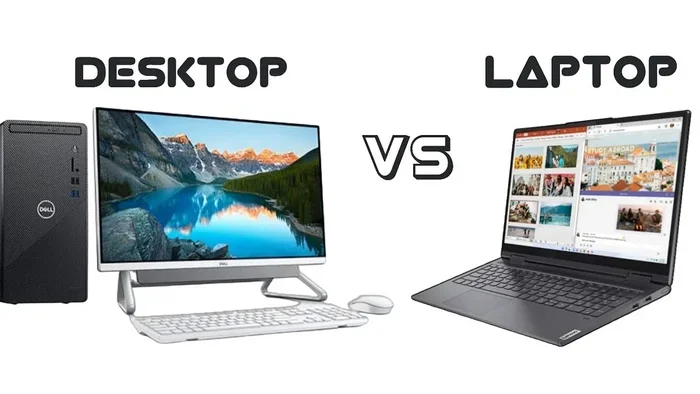
Before diving into specific tasks, it helps to understand what makes these two types of computers different at a fundamental level. A laptop packs all its components into a small, portable frame. A desktop computer uses larger parts spread across a tower or all-in-one unit. These design choices shape everything else.
Form Factor and Portability
A laptop weighs between 2 and 8 pounds. You can carry it to a coffee shop, a classroom, or a client meeting. A desktop setup includes a tower, monitor, keyboard, and mouse. It stays in one place. This difference alone drives many buying decisions.
If you need to work from multiple locations, a laptop wins easily. But if your computer stays on a desk all day, a desktop offers more for your money.
Power Consumption and Heat
Desktops draw more electricity than laptops. They also have bigger fans and better airflow. This means they can run faster components without overheating. Laptops use less power, which helps with battery life, but it also limits how much heat they can dissipate.
Think of it like a car engine. A desktop is a big V8. A laptop is a fuel-efficient four-cylinder. Both get you where you need to go. But the V8 has more raw power when you need it.
Performance: Can a Laptop Match a Desktop?
This is the heart of the “Can A Laptop Do Everything A Desktop Can Do” debate. The answer depends on what kind of work you do and which specific machines you compare.
Processing Power
Today’s top laptops use the same chip families as desktops. Intel Core and AMD Ryzen processors appear in both lineups. Apple Silicon chips blur the line even further. A high-end laptop processor can handle most tasks just as well as its desktop counterpart.
However, desktop processors often run at higher clock speeds. They also have more cores. This matters for tasks like video editing, 3D rendering, and compiling code. For everyday use like browsing and word processing, the difference barely matters.
Graphics Performance
Graphics cards are where the gap becomes clearer. Desktop GPUs are larger and draw more power. They deliver better frame rates and handle heavier workloads. A desktop with an NVIDIA RTX 4080 will outperform a laptop with the same chip name.
That said, laptop GPUs have improved dramatically. Many modern portable computers can run popular games at medium to high settings. They also handle creative workloads like photo editing and video export with ease.
Memory and Multitasking
Most laptops ship with 8 to 16 GB of RAM. Desktops commonly start at 16 GB and can go up to 128 GB or more. If you run many programs at once or work with large files, extra memory helps a lot.
For general productivity, 16 GB is plenty on either type of machine. But if you do heavy workstation tasks, a desktop gives you room to grow.
Upgradeability: Where Desktops Really Win
This is one of the biggest advantages desktops hold over laptops. A desktop computer lets you swap out almost every part. You can add more RAM, install a bigger hard drive, or upgrade your graphics card. A laptop has very limited options for changes after purchase.
What You Can Upgrade on a Desktop
- Processor: Swap to a newer CPU if your motherboard supports it.
- Graphics Card: Install a more powerful GPU as games and software demand more.
- RAM: Add more memory sticks easily.
- Storage: Add multiple drives for more space.
- Power Supply: Upgrade to support newer, hungrier components.
- Cooling System: Add better fans or liquid cooling for higher performance.
What You Can Upgrade on a Laptop
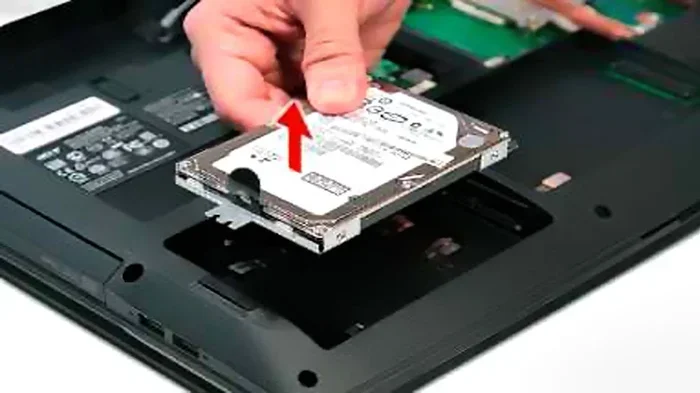
Laptops are much more restricted. Some models let you add RAM or swap the storage drive. A few allow you to replace the battery. But the CPU and GPU are usually soldered to the motherboard. You cannot change them without replacing the entire machine.
This means a desktop can grow with your needs over many years. A laptop is pretty much what you buy, and that is an important consideration.
Laptop vs Desktop for Different Use Cases
Different people need different things from their computers. Let us look at common scenarios and see which type of machine fits best.
Office Work and Productivity
For email, spreadsheets, presentations, and web browsing, a laptop handles everything a desktop can. In fact, a laptop is often more convenient for office workers who move between meetings or work from home part-time.
Both types run Microsoft Office, Google Workspace, and other business tools without any issues. Software compatibility is nearly identical at this level.
Creative Work and Design
Graphic designers, video editors, and musicians need strong hardware. High-end laptops with dedicated graphics cards can run Adobe Creative Suite smoothly. They can edit 4K video and work with large design files.
But professionals who work on massive projects often prefer desktops. The extra processing power and screen space make a real difference. A desktop also lets you connect multiple large monitors easily, which boosts workflow speed.
Gaming
Gaming on a laptop has improved a lot. Many portable computers now offer smooth gameplay at 1080p on medium settings. You can play popular titles like Fortnite, Minecraft, and Valorant without issues.
However, serious gamers who want the highest settings and frame rates still lean toward desktops. A desktop gaming setup gives you better performance for the same price. It also makes it easier to upgrade your graphics card when new games demand more power.
Programming and Development
For coding, web development, and running local servers, both laptops and desktops work well. A laptop gives developers the freedom to code from anywhere. A desktop offers a larger screen and a more comfortable setup for long coding sessions.
Some developers prefer a laptop for its flexibility and then dock it with external monitors at home. This gives them the best of both worlds.
Business and Enterprise Computing
Companies often choose laptops for their employees because of portability and remote work flexibility. A business computing setup with laptops allows teams to collaborate from different locations.
Desktops still play a big role in offices, though. They are cheaper to maintain and easier to manage at scale. IT departments also find it simpler to repair and upgrade desktop machines.
Connectivity and Peripherals
Desktops offer more ports and connection options out of the box. They typically have multiple USB ports, Ethernet jacks, audio inputs, and expansion slots. This makes it easy to connect printers, external drives, and other peripheral support devices.
Laptops have fewer ports due to their compact size. Many modern laptops only offer two or three USB-C ports. You may need a hub or adapter to connect everything you use daily.
That said, wireless connectivity has improved a lot. Both laptops and desktops support Bluetooth and Wi-Fi 6 or Wi-Fi 7. So the gap is closing in terms of wireless connectivity options.
Cost Comparison: Which Gives More Value?
Price is a major factor in the laptop versus desktop decision. Let us look at how costs compare across different performance levels.
| Category | Laptop Price Range | Desktop Price Range |
|---|---|---|
| Budget | $400 – $700 | $500 – $800 |
| Mid-Range | $800 – $1,500 | $700 – $1,200 |
| High-End | $1,500 – $3,000 | $1,000 – $2,500 |
| Workstation | $2,500 – $5,000 | $1,500 – $4,000 |
As you can see, desktops generally cost less for the same level of performance. You get more computing power per dollar with a desktop setup. Laptops cost more because of the compact engineering and portable design.
But remember, a laptop replaces both a computer and a monitor. You do not need to buy a separate screen. This can offset the price difference when you compare total costs.
Common Mistakes People Make When Choosing
Many buyers make avoidable mistakes when deciding between a laptop and a desktop. Here are a few to watch out for.
Buying based on brand alone. A well-known brand does not always mean the best specs. Compare the actual processor, RAM, and storage before you buy.
Ignoring future needs. If you plan to keep your computer for five or more years, think about whether you will need more power down the road. A desktop makes this easy. A laptop does not.
Overlooking thermal limits. Laptops can throttle performance when they get hot. If you run heavy workloads for hours, this can slow things down. Desktops handle sustained loads much better.
Forgetting about the display. A laptop screen is usually 13 to 17 inches. A desktop lets you choose any monitor size. For creative work or data analysis, a large external monitor makes a big difference.
Quick Tips for Getting the Most Out of Your Choice
- Check the warranty: Look for at least a one-year warranty with good customer support.
- Read reviews: Real user experiences reveal issues that spec sheets hide.
- Consider your workspace: A small apartment favors a laptop. A dedicated home office suits a desktop.
- Think about battery life: If you work away from outlets often, prioritize a laptop with long-lasting battery.
- Plan for storage: Cloud storage can reduce the need for a large hard drive, but local storage is still faster.
Expert Insights on the Laptop vs Desktop Debate
Industry experts generally agree that the line between laptops and desktops has blurred significantly. Top-tier laptops now deliver performance that was impossible in portable machines just a few years ago. Apple Silicon chips, for example, offer incredible processing speed and battery life in a thin laptop body.
However, experts also point out that desktops maintain a clear advantage in specific areas. Workstations for scientific research, architectural design, and professional video production still rely heavily on desktop setups. The ability to swap out components and scale performance makes desktops irreplaceable for these fields.
For the average user, a good laptop handles 90% of what a desktop can do. The remaining 10% matters mostly for power users and professionals with very specific needs.
So, Can a Laptop Do Everything a Desktop Can Do?
The honest answer is almost yes. For the vast majority of people, a modern laptop can handle every task they throw at it. It can browse the web, run office software, edit photos and videos, play games, and connect to all your devices.
But “almost” is the key word. If you need maximum performance, the ability to upgrade parts over time, or the best value for your money, a desktop still holds the edge. It comes down to what matters most to you personally.
If portability and convenience are your top priorities, a laptop is a fantastic choice. If raw power and long-term flexibility matter more, a desktop is hard to beat. And if you want both, consider a laptop paired with a docking station and external monitor. This setup gives you a portable machine that transforms into a full desktop when you need it.
The best computer is the one that fits your life. Take time to think about how you actually use your machine each day. That honest assessment will guide you to the right decision every time.
Conclusion
So, can a laptop do everything a desktop computer can do? In most everyday situations, yes. Modern laptops deliver strong laptop performance for work, play, and creative tasks. They offer a level of portable computer capability that was unimaginable just a decade ago.
But desktops still hold important advantages in upgradeability, sustained performance, and overall value. The best choice depends entirely on your personal needs, budget, and how you use your computer day to day.
Use the insights from this guide to evaluate your own situation. Whether you pick a laptop or a desktop, the right machine for your needs will serve you well for years to come.
Frequently Asked Questions
Can a laptop replace a desktop for professional video editing?
It can, but with limitations. High-end laptops with dedicated GPUs handle video editing well for most projects. However, professionals working with very long timelines or 8K footage often prefer desktops for their extra power and better cooling. If you edit regularly, a desktop will give you a smoother experience.
Do laptops last as long as desktops?
Laptops typically last 4 to 6 years, while desktops can last 7 to 10 years or more. The difference comes from upgradeability. You can extend a desktop’s life by swapping parts, but a laptop eventually becomes outdated because its components cannot be changed easily.
Is a laptop good enough for gaming?
For casual and moderate gaming, a laptop works great. You can play most modern games at medium to high settings. But if you want to play every new release at maximum settings with high frame rates, a desktop provides a better experience for the same price.
Can I connect a laptop to external monitors and peripherals?
Absolutely. Most modern laptops support external monitors, keyboards, mice, and printers. Using a docking station makes this even easier. You can turn your laptop into a full workstation with external devices whenever you are at your desk.
Are laptops more expensive than desktops with the same specs?
Yes, generally laptops cost more for the same level of performance. The compact design, portable components, and built-in screen all add to the price. You pay a premium for portability and convenience.
What should I prioritize if I cannot decide between a laptop and a desktop?
Think about how and where you use your computer most. If you need mobility, go with a laptop. If you work in one place and want maximum power, choose a desktop. You can also consider a laptop with a docking station to get flexibility and performance in one setup.