Are There Laptops With 4k Resolution Screens Available
Are there laptops with 4k resolution? Yes, plenty of options exist today from top brands. This guide covers the best 4K laptops, their pros and cons, battery life trade-offs, and who truly benefits from an ultra HD display.
Are there laptops with 4k resolution? Absolutely, and they have become more accessible than ever before. 4K laptops deliver incredibly sharp images with four times the detail of standard HD screens. Whether you are a creative professional, a gamer, or just someone who loves crisp visuals, a 4K laptop can truly transform your daily experience. In this guide, we explore the best options, key benefits, and important things to consider before making a purchase.
The laptop market has changed a lot in recent years. One of the biggest upgrades you can make is choosing a 4K laptop over a standard screen. A 4K display packs in significantly more pixels, which means sharper text, more vibrant colors, and incredible detail. But not everyone needs this level of screen quality, and there are real trade-offs to consider before spending your money.
If you have been searching for laptops with 4K screens, you are in the right place. This article breaks down everything you need to know. We cover the best models on the market, battery life concerns, performance impact, and who truly benefits from this high-resolution display. Let us dive right in.
Key Takeaways
- 4K laptops are widely available from brands like Dell, HP, Lenovo, ASUS, and Apple.
- 4K resolution offers four times the detail of standard Full HD displays.
- Battery life is shorter on 4K laptops due to the power-hungry display.
- Creative professionals benefit most from the extra screen resolution and color accuracy.
- Affordable 4K options exist in mid-range and budget laptop lines.
- Not everyone needs a 4K screen — casual users may not notice the difference.
- Check GPU power, brightness, and color gamut before buying a 4K laptop.
📑 Table of Contents
What Is a 4K Laptop Screen?
Understanding 4K Resolution
A 4K laptop screen has a resolution of at least 3840 by 2160 pixels. This is also known as 4K UHD or ultra high definition. The term “4K” refers to the horizontal pixel count being close to 4,000 pixels. This gives you a much sharper image compared to traditional Full HD screens, which only have 1920 by 1080 pixels.
The pixel density on a 4K laptop display is significantly higher than on standard screens. This means more pixels are packed into the same screen space. The result is crisper text, smoother edges, and finer detail in images and video. On a 15-inch screen, a 4K resolution display can pack over 280 pixels per inch. That is remarkably sharp and makes a visible difference in everyday use.
Most 4K laptops also support wider color gamuts and better color accuracy than their Full HD counterparts. This is especially important for anyone who works with visual content. The combination of high pixel count and wide color coverage makes a 4K display one of the best upgrades you can make to a laptop.
4K vs Full HD – What Is the Difference?
The difference between 4K and Full HD is easy to see. A Full HD screen has about 2 million pixels. A 4K display has about 8.3 million pixels. That is four times as many pixels. This massive increase in pixel count makes a huge visual difference that you will notice right away.
Here is a quick side-by-side comparison of the two display types:
| Feature | Full HD | 4K UHD |
|---|---|---|
| Resolution | 1920 x 1080 | 3840 x 2160 |
| Total Pixels | ~2 million | ~8.3 million |
| Pixel Density (15″) | ~141 PPI | ~282 PPI |
| Sharpness | Good | Excellent |
| Price Range | Budget-friendly | Premium |
| Best For | Everyday use | Creative work and media |
As you can see, a 4K laptop offers a major upgrade in image quality. Text looks sharper, images have more detail, and videos look incredibly lifelike. The jump from Full HD to 4K is one of the most noticeable improvements in modern laptop screen technology.
Why Choose a 4K Resolution Laptop?
Stunning Visual Quality
The most obvious reason to pick a 4K laptop is the visual quality. Everything on screen looks more detailed and vibrant. Photos look richer. Videos have more depth and clarity. Even everyday tasks like reading documents or browsing the web feel more pleasant on a high resolution display.
Many 4K laptops also support HDR (High Dynamic Range). HDR expands the range of colors and brightness levels significantly. This means deeper blacks, brighter highlights, and a wider color gamut. For anyone who watches movies or edits photos, this is a real game-changer. The difference in visual quality between a standard display and a 4K HDR laptop is night and day.
Beyond just sharpness, 4K displays also offer smoother gradients and fewer visible artifacts. Text rendering is noticeably cleaner, which reduces eye strain during long work sessions. If you spend hours in front of a screen, this alone can be a compelling reason to invest in a 4K laptop.
Better for Creative Work
If you do any kind of content creation, a 4K laptop is a serious asset. Graphic design laptop users, photographers, and video editors all benefit from the extra detail. When editing photos, you can see finer details in your images. When grading video, you get a more accurate representation of colors and tones.
Color accuracy is another big factor. Many 4K displays come with wide color gamut support, covering 100% or more of the sRGB or Adobe RGB color spaces. This ensures your work looks correct across different devices and print media. For professionals who cannot afford color errors, this level of accuracy is essential.
Architects, engineers, and designers also appreciate the extra screen real estate that comes with high resolution. More pixels mean you can fit more detail on screen without zooming in. This speeds up workflows and reduces the need to switch between windows constantly.
Enhanced Gaming and Media Experience
Gamers also enjoy 4K laptops for the extra visual detail. The higher resolution makes game worlds look more immersive and realistic. Textures appear sharper, and environments feel more detailed. Of course, you need a powerful graphics card to run games at 4K resolution smoothly. But for those with the right hardware, the visual payoff is enormous.
Even for casual media consumption, a 4K laptop shines. Streaming services like Netflix and Disney+ offer 4K content now. Watching this on a high resolution display makes a noticeable difference in clarity and color vibrancy. Movies and shows simply look better on a 4K laptop screen.
Best Laptops With 4K Screens Available
Premium Options for Professionals
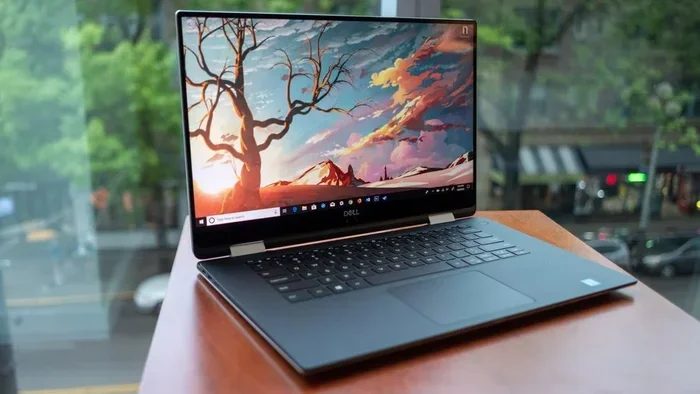
Several brands offer excellent 4K laptops for professionals who demand the best. The Dell XPS 15 and XPS 17 are popular choices among creative workers. They feature stunning 4K OLED displays with incredible color accuracy and deep blacks. These laptops are built for heavy content creation and productivity work.
The Lenovo ThinkPad P-series also offers 4K options with ISV certifications. This means they are tested and validated for professional applications like CAD and 3D modeling. HP’s ZBook workstation line also features 4K display options with excellent color coverage and brightness levels. These machines are built for demanding professional environments.
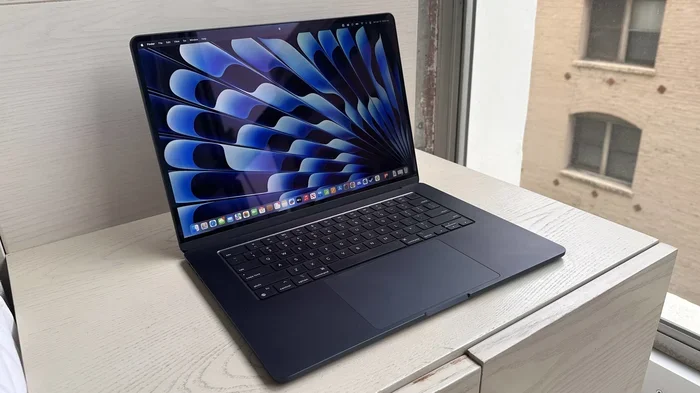
Apple’s MacBook Pro lineup includes 4K and Retina displays on certain models. The Liquid Retina XDR display offers exceptional brightness, contrast, and color accuracy. It is widely considered one of the best laptop screens available today. The combination of 4K resolution and Apple’s color calibration makes it a favorite among video editors and designers.
More Affordable 4K Choices
You do not need to spend a fortune on a 4K laptop. Several brands offer 4K screen options at more accessible price points. The ASUS ZenBook Pro series provides 4K OLED displays at competitive prices. The Acer ConceptD line targets creative professionals with affordable 4K displays that still deliver excellent color accuracy.
Some mainstream brands like HP and Lenovo also offer 4K screen options in their mid-range laptop lines. These may not match the color accuracy of premium models, but they still deliver a significant upgrade over Full HD. If you are on a tighter budget, these options can give you the 4K experience without breaking the bank.
4K Laptop Battery Life and Performance Trade-offs
How 4K Affects Battery Life
One of the biggest trade-offs with a 4K laptop is battery life. A 4K display uses more power than a standard Full HD screen. The higher pixel count requires more energy to drive the display. This can reduce your laptop battery life by one to three hours compared to an FHD model.
If you need long battery life for travel or work on the go, this is an important factor to weigh. Some 4K laptops come with larger batteries to compensate, but they are often heavier and bulkier as a result. You are essentially trading portability for screen quality. Consider your typical usage patterns before deciding.
Real-world battery life varies widely depending on the model and usage. A 4K laptop used for light tasks like web browsing might still last six to eight hours. But the same machine running video editing software could drain in three to four hours. Always check independent reviews for real battery performance data.
Performance Considerations
A 4K laptop also demands more from your hardware. Rendering a 4K display requires more GPU power than a Full HD screen. This is especially true for gaming and video editing. You will need a dedicated graphics card and a strong processor to get smooth performance at this resolution.
For everyday tasks like web browsing, email, and office work, the performance hit is minimal. But for demanding applications like video rendering or 3D modeling, make sure your laptop specs can handle the extra load. A weak GPU paired with a 4K display can lead to frustrating slowdowns.
The good news is that modern processors and graphics cards have become much more capable. Many mid-range 4K laptops now handle everyday tasks with ease. The key is matching the hardware to your actual use case.
Quick Tips for Managing Power
Here are some practical tips to get the most out of your 4K laptop battery:
- Lower the display brightness when you do not need maximum brightness levels.
- Use a dark wallpaper on OLED screens to save significant power.
- Close unused apps that may be using your GPU in the background.
- Switch to FHD mode when you do not need the full resolution.
- Adjust your power settings to prioritize battery life over maximum performance.
- Turn off HDR when you are not watching high-dynamic-range content.
- Use battery saver mode during travel or when away from a power outlet.
Who Really Needs a 4K Laptop?
Ideal Users for 4K Screens
Not everyone needs a 4K laptop. The people who benefit most are those who work with visual content daily. Video editors need the extra detail to see fine cuts and color gradations clearly. Photographers benefit from accurate color reproduction and sharpness when retouching images. Graphic designers rely on high resolution displays to ensure their work looks perfect on every device.
Architects and engineers who use CAD software also appreciate the extra screen real estate and detail. 3D modelers and animators find that a 4K display helps them see finer details in complex scenes. Content creators across all fields benefit from the improved clarity and color accuracy.
Gamers who want the best visual experience also benefit greatly. If you have a powerful laptop, a 4K gaming laptop can deliver stunning visuals that make games feel more immersive. The extra detail in textures, lighting, and shadows adds a whole new dimension to gaming.
Who Can Skip a 4K Display
If you mostly use your laptop for browsing, email, and office tasks, a 4K screen may not be worth the extra cost and battery drain. The difference between Full HD and 4K is less noticeable for these everyday tasks. Your eyes may not register the extra detail when reading text or working with spreadsheets.
Students who primarily take notes and write papers also do not need a 4K display. A good Full HD screen is more than enough for their needs and budget. Budget-conscious buyers should also consider whether the extra cost is justified by their actual usage patterns. Sometimes, investing in more RAM or a better processor gives a bigger boost than a 4K display.
Common Mistakes When Buying a 4K Laptop
Ignoring Battery Life
Many buyers focus only on screen quality and forget about laptop battery life. A 4K display can significantly reduce your runtime on a single charge. Before buying, check the battery specs and read reviews about real-world battery performance. Some 4K laptops barely last five hours under heavy use, which can be a problem for mobile workers.
Always ask yourself how you will use the laptop. If you work from coffee shops or on flights, battery life becomes critical. A 4K laptop with poor battery life can become frustrating quickly. Look for models that balance screen quality with reasonable endurance.
Overlooking Screen Brightness
Not all 4K displays are created equal. Some have low peak brightness, which makes them hard to use in bright environments or near windows. Look for a 4K laptop with at least 400 nits of brightness. If you work outdoors or in bright offices, consider an HDR-certified display for better visibility and color performance.
Screen brightness also affects color accuracy. A dim 4K display can make colors look washed out and inaccurate. Always check the brightness specs and, if possible, see the screen in person before buying. A bright, colorful 4K display makes a world of difference.
Forgetting About Graphics Power
A 4K laptop needs a capable GPU to perform well. If you buy a 4K laptop with a weak graphics card, you will struggle with gaming and video editing. Make sure your laptop specs include a dedicated GPU with enough VRAM for your needs. A powerful 4K display is only as good as the hardware driving it.
This is especially important for gamers and content creators. A weak GPU will bottleneck the 4K display, leading to stuttering and poor performance. Always match your GPU to your intended use case. For gaming at 4K resolution, you need a high-end graphics card.
Not Checking the Color Gamut
A 4K display with poor color coverage defeats the purpose of having a high-resolution screen. Look for screens that cover at least 90% of the sRGB color space. For professional work, aim for 95% or higher coverage of Adobe RGB or DCI-P3. A wide color gamut ensures your work looks accurate and vibrant.
Many budget 4K laptops skimp on color coverage to keep costs down. The result is a screen that looks flat and lifeless. Always check the color gamut specs before purchasing. A 4K laptop with poor color accuracy is not much better than a good Full HD display.
Expert Insights
According to display technology experts, the shift toward 4K laptop screens has been one of the most significant upgrades in recent years. “The jump from Full HD to 4K on a laptop screen is dramatic,” says one industry analyst. “Users consistently report that they never want to go back once they switch to a high-resolution display.”
Another expert notes that 4K OLED displays are leading the way in laptop screen quality. “OLED technology combined with 4K resolution gives you the best of both worlds,” the expert explains. “Deep blacks, vibrant colors, and incredible sharpness in a thin and light package.”
The trend is moving toward high DPI displays across all laptop categories. Even budget models are starting to offer 4K screen options, making this technology more accessible to everyday users. As display technology continues to advance, we can expect even better 4K laptops at lower prices in the near future.
Industry reports show that demand for 4K laptops has grown steadily over the past few years. More manufacturers are investing in high resolution display technology, which is driving prices down and quality up. This is great news for consumers who want the best laptop monitor experience without paying a premium.
Conclusion
So, are there laptops with 4K screens available? Yes, absolutely. The market is full of excellent options at various price points. Whether you are a content creator, a gamer, or someone who simply appreciates beautiful visuals, a 4K laptop can elevate your experience in meaningful ways.
However, it is important to weigh the pros and cons carefully. The stunning image quality comes with trade-offs in battery life, performance demands, and price. Consider your needs and usage patterns before making a decision. If visual quality is a priority for your work or entertainment, a 4K laptop is a fantastic investment.
Take your time, compare models, and choose the 4K laptop that best fits your workflow and budget. Read reviews, check the specs, and if possible, see the screen in person. The right 4K display can make every interaction on your laptop more enjoyable and productive. Do your research, and you will find a 4K laptop that delivers exactly what you need.
Frequently Asked Questions
Is a 4K laptop worth it for everyday use?
For everyday tasks like browsing and office work, a Full HD screen is usually sufficient. However, if you enjoy watching high-quality videos or appreciate sharp text, a 4K laptop can still be worth it. The visual improvement is noticeable even for casual users.
How much shorter is the battery life on a 4K laptop?
Battery life on a 4K laptop is typically one to three hours shorter than on an FHD model. The exact difference depends on the laptop model, battery size, and your usage patterns. Some models with large batteries can still last a full workday.
Can I play games on a 4K laptop?
Yes, but you need a powerful dedicated graphics card. Modern GPUs from NVIDIA and AMD can handle 4K gaming, but you may need to adjust settings for smooth frame rates. A 4K gaming laptop with a high-end GPU delivers the best experience.
What is the difference between 4K and ultra HD on a laptop?
There is essentially no difference. 4K UHD (3840 x 2160) is the standard resolution for laptop 4K displays. True 4K (4096 x 2160) is used more in cinema and professional displays. For laptops, 4K and ultra HD are used interchangeably.
Do I need a special graphics card for a 4K laptop?
For everyday tasks, integrated graphics are usually fine. But for gaming or video editing at 4K resolution, you need a dedicated GPU with sufficient VRAM. Check the laptop specs to ensure the graphics card can handle your intended workload.
Are affordable 4K laptops good quality?
Affordable 4K laptops have improved significantly in recent years. While they may not match the color accuracy of premium models, they still offer a major upgrade over Full HD. Brands like ASUS and Acer offer solid 4K options at reasonable prices.