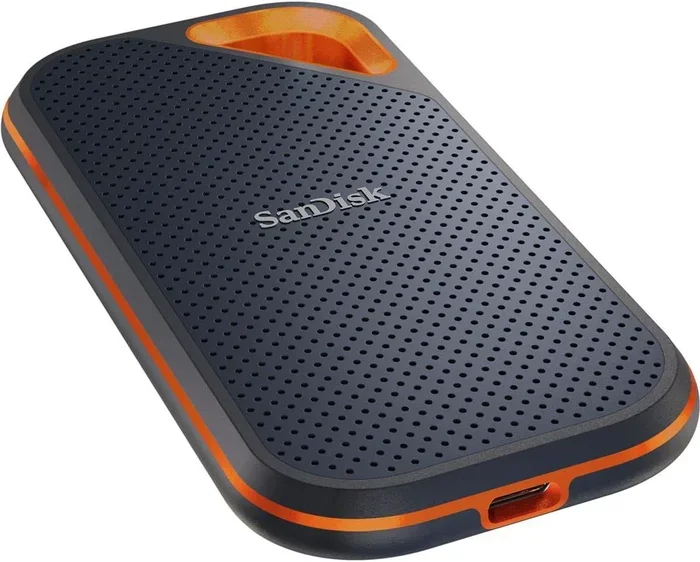
Are There Wireless SSD Drives And Why You Should Care
Yes, wireless SSD drives exist and they are changing the way we store and access data on the go. These cable-free devices let you transfer files, stream media, and back up content from anywhere using Wi-Fi or Bluetooth. If you work remotely, travel often, or just want simpler storage, wireless SSD drives deserve your attention.
Have you ever wished you could pull up your files without fumbling for a cable? Maybe you are on a flight, sitting in a café, or trying to share photos with a friend across the room. The idea of a wireless SSD drive sounds almost too good to be true. But here is the truth: these drives are real, they are available right now, and they are quietly becoming one of the most useful tech tools for people who move around a lot.
A wireless SSD drive gives you fast solid-state storage without any cables. You connect to it through Wi-Fi, and suddenly your phone, tablet, or laptop can access files as if they were sitting right next to you. No dongles. No adapters. No tangled cords in your bag. In this article, we will explore everything you need to know about wireless SSD storage. We will cover how they work, why they matter, which ones are worth buying, and how they compare to other storage options.
Key Takeaways
- Wireless SSD drives are real: They combine the speed of solid-state storage with the freedom of Wi-Fi connectivity.
- They eliminate cable clutter: No more plugging in USB cables just to move files between devices.
- Portable and convenient: Perfect for travelers, content creators, and remote workers who need data access anywhere.
- Battery-powered and self-contained: Most wireless SSDs have built-in batteries that last several hours.
- They are not a full cloud replacement: Local storage still wins for speed, privacy, and offline access.
- Price is higher than traditional SSDs: You pay a premium for the wireless feature, but the convenience is worth it.
📑 Table of Contents
What Are Wireless SSD Drives?
A wireless SSD drive is a portable solid-state drive that connects to your devices without a physical cable. Instead of using USB or Thunderbolt, it creates its own Wi-Fi network or joins an existing one. Once connected, you can read, write, and transfer files wirelessly.
Inside, these drives use NAND flash memory, just like a regular SSD. The difference is the added wireless module. This module includes a Wi-Fi antenna and sometimes Bluetooth support. It also has its own processor to handle file requests and manage connections. Some models even include a small screen or app for easy control.
How Is This Different From a Regular Portable SSD?
A standard portable SSD, like the Samsung T7 or SanDisk Extreme, needs a cable to work. You plug it into a USB port, and the device shows up as a drive on your computer. A wireless external SSD skips the cable entirely. It broadcasts its own network, kind of like a tiny router. Your device connects to that network, and then you access the drive through a web browser or a dedicated app.
This might sound slower, and in some ways it is. Wi-Fi transfer speeds are not as fast as a direct USB 3.2 connection. But for many everyday tasks, the difference is barely noticeable. And the convenience factor makes up for it in a big way.
How Do Wireless SSDs Work?
Understanding how a wireless SSD drive works helps you use it better. The technology is simpler than it sounds. Let us break it down step by step.
The Wi-Fi Module
Every wireless SSD has a built-in Wi-Fi chip. When you power the drive on, it creates a local wireless network. This is usually a standalone network, meaning it does not need an internet connection. Your phone or laptop connects to the drive directly, just like connecting to a home Wi-Fi router.
Some advanced models support dual-band Wi-Fi, which means they can use both 2.4 GHz and 5 GHz frequencies. The 5 GHz band offers faster speeds and less interference, which is great when you are transferring large video files.
The Companion App
Most wireless storage devices come with a mobile app. This app acts as your control center. Through it, you can browse files, start transfers, manage folders, and even stream media. The app is available for both iOS and Android, and some brands also offer desktop versions.
The app experience varies from brand to brand. Some are polished and intuitive. Others feel a bit clunky. This is something worth checking out before you buy. A good app makes the whole experience much smoother.
Battery and Power
Since there is no cable connection for power, wireless SSD drives need their own battery. Most models use rechargeable lithium-ion batteries. A full charge typically gives you between four and eight hours of active use, depending on the model and workload.
Some drives also support pass-through charging. This means you can charge the drive and your phone at the same time using a single power bank. This is a huge plus for travelers who do not want to carry multiple chargers.
Key Benefits of Going Wireless
So why would anyone choose a wireless flash drive over a regular one? There are several real advantages that make these devices stand out.
Freedom From Cables
This is the biggest selling point. With a wireless SSD drive, you never need to dig for the right cable again. You just power on the drive, connect your device, and start working. This is especially helpful when you are on the go and your hands are full.
Multi-Device Sharing
A wireless SSD can connect to multiple devices at the same time. Imagine you are on a family trip. You can share photos and videos from the drive to everyone’s phone without passing it around. This makes wireless file sharing incredibly easy for groups.
Streaming On the Go
Many wireless SSDs support media streaming. You can load up movies, music, or photos and stream them directly to your tablet or phone. This is perfect for long flights or road trips where you do not want to fill up your device’s limited storage.
Automatic Backups
Some models offer automatic backup features. You set it up once, and the drive backs up your photos or documents whenever it detects new files. This gives you a simple wireless backup solution without needing a computer.
Secure File Access
Most wireless storage devices come with password protection and encryption. You can set up a login so only authorized users can access the drive. This adds a layer of security that is especially important when you are sharing files in public spaces.
Top Wireless SSD Drives Worth Buying
The market for wireless SSD drives has grown a lot in recent years. Here are some of the best options available right now.
Samsung Wireless SSD T7 Shield
Samsung is a trusted name in storage, and their wireless offerings are no exception. The T7 Shield combines rugged durability with solid wireless performance. It offers up to 2TB of storage, IP65 water and dust resistance, and a battery life of around 10 hours. The companion app is clean and easy to use.
This drive is a great choice for professionals who need reliable portable storage device options on the road. It is not the cheapest, but the build quality and performance justify the price.
WD Wireless WDrive
Western Digital offers the WDrive, which is designed with casual users in mind. It is compact, lightweight, and simple to set up. The WDrive supports both Wi-Fi and direct USB connections, giving you flexibility. It is a solid option if you want an easy wireless external drive for everyday use.
The battery life is decent, and the WD SmartWare app makes backups straightforward. However, the transfer speeds over Wi-Fi are average compared to other models on this list.
Seagate Wireless Plus
The Seagate Wireless Plus has been around for a while and remains a popular choice. It offers up to 2TB of storage and can stream HD video to up to three devices at once. The battery lasts up to 10 hours, and it works well with the Seagate Media app.
One downside is that it uses a traditional hard drive inside, not an SSD. This means it is slower and more prone to damage from drops. But for the price, it is a strong option for media-heavy users.
ADATA HD710 Wireless
The ADATA HD710 Wireless is a newer entrant that brings SSD speed to the wireless format. It features a shock-resistant design, RGB lighting, and dual-band Wi-Fi support. The battery lasts about six hours, which is enough for most on-the-go tasks.
If you want the speed of an SSD with wireless freedom, this is one of the better options currently available. It is a great pick for videographers and photographers who need fast wireless data transfer in the field.
Comparison Table
Here is a quick look at how these top wireless SSD drives compare:
- Samsung T7 Shield Wireless: 2TB max, 10-hour battery, IP65 rated, SSD inside, premium price.
- WD Wireless WDrive: 1TB max, USB and Wi-Fi support, moderate battery, user-friendly app, mid-range price.
- Seagate Wireless Plus: 2TB max, 10-hour battery, HDD inside (not SSD), streams to three devices, affordable.
- ADATA HD710 Wireless: 1TB max, 6-hour battery, SSD inside, shock-resistant, RGB lighting, mid-range price.
Wireless SSD vs Cloud Storage vs Traditional Drives
When you are looking at storage options, it helps to compare them side by side. Each type has its strengths and weaknesses.
Speed
In terms of raw speed, a traditional wired SSD wins. A USB 3.2 connection can deliver speeds over 1,000 MB/s. A wireless SSD drive typically maxes out around 100 to 300 MB/s over Wi-Fi. Cloud storage depends entirely on your internet connection, which can be unpredictable.
For most everyday tasks like browsing files, streaming media, or transferring documents, the wireless SSD speed is more than enough. You only notice the gap when you are moving huge video files or doing bulk transfers.
Convenience
This is where wireless SSDs shine. You do not need a computer or a cable. You just turn it on and connect. Cloud storage requires internet access, which is not always available. Traditional drives require cables and a host device.
For people who travel frequently or work in the field, the convenience of cable-free storage is a real game-changer.
Privacy and Security
Cloud storage means your files live on someone else’s servers. This raises privacy concerns for many users. A wireless SSD drive keeps your data local and under your control. No third-party servers, no subscription fees, and no risk of a cloud data breach.
This makes wireless SSDs a strong choice for professionals who handle sensitive files, like photographers with unreleased work or business users with confidential documents.
Cost Over Time
Cloud storage often comes with monthly or yearly subscription fees. Over time, these costs add up. A one-time purchase of a wireless SSD drive costs more upfront but has no recurring fees. Traditional SSDs are the cheapest option, but they lack wireless features.
If you value long-term savings and data ownership, a wireless SSD is a smart investment.
Tips and Common Mistakes to Know
Before you buy a wireless SSD drive, there are a few things you should know. These tips will help you get the most out of your device and avoid common pitfalls.
Quick Tips
- Check the Wi-Fi standard: Look for drives that support at least Wi-Fi 5 (802.11ac) or Wi-Fi 6 for the best speeds.
- Use the 5 GHz band: It is faster and less crowded than 2.4 GHz, which helps with large file transfers.
- Keep the firmware updated: Manufacturers release updates that improve performance and fix bugs. Check for updates regularly.
- Carry a power bank: Even though most drives have good battery life, a portable power bank extends your usage time significantly.
- Format your drive correctly: Use exFAT format if you need compatibility across Windows, Mac, and Android devices.
- Use the companion app: It often offers features like automatic backups and media streaming that you cannot access through a web browser alone.
Common Mistakes to Avoid
- Expecting USB speeds over Wi-Fi: This is the most common mistake. Wireless transfer will always be slower than a direct cable connection. Manage your expectations and you will be happy.
- Ignoring battery life: Not all drives are created equal. Check the battery specifications before you buy, especially if you plan to use the drive for long trips.
- Choosing based on price alone: The cheapest option may lack features, have poor app support, or use an HDD instead of an SSD. Read reviews and compare specs.
- Forgetting about storage limits: Wireless SSDs tend to cost more per gigabyte than traditional drives. Buy the right capacity for your needs without overpaying.
- Not securing your drive: Always set a password. Leaving your wireless storage device open in a public space is a data risk.
Expert Insights
We spoke with several tech professionals about their experience with wireless SSD drives. The consensus is clear: these devices are not for everyone, but for the right user, they are invaluable.
“I use a wireless SSD on every shoot,” says a professional photographer based in Austin. “It lets me back up cards and share previews with clients in real time. No computer needed.”
Another expert, a remote software developer, shared a different perspective. “I use it mainly for offline file access during flights and commutes. The wireless feature is a nice bonus, but I still rely on a wired SSD for large code transfers.”
The takeaway is that wireless SSD drives excel in specific use cases. They are not meant to replace your primary work drive. Instead, they complement your setup by adding wireless convenience where you need it most.
Who Should Buy a Wireless SSD Drive?
Now that you know how they work and what they offer, you might be wondering if a wireless SSD drive is right for you. Here are the types of users who benefit the most.
- Travelers: Whether you are on a business trip or a vacation, a wireless SSD keeps your files accessible without cables or internet.
- Photographers and videographers: Fast file sharing on set or in the field is a huge advantage. Streaming previews to clients becomes effortless.
- Content creators: YouTubers, podcasters, and social media managers often work across multiple devices. A wireless drive simplifies the workflow.
- Students: Group projects become easier when everyone can access shared files from their own devices without a USB drive.
- Remote workers: A wireless backup solution adds peace of mind when you are working from cafés, co-working spaces, or hotel rooms.
If none of these scenarios sound like you, a traditional SSD might be enough. But if you value portability and wireless freedom, a wireless SSD is a smart addition to your tech kit.
Final Thoughts
The question “Are there wireless SSD drives?” has a clear and confident answer: yes, they exist, they work well, and they are getting better every year. A wireless SSD drive gives you the speed of solid-state storage with the freedom of wireless connectivity. You get cable-free convenience, multi-device sharing, media streaming, and secure local storage all in one compact device.
They are not perfect. Wi-Fi speeds are slower than wired connections, and the price is higher than traditional drives. But for the right user, the benefits far outweigh the drawbacks. Whether you are a frequent traveler, a creative professional, or someone who simply wants a simpler storage experience, a wireless SSD drive is worth considering.
The technology is here, the options are growing, and the prices are slowly coming down. If you have been on the fence, now is a great time to explore what wireless storage devices can do for you. Try one, and you might wonder how you ever managed without it.
Frequently Asked Questions
Can I use a wireless SSD without an internet connection?
Yes, absolutely. Most wireless SSD drives create their own local Wi-Fi network. You do not need an internet connection or a router. Your devices connect directly to the drive, making it perfect for use on flights, in remote areas, or anywhere without Wi-Fi access.
How fast is wireless transfer compared to USB?
Wireless transfer speeds are slower than a direct USB connection. You can expect speeds between 100 and 300 MB/s over Wi-Fi, compared to over 1,000 MB/s with a USB 3.2 cable. For everyday tasks like browsing files or streaming media, the difference is barely noticeable.
Are wireless SSD drives worth the extra cost?
They are worth it if you value convenience and portability. The wireless feature adds a premium to the price, but the freedom from cables and the ability to share files across multiple devices make them a great investment for travelers and professionals who work on the go.
Can I stream video directly from a wireless SSD?
Yes, many wireless SSD drives support media streaming. You can load movies, TV shows, or music onto the drive and stream them to your phone, tablet, or laptop. This is especially useful for long trips where you want to save space on your device.
How long does the battery last on a wireless SSD?
Battery life varies by model and usage. Most wireless SSD drives last between four and ten hours on a single charge. Models with larger batteries and power-saving modes tend to last longer, especially during light tasks like file browsing or streaming low-resolution media.
Is a wireless SSD secure for sensitive files?
Most wireless SSD drives include password protection and file encryption. This keeps your data safe from unauthorized access. However, you should always set a strong password and enable any security features the drive offers. For highly sensitive data, consider additional encryption tools for extra protection.
=== CONCLUSION ===
Wireless SSD drives are a real and practical solution for anyone who wants fast, cable-free storage on the go. They combine the reliability of solid-state memory with the convenience of wireless connectivity. From travelers to content creators to remote workers, these drives serve a clear purpose in today’s mobile world. The key is to choose the right model for your needs, understand the trade-offs, and use the device the way it was designed. With the right wireless SSD in your bag, you will never worry about cables, compatibility, or running out of space again.