Do Wifi Extenders Work With Att Heres What To Know
Do wifi extenders work with att? Yes, most WiFi extenders are fully compatible with AT&T internet and gateways. You can extend your AT&T WiFi coverage, eliminate dead zones, and improve speeds throughout your home with the right extender and proper setup.
Do wifi extenders work with att? This is one of the most common questions AT&T internet users ask when they start experiencing weak signals in certain parts of their home. The short answer is yes. WiFi extenders work with AT&T internet connections, including AT&T Fiber, AT&T DSL, and AT&T Wireless Home Internet. But the full story is a bit more nuanced, and that is exactly what we are going to walk you through today.
If you have ever walked into your bedroom and found that your WiFi signal drops to nothing, you are not alone. Many AT&T customers deal with WiFi dead zones in their homes. A dead zone is any area where your wireless signal is too weak to stream, browse, or video call reliably. The good news is that a WiFi range extender can fix this problem without you needing to switch internet providers or pay for expensive equipment upgrades.
In this guide, we will cover everything you need to know about using a WiFi extender with AT&T. We will talk about compatibility, setup, placement, common problems, and how to get the best results. Whether you have AT&T Fiber or a standard AT&T Internet plan, this article has you covered.
Key Takeaways
- AT&T Compatibility: Most WiFi extenders work seamlessly with AT&T gateways and routers, including AT&T Fiber and AT&T Internet plans.
- Easy Setup: Setting up a WiFi extender with AT&T is straightforward and usually takes less than 15 minutes.
- Signal Boost: A WiFi extender can significantly improve coverage in dead zones, basements, and far rooms.
- Speed Considerations: Expect some speed loss with extenders, but placement and model choice can minimize this.
- Mesh vs Extender: Mesh systems offer a more seamless alternative but cost more than traditional extenders.
- Placement Matters: Where you place your extender determines how well it works with your AT&T network.
📑 Table of Contents
What Is a WiFi Extender and How Does It Work
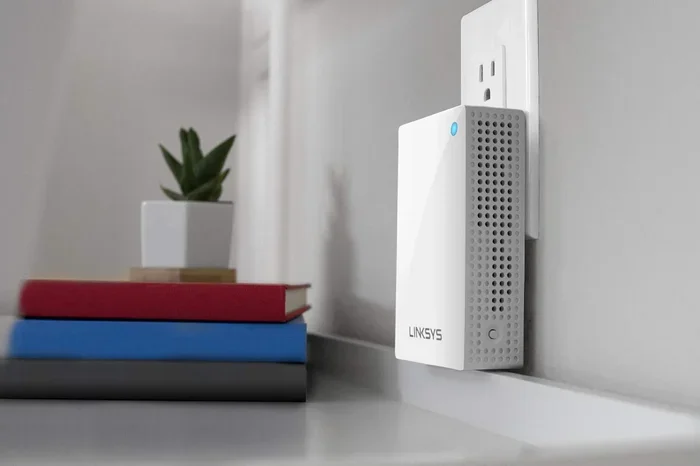
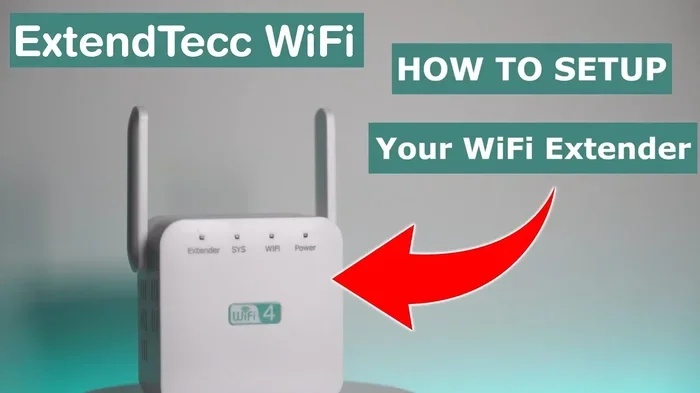
A WiFi extender is a device that boosts your existing wireless signal. It receives the signal from your AT&T gateway or router and rebroadcasts it to areas that are too far away or blocked by walls. Think of it like a megaphone for your WiFi signal. It does not create a new internet connection. Instead, it simply spreads the one you already have to more places in your home.
Here is how it works in simple terms. Your AT&T gateway sends out a wireless signal. That signal gets weaker as it travels farther from the source. Walls, floors, furniture, and even microwaves can interfere with the signal. A WiFi extender sits somewhere between your gateway and the weak spot. It picks up the signal, amplifies it, and sends it further. This helps you get a stronger connection in rooms that previously had poor or no coverage at all.
Most extenders connect to your existing network automatically. You plug them into a wall outlet, and they create what is called an extended network. Your phone or laptop can then connect to this extended network just like you would connect to your regular WiFi. The process is simple, and you do not need to be a tech expert to make it work.
Do WiFi Extenders Work With AT&T
The big question is do wifi extenders work with att, and the answer is a clear yes. AT&T provides customers with a gateway device that combines a router and a modem. This gateway sends out a WiFi signal, just like any other router. A WiFi extender works with this gateway because it simply repeats the signal the gateway already produces.
AT&T does not block or prevent the use of third-party WiFi extenders. You are free to buy any compatible extender you want. Whether you choose a budget model or a premium one, it will work with your AT&T connection. The same is true if you have AT&T Fiber, which uses a different type of gateway but still relies on standard WiFi technology.
One thing to keep in mind is that AT&T also offers its own WiFi extenders and mesh systems. These are sold through AT&T and are specifically tested with AT&T gateways. While they work well, they are not your only option. Third-party extenders from brands like TP-Link, Netgear, and Linksys all work with AT just as effectively. If you are wondering about extending your network in other ways, you might also ask, can Google WiFi be an access point, which is another great way to expand coverage.
AT&T Gateway Compatibility
AT&T uses several different gateway models. The most common ones include the AT&T BGW210, BGW320, and the newer AT&T Fiber gateways. All of these gateways use standard WiFi protocols, which means any modern WiFi extender will be compatible. You do not need to match your extender to a specific AT&T gateway model.
That said, newer gateways support WiFi 5 and WiFi 6 standards. If your gateway supports these standards, you will get the best results with an extender that also supports them. An older extender that only supports WiFi 4 (also called 802.11n) will still work, but you may not get the full speed benefits of your newer AT&T gateway.
AT&T Fiber vs. Standard AT&T Internet
AT&T Fiber uses a fiber-optic connection, which is faster and more reliable than standard DSL or copper connections. The gateway for AT&T Fiber is different from the standard AT&T Internet gateway, but the WiFi signal it produces works the same way. A WiFi extender will work equally well with both types of connections. The extender does not care where your internet comes from. It only cares about the wireless signal it receives from your gateway.
Types of WiFi Extenders Compatible With AT&T
Not all WiFi extenders are the same. There are a few different types, and each has its own strengths. Let us look at the main options you have when choosing an extender for your AT&T network.
Single-Band vs. Dual-Band Extenders
A single-band extender works on the 2.4 GHz frequency only. This frequency has a longer range but slower speeds. A dual-band extender works on both 2.4 GHz and 5 GHz frequencies. The 5 GHz band is faster but has a shorter range. For most AT&T users, a dual-band extender is the better choice because it gives you flexibility.
If you want to learn more about how 2.4 GHz and 5 GHz frequencies work, you might find it helpful to check out this guide on how to force your phone to use 2.4 GHz WiFi, which explains the differences in more detail.
WiFi Extenders vs. Mesh Systems
A traditional WiFi extender is a simple device that repeats your signal. A mesh WiFi system is more advanced. It uses multiple nodes placed around your home to create one seamless network. Mesh systems are more expensive, but they offer better performance and easier management.
Here is a quick comparison:
- WiFi Extender: Affordable, easy to set up, creates a separate network name, some speed loss.
- Mesh System: More expensive, seamless network, no separate network name, better overall performance.
If you are considering a mesh system, keep in mind that it serves a similar purpose to an extender but with a more polished experience. Both options work great with AT&T internet.
Plug-In vs. Desktop Extenders
Plug-in extenders are small devices that you plug directly into a wall outlet. They are compact and do not take up desk space. Desktop extenders are larger and sit on a table or shelf. They often have better antennas and stronger signals. Both types work with AT&T, so it really comes down to your preference and the space you have available.
How to Set Up a WiFi Extender With AT&T
Setting up a WiFi extender with your AT&T gateway is easier than you might think. Most extenders come with a simple step-by-step setup process. Here is how to do it.
- Plug in your extender. Place it in an outlet halfway between your AT&T gateway and the area with weak signal.
- Wait for the light to blink. Most extenders have a setup light that blinks when they are ready to be configured.
- Connect to the extender. On your phone or computer, find the extender’s network in your WiFi settings and connect to it.
- Follow the setup wizard. Open a browser and go to the extender’s setup page. Select your AT&T WiFi network and enter your password.
- Place the extender. Once set up, move the extender to its final location. You want it close enough to the gateway to get a strong signal but far enough to reach the weak area.
The entire process usually takes about 10 to 15 minutes. If you run into any issues, you can always reset the extender and try again. Most extenders have a small reset button on the back that you can press with a paperclip.
Best Placement Tips
Where you place your extender matters a lot. Here are some quick tips to get the best results:
- Place it in an open area, not inside a cabinet or behind furniture.
- Keep it away from microwaves, cordless phones, and other devices that cause interference.
- Do not place it too far from your AT&T gateway. It needs a strong signal from the gateway to rebroadcast effectively.
- Elevate it off the floor. A higher placement helps the signal travel better.
- Avoid placing it near thick walls or large metal objects.
If you have trouble getting your AT&T WiFi signal to reach certain areas, you might also want to explore options for improving your overall home network. For instance, some users ask about connecting to AT&T WiFi anywhere, which covers how AT&T hotspots can supplement your home network.
Common Issues and How to Fix Them
While WiFi extenders are generally reliable, you may run into a few issues when using one with AT&T. Here are the most common problems and how to solve them.
Slow Speeds After Setup
If your internet speed drops after adding an extender, do not panic. This is normal to some extent. An extender works by receiving and rebroadcasting a signal, which always causes some speed reduction. To minimize this, make sure your extender is placed in a spot where it gets a strong signal from your AT&T gateway. If the extender is too far away, it will rebroadcast a weak signal, which slows everything down.
Extender Not Connecting to AT&T Network
If your extender will not connect, try these steps:
- Make sure you are entering the correct WiFi password.
- Restart both your extender and your AT&T gateway.
- Move the extender closer to the gateway temporarily.
- Check if your gateway is using a hidden SSID. If so, you may need to manually enter the network name.
Intermittent Connection Drops
If your connection keeps dropping, the extender might be too far from the gateway or too close to an interference source. Try moving it to a different outlet. Also, make sure your extender’s firmware is up to date. Most extenders have an app or web interface where you can check for updates.
Double NAT Issues
In rare cases, using an extender with an AT&T gateway can cause something called a double NAT. This happens when two routers are both trying to assign IP addresses. It can cause problems with gaming, port forwarding, and some apps. If you experience these issues, put your AT&T gateway into bridge mode. This turns off the gateway’s router functions and lets your extender handle the network properly.
Tips for Getting the Best Results With AT&T WiFi
To get the most out of your WiFi extender and AT&T internet, follow these practical tips.
Update Your Gateway Firmware
AT&T regularly releases firmware updates for its gateways. These updates can improve WiFi performance and fix bugs. Check the AT&T Smart Home Manager app to see if an update is available. Keeping your gateway updated is one of the simplest ways to improve your home WiFi.
Use the 5 GHz Band When Possible
The 5 GHz band is faster than the 2.4 GHz band, but it has a shorter range. If your extender supports dual-band, connect your devices to the 5 GHz extended network when you are close to the extender. Use the 2.4 GHz band for devices that are farther away.
Limit the Number of Connected Devices
Every device connected to your network uses bandwidth. If too many devices are connected, your speeds will drop. Try to limit the number of devices on your extended network, especially for activities like streaming and gaming.
Consider an Antenna Upgrade
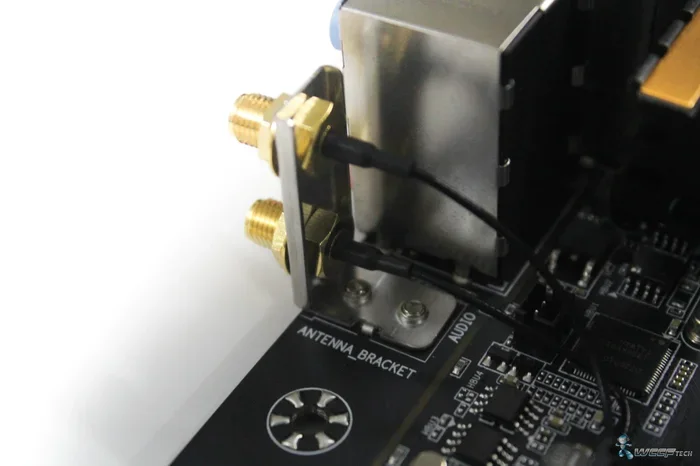
If you want to improve your AT&T WiFi signal without buying a whole new extender, you might consider upgrading your antenna. Some gateways have removable antennas that you can replace with higher-gain models. To learn more about this, you can explore whether you can add an antenna to your WiFi router, which covers antenna upgrades in detail.
Regularly Restart Your Equipment
Restarting your AT&T gateway and extender once a week can help keep your network running smoothly. It clears the cache, refreshes connections, and can resolve minor glitches that slow down your WiFi.
Final Thoughts
So, do wifi extenders work with att? Absolutely. A WiFi extender is one of the easiest and most affordable ways to improve your AT&T internet coverage throughout your home. Whether you have AT&T Fiber, AT&T Internet, or AT&T Wireless Home Internet, an extender can help eliminate dead zones and give you a stronger, more reliable connection in every room.
The key to success is choosing the right extender, placing it correctly, and keeping your equipment updated. A dual-band extender placed halfway between your AT&T gateway and the weak spot will give you the best results. If you run into any issues, the troubleshooting tips in this guide should help you resolve them quickly.
Do not let weak WiFi hold you back. With the right extender and a little bit of setup, you can enjoy fast, reliable internet everywhere in your home. Your AT&T connection is capable of so much more, and a WiFi extender helps you unlock that full potential.
Frequently Asked Questions
Can I use any WiFi extender with AT&T?
Yes, most WiFi extenders work with AT&T internet. AT&T gateways use standard WiFi technology, so any compatible extender from brands like TP-Link, Netgear, or Linksys will work. You do not need to buy an AT&T-branded extender specifically.
Will a WiFi extender slow down my AT&T internet speed?
A WiFi extender will reduce your speed slightly because it rebroadcasts the signal. However, the speed loss is usually small if you place the extender in a good location. A dual-band extender placed close to your AT&T gateway will minimize speed loss.
Do I need to pay AT&T extra for a WiFi extender?
No. AT&T does not charge extra for using a third-party WiFi extender. You can buy any compatible extender on your own. AT&T does sell its own extenders and mesh systems, but they are optional and not required.
How many WiFi extenders can I use with AT&T?
You can use more than one extender with your AT&T gateway. Most people find that one extender is enough for a typical home. If you have a very large house, you might need two or more extenders to cover all areas. Just make sure each extender gets a strong signal from the gateway.
Is a mesh system better than a WiFi extender for AT&T?
A mesh system offers a more seamless experience than a traditional extender. It creates one unified network name, so your devices switch between nodes automatically. However, mesh systems cost more. For many AT&T users, a single WiFi extender is more than enough to solve coverage problems.
Can I use AT&T’s own WiFi extender instead of a third-party one?
Yes, AT&T sells its own WiFi extenders and mesh systems that are specifically tested with AT&T gateways. They work well, but they are often more expensive than third-party options. You can save money by buying a compatible extender from another brand.