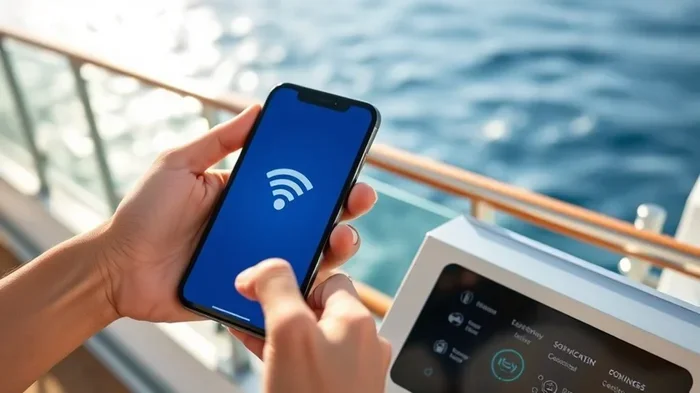
How Do You Get Wi Fi Out At Sea On A Cruise Ship Today
Getting Wi-Fi out at sea on a cruise ship relies on satellite technology and advanced maritime networking systems that beam signals between your ship and orbiting satellites. Modern cruise lines offer several internet packages, but speeds vary widely based on location, weather, and ship size. Understanding how shipboard Wi-Fi works helps you set realistic expectations and make the most of your connectivity while cruising.
This is a comprehensive guide about Do You Get Wi Fi Out At Sea.
Key Takeaways
- Satellite technology powers cruise ship Wi-Fi: Ships use geostationary or low-earth orbit satellites to maintain internet connections while at sea.
- Speed varies by package and location: Basic plans offer slow browsing, while premium packages support video calls and streaming.
- Weather and ocean conditions matter: Factors like storms, humidity, and distance from coastlines can weaken your signal at sea.
- Tips improve your experience: Using Wi-Fi during off-peak hours and closing unused apps helps you get better speeds onboard.
- Cost ranges widely: Cruise internet packages can cost anywhere from $10 to $30+ per day depending on the speed tier.
- Alternative connectivity exists: Some cruise lines partner with cellular providers for coastal Wi-Fi and data roaming options.
[FEATURED_IMAGE_PLACEHOLDER]
Getting Wi-Fi out at sea has come a long way in the past decade. A few years ago, trying to use the internet on a cruise ship felt like torture. Pages took forever to load, video calls were a joke, and streaming was out of the question. Today, the situation looks very different. Modern cruise ships use powerful satellite systems and advanced networking gear to bring internet connectivity to passengers miles from shore.
But here is the thing. Even with all the technology improvements, getting Wi-Fi out at sea still has its limits. The ocean is a big place, and satellites have to cover a lot of ground. So how does it actually work? What can you expect? And more importantly, how do you get the best experience? This guide breaks it all down for you.
Whether you are planning your first cruise or you are a seasoned cruiser, understanding how maritime internet works will help you stay connected without breaking the bank. Let us dive into the world of shipboard Wi-Fi and everything you need to know.
How Cruise Ship Wi-Fi Actually Works
Most people do not think about the technology behind their internet connection until it stops working. On land, we have cell towers, fiber cables, and Wi-Fi routers everywhere. At sea, the setup is completely different. Ships rely on a combination of satellite systems and onboard networking equipment to deliver internet to your cabin, the pool deck, and the dining room.
The process starts with a satellite antenna mounted on the ship’s top deck. This antenna talks to satellites orbiting Earth and sends your data requests back and forth. When you open a webpage or send a message, your device sends a signal to the ship’s router, which then beams it up to the satellite. The satellite relays it to a ground station on land, which connects to the broader internet. The response follows the same path back down to you.
Satellite Types Used for Maritime Internet
Not all satellites are the same, and the type of satellite a cruise line uses makes a big difference in your experience. Here are the main types:
- Geostationary satellites: These orbit about 22,000 miles above Earth. They provide wide coverage but have higher latency because of the long distance the signal travels.
- Low-earth orbit satellites: These orbit much closer, around 300 to 1,200 miles up. They offer lower latency and faster speeds. Companies like Starlink are now entering the maritime space with this technology.
- Medium-earth orbit satellites: These sit between the two and offer a balance of coverage and speed. Some cruise lines use these for specific regions.
Many modern cruise ships use a hybrid approach. They combine satellite links with cellular connections when the ship is near the coast. This is called seamless roaming. When the ship enters coastal waters, it can tap into local cell towers for a faster, more reliable connection. Once it moves further out, it switches back to satellite mode.
Onboard Network Infrastructure
The satellite connection is only half the story. Once the signal reaches the ship, it needs to be distributed to hundreds or even thousands of passengers. This is where the onboard Wi-Fi network comes in. Cruise ships install multiple access points throughout the vessel to spread the signal evenly.
However, bandwidth is shared among all users on the ship. If you are sailing with 3,000 other passengers and everyone is streaming videos at the same time, your connection will slow down. This is why cruise lines often use traffic shaping, which prioritizes certain types of data. Email and messaging might get priority over video streaming during peak hours.
Some cruise lines also invest in dedicated bandwidth for specific areas. For example, the ship’s bridge and crew areas get their own connection, so operational needs do not compete with passenger internet. This helps keep things running smoothly for everyone.
Types of Maritime Internet Connections
Not every cruise ship has the same internet setup. The type of connection depends on the cruise line, the ship’s size, and the technology they have invested in. Here is a closer look at the main options available today.
Traditional Satellite Internet
This has been the standard for decades. Companies like Viasat and Inmarsat provide satellite internet services to cruise lines worldwide. The setup is reliable and covers most of the world’s oceans. However, the speeds are often slower than what you get on land, and latency can be noticeable.
Traditional satellite internet works well for basic tasks like checking email, browsing the web, and sending messages. It struggles with video calls, large file downloads, and high-definition streaming. Many budget and mid-range cruise lines still rely on this technology.
Advanced Satellite Systems
Premium cruise lines have started upgrading to newer satellite systems that offer significantly better performance. SES and EchoStar provide high-throughput satellites designed specifically for maritime use. These systems offer faster speeds and lower latency compared to traditional options.
Some luxury cruise lines now advertise Wi-Fi speeds that rival home broadband. This is a huge improvement from just a few years ago. If you are willing to pay for a premium package, you can get surprisingly good performance even in the middle of the ocean.
Starlink Maritime
SpaceX’s Starlink Maritime service has changed the game for at-sea connectivity. By using a constellation of low-earth orbit satellites, Starlink offers some of the fastest maritime internet available today. Several cruise lines have already partnered with Starlink to provide high-speed internet to their passengers.
Starlink Maritime uses a compact antenna that tracks satellites as they move across the sky. The system delivers speeds that can handle video calls, streaming, and large downloads. As more cruise lines adopt this technology, passengers can expect a much better online experience at sea.
Cellular and Shore-Based Connections
When a cruise ship is close to shore or sailing through coastal waters, it can connect to cellular networks and shore-based internet infrastructure. This provides much faster speeds than satellite connections. Some cruise lines use technology from companies that specialize in coastal Wi-Fi and data offloading.
This type of connection is not available for most of the voyage, but it is a welcome boost when you are near ports or coastal areas. If you are sailing through the Caribbean, for example, you may get decent speeds for parts of the trip when the ship is close to land.
What to Expect from Wi-Fi Speed at Sea
Let us talk about the elephant in the room. Speed. If you have ever been frustrated by slow internet on a cruise, you are not alone. Understanding what to expect helps you set realistic goals and avoid disappointment.
On most cruise ships, basic Wi-Fi plans offer speeds somewhere between 1 and 5 Mbps. That is enough for email, social media scrolling, and light web browsing. It is not enough for HD video streaming or large file uploads. Premium plans can push speeds to 10 to 50 Mbps or even higher, depending on the satellite system and the number of users.
Here is a simple breakdown of what you can expect at different speed tiers:
- Basic (1-3 Mbps): Good for text-based browsing, email, and messaging. Video calls will be choppy, and streaming will buffer constantly.
- Standard (5-15 Mbps): Handles social media, standard-definition video streaming, and video calls with some lag. Enough for most casual users.
- Premium (15-50+ Mbps): Supports HD streaming, smooth video calls, and faster downloads. Closest to home broadband speeds.
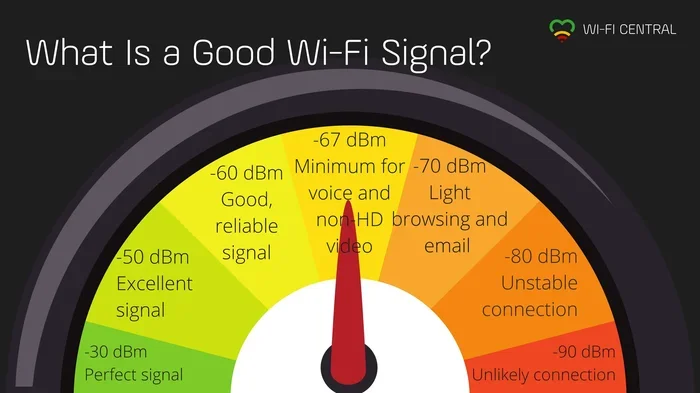
Keep in mind that these numbers are not guaranteed. Your actual speed depends on several factors, including the satellite you are connected to, the time of day, the number of users, and weather conditions. Humidity and ocean conditions can also affect your Wi-Fi signal, so do not be surprised if speeds dip during rough weather or heavy rain.
Peak vs. Off-Peak Usage
Just like on land, internet usage on a cruise ship follows patterns. Mornings and evenings tend to be the busiest times, with lots of passengers checking social media and sending messages. Late at night and during meal times, the network is often less congested.
If you need to do something important online, try scheduling it during off-peak hours. You will likely get better speeds and a more stable connection. This simple trick can make a big difference in your overall experience.
Tips to Get the Best Wi-Fi on a Cruise
You cannot control the satellite or the number of passengers online, but you can control how you use the connection. Here are some practical tips to help you get the most out of your shipboard Wi-Fi.
1. Choose the Right Package
Most cruise lines offer multiple internet packages at different price points. Before you board, check what options are available and pick one that matches your needs. If you just need to check the occasional message, a basic plan may be enough. If you need to work or stay in touch with family through video calls, invest in a premium package.
Some cruise lines offer unlimited hotspot plans that give you a set amount of high-speed data each day. Others charge by the day or by the megabyte. Compare the options carefully to find the best value for your trip.
2. Use Wi-Fi During Off-Peak Hours
As mentioned earlier, the network is less crowded during certain times of the day. Try to do your heavier online tasks late at night or early in the morning. You will notice a big improvement in speed and reliability.
3. Close Unused Apps and Tabs
Every open app and browser tab uses bandwidth, even if you are not actively using it. Close anything you are not using to free up resources. This simple step can improve your connection speed significantly.
4. Download Content Before You Sail
One of the best ways to enjoy your cruise without worrying about internet speed is to download content before you leave port. Load up your movies, music, podcasts, and maps on your device before boarding. This way, you can enjoy entertainment offline without relying on the ship’s Wi-Fi.
5. Consider a Signal Booster
If you are someone who needs a strong connection, you might want to look into a Wi-Fi booster for your personal devices. These small devices can amplify the ship’s Wi-Fi signal and improve your speeds, especially if your cabin is far from the onboard access points.
Keep in mind that a booster will not fix a fundamentally slow connection, but it can help squeeze out a little extra performance from the available signal.
6. Protect Your Connection
Shipboard Wi-Fi networks are shared spaces, which means security is important. Avoid entering sensitive information like banking details when connected to the ship’s network. Use a VPN if possible to encrypt your data and protect your privacy. Also, be mindful of your Wi-Fi password habits and avoid sharing your login credentials with strangers.
Cost of Wi-Fi on Cruise Ships
One of the biggest complaints about cruise ship internet is the cost. Wi-Fi at sea is not cheap, and prices vary a lot from one cruise line to another. Here is what you can expect to pay.
- Free basic plans: Some cruise lines offer very limited free internet, usually just enough for text-based messaging and browsing. This is often restricted to certain areas of the ship.
- Pay-as-you-go plans: These charge by the day or by the megabyte. They work well for passengers who only need occasional access.
- Monthly or voyage-long packages: These offer better value if you are on a longer cruise. You pay a flat fee for the entire trip and get a set amount of data or speed.
- Premium packages: These are the most expensive options but offer the best speeds and most data. They are ideal for remote workers and families who need reliable connectivity.
Costs can range from around $10 to $30 or more per day for standard packages. Premium packages can cost $50 or more per day on some luxury lines. If you are sailing with a family, these costs can add up quickly.
Some cruise lines offer social media packages that give you free or discounted access to platforms like Facebook, Instagram, and WhatsApp. These plans do not give you full internet access, but they let you stay connected to your social networks without paying for a full data package.
Before you book, check the cruise line’s internet policies. Some lines include a basic package in the fare, while others charge separately for all connectivity. Understanding the costs upfront helps you budget and avoid surprises.
Common Problems and How to Fix Them
Even with the best preparation, you may run into issues with your shipboard Wi-Fi. Here are some common problems and what you can do about them.
Slow Speeds
Slow speeds are the most common complaint. This usually happens when too many people are using the network at once. To fix this, try connecting during off-peak hours, close unused apps, and move to a different location on the ship. Some areas have stronger signals than others, so experiment with different spots.
Connection Drops
If your connection keeps dropping, it could be because the ship is transitioning between satellite and cellular networks. This often happens when the ship is near the coast or sailing through areas with heavy traffic. Give it a few minutes, and the connection should stabilize.
Can Not Connect at All
Sometimes the network simply does not work in certain areas of the ship. This is common in the middle of the ocean, far from any cell towers. If you can not connect at all, try moving to a public Wi-Fi zone like the lobby or the pool deck. These areas usually have stronger signals due to better antenna placement.
Security Concerns
Shared networks are always a security risk. If you need to access sensitive accounts, use a VPN or wait until you are on a trusted network. Avoid entering passwords or financial information on the ship’s open Wi-Fi without protection.
The Future of Internet at Sea
The future of maritime internet looks very promising. New satellite technologies are being launched all the time, and companies are racing to bring faster, cheaper internet to ships at sea. Starlink Maritime is leading the charge, but other players are entering the market too.
In the next few years, we can expect cruise ship Wi-Fi to become faster, more reliable, and more affordable. Some industry experts predict that satellite internet will eventually match or exceed land-based speeds for most users. This would be a game-changer for the cruise industry and for passengers who need to stay connected while traveling.
Until then, understanding how the system works and managing your expectations will help you make the most of your time at sea. The technology is improving every year, and each new voyage brings better connectivity than the last.
Final Thoughts
Getting Wi-Fi out at sea on a cruise ship today is a far cry from what it was even five years ago. Satellite technology, advanced networking, and new players like Starlink have transformed the experience. You can now stay connected with family, work remotely, and enjoy entertainment while sailing across the ocean.
That said, maritime internet is not perfect. Speeds vary, costs can be high, and connections are not always stable. By choosing the right package, using smart browsing habits, and understanding how the system works, you can get a lot more out of your shipboard Wi-Fi.
Plan ahead, manage your expectations, and enjoy the journey. The ocean is a beautiful place, and staying connected makes the experience even better. Just remember that part of the magic of a cruise is disconnecting from the digital world and being present in the moment. Use your Wi-Fi wisely, and you will have a great time both online and off.
Frequently Asked Questions
How does Wi-Fi work on a cruise ship?
Cruise ships use satellite antennas on the top deck to communicate with orbiting satellites. These satellites relay your data requests to ground stations on land, which connect to the broader internet. The signal then travels back to the ship and is distributed through onboard Wi-Fi access points to your device.
Why is Wi-Fi so slow on cruise ships?
Wi-Fi on cruise ships is often slow because bandwidth is shared among hundreds or thousands of passengers. Satellite connections also have higher latency than land-based internet. Peak usage times, weather conditions, and the type of satellite system all affect your speed at sea.
How much does Wi-Fi cost on a cruise ship?
Costs vary widely by cruise line and package. Basic plans may cost around $10 per day, while premium packages can exceed $30 to $50 per day. Some cruise lines offer voyage-long packages or social media-only plans at lower prices. Always check the cruise line’s internet pricing before you book.
Can you stream Netflix on a cruise ship Wi-Fi?
It depends on your package and the ship’s internet speed. Basic plans usually do not support streaming. Premium packages with speeds of 15 Mbps or higher can handle standard-definition streaming, and some can manage HD. Downloading content before you sail is the most reliable way to watch shows offline.
Is Wi-Fi available in all areas of a cruise ship?
Most cruise ships provide Wi-Fi throughout the vessel, but signal strength varies by location. Public areas like the lobby, pool deck, and lounge typically have stronger signals. Cabins at the edges of the ship or lower decks may have weaker connections. Moving to a different location can sometimes improve your signal.
Will cruise ship Wi-Fi get better in the future?
Yes, cruise ship Wi-Fi is improving rapidly. New satellite technologies like Starlink Maritime and high-throughput satellites are delivering faster speeds and lower latency. As competition increases and technology advances, maritime internet is expected to become faster, more reliable, and more affordable in the coming years.
=== CONCLUSION ===
Getting Wi-Fi out at sea on a cruise ship today is more accessible and capable than ever before. Satellite technology, advanced maritime networking, and new low-earth orbit systems have transformed what was once a frustrating experience into something genuinely usable. From basic email to video calls and streaming, modern cruise internet can handle a lot, even if it is not quite as fast as your home broadband.
By understanding how the technology works, choosing the right package, and following a few simple tips, you can stay connected without breaking the bank. Manage your expectations, plan ahead, and remember that the ocean is still a place to relax and enjoy the moment. Use your shipboard Wi-Fi as a tool, not a crutch, and your cruise will be all the better for it.