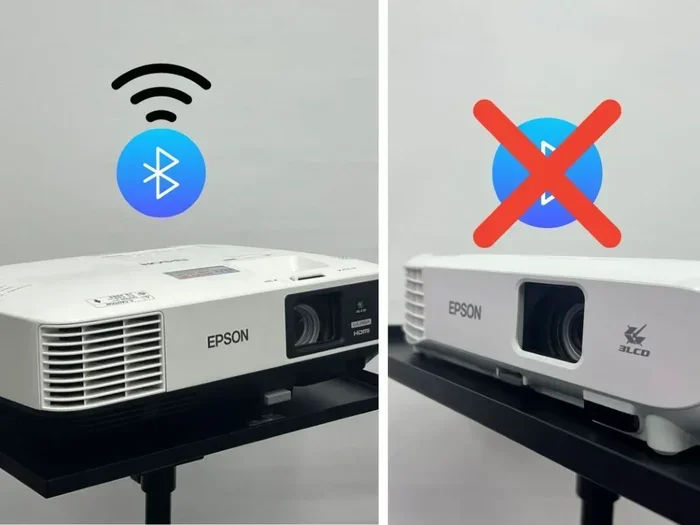
Does Epson 1080 Have Bluetooth And Wireless Features
The Epson 1080 does not have built-in Bluetooth or Wi-Fi. However, you can still enjoy wireless audio and screen mirroring with the right accessories. This guide walks you through every connectivity option so you can get the most out of your Epson Home Cinema 1080 projector.
Have you just bought an Epson Home Cinema 1080 projector and want to know if it supports Bluetooth? Maybe you are tired of running cables across your living room and want a cleaner setup. The short answer is that the Epson 1080 does not have built-in Bluetooth or wireless capabilities. But do not worry. There are simple and affordable ways to add wireless audio to your projector. This guide covers everything you need to know about the Epson 1080 Bluetooth and wireless features. You will learn what ports are available, how to add Bluetooth, and which accessories work best.
The Epson Home Cinema 1080 is a popular home theater projector. It delivers sharp 1080p resolution and solid color performance. Many users love it for movie nights and gaming sessions. However, one thing that trips people up is the lack of wireless connectivity. If you are used to smart TVs or modern soundbars with Bluetooth connectivity, this can feel limiting. But with the right approach, you can still enjoy a wireless audio experience. Let us dive into the details of what the Epson 1080 offers and how to fill in the gaps.
Key Takeaways
- No Built-In Bluetooth: The Epson 1080 lacks native Bluetooth or Wi-Fi connectivity out of the box.
- Wireless Is Still Possible: A Bluetooth transmitter or adapter can add wireless audio to your projector setup.
- Multiple Connection Options: HDMI, USB, and VGA ports give you plenty of wired choices for devices.
- Affordable Solutions: Adding Bluetooth to your Epson 1080 costs very little with a simple transmitter dongle.
- Works With Any Bluetooth Speaker: You can pair wireless headphones or speakers easily using the right adapter.
- Low Latency Options Exist: Some Bluetooth transmitters are designed to minimize audio delay for video watching.
- Wired Still Wins for Quality: For the best audio experience, a direct wired connection remains the most reliable choice.
📑 Table of Contents
- What Connectivity Options Does the Epson 1080 Have?
- Can You Add Bluetooth to the Epson 1080?
- Best Bluetooth Accessories for the Epson 1080
- How to Set Up Bluetooth with Your Epson 1080
- Wired vs. Wireless Audio: Which Is Better for the Epson 1080?
- Common Mistakes to Avoid When Adding Bluetooth
- Can the Epson 1080 Connect to Wi-Fi or Stream Wirelessly?
- Expert Tips for Enhancing Your Epson 1080 Audio
- Final Verdict: Does the Epson 1080 Have Bluetooth?
What Connectivity Options Does the Epson 1080 Have?
The Epson 1080 comes with a solid set of wired ports. These give you plenty of ways to connect your devices. Here is a quick look at what is on the back of the projector.
- HDMI Ports: Two HDMI inputs let you connect streaming devices, gaming consoles, and Blu-ray players.
- USB Port: Useful for media playback and firmware updates.
- VGA Input: An older analog connection for computers and laptops.
- Audio Output: A standard 3.5mm jack for connecting speakers or headphones.
- RCA Audio Ports: Red and white audio inputs for older audio equipment.
As you can see, there is no built-in Wi-Fi module or Bluetooth chip inside the Epson 1080. This means you cannot directly pair a phone or speaker wirelessly without extra hardware. But this is not a dealbreaker. Many projectors in this price range follow the same pattern. The wired connections actually offer more stable and higher-quality signals.
Why No Built-In Bluetooth?
Projector manufacturers often leave out Bluetooth to keep costs down. The Epson 1080 is positioned as an affordable home theater option. Adding wireless features would increase the price. Most users connect their projector to a soundbar or AV receiver anyway. These devices often have their own Bluetooth built in. So Epson made a practical choice to focus on image quality and keep the projector budget-friendly.
Can You Add Bluetooth to the Epson 1080?
Yes, you absolutely can. Even though the Epson 1080 does not have native Bluetooth, you can add it easily. The most common method is using a Bluetooth transmitter. This small device plugs into the projector’s audio output and sends sound wirelessly to your headphones or speakers. It is a simple plug-and-play solution that works with almost any Bluetooth device.
How a Bluetooth Transmitter Works
A Bluetooth transmitter connects to the Epson 1080 through the 3.5mm audio output jack. Once paired with your Bluetooth headphones or speakers, it streams audio wirelessly. You will need to plug the transmitter into the projector and then pair it with your listening device. The process usually takes less than two minutes. Most transmitters support Bluetooth 5.0 or higher, which means a stable connection and good range.
If you are wondering whether this setup works with Bluetooth headphones, the answer is yes. You can use any Bluetooth headphones with your Epson 1080 through a transmitter. This is great for late-night movie watching without disturbing anyone in the house. Just make sure you pick a transmitter with low latency. This reduces the audio delay so the sound stays in sync with the video.
Best Bluetooth Accessories for the Epson 1080
Not all Bluetooth adapters are the same. Some are designed for audio only, while others handle both audio and video. Here are the best options to consider for your Epson 1080 setup.
Bluetooth Transmitters
A dedicated Bluetooth transmitter is the simplest way to add wireless audio. You plug it into the 3.5mm audio output on the Epson 1080. Then you pair it with your speakers or headphones. Look for a transmitter that supports aptX or aptX Low Latency codecs. These reduce audio delay and improve sound quality significantly. Popular brands like Avantree and TaoTronics make reliable options at reasonable prices.
Bluetooth Adapters with HDMI
If you want a more integrated solution, consider a Bluetooth adapter that works with HDMI. These devices connect between your streaming source and the projector. They handle both audio and video wirelessly. This is a great option if you want to cut cables entirely between your devices. You can also check if any Bluetooth headphones work with your TV as a similar setup principle applies here.
Wireless HDMI Kits
For a completely cable-free experience, wireless HDMI kits are worth considering. These include a transmitter and receiver pair. You connect the transmitter to your streaming device and the receiver to the Epson 1080. The video and audio travel wirelessly through the air. These kits tend to be more expensive than simple Bluetooth transmitters. But they offer the best convenience and cleanest setup. They also work well for longer distances, so you can place your projector farther away from your devices.
How to Set Up Bluetooth with Your Epson 1080
Setting up Bluetooth on your Epson 1080 is straightforward. Follow these steps for a smooth experience.
- Plug in the Bluetooth transmitter: Connect it to the 3.5mm audio output on the Epson 1080.
- Power on the transmitter: Most transmitters need a USB power source. You can use a USB port on the projector or a wall adapter.
- Put your speakers or headphones in pairing mode: Refer to your audio device’s manual for instructions.
- Pair the transmitter with your device: Press the pairing button on the transmitter and wait for the connection to establish.
- Test the audio: Play a video and check if the sound comes through your Bluetooth device. Adjust the volume on both the projector and the transmitter as needed.
Once paired, the connection should be automatic. Your Epson 1080 will send audio to the Bluetooth device every time you turn it on. If you want to learn more about using Bluetooth with other devices, you might find it helpful to read about how Bluetooth adapters work with TVs since the setup process is very similar.
Quick Tips for the Best Bluetooth Experience
- Keep the transmitter within 30 feet of your Bluetooth device for the best signal.
- Use a high-quality 3.5mm cable to connect the transmitter to the projector.
- Choose a transmitter with aptX Low Latency to avoid audio delay.
- Update the firmware on your transmitter for improved performance.
- Place the transmitter in a well-ventilated area to prevent overheating.
Wired vs. Wireless Audio: Which Is Better for the Epson 1080?
Both wired and wireless audio have their strengths. Here is a quick comparison to help you decide.
| Feature | Wired Audio | Wireless Bluetooth |
|---|---|---|
| Audio Quality | Slightly better, no compression | Very good with aptX codecs |
| Convenience | Requires cables | Truly wireless, no cables |
| Latency | Zero delay | Slight delay with standard Bluetooth |
| Setup Complexity | Simple plug and play | Requires pairing process |
| Cost | No extra cost | Requires transmitter ($20-$50) |
| Mobility | Limited by cable length | Free movement within range |
For most users, a Bluetooth transmitter offers the best balance of quality and convenience. If you are an audiophile who demands the absolute best sound, a wired connection to a dedicated speaker system is hard to beat. But for everyday movie nights and casual viewing, Bluetooth works wonderfully with the Epson 1080.
Common Mistakes to Avoid When Adding Bluetooth
Adding Bluetooth to your Epson 1080 is easy, but a few common mistakes can cause frustration. Here is what to watch out for.
- Buying a low-quality transmitter: Cheap transmitters often have high latency and poor audio quality. Invest in a reputable brand.
- Ignoring audio codecs: Not all transmitters support aptX or aptX Low Latency. Check the specs before you buy.
- Placing the transmitter too far away: Bluetooth range is typically 30 feet indoors. Walls and furniture can weaken the signal.
- Forgetting to update firmware: Transmitter manufacturers release updates that improve performance and fix bugs.
- Using the wrong audio cable: A damaged or low-quality 3.5mm cable can cause static or no sound at all.
Avoiding these mistakes will save you time and ensure a smooth wireless experience with your Epson 1080 projector.
Can the Epson 1080 Connect to Wi-Fi or Stream Wirelessly?
The Epson 1080 does not have built-in Wi-Fi. It cannot connect directly to your home network or stream content from the internet. However, you can still use streaming devices with it. Simply plug a streaming stick or box into one of the HDMI ports. Devices like Roku, Amazon Fire TV Stick, or Chromecast work perfectly with the Epson 1080. These devices connect to your Wi-Fi network and stream content to your projector through the HDMI cable.
This setup gives you access to all major streaming apps. Netflix, Hulu, Disney+, and YouTube all work seamlessly. The Epson 1080 handles the image display while the streaming device handles the internet connection. It is a simple and effective way to get wireless content on a projector without built-in Wi-Fi.
Screen Mirroring Options
If you want to mirror your phone or laptop screen to the Epson 1080, you have options. For Android devices, a Chromecast or Miracast-enabled streaming stick works well. For iPhones and iPads, an Apple TV or a Lightning-to-HDMI adapter does the job. These solutions give you the wireless screen-sharing experience you might be looking for. If you are curious about how Bluetooth works across different devices, you can read about how Bluetooth works with Apple devices for more insights.
Expert Tips for Enhancing Your Epson 1080 Audio
The Epson 1080 has built-in speakers, but they are small and not very powerful. For a true home theater experience, you will want external audio. Here are some expert tips to get the best sound from your setup.
- Use a soundbar: A soundbar connected via HDMI ARC or optical cable delivers rich, immersive sound. Many soundbars also have Bluetooth built in for wireless listening.
- Invest in a Bluetooth receiver: If you have existing wired speakers, a Bluetooth receiver can make them wireless. Simply connect the receiver to your speakers and pair it with the transmitter on the Epson 1080.
- Consider a home theater system: A full 5.1 surround sound system takes your movie nights to the next level. The Epson 1080 connects easily to AV receivers through HDMI or RCA cables.
- Use wireless headphones for late viewing: A Bluetooth transmitter lets you watch movies quietly while others sleep. This is one of the biggest advantages of adding wireless audio to your projector.
These tips apply whether you are using the Epson 1080 in a dedicated home theater room or a multipurpose living space. The right audio setup makes a huge difference in your overall viewing experience.
Final Verdict: Does the Epson 1080 Have Bluetooth?
The Epson 1080 does not have Bluetooth or Wi-Fi built in. But that does not mean you are stuck with wired-only audio. A simple Bluetooth transmitter unlocks wireless audio in minutes. You can pair your favorite headphones, speakers, or soundbar without running extra cables across the room. The projector also offers multiple HDMI and USB ports for connecting streaming devices and other equipment. With the right accessories, the Epson 1080 becomes a versatile and convenient home theater centerpiece. The lack of native wireless features is a small trade-off for the excellent image quality and affordable price this projector delivers.
So if you are asking yourself, does Epson 1080 have Bluetooth, the answer is no natively, but yes with a simple add-on. Grab a Bluetooth transmitter, follow the setup steps above, and you will be enjoying wireless audio in no time. Your movie nights will never be the same.
Frequently Asked Questions
Does the Epson 1080 support Bluetooth out of the box?
No, the Epson 1080 does not have built-in Bluetooth. You will need a Bluetooth transmitter or adapter to connect wirelessly to headphones or speakers. The projector relies on wired connections like HDMI and a 3.5mm audio output.
Can I connect Bluetooth headphones directly to the Epson 1080?
Not directly. The Epson 1080 lacks Bluetooth hardware. However, you can use a Bluetooth transmitter plugged into the audio output to pair wireless headphones. This gives you a fully wireless listening experience.
What is the best Bluetooth transmitter for the Epson 1080?
Look for a transmitter that supports aptX Low Latency and connects via a 3.5mm jack. Brands like Avantree and TaoTronics are popular choices. These offer low audio delay and good sound quality for movie watching.
Can I use the Epson 1080 without any Bluetooth accessory?
Yes, the Epson 1080 works perfectly fine without Bluetooth. You can connect speakers or soundbars using HDMI, optical cables, or the 3.5mm audio output. Bluetooth is only needed if you specifically want a wireless audio setup.
Does adding Bluetooth affect the Epson 1080 video quality?
No, Bluetooth only handles audio. The video quality remains unchanged. The Epson 1080 continues to deliver its full 1080p resolution through the HDMI connection regardless of how you handle audio.
Can I use a Bluetooth adapter with the Epson 1080 for a fully wireless setup?
You can use a Bluetooth adapter to add wireless audio to your Epson 1080. For a more complete wireless setup, you can also use a wireless HDMI kit to send both video and audio without cables. This creates a clean and clutter-free home theater experience.