Does Acurite Weather Station Need Wi Fi or Bluetooth
The Acurite weather station is a popular home weather monitoring device that offers flexible connectivity options. Most models use Wi Fi to sync data with the Acurite app and provide real-time forecasts, but they also support Bluetooth for basic local updates. Understanding which connection works best for your setup helps you get the most accurate weather data at home.
The Acurite weather station has become a go-to choice for people who want to track weather conditions right from their backyard or living room. Whether you are a gardener, a runner, or just someone who likes to know if rain is coming, these stations give you real-time data on temperature, humidity, wind speed, and more. But one question keeps coming up: does Acurite weather station need Wi Fi?
The short answer is no, not always. Many Acurite models work with both Wi Fi and Bluetooth, giving you flexibility in how you set up your weather monitoring system. Some people prefer the convenience of Wi Fi because it connects to the internet and delivers forecasts from online weather services. Others like Bluetooth because it keeps things simple and does not need a router.
In this article, we will break down exactly how Acurite weather stations connect, what each method offers, and how to get the best performance from your device. We will also cover common setup issues and share practical tips to improve your wireless connection. By the end, you will know exactly which option works best for your home.
Key Takeaways
- Acurite weather stations can work with Wi Fi or Bluetooth: Wi Fi gives you full features while Bluetooth handles basic local updates.
- Wi Fi is not always required: Some Acurite models function without an internet connection and still display local weather data.
- Bluetooth has a shorter range: It works best for nearby connections, while Wi Fi reaches farther throughout your home.
- A weak signal affects accuracy: Poor wireless connectivity can delay updates and reduce forecast reliability.
- A Wi Fi booster helps: If your signal is weak, a Wi Fi booster can improve your station’s performance.
- Humidity and walls matter: Environmental factors like moisture and distance can weaken your wireless signal and affect data transfer.
- Dual connectivity is best: Using both Wi Fi and Bluetooth gives you remote access and quick local checks.
📑 Table of Contents
- What Is an Acurite Weather Station?
- Does Acurite Weather Station Need Wi Fi?
- Bluetooth vs Wi Fi: How Acurite Weather Stations Connect
- What Happens When Your Acurite Weather Station Has No Wi Fi?
- How to Set Up Wi Fi on Your Acurite Weather Station
- Common Mistakes to Avoid With Acurite Weather Station Wi Fi Setup
- Expert Insights: Maximizing Your Acurite Weather Station Performance
- Conclusion
What Is an Acurite Weather Station?
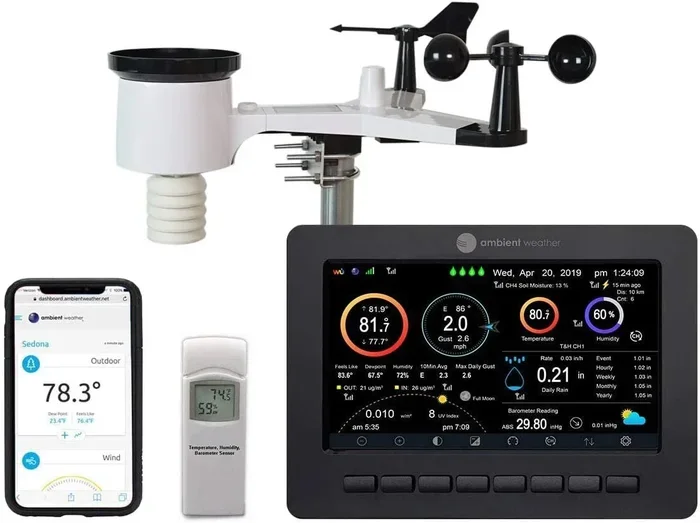
Acurite makes a wide range of weather stations designed for home use. These devices typically include an outdoor sensor unit and an indoor display console. The outdoor sensor measures things like temperature, humidity, wind direction, and rainfall. The indoor display shows all this data in an easy-to-read format.
Higher-end models also include features like weather forecasting based on barometric pressure trends. Some stations can track UV index, solar radiation, and soil temperature for gardening. The display console acts as the brain of the system. It processes data from the outdoor sensors and presents it clearly.
How Acurite Weather Stations Transmit Data
Acurite stations use wireless technology to send data from the outdoor sensor to the indoor display. Most models operate on a 433 MHz or 915 MHz frequency band. This is a dedicated signal that does not interfere with your home Wi Fi network.
The range between the sensor and the console can vary. Basic models usually work up to 330 feet outdoors. More expensive models can reach farther, especially when there are fewer obstacles like walls and trees in the way. This dedicated wireless link is separate from your home internet connection.
What Makes Wi Fi Different in This Setup
When you add Wi Fi to the mix, things change. Wi Fi allows the weather station to send data beyond just the indoor console. It can push information to your smartphone through the Acurite app. You can check your weather data from anywhere in your home or even when you are away.
Wi Fi also enables smart home integration. Some Acurite models work with platforms like Alexa and Google Home. This means you can ask your smart speaker for the current weather or set up automated alerts. Without Wi Fi, you lose these smart features but keep all the core sensor functions.
Does Acurite Weather Station Need Wi Fi?
This is the big question, and the answer depends on what you want from your weather station. If you just want to see temperature and humidity on the indoor display, you do not need Wi Fi at all. The base station and outdoor sensor communicate directly without any internet connection.
But if you want to access your weather data on your phone, receive push notifications, or get detailed forecasts, then Wi Fi becomes important. It opens up a whole world of features that make the weather station more useful and convenient.
When Wi Fi Is Essential
There are specific situations where Wi Fi becomes necessary for your Acurite weather station. If you want real-time weather alerts sent to your phone, you need an internet connection. The station itself can detect changes in barometric pressure, but it cannot send you a notification without Wi Fi.
Another case is when you want to share weather data with online services. Some Acurite models let you upload data to Weather Underground or similar platforms. This helps contribute to community weather networks and gives you access to historical data. Without Wi Fi, this sharing simply does not happen.
Smart home integration also requires Wi Fi. If you use Alexa routines or Google Home automations tied to weather conditions, your station needs to be online. For example, you might set up a routine that turns on lights when rain is forecasted. This kind of automation depends on a steady Wi Fi connection.
When Wi Fi Is Not Needed
Many Acurite users are perfectly happy without Wi Fi. If you only care about what is happening outside right now, the indoor display gives you everything you need. You can see the current temperature, humidity, wind speed, and barometric pressure at a glance.
For people who live in areas with unreliable internet, going without Wi Fi is actually a smart choice. The station keeps working even if your internet goes down. This makes it a reliable source of local weather data no matter what happens with your home network.
If you are someone who prefers a simpler setup, skipping Wi Fi reduces clutter. You do not need to configure your router, manage passwords, or troubleshoot connection issues. The station works out of the box with just the sensor and display.
Comparison: Wi Fi vs No Wi Fi on Acurite Weather Stations
| Feature | With Wi Fi | Without Wi Fi |
|---|---|---|
| Indoor Display | Yes | Yes |
| Smartphone App Access | Yes | No |
| Real-Time Weather Alerts | Yes | No |
| Smart Home Integration | Yes | No |
| Online Data Sharing | Yes | No |
| Remote Access | Yes | No |
| Core Sensor Functions | Yes | Yes |
| Bluetooth Connectivity | Yes (on some models) | Yes (on some models) |
Bluetooth vs Wi Fi: How Acurite Weather Stations Connect
Not all Acurite models support both Wi Fi and Bluetooth. But many newer ones do, giving you options for how you connect and manage your device. Understanding the difference helps you choose the right setup for your needs.
How Bluetooth Works with Acurite
Bluetooth is a short-range wireless technology. It connects your phone directly to the weather station without needing a router. The range is typically around 30 to 50 feet, which is enough to check your weather data from another room.
Bluetooth works well for quick updates. You can open the Acurite app on your phone and pull the latest readings from the station. It is simple and does not require any internet service. The connection is direct between your device and the weather station.
One limitation of Bluetooth is that it does not support remote access. If you are at work or on vacation, you cannot check your weather station through Bluetooth. It only works when you are physically close to the device.
How Wi Fi Expands Your Reach
Wi Fi gives your Acurite weather station a much wider range. As long as your station is connected to your home network, you can access it from anywhere with internet. This means you can check conditions at home while you are traveling or at the office.
Wi Fi also enables automatic data syncing. The station can push updates to the cloud without you needing to be nearby. This keeps your app and online dashboards current without any manual effort. You just open your phone and see the latest readings.
For households with multiple users, Wi Fi makes sharing easy. Family members can all check the weather data on their own phones. Everyone gets real-time updates without needing to stand next to the indoor display console.
Which Connection Should You Choose?
The choice between Bluetooth and Wi Fi depends on your lifestyle and needs. If you want full remote access and smart home features, go with Wi Fi. If you prefer simplicity and only need local updates, Bluetooth works fine.
Some users choose to use both. They keep the station connected to Wi Fi for background syncing and use Bluetooth for quick checks when the Wi Fi is slow or down. This dual approach gives you the best of both worlds.
What Happens When Your Acurite Weather Station Has No Wi Fi?
Losing your Wi Fi connection does not mean your weather station stops working. The core functions continue as normal. The outdoor sensor keeps measuring temperature, humidity, wind, and rainfall. All of this data still shows up on the indoor display.
However, you will notice some limitations. The app may show outdated information if it cannot sync with the station. Push notifications for weather alerts will stop. And any smart home integrations tied to the station will go offline until the connection is restored.
Common Reasons You Lose Wi Fi With Your Weather Station
Several factors can cause your Acurite weather station to lose its Wi Fi connection. Router issues are the most common. If your router restarts or loses power, the station will disconnect and may not reconnect automatically.
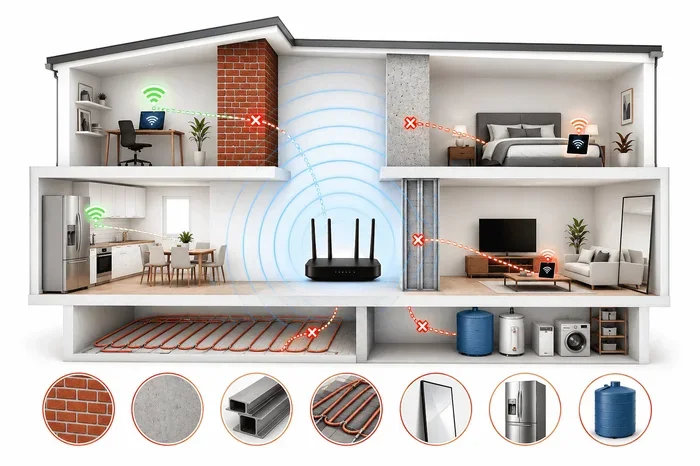
Distance from the router also plays a big role. If your weather station is in a shed or garage far from your router, the signal may be too weak. Walls, metal objects, and even large appliances can block the signal. In some cases, you might need to extend your Wi Fi range to reach the station’s location.
Interference from other devices can also be a problem. Microwaves, baby monitors, and cordless phones operate on similar frequencies. They can disrupt the Wi Fi signal and cause intermittent disconnections. Moving the router closer to the station or changing the Wi Fi channel can help.
How Humidity Affects Your Wireless Connection
Weather stations measure humidity, but humidity can also affect your wireless signal. High moisture levels in the air can weaken Wi Fi signals, especially over longer distances. This is something many people do not think about when setting up their station outdoors.
If you live in a very humid climate, you might notice more frequent connection drops. The moisture in the air absorbs some of the Wi Fi signal energy, reducing its strength. Keeping the station closer to the router or using a signal repeater can help counteract this effect.
Interestingly, this is the same reason why humidity can affect Wi Fi signals in general. It is not just about your weather station. Any wireless device can struggle in very humid environments.
Quick Tips for Maintaining a Stable Connection
- Keep the weather station within 30 feet of your router if possible.
- Avoid placing the station near metal surfaces or large appliances.
- Restart your router once a month to keep the connection fresh.
- Use a Wi Fi analyzer app to find the least congested channel.
- Check the AcuRite app regularly for firmware updates.
How to Set Up Wi Fi on Your Acurite Weather Station
Setting up Wi Fi on your Acurite weather station is a straightforward process. Most models follow a similar set of steps. You will need your smartphone, the Acurite app, and your home Wi Fi password.
Step-by-Step Setup Guide
First, download the AcuRite app from the App Store or Google Play Store. Make sure your phone is connected to your home Wi Fi network. Then power on your weather station and put it into pairing mode. This is usually done by pressing a button on the back of the display console.
Open the app and select “Add Station.” The app will search for nearby Acurite devices. Once it finds your station, follow the on-screen prompts to enter your Wi Fi password. The station will attempt to connect and save the network details.
After a successful connection, the app should start receiving data within a few minutes. You can check the connection status in the app settings. If the station does not connect, try moving it closer to the router and repeating the process.
Quick Tips for a Smooth Setup
Place your weather station’s display console near your router during setup. Once the connection is established, you can move it to its permanent location. This ensures the setup process goes smoothly without signal issues.
Make sure your Wi Fi network is on the 2.4 GHz band. Most Acurite weather stations do not support 5 GHz networks. If your router uses both bands, you may need to connect the station to the 2.4 GHz network specifically. You can change your Wi Fi from 5GHz to 2.4 GHz through your router settings if needed.
Write down your Wi Fi password before starting setup. This saves time and prevents errors during the pairing process. A strong, stable password helps maintain a consistent connection between the station and your network.
Common Mistakes to Avoid With Acurite Weather Station Wi Fi Setup
Setting up Wi Fi on your weather station seems simple, but small mistakes can cause big headaches. Avoiding these common errors saves you time and frustration.
Mistake 1: Connecting to the wrong band. Many users try to connect their station to a 5 GHz network. Most Acurite models only support 2.4 GHz. Always double-check which band your router is broadcasting on before starting setup.
Mistake 2: Placing the station too far away. It is tempting to put the outdoor sensor as far from the house as possible for better readings. But if it is too far from the router, the Wi Fi signal will be weak. Find a balance between good sensor placement and strong signal strength.
Mistake 3: Ignoring firmware updates. Outdated firmware can cause connection problems and reduce accuracy. Make it a habit to check for updates every few months. The AcuRite app will notify you when updates are available.
Mistake 4: Using a weak Wi Fi password. Simple passwords can lead to unauthorized connections that drain your bandwidth. Use a strong, unique password for your weather station network. This also keeps your smart home devices secure.
Mistake 5: Not restarting the station after setup. A simple restart after initial configuration can resolve many minor connectivity issues. Power off the station, wait 30 seconds, and power it back on. This clears any cached connection errors.
Expert Insights: Maximizing Your Acurite Weather Station Performance
Getting the most out of your Acurite weather station goes beyond just plugging it in. A few expert-level tips can dramatically improve your experience and data accuracy.
Position the outdoor sensor correctly. Place the sensor in a shaded, open area away from direct sunlight and heat sources. Direct sun can skew temperature readings by several degrees. A north-facing wall or open yard area works best for accurate measurements.
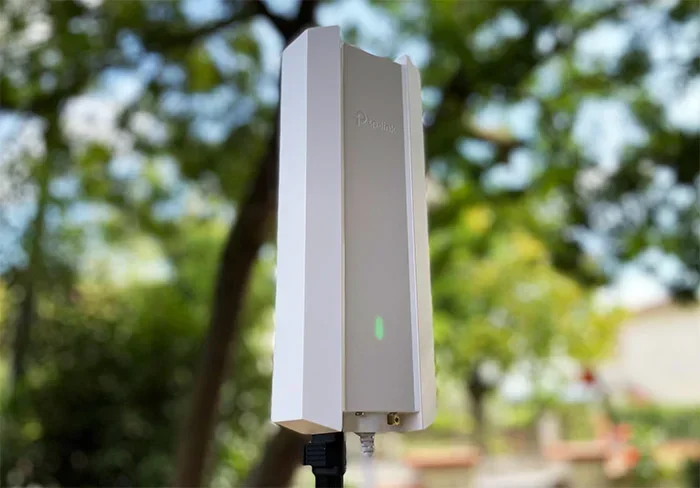
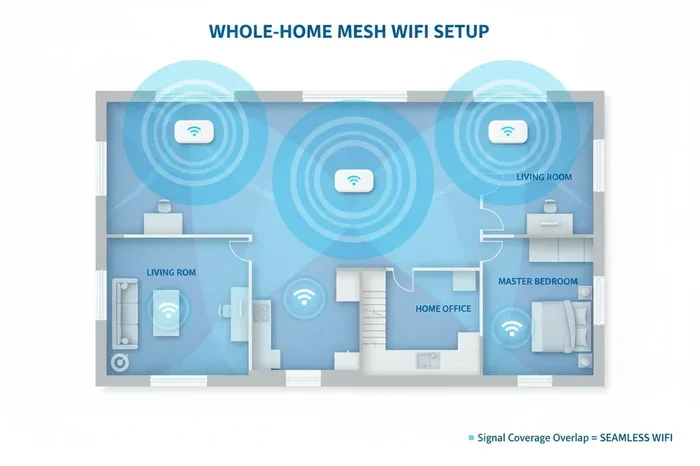
Use a Wi Fi booster for distant stations. If your weather station is in a detached garage or far corner of your property, a signal booster makes a huge difference. These devices amplify your existing Wi Fi signal and extend coverage to areas that normally have weak or no connection.
Calibrate your sensors regularly. Over time, sensors can drift from their original accuracy. Compare your station readings with a trusted local weather source and adjust if needed. Most Acurite models allow manual calibration through the app or console settings.
Monitor battery levels closely. Low batteries in the outdoor sensor can cause intermittent data drops and inaccurate readings. Replace batteries at least once a year, or sooner if you notice inconsistent updates. Lithium batteries last longer in extreme temperatures.
Consider your home network’s capacity. If you have many smart home devices competing for bandwidth, your weather station may get priority lag. Prioritize IoT devices on your router’s Quality of Service settings to ensure steady data flow to your weather station.
Conclusion
So, does Acurite weather station need Wi Fi? The answer depends on how you plan to use it. For basic local weather monitoring, Wi Fi is optional and Bluetooth works fine. But for remote access, smart home integration, and real-time alerts, Wi Fi makes a big difference.
The good news is that Acurite stations are flexible. You can start with just the sensor and display, then add Wi Fi later if you want more features. This gives you the freedom to expand your setup as your needs grow.
Take some time to evaluate your situation. Think about where you want to check your weather data and what features matter most to you. With the right setup, your Acurite weather station can give you accurate, reliable weather information for years to come.
If you are dealing with a weak signal or trying to decide between connectivity options, remember that small adjustments can make a big impact. Whether you choose Wi Fi, Bluetooth, or both, your weather station is designed to give you the data you need to plan your day with confidence. Start with what works, and upgrade as your needs evolve.
Frequently Asked Questions
Can I Use an Acurite Weather Station Without Any Wireless Connection?
Yes, you can. The outdoor sensor and indoor display communicate directly using a dedicated wireless signal. You do not need Wi Fi or Bluetooth to see temperature, humidity, wind speed, and other readings on the console display. The station works fully offline for all core monitoring functions.
How Far Can Bluetooth Reach on an Acurite Weather Station?
Bluetooth typically works within 30 to 50 feet of the weather station. This is enough to check your weather data from another room in your house. However, you cannot access Bluetooth data remotely or from outside your home. It is designed for quick, local updates only.
Will My Acurite Weather Station Work if My Internet Goes Down?
Yes, the station will continue to function. The outdoor sensor keeps collecting data and the indoor display shows it. You will lose app access and smart features until the internet returns, but all core weather monitoring remains active. It is a reliable backup source of local weather data.
Can I Connect My Acurite Weather Station to Both Wi Fi and Bluetooth?
Many newer Acurite models support both Wi Fi and Bluetooth simultaneously. This gives you the best of both worlds. Wi Fi handles remote access and cloud syncing while Bluetooth allows quick local checks through the app. Check your specific model to confirm dual connectivity support.
Do I Need a Special Router for an Acurite Weather Station?
No, you do not need a special router. Any standard home router that supports the 2.4 GHz band will work. Most Acurite weather stations are not compatible with 5 GHz networks. If your router uses both bands, make sure the station connects to the 2.4 GHz network for the best results.
How Can I Improve the Wi Fi Signal to My Outdoor Weather Station?
You can improve the signal by moving your router closer to the station, removing obstacles between the router and station, or using a Wi Fi extender or booster. Avoid placing the station near metal objects or thick walls. Keeping the station within a reasonable range of the router ensures a strong and stable connection.