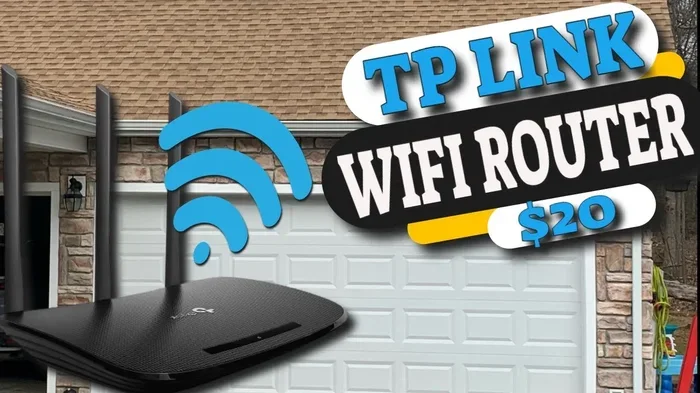
How Can I Boost My Wifi From My House To My Garage
Boosting WiFi from your house to your garage is easier than you think. Whether you face a WiFi dead zone or weak signal in your detached garage, solutions like WiFi range extenders, mesh networks, and antenna upgrades can transform your connectivity. This guide walks you through every option with clear, actionable steps you can start today.
Getting a strong WiFi signal in your garage can feel impossible sometimes. You might be standing right outside your back door and still see that frustrating “No Internet” message on your phone. The truth is, walls, distance, and interference all work against your wireless connection. But the good news is that fixing this problem is very doable. You do not need to be a tech expert to get your garage WiFi working properly.
Many homeowners deal with this exact issue every single day. Your garage might be ten feet from the house or fifty feet away. Either way, the wireless signal can weaken fast. The good part is that several solutions exist, and they range from super simple to more advanced setups. In this guide, we will walk you through the best ways to boost your WiFi from your house to your garage. You will learn what works, what does not, and how to pick the right option for your home.
Key Takeaways
- WiFi extenders are affordable and easy to set up: They rebroadcast your existing signal to reach the garage.
- Mesh networks provide the best whole-home coverage: They create a seamless network without dead zones.
- Router placement matters enormously: Moving your router closer to the garage can improve signal strength significantly.
- Upgrading your WiFi antenna boosts range: A high-gain antenna can push your signal further without extra hardware.
- Powerline adapters offer a wired alternative: They use your home’s electrical wiring to deliver stable internet to the garage.
- Outdoor WiFi access points are built for durability: They withstand weather and provide reliable garage connectivity.
📑 Table of Contents
- Why Does WiFi Struggle to Reach Your Garage?
- Option 1: Use a WiFi Range Extender
- Option 2: Set Up a Mesh WiFi Network
- Option 3: Upgrade Your WiFi Antenna
- Option 4: Try a Powerline Adapter
- Option 5: Install an Outdoor WiFi Access Point
- Quick Tips to Improve Any WiFi Setup
- Common Mistakes to Avoid
- Expert Insights on Garage WiFi
- Frequently Asked Questions
- Conclusion
Why Does WiFi Struggle to Reach Your Garage?
Understanding the problem helps you pick the right fix. Several factors can weaken or block your wireless signal before it ever reaches the garage. Let us break down the most common culprits.
Distance and Walls
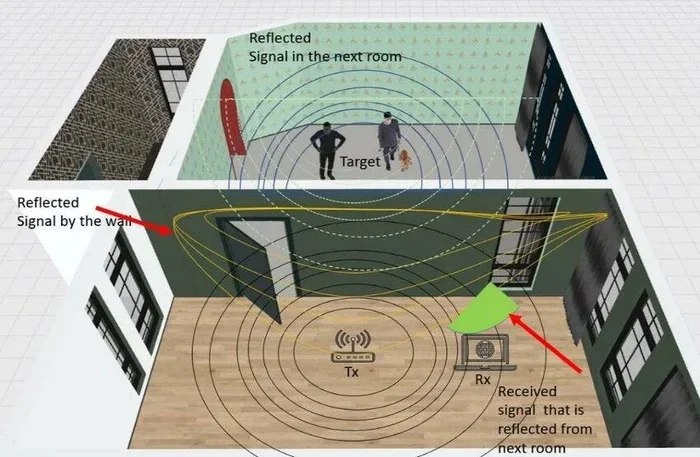
WiFi signals travel through the air, but they do not like obstacles. Concrete walls, brick, metal doors, and even insulation can block or absorb the signal. If your garage is far from your router, the signal has to travel a long way. Each wall it passes through weakens it a little more. Over time, the signal becomes too weak to provide a usable internet connection.
Interference from Other Devices
Your home is full of devices that can interfere with WiFi. Microwaves, baby monitors, cordless phones, and even your neighbor’s router can create connectivity issues. This interference is especially common on the 2.4 GHz frequency band. The result is a slow or unstable connection in your garage.
Old or Outdated Equipment
Older routers were not designed to push signals very far. If your router is several years old, it might simply lack the power to reach your garage. Newer routers with WiFi 5 or WiFi 6 standards handle range and interference much better. Upgrading your equipment can sometimes solve the problem by itself.
Option 1: Use a WiFi Range Extender
A WiFi range extender is one of the simplest and most affordable ways to boost your signal to the garage. This device picks up your existing WiFi signal and rebroadcasts it further. Think of it as a megaphone for your wireless network.
How to Set Up a Range Extender
Setting up an extender is straightforward. First, plug the device into an outlet halfway between your router and the garage. Most extenders have a simple setup app you can download on your phone. Follow the on-screen steps to connect the extender to your main network. Once it is set up, the extender will repeat your signal, extending it toward the garage.
Pros and Cons of WiFi Extenders
- Affordable: Most extenders cost between 20 and 60 dollars.
- Easy to install: No technical skills needed.
- Compact size: They fit in small spaces easily.
- Drawback: They can cut your speed in half because they use the same radio to receive and send data.
- Drawback: They create a separate network name, which can confuse some devices.
For many homeowners, a WiFi range extender does the job perfectly. It is especially effective if your garage is within 100 to 150 feet of the router. If you want to learn more about extending your signal range, check out our guide on extending WiFi to 200 feet away for additional tips.
Option 2: Set Up a Mesh WiFi Network
If you want the best possible coverage, a mesh network is the way to go. Unlike a range extender, a mesh system uses multiple nodes that work together as one unified network. This means you get a strong, seamless signal throughout your home and garage.
How Mesh Networks Work
A mesh system includes a main router and one or more satellite nodes. You place the main router near your modem. Then you place satellite nodes around your home, including one near or inside the garage. Each node talks to the others, creating a web of strong coverage. Your devices automatically connect to the strongest node without any manual switching.
Why Mesh Is Better for Garages
Mesh networks handle signal strength much better than traditional extenders. They use smart routing to find the fastest path for your data. This means you get better network speed in the garage, even if you are streaming videos or video calling. A mesh system also uses a single network name, so your phone, tablet, and laptop all stay connected seamlessly.
Setting up a mesh system is more involved than an extender, but the results are worth it. If you want step-by-step guidance, our article on connecting a mesh router to an existing router covers the process in detail.
Popular Mesh Systems to Consider
- Google Nest WiFi: Easy to set up and looks great.
- Netgear Orbi: Excellent range and speed for larger homes.
- TP-Link Deco: Budget-friendly with solid performance.
- Eero Pro: Great app experience and reliable coverage.
Option 3: Upgrade Your WiFi Antenna
Did you know that your router likely has a removable antenna? Swapping out the default antenna for a high-gain antenna can significantly boost your signal range. This is one of the most overlooked and underrated solutions for reaching distant areas like a garage.
What Is a High-Gain Antenna?
A high-gain antenna focuses the WiFi signal in a specific direction instead of spreading it equally in all directions. Think of it like a flashlight versus a candle. The regular antenna is the candle, and the high-gain antenna is the focused beam of the flashlight. You point it toward the garage, and the signal travels much farther in that direction.
How to Choose the Right Antenna
Look for antennas that match your router’s connector type. Most consumer routers use SMA or RP-SMA connectors. Check your router manual or look up the model online. Antennas with 9 dBi or higher gain are ideal for reaching outbuildings like garages. For detailed guidance on antenna upgrades, see our article on adding an antenna to your WiFi router.
Quick Tips for Antenna Placement
- Mount the antenna as high as possible.
- Point it directly toward the garage.
- Keep it away from metal objects that can block the signal.
- Use a longer cable if you need to route the antenna outside.
Option 4: Try a Powerline Adapter
If wireless solutions are not cutting it, a powerline adapter offers a reliable wired alternative. This device uses your home’s existing electrical wiring to carry internet signals. It is not wireless, but it delivers fast, stable connectivity to your garage.
How Powerline Adapters Work
You buy a pair of powerline adapters. Plug one into an outlet near your router and connect it with an Ethernet cable. Plug the second adapter into an outlet in your garage and connect your device to it. The signal travels through your home’s wiring, completely bypassing walls and distance issues.
When to Use Powerline Adapters
Powerline adapters are perfect for garage setups where you need a stable connection for a security camera, smart door opener, or workshop computer. They are not affected by interference from other devices, so you get consistent bandwidth every time. The main downside is that electrical wiring quality varies from home to home. If your home has old wiring, the speeds might not be as high.
Option 5: Install an Outdoor WiFi Access Point
For a more permanent and weatherproof solution, consider an outdoor WiFi access point. These devices are built to handle rain, wind, and extreme temperatures. They mount on the exterior of your house and broadcast a strong signal directly to the garage.
Benefits of Outdoor Access Points
- Weatherproof design: They work in rain, snow, and heat.
- Strong signal: They are specifically designed for long-range outdoor coverage.
- Durable construction: They last for years without needing replacement.
- Professional look: They mount cleanly on your house exterior.
Things to Keep in Mind
Outdoor access points require a bit more setup than extenders. You will need to run an Ethernet cable from your router to the access point. Some homeowners hire a professional for this step, but it is very doable as a DIY project. Make sure to choose a model that supports the latest WiFi standards for the best wireless signal quality.
Quick Tips to Improve Any WiFi Setup
No matter which solution you choose, a few simple tips can make a big difference. Here are some quick wins that boost your garage WiFi performance.
- Move your router closer to the garage. Even a few feet can make a noticeable difference in signal strength.
- Keep your router elevated. Place it on a shelf or mount it on a wall. Signals travel better downward and outward.
- Restart your router regularly. A simple reboot clears cache and refreshes the connection.
- Switch to the 2.4 GHz band for range. The 5 GHz band is faster but has a shorter range. For garage coverage, 2.4 GHz works better.
- Update your router firmware. Manufacturers release updates that improve performance and range.
- Reduce interference. Move your router away from microwaves, cordless phones, and other electronics.
Common Mistakes to Avoid
Many people make mistakes when trying to boost their garage WiFi. Avoiding these pitfalls saves time and money.
- Placing the extender too far from the router: The extender needs a strong signal from the router to rebroadcast effectively. If it is too far away, it just amplifies a weak signal.
- Ignoring the 2.4 GHz vs. 5 GHz difference: Using 5 GHz for long-range garage coverage will lead to frustration. Stick with 2.4 GHz for distance.
- Buying the cheapest extender: Cheap extenders often have poor build quality and limited range. Spending a little more gets you much better results.
- Forgetting to secure your network: An open or poorly secured network can attract unauthorized users, slowing down your internet connection.
- Not testing the signal after setup: Always walk to your garage and test the connection after making any changes.
Expert Insights on Garage WiFi
Networking professionals recommend a layered approach to solving garage WiFi issues. Start with the simplest solution, like repositioning your router or adjusting the antenna. If that does not work, move on to a range extender or powerline adapter. For the best long-term results, invest in a mesh system or outdoor access point.
According to networking experts, the wireless signal strength in your garage should be at least -67 dBm for reliable use. You can check your signal strength on your phone or laptop. If it is weaker than that, you need a stronger solution. A WiFi booster or mesh node placed strategically between the house and garage can bridge that gap effectively.
One thing experts agree on is that there is no single best solution for every home. The right choice depends on your garage’s distance from the house, the building materials between them, and what you plan to do with the connection. Take time to assess your specific situation before buying any equipment.
Frequently Asked Questions
Can I Boost My Garage WiFi Without Buying New Equipment?
Yes, you can try repositioning your existing router closer to the garage wall. You can also adjust the antenna direction if your router has one. Sometimes simply moving the router to a higher location or switching to the 2.4 GHz band improves the signal strength enough to reach the garage.
What Is the Cheapest Way to Get WiFi in My Garage?
A WiFi range extender is the most affordable option. Basic models cost around 20 to 30 dollars and require no technical skills. A powerline adapter kit is another budget-friendly choice that runs around 40 to 60 dollars and provides a more stable connection.
Will a WiFi Extender Slow Down My Internet Speed?
Yes, most WiFi extenders reduce speed somewhat because they use the same radio to receive and rebroadcast the signal. However, the speed loss is usually minor for everyday tasks like browsing, email, and smart home device control. For heavy tasks like streaming 4K video, a mesh system or wired connection works better.
Can I Use a Mesh Router System Just for My Garage?
You can, but mesh systems are designed to cover your entire home. Adding a single satellite node near the garage works well if the rest of your home also needs better coverage. If your garage is the only problem area, a range extender or powerline adapter might be a more cost-effective choice.
How Do I Know if My Garage Has a Good WiFi Signal?
Use a WiFi signal analyzer app on your phone to check the signal strength in the garage. A reading of -67 dBm or higher is considered good. If your signal is weaker than that, you will likely experience slow speeds or dropped connections. Moving your router closer or adding a booster can fix this.
Is It Better to Use a Wired Connection for My Garage?
A wired connection through a powerline adapter or Ethernet cable provides the most stable and fastest connection. It is ideal if you use the garage for video calls, gaming, or operating smart home devices that need a reliable internet connection. Wireless solutions are more convenient but may not match the consistency of a wired setup.
Conclusion
Boosting your WiFi from your house to your garage is one of the most rewarding home networking projects you can tackle. You have several great options, from simple range extenders to powerful mesh systems. Each solution fits a different budget and skill level, so you are sure to find one that works for you.
Start by identifying what is causing your weak signal. Is it distance, walls, or interference? Then pick the solution that matches your situation and budget. Whether you choose a WiFi range extender, a mesh network, an antenna upgrade, a powerline adapter, or an outdoor access point, you will enjoy a much better internet connection in your garage.
Take action today. Pick the solution that fits your needs, follow the setup steps, and test the signal in your garage. You will be amazed at how much of a difference the right setup makes. Your garage can become a fully connected workspace, workshop, or entertainment area with the right WiFi booster in place.