Does In Flight Wi Fi Work Well On Long Haul Flights
In Flight Wi Fi has improved significantly over the years, but its performance on long haul flights still depends on several factors including the technology used, the number of connected users, and signal coverage. Airplane wifi can handle basic tasks like email and messaging, but streaming and video calls may struggle depending on the airline and route.
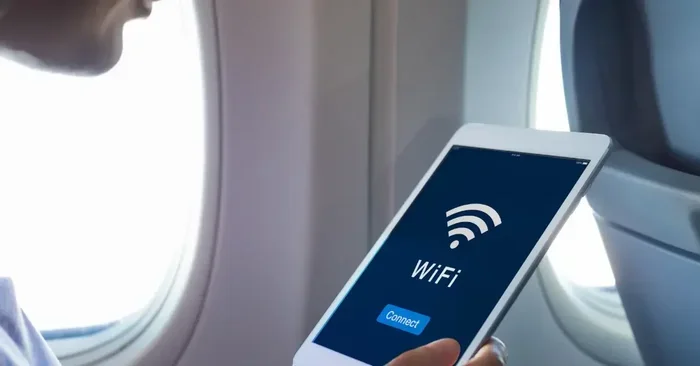
Does In Flight Wi Fi work well on long haul flights? The honest answer is that it has improved dramatically over the past decade, but it still comes with real limitations. In Flight Wi Fi allows passengers to browse the web, send messages, and even stream content while cruising at altitudes above 30,000 feet. However, the experience varies widely depending on the airline, the technology used, and even the weather conditions outside the aircraft.
Many travelers now expect wifi on planes to be as reliable as their home internet connection. Airlines have invested billions of dollars in inflight internet technology, but physics and geography still pose real challenges. Whether you need to finish a work project, stay in touch with family, or simply watch a movie during a 12-hour flight, understanding how airplane wifi performs can save you from frustration. In this guide, we break down everything you need to know about in flight wifi performance on long haul routes.
Key Takeaways
- In Flight Wi Fi works, but with limitations: Speed and reliability vary based on the technology used, altitude, and the number of connected users on board.
- Satellite and air-to-ground systems differ: Each has its own strengths and weaknesses for long haul flights and different geographic regions.
- Weather and geography affect signal quality: Mountains, oceans, rain, and storms can weaken your wifi signal strength at cruising altitude.
- Peak usage times slow things down: The more passengers connected at once, the slower the airplane internet speed becomes for everyone on board.
- Prepaid packages offer better value: Buying in flight wifi passes before your flight often saves money compared to buying onboard.
- Future technology promises faster speeds: New low Earth orbit satellite systems are set to transform in flight connectivity in the coming years.
📑 Table of Contents
- How In Flight Wi Fi Technology Works
- What Affects In Flight Wi Fi Performance On Long Haul Flights
- Speed And Reliability Of In Flight Wi Fi On Long Haul Routes
- Tips For Getting The Best In Flight Wi Fi Experience
- How Much Does In Flight Wi Fi Cost On Long Haul Flights
- The Future Of In Flight Connectivity
- Conclusion
How In Flight Wi Fi Technology Works
Before you can understand why in flight wifi sometimes struggles, it helps to know how it actually works. There are two main systems that airlines use to deliver wifi connectivity to passengers at cruising altitude. Each system has its own strengths and weaknesses, and the one your airline uses can make a big difference in your experience.
Satellite Based Connectivity
Satellite wifi is the most common system used by major airlines for long haul flights. The system works by connecting your device to a satellite dish on the airplane, which then communicates with satellites orbiting the Earth. These satellites beam internet signals back and forth between the plane and ground stations on the planet below.
This type of in flight connectivity covers most of the globe, including over oceans and remote areas where air-to-ground wifi cannot reach. That is why airlines prefer satellite systems for international routes. However, satellite wifi on planes can suffer from high network latency, which means there is a noticeable delay between when you send a request and when you receive a response.
The satellites used for airplane wifi orbit at very high altitudes, sometimes thousands of miles above the Earth. This distance creates a natural delay that can make real-time activities like video calls feel sluggish. Newer satellite systems, such as those operating in low Earth orbit, are working to reduce this network latency significantly and improve overall wifi performance for passengers.
Air To Ground Systems
Air-to-ground wifi works differently. Instead of satellites, this system uses ground-based cell towers to send and receive internet signals. As the plane flies over land, it connects to these towers much like your phone connects to a cell tower on the ground.
This approach can deliver faster speeds than satellite systems because the signal does not have to travel as far. Airline wifi speed on air-to-ground networks is often good enough for streaming and video calls, at least while flying over continents. However, this system has a major limitation: it does not work over oceans, large bodies of water, or very remote areas where there are no cell towers nearby.
Some airlines use a hybrid approach, combining both satellite and air-to-ground systems. This gives them the best of both worlds. When flying over land, they can use the faster air-to-ground network. When flying over water, they switch to satellite wifi coverage. This is common on North American carriers that fly transcontinental routes and want to maintain consistent in flight connectivity throughout the journey.
What Affects In Flight Wi Fi Performance On Long Haul Flights
Even with the best technology, several factors can impact how well in flight wifi performs on a long haul flight. Understanding these factors can help you set realistic expectations and plan your connected activities accordingly.
Altitude And Geographic Coverage
The altitude of the aircraft plays a role in wifi signal strength. Most commercial planes cruise between 30,000 and 40,000 feet. At these heights, the distance between the plane and the nearest satellite or ground tower increases, which can weaken the signal. Think of it like trying to hear someone whisper from across a large room. The further away the signal source, the harder it is to maintain a strong connection.
Geographic location matters too. Flying over dense forests, mountains, or deserts can sometimes interfere with signal quality. If you are curious about how environmental factors affect wireless signals, can humidity affect a Wi Fi signal? The answer is yes. Moisture in the atmosphere can absorb and scatter radio waves, which may further weaken your in flight wifi connection. This is especially true on flights that pass through humid tropical regions or storm systems.
On very long routes, such as flights from New York to Tokyo, the plane may cross multiple coverage zones. Switching between satellite beams or ground towers can cause brief interruptions in your wifi connectivity. These moments are usually short, but they can be annoying if you are in the middle of a video call or uploading an important file.
The Number Of Connected Passengers
This is one of the biggest factors that affects wifi performance at altitude. A long haul flight might carry 300 or more passengers, and many of them will want to connect to the internet at the same time. The available bandwidth has to be shared among all of these users.
Imagine a single water pipe trying to supply 300 households at once. The more people using the connection, the slower it gets for everyone. This is why in flight wifi often feels fast right after takeoff when only a few people are connected, but slows down significantly once most passengers have gone online and started browsing, streaming, and messaging.
Airlines are aware of this problem and are constantly working to increase bandwidth. Some carriers now offer tiered packages where you can pay more for faster speeds during peak hours. Others use traffic management systems that prioritize certain types of data, like messaging apps, over heavy downloads. This helps ensure that basic wifi connectivity remains available even when the network is under heavy load.
Weather And Atmospheric Interference
Weather conditions can and do affect in flight wifi performance. Rain, snow, and thick cloud cover can absorb or scatter the radio signals that carry internet data between the plane and the ground or satellites. While modern systems are designed to handle moderate weather, severe storms can cause noticeable slowdowns and even temporary disconnections.
Lightning and electrical activity near the aircraft can also interfere with the antenna systems used for wifi on planes. Airlines take safety seriously and may reduce wifi bandwidth during severe weather to ensure that critical communication systems remain clear and reliable. This is a necessary trade-off that prioritizes flight safety over passenger entertainment.
Temperature changes at different altitudes can also play a minor role. Extremely cold temperatures at cruising altitude can affect the performance of electronic equipment, including the antennas and receivers that handle in flight connectivity. However, these effects are usually small and most passengers will not notice them during normal operations.
Speed And Reliability Of In Flight Wi Fi On Long Haul Routes
The speed of in flight wifi on a long haul flight can range from barely usable to surprisingly fast. On the lower end, you might struggle to load a simple webpage with images. On the higher end, you can stream videos, join video calls, and browse social media without major issues.
Most airlines report average speeds between 10 and 20 Mbps for airplane wifi. That is enough for email, messaging, and light browsing. However, streaming HD video typically requires at least 5 to 10 Mbps per device, and that is before other passengers start using the same network. During peak usage times, speeds can drop to just 1 or 2 Mbps, which is not enough for much beyond text-based tasks like reading articles or sending messages.
Reliability is another concern. In flight connectivity can drop in and out as the plane moves between coverage zones or as satellites hand off connections. For tasks that require a steady connection, such as video conferencing or uploading large files, these interruptions can be a real problem. If you have an important work meeting during your flight, you should plan ahead and have a backup plan in place.
If you need a more reliable connection for work, you might want to explore options before your flight. For example, you could check if your mobile carrier offers wifi connectivity away from home through a mobile hotspot or travel plan. Having a backup option can save you from being stuck without internet during an important work session on a 10-hour flight.
Some airlines have started offering dedicated business class wifi packages with guaranteed minimum speeds. These premium options are designed for passengers who need consistent wifi performance for work. If you frequently travel for business, these packages may be worth the extra cost. They often include priority access to the network, which means faster speeds even when the plane is full.
Tips For Getting The Best In Flight Wi Fi Experience
You cannot control the technology or the number of passengers on your flight, but you can take steps to improve your in flight wifi experience. Here are some practical tips that can make a real difference on your next long haul flight.
Connect Early And Choose Off Peak Times
As soon as the cabin crew announces that wifi on planes is available, connect right away. The network is usually less congested in the first 30 minutes after takeoff. If your flight departs late at night or very early in the morning, fewer passengers will be online, which means better speeds for you. Early birds get the best wifi performance, so consider logging on as soon as you are seated and the system is activated.
Use Your Data Wisely
Stick to lightweight activities like messaging, email, and browsing text-heavy websites. Avoid downloading large files or streaming HD video during peak hours. If you must stream, choose standard definition instead of high definition to reduce the load on the network. This simple change can improve wifi performance for everyone on board and help you avoid frustrating buffering.
Bring A Portable Hotspot Or Signal Booster
In some cases, you can improve your connectivity by using a personal mobile hotspot instead of relying solely on the airline’s network. You can also look into whether a wifi booster might help extend your signal range in certain situations. While a personal booster will not work in the same way as the aircraft’s system, having a mobile hotspot as a backup can be a lifesaver on long routes where ground-based networks are available during takeoff and landing.
Another option is to check if your device can connect to a wifi extension device. While this is more relevant for home or office use, understanding how signal extenders work can help you make better decisions about connectivity solutions when you are on the go. Knowing your options gives you more flexibility and control over your in flight connectivity experience.
Download Content Before You Fly
This is probably the most reliable tip of all. Download movies, shows, music, and work files before you board the plane. That way, you have entertainment and resources available even if the in flight wifi is slow or unavailable. Most modern devices let you download content over a home or office network and then access it offline during the flight. This approach removes bandwidth limitations from the equation entirely and ensures you are never bored at 35,000 feet.
How Much Does In Flight Wi Fi Cost On Long Haul Flights
The cost of in flight wifi varies widely from airline to airline and route to route. Some carriers offer free basic messaging, while others charge upwards of $30 for a full-flight internet package on long haul routes. Before you buy anything, it is worth checking what your airline offers and whether there are cheaper alternatives.
Budget airlines tend to charge for all levels of wifi connectivity, while premium carriers sometimes include basic wifi free for business and first class passengers. Here is a general breakdown of what you can expect:
- Free messaging only: Many airlines now offer free iMessage, WhatsApp, or similar texting services over wifi. This is enough to stay in touch without paying anything extra.
- Basic browsing packages: These typically cost between $7 and $15 for a full flight. They are good enough for email and social media but not much else.
- Premium high-speed packages: These can cost $20 to $50 or more for long haul flights. They offer faster speeds suitable for streaming and video calls.
- Monthly or annual subscriptions: Some airlines and wifi providers offer subscription plans for frequent flyers. These can save you money if you travel regularly and need in flight connectivity on every trip.
Before you buy any in flight wifi package, check reviews from other passengers who have used the same airline on the same route. The experience can vary significantly, and paying for a premium package that delivers poor speeds is a frustrating waste of money. Look for recent reviews on travel forums and airline apps to get the most current picture of wifi performance on your specific route.
The Future Of In Flight Connectivity
The future of in flight wifi looks much more promising than it did just a few years ago. Technology is advancing rapidly, and several new developments are set to transform wifi on planes for the better. Passengers can expect faster speeds, lower costs, and more reliable connections in the years ahead.
Low Earth orbit satellite constellations, such as those being deployed by companies like Starlink, are expected to dramatically improve airplane internet speed and reduce network latency. These satellites orbit much closer to the Earth than traditional ones, which means stronger signals and faster response times. Some airlines have already begun testing these new systems, and early results are very encouraging. Passengers in test groups have reported speeds comparable to home broadband, which is a remarkable leap from the dial-up-like speeds of just a few years ago.
Another exciting development is the expansion of air-to-ground networks. As cellular infrastructure improves on the ground, more airlines will be able to offer faster and more reliable wifi coverage over land. This could make long haul wifi over continental routes almost indistinguishable from home broadband. Imagine being able to work on a video call during a cross-country flight as if you were in your office.
Airlines are also exploring ways to use wifi bands more efficiently. New technologies allow multiple users to share the same frequency band without interfering with each other, which could significantly increase the total bandwidth available on each flight. As these systems mature, passengers can expect faster, more reliable, and more affordable in flight connectivity. The era of slow and unreliable airplane wifi is slowly coming to an end.
For now, however, it is important to manage your expectations. In Flight Wi Fi on long haul flights is useful but not perfect. It works well for basic tasks and is getting better every year. By understanding its limitations and following the tips in this article, you can make the most of your airplane wifi experience and stay connected when it matters most.
Conclusion
In Flight Wi Fi has come a long way, and it continues to improve with each passing year. For most passengers, it is good enough to handle emails, messaging, and light browsing on long haul flights. Streaming and video calls are possible but may be hit or miss depending on the airline, the route, and how many other passengers are online at the same time.
The key to a good experience is preparation. Download your content beforehand, choose off-peak times to connect, and consider whether a premium package is worth the cost for your specific needs. As satellite and air-to-ground technologies continue to advance, we can expect in flight wifi to become faster, more reliable, and more affordable for everyone.
So the next time you board a long haul flight, do not assume you will be completely disconnected. In Flight Wi Fi works well enough for most tasks, and with the right expectations and a little planning, you can stay productive and entertained from takeoff to landing. The skies are getting more connected every day, and that is great news for travelers who need to stay in touch while they fly.
Frequently Asked Questions
Does In Flight Wi Fi work on all airlines?
Most major airlines now offer some form of in flight wifi, but the quality and availability vary. Budget carriers may not offer wifi at all, while premium airlines often provide multiple speed tiers. Check with your specific airline before booking if wifi connectivity is important to you.
Can you stream movies using In Flight Wi Fi on long haul flights?
It depends on the speed of the network and how many passengers are connected. In some cases, yes, you can stream standard definition content. However, during peak hours or on congested routes, streaming may buffer or fail. Downloading content before your flight is always the most reliable option for entertainment.
Is In Flight Wi Fi safe to use for banking and sensitive tasks?
Most airlines use encrypted connections for their wifi on planes, but the security level can vary. It is generally safe for basic tasks like email and messaging. For sensitive activities like online banking, consider using your mobile data or waiting until you land. Always use a VPN if you need to access sensitive information while flying.
Why does In Flight Wi Fi slow down after takeoff?
The network slows down because more passengers connect their devices after the seatbelt sign turns off. With 200 to 300 passengers all using the same wifi coverage at once, the available bandwidth gets divided among everyone. This is the most common reason for slow speeds during a long haul flight.
Can you use a VPN on In Flight Wi Fi?
Yes, most airlines allow VPN usage on their networks. However, because in flight wifi already has higher latency than ground-based connections, a VPN may make your connection feel even slower. If you need to use a VPN, choose a server that is geographically close to your destination for the best wifi performance.
Will In Flight Wi Fi ever be as fast as home internet?
With new satellite technologies like low Earth orbit constellations, in flight connectivity is getting much closer to home broadband speeds. Some test programs have already achieved impressive results. However, the physics of transmitting data at 35,000 feet will always introduce some limitations. Complete parity with home internet may still be a few years away, but the gap is closing fast.