Does Dunkin Donuts Have Free Wifi and Internet Access
Yes, Dunkin Donuts provides free wifi to customers at most locations across the United States. You can easily connect your phone, laptop, or tablet to their Dunkin Donuts wifi network while enjoying your favorite coffee and donuts. This guide covers everything you need to know about Dunkin Donuts free wifi, from how to log in to what speeds you can expect.
This is a comprehensive guide about Does Dunkin Donuts Have Wifi.
Key Takeaways
- Free wifi is available: Most Dunkin Donuts locations offer complimentary wifi access to all customers.
- Easy connection process: Connecting to Dunkin Donuts wifi takes just a few simple steps on any device.
- Speed varies by location: Wifi performance depends on the store size, number of connected devices, and the specific location.
- No purchase required: You do not need to buy anything to use the wifi, though it is polite to make a purchase.
- Password may be needed: Some locations require a password, which is often printed on your receipt or displayed in-store.
- Time limits may apply: Certain Dunkin Donuts locations set time limits for wifi sessions.
- Signal strength varies: Your experience depends on where you sit in the store and the router setup.
[FEATURED_IMAGE_PLACEHOLDER]
Does Dunkin Donuts Have Free Wifi and Internet Access
You walk into your favorite Dunkin Donuts. You grab a coffee. You sit down with your laptop. And then it hits you: you need to get online. So you wonder, does Dunkin Donuts have wifi? The short answer is yes. Dunkin Donuts free wifi is available at the vast majority of their locations across the country.
Whether you are catching up on emails, streaming a show, or just browsing the web, Dunkin Donuts has you covered. Their wireless internet service is designed to make your visit more productive and enjoyable. But there is more to know than just “yes, they have it.” Connection speed, login steps, and location differences all play a role in your experience.
This guide walks you through everything you need to know about Dunkin Donuts wifi. We will cover how to connect, what speeds to expect, and how to get the best experience every time you visit. Let us dive in.
How to Connect to Dunkin Donuts Wifi
Connecting to Dunkin Donuts wifi is straightforward. You do not need to be a tech expert. Follow these simple steps and you will be online in minutes.
Step-by-Step Connection Guide
Here is exactly what to do when you sit down at Dunkin Donuts and want to go online:
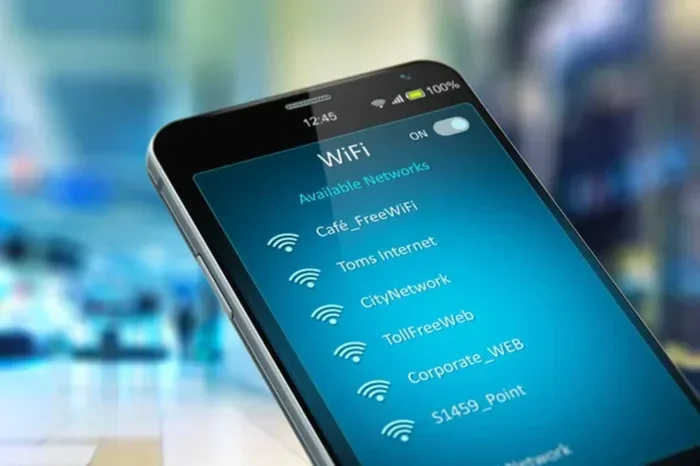
- Open your device wifi settings. On your phone, tablet, or laptop, turn on the wifi feature. Look for available networks.
- Find the Dunkin network. Look for a network name that includes “Dunkin” or “DD.” The exact name varies by location, but it usually starts with “Dunkin” or “Donuts.”
- Select the network. Tap or click on it. Your browser may open a login page automatically.
- Enter the password if needed. Some locations require a password. Check your receipt, ask a staff member, or look for a sign near the counter.
- Accept the terms. You may need to agree to a usage policy before gaining access.
- Start browsing. Once connected, you are good to go.
Some locations use a captive portal system. This means a login page pops up when you first connect. You might see a welcome screen with Dunkin branding. Simply follow the on-screen prompts to get online.
What If the Login Page Does Not Pop Up
Sometimes the login page does not appear automatically. This is a common issue. Here is what you can try:
- Open a new browser tab. Type any website address into the URL bar. This should trigger the login page.
- Forget the network and reconnect. Go to your wifi settings, remove the Dunkin network, and reconnect.
- Try a different browser. Some browsers handle captive portals better than others.
- Ask for help. A staff member can often assist you with the connection process.
If you are having trouble with your phone connecting to a specific wifi band, you might want to check how to force your phone to use 2.4 GHz wifi. This can help with older Dunkin locations that may not support the newer 5 GHz band.
What to Expect From Dunkin Donuts Internet Speed
Speed matters. You do not want to wait forever for a page to load while you are sitting in a coffee shop. So what kind of wifi speed can you expect at Dunkin Donuts?
Typical Speed Ranges
Most Dunkin Donuts locations offer broadband connection speeds that are suitable for everyday tasks. Here is what you can generally expect:
- Light browsing: Checking email, reading articles, and social media scrolling work without any issues.
- Video streaming: Standard definition videos on YouTube or Netflix should work fine. HD streaming may buffer depending on the location.
- Video calls: Basic video calls on Zoom or FaceTime are possible, but quality depends on how many people are connected.
- Large downloads: These are not ideal on Dunkin wifi. The connection is not built for heavy downloads.
The wifi signal strength also depends on where you sit. Seats near the front door or close to the counter usually get the strongest signal. Back booths or far corners may have weaker coverage.
Keep in mind that connected devices at each location vary throughout the day. During morning rush hours, dozens of people may be on the network at once. This can slow things down. Visiting during off-peak hours often gives you a faster and more reliable connection.
How Dunkin Donuts Wifi Compares to Other Options
Curious how Dunkin wifi stacks up against other free wifi options? Here is a quick look:
- Starbucks: Similar speed range. Both chains prioritize basic browsing and light streaming.
- McDonald’s: Comparable performance. Both are designed for casual use rather than heavy work.
- Public libraries: Libraries often offer faster and more stable connections since they have dedicated infrastructure.
- Mobile hotspot: Your own hotspot gives you more control over speed and security, but it uses your data plan.
For most casual users, Dunkin Donuts internet speed is perfectly adequate. You can handle emails, browsing, and even light video calls without frustration.
Tips for Getting the Best Wifi at Dunkin Donuts
Want to make the most of your Dunkin Donuts wifi experience? A few simple tips can make a big difference. Here is what works best.
Choose Your Seat Wisely
Where you sit in the store affects your wifi coverage and signal quality. Try to sit closer to the front of the store or near the counter. These areas are usually closest to the router. If you can, avoid sitting in the back corner or near large appliances that may interfere with the signal.
Limit Connected Devices
Most Dunkin locations do not limit the number of devices you can connect. However, if you are sharing the network with many other customers, your speed may drop. Try to limit your devices to one or two for the best performance.
Use the 2.4 GHz Band When Possible
Many Dunkin locations use older routers that work best with the 2.4 GHz frequency band. This band has a longer range but lower speeds compared to 5 GHz. If you have trouble connecting, try switching your device to the 2.4 GHz band. You can learn more about this in our guide on forcing your phone to use 2.4 GHz wifi.
Bring Your Own Equipment
If you visit Dunkin Donuts regularly and need a reliable connection, consider bringing a portable wifi device. You can also use a mobile hotspot from your phone as a backup. This gives you more control over your connection and keeps your data secure.
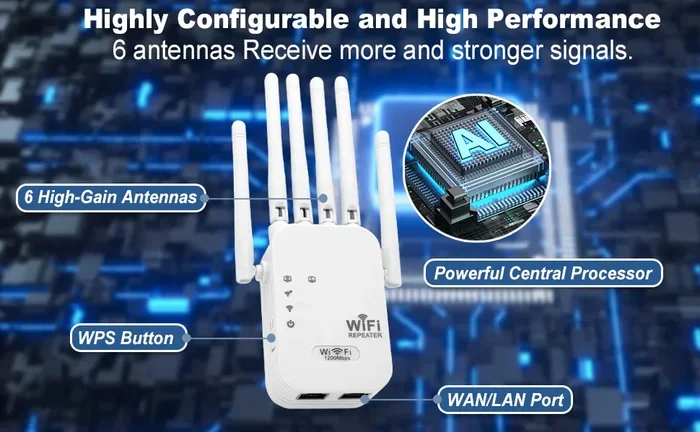
Some people also like to add an antenna to their wifi router at home for better signal. While this does not help at Dunkin, it is a great tip for improving your home network setup.
Download Before You Go
If you know you will be working at Dunkin, download any large files or documents before you arrive. This saves you from relying on the wireless internet for heavy transfers. You can still browse, stream, and communicate with ease.
Does Every Dunkin Donuts Location Offer Wifi
The short answer is no. Not every single Dunkin Donuts location offers wifi. However, the vast majority do. Here is what you need to know.
Franchise vs Corporate Locations
Dunkin Donuts operates through a mix of corporate-owned and franchise locations. Corporate locations almost always have wifi. Franchise locations vary more. Some franchise owners choose to offer free internet access, while others do not. This is because wifi setup and maintenance cost money, and franchise owners make their own decisions about in-store amenities.
How to Check Before You Go
Do not want to make a wasted trip? Here is how to check if a specific Dunkin location has wifi:
- Check the Dunkin app. The app sometimes lists amenities for each location.
- Call ahead. A quick phone call to the store can confirm whether wifi is available.
- Check Google Maps. Look at the reviews section. Customers often mention wifi availability in their reviews.
- Look for signage. Many Dunkin locations that offer wifi post a sign near the entrance or at the counter.
As Dunkin continues to expand its digital services, more locations are expected to offer guest wifi access. The trend is moving toward universal availability, but it is not there yet.
International Dunkin Locations
Dunkin Donuts has locations outside the United States, including in the Middle East, the United Kingdom, and parts of Asia. Wifi availability at international locations varies widely. Some international Dunkin spots offer excellent internet access, while others may not have wifi at all. If you are traveling abroad, check the local Dunkin website or contact the store directly.
Common Wifi Problems at Dunkin Donuts and How to Fix Them
Even at the best locations, you may run into wifi issues. Here are the most common problems and how to solve them.
Slow Connection
A slow connection is the most common complaint. This usually happens during busy hours when many people are on the same network. To fix this:
- Move closer to the router or the front of the store.
- Visit during off-peak hours, like mid-afternoon on a weekday.
- Close unused apps and tabs on your device to reduce bandwidth usage.
- Switch to a lighter browsing experience instead of heavy streaming.
Cannot Find the Network
Sometimes the Dunkin network does not appear in your wifi list. This can happen if the router is temporarily down or if the network name is hidden. Try the following:
- Make sure your wifi is turned on and you are in range of the store router.
- Ask a staff member for the exact network name.
- Check if the network requires a hidden SSID. In that case, you need to manually add the network.
Login Page Keeps Refreshing
A login page that loops endlessly is frustrating. This is often a browser cache issue. Try clearing your browser cache or opening an incognito window. If that does not work, try a different browser or device.
Connection Drops Frequently
If your connection keeps dropping, it could be a signal interference issue. Other electronic devices in the store, microwaves for example, can interfere with the wifi signal. Moving to a different spot in the store often helps.
If you are setting up your own home network and want to avoid these issues, consider setting up a dedicated access point. You can learn more about this by reading our article on whether Google Wifi can be an access point. It covers how access points improve network coverage and stability.
Is Dunkin Donuts Wifi Safe to Use
Security is an important consideration when using any public wifi network. Here is what you should know about Dunkin Donuts wifi safety.
Public wifi networks, including those at Dunkin Donuts, are not encrypted by default. This means other people on the same network could potentially see your online activity. This is a standard risk for any public wireless internet connection.
Here are some tips to stay safe:
- Use a VPN. A virtual private network encrypts your traffic and protects your data on public networks.
- Avoid banking on public wifi. Do not access sensitive accounts like your bank while connected to Dunkin wifi.
- Stick to HTTPS websites. Look for the padlock icon in your browser. This means the site uses encryption.
- Keep your device updated. Regular updates patch security vulnerabilities that could be exploited on public networks.
- Turn off file sharing. Make sure your device is not sharing files or folders over the network.
For basic browsing and casual use, Dunkin Donuts wifi is perfectly fine. But if you are handling sensitive information, it is best to use your own mobile data or a VPN.
How Long Can You Use Dunkin Donuts Wifi
One of the most common questions is whether there is a time limit. The answer depends on the specific location.
Many Dunkin Donuts locations do not enforce a strict time limit. You can stay connected for as long as you are in the store. However, some locations set a cap of one to two hours per session. This is more common at busier locations where the network handles a high volume of users.
If you plan to spend a long time working at Dunkin, here are some tips:
- Make a purchase every hour or so. This is good etiquette and may help your session continue longer.
- Ask the staff about any time limits before you settle in.
- Bring a portable charger. Long wifi sessions drain your battery quickly.
Being a considerate customer goes a long way. The more respectful you are with the network, the more likely the store is to keep offering it.
Final Thoughts
Dunkin Donuts free wifi is a great perk for customers. Whether you are grabbing a quick coffee or settling in for a longer work session, the Dunkin Donuts wifi has you covered. Most locations offer reliable internet access that handles everyday tasks like browsing, emailing, and light streaming.
Remember that your experience may vary by location. Speed, password requirements, and time limits all depend on the specific store. Use the tips in this guide to get the most out of every visit. And always practice good wifi safety when using any public network.
Next time you are at Dunkin Donuts, do not hesitate to hop on their wifi network. It is free, easy to use, and keeps you connected while you enjoy your favorite treats. Happy browsing!
FAQs
Is Dunkin Donuts wifi really free?
Yes, Dunkin Donuts wifi is free for all customers. You do not need to pay any extra fee to connect. However, making a purchase is always appreciated and shows good manners to the store.
Do I need to buy something to use Dunkin Donuts wifi?
No, you do not need to buy anything to use the wifi. There is no purchase requirement at most locations. That said, buying a coffee or donut is a nice way to support the business while you enjoy their internet.
Can I use Dunkin Donuts wifi without a password?
Many Dunkin Donuts locations do not require a password. You simply connect to the network and accept the terms. Some locations do require a password, which is often printed on your receipt or displayed on a sign in the store.
Can I use Dunkin Donuts wifi on my laptop and phone at the same time?
Yes, you can connect multiple devices to the Dunkin Donuts network at the same time. Keep in mind that connecting too many devices may slow down your speed, especially during busy hours.
Why is my Dunkin Donuts wifi so slow?
Slow speeds are usually caused by too many people connected to the same network. Peak hours like mornings and lunch breaks tend to be the slowest. Moving closer to the router or visiting during off-peak times can help improve your speed.
Can I stream Netflix on Dunkin Donuts wifi?
Standard definition streaming on Netflix should work fine on most Dunkin locations. HD or 4K streaming may buffer or struggle depending on the number of connected devices and the location’s internet setup.
Frequently Asked Questions
What is Does Dunkin Donuts Have Wifi?
Does Dunkin Donuts Have Wifi is an important topic with many practical applications.