How Can I Get A Wifi Phone Number For Free Instantly
Getting a WiFi phone number for free is easier than you think. You can use VoIP apps and virtual number services to make calls and send texts over WiFi without a traditional cell plan. This guide walks you through every method so you can get connected instantly.
Have you ever needed a phone number but did not want to pay for a cell plan? Maybe you are traveling, switching phones, or just tired of expensive monthly bills. The good news is that you can get a WiFi phone number for free right now. You do not need a fancy device or a wireless contract. All you need is an internet connection and the right app.
This guide shows you exactly how to get a free WiFi phone number instantly. We cover every method, every app, and every tip you need. Whether you want a second number, a burner number, or a full replacement for your cell service, this article has you covered. Let us dive in and get you connected.
Key Takeaways
- Free WiFi phone numbers exist through apps like TextNow, Google Voice, and TextPlus.
- VoIP technology lets you make calls using only an internet connection.
- No contract or credit check is needed for most free virtual number services.
- WiFi calling works on smartphones and even some tablets or laptops.
- Setting up a free number takes minutes if you follow the right steps.
📑 Table of Contents
- What Is a WiFi Phone Number?
- Why Get a Free WiFi Phone Number?
- How to Get a WiFi Phone Number for Free Instantly
- Best Free WiFi Phone Number Apps Compared
- Can You Use a WiFi Phone Number Without a SIM Card?
- Tips for Getting the Best Free WiFi Phone Number
- Common Mistakes to Avoid
- Expert Insights on WiFi Phone Numbers
- How WiFi Phone Numbers Compare to Traditional Numbers
- Can You Use a WiFi Phone Number Internationally?
- Final Thoughts
What Is a WiFi Phone Number?
A WiFi phone number is a phone number that works over the internet instead of a cellular network. You make calls and send texts using WiFi or mobile data. This is also called a virtual phone number or a VoIP number. VoIP stands for Voice over Internet Protocol. It is the same technology used by apps like Skype and Zoom.
Here is how it works in simple terms. Your voice gets turned into data packets. Those packets travel over the internet to the other person. Their device turns the data back into sound. This all happens in milliseconds. You get clear calls without needing a traditional phone line or a SIM card from a carrier.
Many people use WiFi phone numbers for extra privacy. Some use them for business. Others use them when they travel abroad. No matter the reason, the process to get one is simple and fast.
Why Get a Free WiFi Phone Number?
There are many great reasons to get a free WiFi phone number. Let us look at the biggest benefits.
Save Money on Your Phone Bill
Traditional phone plans cost money every month. The average person pays over $80 a month for a cell plan. With a WiFi phone number, you can skip that cost entirely. You only need WiFi or data to make calls. This is a huge money saver.
Keep Your Privacy
Not everyone wants to share their real phone number. A virtual phone number lets you stay anonymous when needed. You can give out your WiFi number on classifieds, online sales, or dating apps. If things go wrong, you just delete the number. Your real number stays private and safe.
Stay Connected While Traveling
Traveling internationally can make your phone plan very expensive. Roaming charges add up fast. But with a WiFi phone number, you can call and text for free as long as you have WiFi. Some apps even let you use a free US phone number no matter where you are in the world.
Have a Second Number for Work
Many people want to keep work and personal life separate. A free second phone number lets you do that without buying another device. You run both numbers on the same phone. You can switch between them easily. It keeps things organized and professional.
How to Get a WiFi Phone Number for Free Instantly
Now let us get to the good part. Here are the best ways to get a free WiFi phone number right now. Each method is simple and works in minutes.
Method 1: Use a Free VoIP App
VoIP apps are the easiest way to get a free WiFi phone number. These apps give you a real phone number that works over the internet. You just download the app, sign up, and pick your number. Here are the top free options.
Google Voice is one of the most popular free services. It gives you a US phone number for free. You can make calls, send texts, and even receive voicemail. Google Voice works on both Android and iPhone. You just need a Google account. The setup takes about five minutes.
TextNow is another great option. It gives you a free WiFi phone number with unlimited calling and texting. You can also get a free US phone number that works in the US and Canada. TextNow works over WiFi and mobile data. It is a solid choice for anyone who wants a no-cost solution.
TextPlus is also worth mentioning. It gives you a free number for texting and calling. The app is simple to use and works well for basic needs. It is a good pick if you just need a quick second phone number.
Method 2: Use a WiFi Calling Feature on Your Phone
Many modern smartphones have built-in WiFi calling. This feature lets you use your existing phone number over WiFi. It is not a new number, but it does let you make calls without cell service. Here is how to turn it on.
On iPhone, go to Settings, then Phone, then WiFi Calling. Toggle it on. On Android, go to Settings, then Connections, then WiFi Calling. Turn it on there. Once enabled, your phone will automatically use WiFi for calls when cell signal is weak or unavailable.
This method is great if you already have a plan but want better coverage in dead zones. It is also helpful when you are getting hotspot without phone service and still need to make calls. Some carriers include WiFi calling for free, so check with your provider.
Method 3: Get a Free Number from an Online Service
Several websites offer free virtual phone numbers. These services let you pick a number and start using it right away. Some popular options include OpenPhone, Hushed, and FreeTone. Most of these apps give you a free trial or a permanently free tier.
Here is what to look for in a free service:
- No credit card required for sign-up
- Unlimited calling and texting on WiFi
- Ability to choose your own area code
- Works on both Android and iOS
- No long-term contract or commitment
Be careful with free services. Some may show ads or limit features. Stick to well-known apps with good reviews. Read the terms before you sign up. You want a service that respects your privacy and does not sell your data.
Method 4: Use a Portable WiFi Device with a Free App
You can also use a portable WiFi device to get a phone number. These small devices create a WiFi hotspot wherever you go. Some portable WiFi devices come with free apps that let you set up a virtual number. This is a great option if you want to buy my own portable wifi and have full control over your connection.
Portable WiFi devices work well for people who travel often. They give you internet access and a phone number in one device. You do not need to rely on any carrier. You just connect to the device and start calling. Some models even support unlimited hotspot data plans at very low costs.
Best Free WiFi Phone Number Apps Compared
Not all free apps are the same. Some offer more features than others. Here is a quick comparison to help you pick the right one.
| App | Free Calls | Free Texts | Custom Number | Works Offline |
|---|---|---|---|---|
| Google Voice | Yes (US/Canada) | Yes | Yes | No |
| TextNow | Yes | Yes | Yes | No |
| TextPlus | Yes | Yes | Limited | No |
| OpenPhone | Trial | Trial | Yes | No |
| Hushed | Trial | Trial | Yes | No |
As you can see, Google Voice and TextNow are the best fully free options. Both let you pick a custom number and make unlimited calls over WiFi. If you need more business features, OpenPhone is worth a look even though it has a trial period.
Can You Use a WiFi Phone Number Without a SIM Card?
Yes, you absolutely can. A WiFi phone number does not need a SIM card. You do not need a cellular plan at all. You just need WiFi or mobile data. This makes it perfect for devices like tablets, iPods, or even old phones that no longer have active service.
Some people set up a WiFi only phone for specific purposes. For example, you might use a tablet with a WiFi phone number app for business calls. You keep your personal phone separate. This setup works great for freelancers and small business owners.
You can even use a WiFi phone number with a device that has no SIM slot at all. As long as the device can connect to WiFi and run the app, you are good to go. This opens up a lot of possibilities for people who want to stay connected without a traditional phone plan.
Tips for Getting the Best Free WiFi Phone Number
Follow these tips to make sure your WiFi phone number works smoothly and gives you the best experience.
- Use a strong WiFi connection. Call quality depends on your internet speed. A slow connection leads to dropped calls and choppy audio. Try to use a stable network for the best results.
- Choose a number with your local area code. Most free apps let you pick your area code. Choosing a local number makes you look more trustworthy to callers. It also avoids long-distance charges for the person calling you.
- Keep the app updated. Developers release updates to fix bugs and improve call quality. An outdated app may have connection problems. Check for updates regularly.
- Use headphones for better sound. A headset with a microphone improves call quality significantly. It also reduces background noise. This is especially helpful in noisy environments.
- Back up your contacts. If you switch apps or get a new number, export your contacts first. Losing important numbers can be a headache. Most apps let you save contacts to your Google or Apple account.
- Test your number before relying on it. Make a test call to a friend. Send a few test texts. Make sure everything works before you use the number for important calls or business purposes.
Common Mistakes to Avoid
Setting up a WiFi phone number is simple, but people do make mistakes. Here are a few to watch out for.
- Using a sketchy app. Not all free apps are safe. Some may collect your data or inject ads. Stick to well-known apps from trusted developers. Check reviews and ratings before downloading.
- Ignoring data usage. Even though the number works over WiFi, some apps use data when you are not on WiFi. Keep an eye on your data usage if you are not on an unlimited plan.
- Not setting up voicemail. A lot of people forget to set up voicemail. If someone calls and you cannot answer, they need somewhere to leave a message. Take five minutes to configure voicemail in your app.
- Using the number for illegal purposes. A virtual phone number should be used responsibly. Do not use it for spam, scams, or anything illegal. You could face serious consequences.
Expert Insights on WiFi Phone Numbers
According to telecom experts, WiFi phone numbers are the future of mobile communication. As internet speeds improve and WiFi coverage expands, more people are moving away from traditional cell plans. VoIP technology has come a long way. Calls over WiFi now sound just as clear as traditional calls.
Industry analysts also point out that free virtual phone numbers are becoming more sophisticated. Apps now offer features like call forwarding, text transcription, and voicemail transcription. Some even let you integrate with email and calendar apps. The gap between a WiFi phone number and a traditional number is closing fast.
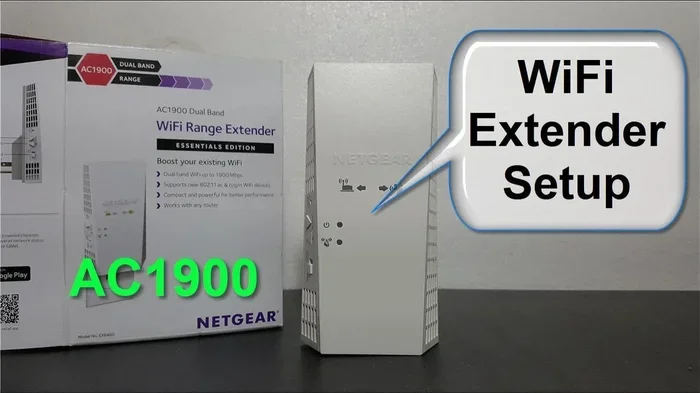
One thing experts emphasize is the importance of a reliable internet connection. A WiFi phone number is only as good as the network it runs on. If you live in an area with poor WiFi coverage, consider getting a portable WiFi device or a Wi-Fi booster to strengthen your signal. A strong connection makes all the difference in call quality.
How WiFi Phone Numbers Compare to Traditional Numbers
Let us look at how WiFi phone numbers stack up against traditional cell numbers. This comparison helps you understand the trade-offs.
| Feature | WiFi Phone Number | Traditional Cell Number |
|---|---|---|
| Cost | Free or very low | $40-$80+ per month |
| Setup Time | 5-10 minutes | Days to weeks with contract |
| Requires SIM Card | No | Yes |
| Works Without Cell Service | Yes (needs WiFi) | No |
| Portability | Works on any WiFi device | Tied to one device/plan |
| Call Quality | Good with strong WiFi | Generally consistent |
| Emergency Calling | Limited | Full 911 support |
As you can see, WiFi phone numbers win on cost and flexibility. Traditional numbers win on reliability and emergency calling. For many people, having both is the best approach. Use a WiFi number for everyday calls and keep a basic cell plan for emergencies.
Can You Use a WiFi Phone Number Internationally?
Yes, one of the biggest advantages of a WiFi phone number is that it works anywhere with WiFi. You can use your free number when traveling abroad. You do not need to worry about roaming charges or international plans.
Some apps even let you get a local phone number in other countries. This is great if you have friends or family abroad. They can call your local number as if you were in their country. It saves everyone money on international calls.
Just keep in mind that some free apps limit international features. If you need a number for a specific country, check the app’s features before committing. Most popular VoIP apps support multiple countries and offer international calling options.
Final Thoughts
Getting a WiFi phone number for free is one of the smartest things you can do today. It saves you money, protects your privacy, and keeps you connected. You do not need a cell plan, a SIM card, or even a traditional phone. All you need is WiFi and one of the free apps we discussed.
Start with Google Voice or TextNow. They are the most reliable and fully free options. Set up your number in just a few minutes. Test it out. Once you see how easy it is, you will wonder why you ever paid for a traditional plan.
The world of virtual phone numbers is growing fast. More apps and better features are coming all the time. Stay connected without breaking the bank. That is the real power of a WiFi phone number. Try it today and see the difference for yourself.
Frequently Asked Questions
Can I really get a WiFi phone number for free?
Yes, absolutely. Apps like Google Voice and TextNow give you a free virtual phone number that works over WiFi. You just need to download the app and sign up. No credit card or contract is required for the free versions.
Will my WiFi phone number work without internet?
No, a WiFi phone number needs an internet connection to work. You must be connected to WiFi or have mobile data. Without internet, you cannot make or receive calls or texts through the app.
Can I use a free WiFi phone number for business?
Yes, many people use free WiFi phone numbers for business purposes. Apps like OpenPhone and Google Voice offer features that work well for small businesses. You can get a professional number without paying for a business phone plan.
Is a WiFi phone number the same as a regular phone number?
It works the same way for calling and texting. A virtual phone number is a real phone number that routes calls over the internet. The main difference is that it does not need a cellular carrier or SIM card to function.
Can I keep my WiFi phone number if I switch apps?
It depends on the app. Some services let you port your number to a new app. Others do not support number transfers. If keeping your number is important, check the app’s policy before you sign up. Google Voice is known for having good number portability options.
Do WiFi phone numbers work on tablets?
Yes, they do. As long as your tablet can connect to WiFi and run the app, you can use a WiFi phone number. This is great for iPads and Android tablets. You do not even need a SIM card in the tablet to make it work.