How Can I Get Temporary Wi Fi Access When You Need It
Getting temporary Wi-Fi access is easier than you think. Whether you are traveling, working remotely, or dealing with an outage, there are several reliable ways to stay connected. This guide covers the best methods, devices, and safety tips to help you get online quickly and affordably.
There is nothing worse than needing the internet and not having it. You might be at a coffee shop, staying in a hotel, visiting a friend, or dealing with a home outage. Whatever the reason, temporary Wi-Fi access can save the day. The good news is that you have more options than you might think. From using your phone as a hotspot to grabbing free Wi-Fi at a local library, getting connected quickly is totally doable. In this guide, we walk you through every practical method, device, and tip you need to stay online when your regular connection is not available.
Temporary Wi-Fi access means getting an internet connection for a short period of time without setting up a permanent home network. This could mean a few hours at an airport or a few weeks while you move into a new place. The key is flexibility. You need something fast, easy to set up, and affordable. This article covers all of that and more. Let us dive in.
Key Takeaways
- Smartphone tethering is the fastest and most accessible way to get temporary Wi-Fi access anywhere.
- Portable Wi-Fi hotspot devices offer dedicated connections without draining your phone battery.
- Free public Wi-Fi networks at cafes, libraries, and hotels can provide short-term internet access.
- A Wi-Fi booster or extender can significantly improve your temporary connection range and speed.
- Staying safe on public networks requires a VPN and basic cybersecurity habits.
- Getting Wi-Fi without a router or phone service is possible with the right tools and plans.
📑 Table of Contents
- What Is Temporary Wi-Fi Access and Why Do You Need It?
- Best Ways to Get Temporary Wi-Fi Access
- How to Boost and Extend Your Temporary Wi-Fi Signal
- How to Stay Safe on Temporary Wi-Fi Networks
- Choosing the Right Temporary Wi-Fi Solution for You
- Common Mistakes to Avoid When Using Temporary Wi-Fi
- Expert Insights on Temporary Wi-Fi Access
- Conclusion
What Is Temporary Wi-Fi Access and Why Do You Need It?
Temporary Wi-Fi access refers to any short-term internet connection that is not part of your permanent home setup. It could come from a mobile device, a public network, a portable hotspot, or even a neighbor’s connection. The goal is simple: get online now, use the internet for a limited time, and move on.
When Temporary Wi-Fi Becomes Essential
There are many situations where you suddenly need internet access. Maybe your Wi-Fi router stopped working and the technician is not coming until next week. Perhaps you are traveling for work and forgot to set up internet at your hotel. Or you might be at a conference and need to check emails or submit an important file. In all these cases, temporary Wi-Fi access is not just a luxury. It is a necessity.
Even everyday moments matter. You might want to stream a movie at a cabin in the woods. You might need to navigate an unfamiliar city. You might just want to stay in touch with family while visiting relatives who live far away. Whatever the reason, having a backup plan for internet access makes life much easier.
Common Situations That Require Quick Internet
- Home internet outages caused by weather, maintenance, or equipment failure.
- Travel and vacations where hotel or rental Wi-Fi is weak or unavailable.
- Work emergencies that require you to send files or join a video call from anywhere.
- Moving between homes when you have not yet set up a permanent Wi-Fi network.
- Outdoor events like festivals, fairs, or sports games where connectivity is limited.
- Emergency situations where you need to contact family, access maps, or find shelter information.
Best Ways to Get Temporary Wi-Fi Access
Now let us get to the good stuff. There are several proven methods to get temporary Wi-Fi access when you need it. Each method has its own advantages, so let us explore them one by one.
Use Your Smartphone as a Mobile Hotspot
This is the most common and easiest way to get temporary Wi-Fi access on the go. Both iPhones and Android phones can share their cellular data connection with other devices through a feature called Wi-Fi tethering or mobile hotspot. Here is how it works:
- Go to your phone settings and find the hotspot or tethering option.
- Turn on the Wi-Fi hotspot feature.
- Set a Wi-Fi password to keep your connection secure.
- Connect your laptop, tablet, or other device to the new network.
The big advantage of this method is that you already carry the device. You do not need any extra equipment. However, there are some things to keep in mind. Tethering uses your mobile data plan, so check your data limit first. If you run out of data, you could face extra charges or slow speeds. Also, your phone battery will drain faster when it is acting as a hotspot.
If you do not have a phone plan with enough data, you might want to look into getting unlimited hotspot options from your carrier. Many providers offer add-on plans designed specifically for temporary Wi-Fi access through tethering. This gives you peace of mind without worrying about data caps.
Portable Wi-Fi Hotspot Devices
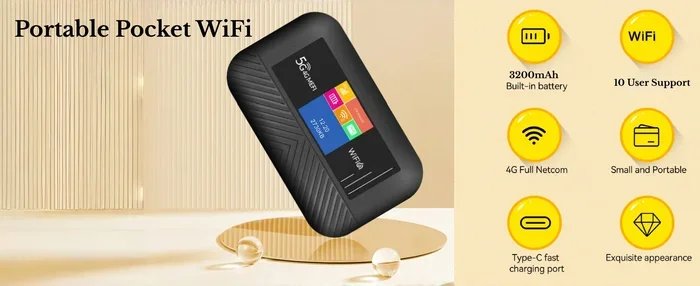
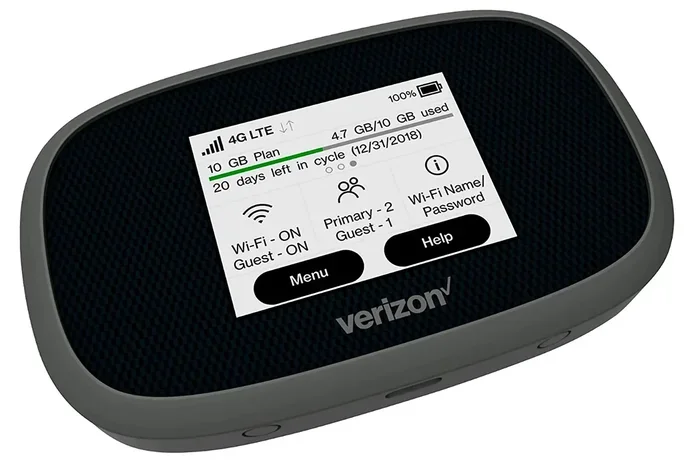
If you travel often or need reliable temporary Wi-Fi access for longer periods, a portable hotspot device is a great investment. These small gadgets work like a personal Wi-Fi router that connects to cellular networks. You insert a SIM card, and the device creates a Wi-Fi network that your other devices can join.
Popular options include devices from companies like Verizon, AT&T, and T-Mobile. Some of these devices also let you connect to Xfinity Wi-Fi away from home or access partner networks for broader coverage. The benefit of a dedicated hotspot is that it does not drain your phone battery. It also supports multiple devices at once, so your whole family can stay connected.
One thing to note: you will need a data plan for the device. Some carriers offer pay-as-you-go plans that are perfect for short-term needs. This is a flexible option if you do not want to commit to a long-term contract.
Free Public Wi-Fi Networks
Free public Wi-Fi is everywhere these days. Coffee shops, libraries, airports, hotels, shopping malls, and even some restaurants offer free Wi-Fi to customers and visitors. This is one of the simplest ways to get temporary Wi-Fi access without spending a dime.
Here are some places where you can usually find free Wi-Fi:
- Coffee shops like Starbucks, Dunkin, and local cafes.
- Public libraries that offer free internet to all visitors.
- Hotels and motels that provide guest Wi-Fi access.
- Airports with free lounges or terminal networks.
- Shopping centers and big-box retailers.
- Universities and colleges that open their networks to the public.
The downside of public Wi-Fi is that it is often slow and not very secure. We will talk more about safety in a later section. But for quick tasks like checking email or browsing the web, free public Wi-Fi works just fine.
Getting Wi-Fi Without a Router
Did you know you can get Wi-Fi without a router? It is true. If you do not have a Wi-Fi router at home or your router is broken, you can still get wireless internet. Here are a few ways:
- Mobile hotspot from your phone (as we discussed above).
- USB Wi-Fi adapter that connects directly to a computer.
- Portable hotspot devices that create their own network.
- Public Wi-Fi available in your area.
Some people also explore options like getting Wi-Fi through OnStar in their vehicles or using built-in car Wi-Fi systems. These are less common but worth knowing about if you spend a lot of time on the road.
How to Boost and Extend Your Temporary Wi-Fi Signal
Once you have a temporary Wi-Fi connection, you might find that the signal is weak or the speed is slow. This is very common, especially with mobile hotspots and public networks. The good news is that there are ways to improve your Wi-Fi signal and get better performance.
Wi-Fi Booster and Extender Options
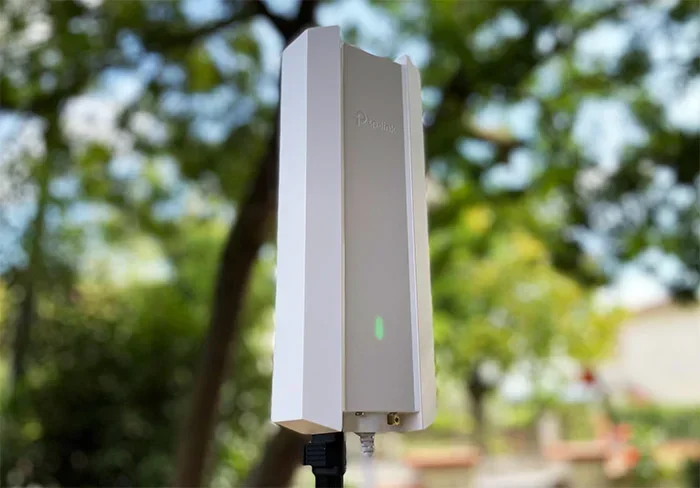
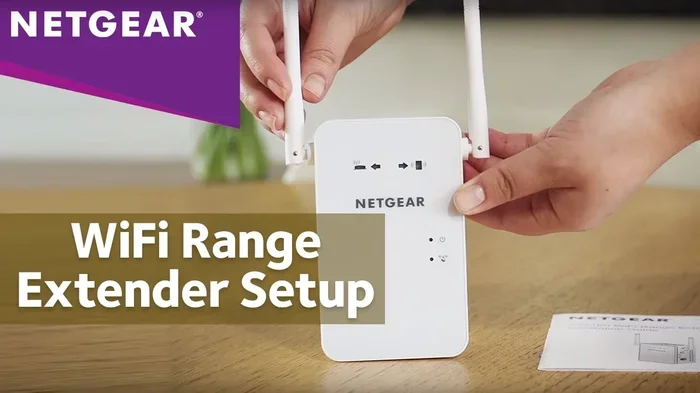
A Wi-Fi booster or Wi-Fi extender can make a big difference. These devices amplify your existing Wi-Fi signal and extend its range. You can pick one up at most electronics stores or online. Some boosters are small and portable, making them perfect for travel.
Before buying a booster, consider whether you really need one. If you are using a mobile hotspot, moving closer to the source often helps more than buying extra equipment. But if you are in a large space or dealing with walls and obstacles, a Wi-Fi booster can be a lifesaver.
You can also look into Wi-Fi extension options that work with your existing setup. For example, some devices can extend your connection up to 200 feet away from the source, which is great for outdoor use or large properties.
Tips to Improve Temporary Wi-Fi Speed
Here are some simple tips to get the most out of your temporary Wi-Fi connection:
- Move closer to the source. Distance is the biggest enemy of Wi-Fi signal strength.
- Avoid walls and metal objects. These block wireless signals and slow down your connection.
- Switch to the 2.4 GHz band. It has a longer range than 5 GHz, even though the speed is slightly lower.
- Turn off unused devices. Every connected device shares the bandwidth, so fewer devices means faster speeds.
- Restart your device. A simple reboot can fix many temporary connection issues.
- Check for interference. Other electronics like microwaves and baby monitors can disrupt your Wi-Fi signal.
How to Stay Safe on Temporary Wi-Fi Networks
When you use temporary Wi-Fi access, especially on public networks, your security is at risk. Open Wi-Fi networks are convenient, but they are also easy for hackers to exploit. Protecting your data should always be a priority.
Risks of Public Wi-Fi
Public Wi-Fi networks are often unencrypted, which means anyone on the same network can potentially see what you are doing online. This includes your browsing history, login credentials, and personal messages. The risks include:
- Man-in-the-middle attacks where someone intercepts your data.
- Malware distribution through compromised networks.
- Session hijacking where attackers take over your logged-in accounts.
- Data theft of passwords, banking information, and personal files.
How to Protect Your Data
You do not need to avoid public Wi-Fi altogether. Just take these simple precautions:
- Use a VPN (Virtual Private Network) to encrypt your internet traffic.
- Avoid accessing bank accounts or entering sensitive information on public networks.
- Make sure websites use HTTPS (look for the padlock icon in your browser).
- Turn off auto-connect so your phone does not join unknown networks without your permission.
- Forget the network after you are done so your device does not reconnect automatically.
Taking these steps gives you the freedom to use temporary Wi-Fi access without putting your personal information at risk. A little caution goes a long way.
Choosing the Right Temporary Wi-Fi Solution for You
With so many options available, how do you pick the right one? The answer depends on your specific needs, budget, and how long you need the connection.
Comparing Temporary Wi-Fi Options
Here is a quick comparison of the most popular methods for temporary Wi-Fi access:
- Smartphone hotspot: Free (uses existing data plan). Best for short-term, on-the-go needs. Limited by data cap and battery life.
- Portable hotspot device: Requires a separate data plan. Best for frequent travelers or extended temporary needs. Supports multiple devices.
- Free public Wi-Fi: Completely free. Best for quick tasks like email or browsing. Slower and less secure than other options.
- Wi-Fi booster/extender: One-time cost for the device. Best for improving an existing weak signal. Does not create a new connection on its own.
- Neighbor or friend’s network: Free or a small thank-you. Best as a last resort. Requires permission and trust.
Quick Tips for Making the Right Choice
- If you need Wi-Fi for a few hours, use your phone hotspot or find free public Wi-Fi.
- If you need Wi-Fi for several days, consider a portable hotspot device or a short-term data plan.
- If you need Wi-Fi in a rural area, a portable hotspot with good cellular coverage is your best bet.
- If you just need better signal in your current location, a Wi-Fi booster or extender is the way to go.
- Always have a backup plan in case your primary method fails.
The best approach is to combine methods. For example, use your phone hotspot as your primary connection and a Wi-Fi booster to extend the range. This gives you both flexibility and reliability.
Common Mistakes to Avoid When Using Temporary Wi-Fi
Even with the best intentions, people make mistakes that can cause frustration or security problems. Here are some common pitfalls to watch out for:
- Not checking your data limit. Tethering and hotspots can eat through your data quickly. Monitor your usage to avoid surprise charges.
- Connecting to unknown networks without checking the name. Hackers sometimes create fake networks with names similar to legitimate ones. Always verify the network name with staff.
- Leaving your hotspot on when not in use. This drains your battery and uses data unnecessarily. Turn it off when you are done.
- Forgetting to set a strong password. An open hotspot is an invitation for strangers to use your connection and potentially access your device.
- Ignoring software updates. Keep your phone and devices updated to protect against security vulnerabilities on temporary networks.
Avoiding these mistakes helps you get the most out of your temporary Wi-Fi access while keeping your devices and data safe.
Expert Insights on Temporary Wi-Fi Access
Networking professionals agree that having a backup plan for internet access is essential in today’s connected world. According to industry experts, the most reliable approach is to combine a mobile hotspot with a portable device. This way, you are not dependent on your phone alone, and you have a dedicated device that keeps working even when your phone battery dies.
Experts also recommend checking your carrier’s coverage map before relying on a hotspot in a new area. A Wi-Fi adapter or cellular signal booster can help if you are in an area with weak coverage. And do not overlook the power of Wi-Fi tethering settings on your phone. Many people do not realize that they can prioritize their hotspot connection or limit the number of devices that can connect, which improves performance for everyone.
One final expert tip: always keep a portable charger or power bank with you. Running out of battery is the fastest way to lose your temporary Wi-Fi access, and finding a charging spot is not always easy when you are on the move.
Conclusion
Temporary Wi-Fi access is more accessible today than ever before. Whether you use your phone as a hotspot, grab free Wi-Fi at a local cafe, or invest in a portable hotspot device, you have plenty of options to stay connected when you need it most. The key is to plan ahead, know your data limits, and prioritize security when using unfamiliar networks.
Remember that not all methods work equally well in every situation. A smartphone hotspot is perfect for quick needs, while a portable device shines during longer trips. And when your signal is weak, a simple Wi-Fi booster can make all the difference. With the right approach, you will never have to worry about being offline again.
Now that you know the ins and outs of getting temporary Wi-Fi access, you can choose the method that fits your life best. Stay connected, stay safe, and never miss a moment that matters.
Frequently Asked Questions
Can I get Wi-Fi without a router or phone service?
Yes, you can. You can use a portable hotspot device with a prepaid data plan, connect to free public Wi-Fi networks, or use a USB Wi-Fi adapter that taps into available cellular networks. These options give you Wi-Fi without a router or traditional phone service.
How do I get temporary Wi-Fi access while traveling?
The easiest way is to use your smartphone as a mobile hotspot with your existing data plan. You can also rent a portable Wi-Fi hotspot device at the airport or buy a local SIM card with data at your destination. Many hotels also provide complimentary Wi-Fi access for guests.
Is it safe to use public Wi-Fi for banking or shopping?
It is risky. Public networks are often unencrypted, which means your data can be intercepted. If you must access sensitive accounts on public Wi-Fi, always use a VPN and make sure the website uses HTTPS. Better yet, wait until you are on a secure network.
Can I extend my temporary Wi-Fi signal to reach farther?
Yes. You can use a Wi-Fi booster or extender to increase the range of your temporary connection. Moving closer to the source and switching to the 2.4 GHz band also helps improve range and coverage.
How much data do I need for temporary Wi-Fi access through a hotspot?
It depends on what you plan to do. Light browsing and email use about 50-100 MB per hour. Streaming video uses 1-3 GB per hour. For a day of moderate use, plan for 1-2 GB of data. Check your carrier for unlimited hotspot or add-on data plans to avoid running out.
What is the difference between a mobile hotspot and a portable Wi-Fi device?
A mobile hotspot uses your phone to share its cellular data connection with other devices. A portable Wi-Fi device is a separate gadget that creates its own network using a SIM card. The portable device does not drain your phone battery and can support more connected devices at once.