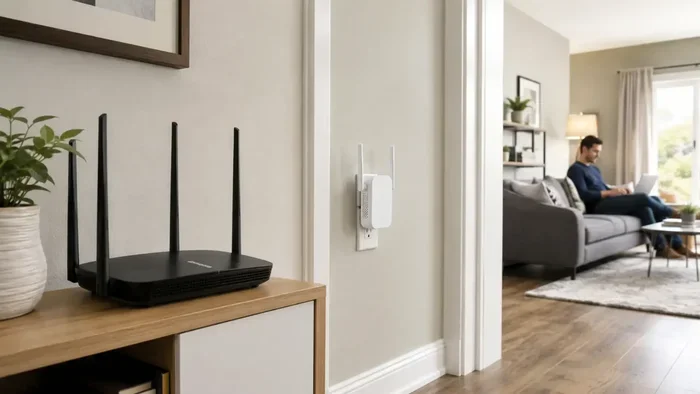
Does Arris Have A Wi Fi Extender For Better Coverage
Does Arris have a Wi-Fi extender? Yes, Arris offers several networking solutions including mesh systems and range extenders designed to eliminate dead zones and improve wireless coverage throughout your home. Whether you need a basic signal booster or a full mesh Wi-Fi system, Arris has options to fit different budgets and home sizes.
Do you keep losing your Wi-Fi signal in certain rooms? Maybe the bedroom upstairs goes dark, or the backyard gets zero bars. You are not alone. Millions of people deal with weak wireless signals every single day.
The question on your mind is probably simple: Does Arris have a Wi-Fi extender that can fix this problem? The short answer is yes. Arris makes several networking products designed to extend your wireless coverage and eliminate those annoying dead zones. But the full story is more interesting than a simple yes or no.
In this guide, we will walk through everything you need to know about Arris Wi-Fi extenders. We will look at what they offer, how they compare to other solutions, and whether buying one is the right move for your home network. By the end, you will know exactly what to do about weak Wi-Fi in your place.
Key Takeaways
- Arris does offer Wi-Fi extenders: They provide both standalone range extenders and mesh Wi-Fi systems to boost your signal.
- Mesh systems are the better choice: Arris mesh routers like the Arris SURFboard create seamless coverage across large homes.
- Range extenders are affordable: If you need a quick fix for a weak spot, an Arris extender is a budget-friendly option.
- Setup is simple: Most Arris extenders plug directly into a wall outlet and sync with your existing router.
- Consider alternatives too: Products like wifi boosters and mesh routers from other brands may also solve your coverage issues.
📑 Table of Contents
- What Is a Wi-Fi Extender and Why Do You Need One?
- Does Arris Offer a Wi-Fi Extender?
- How to Set Up an Arris Wi-Fi Extender
- Arris Extender vs. Other Wi-Fi Solutions
- Common Problems With Arris Wi-Fi Extenders
- Tips to Get the Most From Your Arris Wi-Fi Extender
- When Should You Skip an Extender and Try Something Else?
- Final Thoughts: Is an Arris Wi-Fi Extender Worth It?
What Is a Wi-Fi Extender and Why Do You Need One?
A Wi-Fi extender is a device that picks up your existing wireless signal and rebroadcasts it to areas where the signal is weak or nonexistent. Think of it as a messenger that carries your internet signal to places your main router cannot reach.
Most homes have at least one dead zone. This could be a far bedroom, a basement, or even a garage. Walls, floors, and distance all weaken your wireless signal over time. A range extender solves this problem without needing to run cables through your house.
There are three main types of signal boosters you can use:
- Wi-Fi extenders — These repeat your existing signal from the router.
- Mesh Wi-Fi systems — These use multiple nodes to create one seamless network throughout your home.
- Powerline adapters — These use your home’s electrical wiring to carry internet to distant rooms.
Each option has its strengths. But for many people, a simple extender or a mesh system works best. And this is exactly where Arris steps in.
Does Arris Offer a Wi-Fi Extender?
Yes, Arris does make Wi-Fi extenders and mesh systems. Arris is a well-known brand in the networking world, especially for cable modems and routers. Over the years, they have expanded their product line to include devices that improve wireless coverage.
Arris is most famous for its SURFboard line of modems and routers. Many internet providers actually ship Arris equipment to their customers. So if you have ever rented a modem or router from your ISP, there is a good chance it was an Arris device.
When it comes to extending your wireless coverage, Arris offers a few different paths. You can buy a standalone range extender, or you can invest in a full mesh Wi-Fi system. The right choice depends on your home size, your budget, and how bad your coverage problems are.
Arris Mesh Wi-Fi Systems
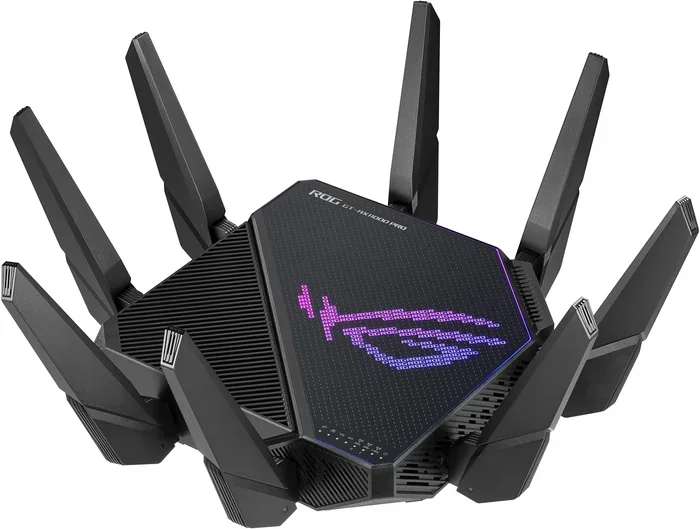
Arris mesh systems are probably the best solution for most homes. A mesh system uses two or three units that work together to blanket your entire house with strong Wi-Fi. Unlike a traditional extender, a mesh system creates one unified network name. You do not have to switch between different network names as you move around your home.
The Arris SURFboard mesh products are designed to be easy to set up. You plug in the main unit near your modem, then place satellite nodes in rooms that need better coverage. The system manages everything automatically. It routes your devices to the strongest signal at all times.
Standalone Arris Range Extenders
Arris also sells standalone range extenders for people who just need to fix one or two weak spots. These are smaller, cheaper devices that plug into a wall outlet. They connect to your existing router and rebroadcast the signal to the surrounding area.
Standalone extenders work well for small coverage gaps. For example, if your living room gets a strong signal but the kitchen does not, a single extender can bridge that gap. They are simple to set up and do not require any special technical knowledge.
How to Set Up an Arris Wi-Fi Extender
Setting up an Arris Wi-Fi extender is straightforward. Most models follow a similar process, and you can usually have everything running in under 15 minutes. Here is a step-by-step look at what to expect.
Step 1: Plug in the Extender
First, plug your extender into a wall outlet. Place it halfway between your router and the area with weak signal. This positioning helps the extender catch a strong signal from the router and then push it further into the dead zone.
Step 2: Connect to the Extender
Next, use your phone or computer to connect to the extender’s default Wi-Fi network. The network name and password are usually printed on a sticker on the device itself. Once connected, open a web browser and go to the Arris setup page.
Step 3: Follow the Setup Wizard
The setup wizard will walk you through the process. You will select your home Wi-Fi network, enter the password, and choose your settings. Most Arris extenders support both 2.4 GHz and 5 GHz bands, so you can configure both during setup.
Step 4: Test Your Coverage
After setup, walk around your home and test the signal in the areas that were previously weak. If the coverage is still not good enough, try moving the extender to a different location. Even a small change in placement can make a big difference.
Arris Extender vs. Other Wi-Fi Solutions
Not all wireless boosters are created equal. Before you buy an Arris extender, it helps to understand how it compares to other options on the market. Let us look at the main alternatives.
Arris Extender vs. Mesh Wi-Fi Systems
Mesh systems are generally better for larger homes. They create a seamless network with multiple nodes that talk to each other. If you have a home bigger than 2,000 square feet, a mesh system might be the smarter choice. You can also connect a mesh router to an existing router if you want to keep your current setup.
Arris mesh systems tend to cost more than standalone extenders, but they offer much better performance. The handoff between nodes is smooth, and you will not experience the speed drops that sometimes happen with traditional extenders.
Arris Extender vs. Wi-Fi Boosters from Other Brands
Brands like TP-Link, Netgear, and Linksys also make excellent Wi-Fi boosters. The key difference is that Arris extenders integrate well with Arris routers and modems. If you already own an Arris SURFboard, an Arris extender will pair with it seamlessly.
That said, you are not locked into the Arris brand. You can buy any compatible extender and use it with your Arris router. The market has many great options, and it is worth comparing before you decide.
Quick Comparison Table
| Feature | Arris Extender | Arris Mesh System | Third-Party Booster |
|---|---|---|---|
| Price Range | Budget-Friendly | Mid to High | Varies |
| Ease of Setup | Very Easy | Easy | Easy to Moderate |
| Coverage Area | Small to Medium | Large Homes | Varies |
| Seamless Roaming | No | Yes | Some Models |
| Best For | Small Dead Zones | Whole-Home Coverage | Specific Needs |
Common Problems With Arris Wi-Fi Extenders
Even the best extenders can cause headaches if you run into issues. Here are the most common problems people face with Arris extenders and how to fix them.
Slow Speeds After Extending
This is the number one complaint with any range extender. The extender has to receive the signal and then send it again, which cuts your speed in half sometimes. To reduce this problem, place your extender where it gets a strong signal from the router. The stronger the incoming signal, the better the outgoing signal will be.
Extender Keeps Losing Connection
If your Arris extender drops off frequently, try moving it to a different outlet. Walls and appliances can interfere with the wireless signal. Also, make sure your extender firmware is up to date. Arris releases updates that fix bugs and improve stability.
Cannot Find the Extender During Setup
This usually happens when the extender is too far from the router during initial setup. Move the extender closer to the router, complete the setup, and then relocate it to its final position. Also make sure you are connecting to the extender’s network and not a neighbor’s network.
Double NAT Issues
If you have multiple routers on your network, you might run into a double NAT problem. This can cause devices to lose internet access. To fix this, put your Arris extender in bridge mode or adjust your router settings. Most Arris devices have a simple bridge mode option in the admin panel.
Tips to Get the Most From Your Arris Wi-Fi Extender
Want to squeeze every bit of performance out of your Arris extender? Follow these practical tips to get better coverage and faster speeds.
- Place the extender strategically. Do not hide it behind furniture or inside a closet. It needs a clear line of sight to your router for the best performance.
- Use the 5 GHz band when possible. The 5 GHz band is faster but has a shorter range. Place your extender close enough to the router to use this band effectively.
- Update the firmware regularly. Arris releases updates that improve performance and fix bugs. Check the Arris admin panel every few months for updates.
- Restart your extender periodically. A simple reboot can clear up minor glitches and refresh the connection to your router.
- Consider your home layout. Thick walls, metal objects, and even water heaters can block Wi-Fi signals. Keep your extender away from these obstacles.
- Upgrade if needed. If your extender is several years old, a newer model will likely offer better speeds and coverage. Technology improves fast, and older models may not support the latest Wi-Fi standards.
When Should You Skip an Extender and Try Something Else?
Arris extenders are great for many situations, but they are not always the best solution. Here are some cases where you might want to consider a different approach.
If your home is very large, say over 3,000 square feet, a single extender might not be enough. You would need multiple extenders, which can create a messy network with different names and manual switching. In this case, a mesh system is a much better investment.
If your weak signal is caused by a structural problem, like thick concrete walls or long distances from the router, an extender might struggle. In these situations, you might want to look into powerline adapters or even running ethernet cables to key rooms.
Also, if you are renting your home and cannot modify your setup much, an extender is a great non-permanent solution. You can unplug it and take it with you when you move.
For those dealing with outdoor coverage, you might wonder about extending your signal to the yard or patio. While most extenders are designed for indoor use, placing one near a window facing the outdoor area can help. If you are curious about specific distance limits, you can check out whether it is possible to extend your Wi-Fi to 200 feet away for more insight.
Final Thoughts: Is an Arris Wi-Fi Extender Worth It?
So, does Arris have a Wi-Fi extender? Absolutely. Arris offers both standalone range extenders and full mesh Wi-Fi systems that can dramatically improve your home network coverage. Whether you have one weak room or an entire house with dead zones, there is an Arris solution that can help.
The best choice for you depends on your specific situation. For a quick fix to a small coverage gap, a standalone Arris extender is affordable and easy to set up. For whole-home coverage in a larger house, an Arris mesh system is the way to go.
Remember, no single solution works perfectly for every home. Your results will depend on your home layout, your router placement, and the type of walls and obstacles in your space. But with the right Arris extender and a good placement strategy, you can say goodbye to weak signals and hello to reliable Wi-Fi everywhere you need it.
Take some time to evaluate your coverage needs, pick the right Arris product, and follow the setup tips in this guide. You will be streaming, gaming, and browsing without interruptions in no time.
Frequently Asked Questions
Does Arris make a Wi-Fi range extender?
Yes, Arris manufactures standalone Wi-Fi range extenders designed to boost your existing wireless signal. These extenders are easy to set up and work well for small to medium coverage gaps in your home.
Can I use an Arris extender with any router?
Arris extenders are compatible with most standard routers, including non-Arris models. However, if you already own an Arris router or modem, the extender will integrate more seamlessly and offer the best performance.
Is a mesh system better than an Arris Wi-Fi extender?
For larger homes, a mesh system is usually the better choice. Mesh systems use multiple nodes to create one seamless network, while a traditional extender can sometimes cut your speed in half. If you have a small home with one weak spot, an extender works just fine.
How much does an Arris Wi-Fi extender cost?
Arris extenders are generally budget-friendly, with most models priced between $30 and $80. Mesh systems cost more, typically ranging from $150 to $300 depending on the number of nodes included.
Can humidity affect my Arris Wi-Fi extender’s performance?
While humidity primarily affects wireless signals through the air, excessive moisture can interfere with your Wi-Fi signal strength. If your extender is in a damp area like a basement or bathroom, you might notice weaker performance. For more details on this topic, you can read about how humidity can affect a Wi-Fi signal and take steps to protect your network.
Do I need a separate modem if I buy an Arris extender?
Yes, a Wi-Fi extender works alongside your existing modem and router. It does not replace them. The extender simply takes the signal from your router and rebroadcasts it to areas with weak coverage. If you do not have a modem, you will still need one to get internet service into your home.