How Can I Get Better Wi Fi Signal In My Rv On The Road
Getting a strong Wi-Fi signal in your RV on the road can be a real challenge, but it is absolutely doable with the right approach. This guide covers practical tips, must-have gear, and common mistakes that help you boost your RV Wi-Fi signal anywhere you park. You will learn how to choose the best booster, position your antenna, and improve your connection for streaming, working, and staying connected on the road.
Hitting the open road in your RV is one of life’s great freedoms. But there is one thing that can quickly put a damper on the experience: weak or nonexistent Wi-Fi. Whether you are parked at a crowded campground or boondocking in the mountains, a poor connection can make working, streaming, and staying in touch with loved ones a real headache.
The good news is that you do not have to accept slow or spotty internet forever. There are real, proven ways to get better Wi-Fi signal in your RV and enjoy a fast, reliable connection wherever your adventures take you. In this guide, we will walk you through everything you need to know, from simple fixes to gear upgrades that make a noticeable difference.
Key Takeaways
- Use a Wi-Fi booster or extender: A quality booster dramatically improves your RV Wi-Fi signal strength at campgrounds and remote spots.
- Position your antenna correctly: Where you place your antenna matters a lot for getting a clear, strong signal while traveling.
- Combine cellular data with Wi-Fi: Using a mobile hotspot alongside your Wi-Fi gives you a reliable backup connection anywhere.
- Avoid common placement mistakes: Keeping your router away from metal walls and thick materials helps your signal reach further inside your RV.
- Check your data plan: Unlimited hotspot plans make a huge difference when you rely on Wi-Fi for work and entertainment on the road.
📑 Table of Contents
- Why Your RV Wi-Fi Signal Struggles on the Road
- How to Get Better Wi-Fi Signal in Your RV
- Best Gear for Boosting RV Wi-Fi Signal
- RV Wi-Fi Setup: Simple Tips That Make a Big Difference
- Common Mistakes RV Owners Make With Wi-Fi
- When to Consider Upgrading Your RV Internet Setup
- Final Thoughts on Getting Better Wi-Fi in Your RV
Why Your RV Wi-Fi Signal Struggles on the Road
Understanding why your Wi-Fi signal is weak is the first step toward fixing it. Unlike a home setup where your router sits in a fixed spot with a strong connection to your ISP, your RV faces a completely different set of challenges.
Most campgrounds offer Wi-Fi through a shared network. That means dozens of people are all connecting to the same router, often from far away. The signal has to travel across a large parking lot, through trees, and around buildings before it reaches your RV. By the time it gets to you, the signal may be too weak for anything beyond basic browsing.
When you are boondocking or camping in a more remote area, the problem gets even worse. You might be miles from the nearest cell tower or Wi-Fi source. In these situations, your signal has to travel a long distance through hills, trees, and other obstacles. The further it travels, the weaker it gets.
Your RV itself can also cause problems. Metal walls, foil insulation, and large appliances can block or weaken Wi-Fi signals as they try to enter your rig. This is why you might get a strong signal outside but a terrible one inside your RV. It is not your fault, and it is not your router’s fault most of the time. It is just the way the signal has to work around your rig.
Common Culprits Behind Weak RV Signals
- Distance from the source: The further you are from the Wi-Fi router or cell tower, the weaker your signal becomes.
- Physical barriers: Trees, hills, buildings, and even weather can block or reduce your signal strength.
- RV construction: Metal walls, tinted windows, and insulation materials block Wi-Fi signals from entering your rig.
- Network congestion: Campgrounds with many users on one router slow down the connection for everyone.
- Outdated equipment: Older routers and antennas simply cannot compete with modern signal demands.
Once you know what is working against you, it is much easier to find the right solution. And that is exactly what the next sections cover.
How to Get Better Wi-Fi Signal in Your RV
Now that you understand the challenges, let us talk about what actually works. There are several strategies you can use right away, and some that involve investing in a little gear. Both approaches can make a big difference.
Optimize Your RV Wi-Fi Antenna Position
Where you place your antenna or router has a huge impact on signal strength. Start by moving your setup near a window or an exterior wall of your RV. This gives the signal a clearer path in and out of your rig. If your antenna is mounted on the roof, make sure it is positioned high up and away from obstructions like air conditioners or storage compartments.
Try pointing your antenna toward the Wi-Fi source you want to connect to. If you are at a campground, walk around your RV with your device and find the spot with the strongest signal. Then position your antenna in that general direction. This simple trick can boost your signal strength by a noticeable amount.
Reduce Signal Interference Inside Your RV
Many RV owners do not realize how much interference their own rig creates. Large appliances like refrigerators and microwaves can disrupt Wi-Fi signals. So can metal furniture, foil-backed insulation, and even fish tanks. Try moving your router away from these items and see if your signal improves.
Another easy fix is to switch your Wi-Fi band. If your router supports both 2.4 GHz and 5 GHz, try the 2.4 GHz band. It has a longer range and penetrates obstacles better than 5 GHz. You can learn more about switching bands in our guide on can I change my Wi-Fi from 5GHz to 2.4 GHz.
Use a Wi-Fi Repeater or Extender
A Wi-Fi repeater or extender is one of the simplest and most effective ways to boost your RV signal. These devices pick up the existing Wi-Fi signal and rebroadcast it inside your RV. They are affordable and easy to set up, making them a great starting point for most RV owners.
When shopping for a repeater, look for one that supports dual bands and has a good range. Some repeaters are specifically designed for mobile use and work well in RVs. You can also check out our article on can I get an extension on my Wi-Fi for more options.
Best Gear for Boosting RV Wi-Fi Signal
Sometimes simple fixes are not enough, and you need dedicated gear to get the signal you need. Here is a look at the best equipment for improving your RV Wi-Fi on the road.
Wi-Fi Boosters and Amplifiers
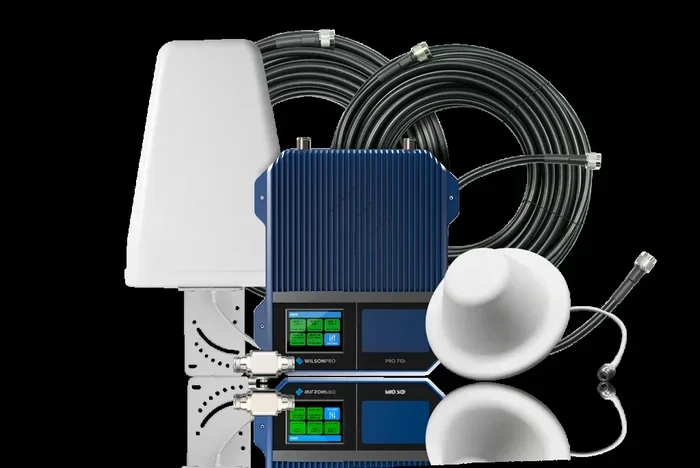
A dedicated Wi-Fi booster is the most effective way to improve your signal. These devices amplify the incoming Wi-Fi signal and send a stronger version to your devices. They work especially well when you are connected to a distant campground router or a weak public network.
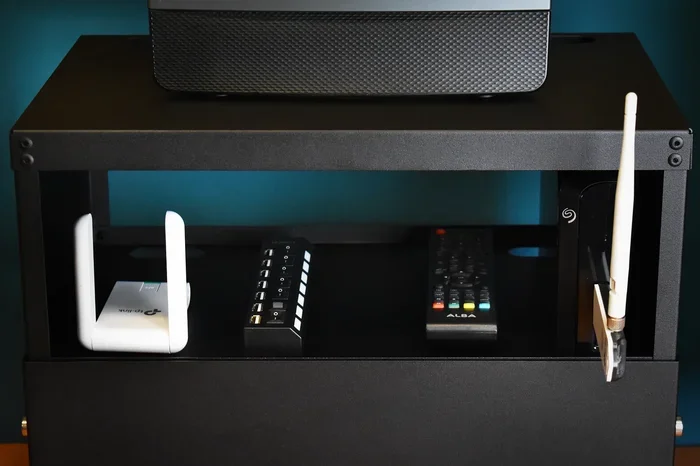
Popular options for RV users include the Alfa AWUS036ACH and the TP-Link RE305. Both are compact, powerful, and designed for mobile use. If you are wondering whether you should buy one, our guide on can I buy a Wi-Fi booster covers everything you need to know before making a purchase.
External Wi-Fi Antennas
If you want to take your signal game to the next level, an external antenna is the way to go. These antennas connect to your router or USB adapter and pull in Wi-Fi signals from much farther away than a standard internal antenna can.
Directional antennas focus on a single Wi-Fi source, which is perfect for campgrounds where you know which router you want to connect to. Omnidirectional antennas pull in signals from all directions, which is better when you are moving around and connecting to different networks. Many RV owners use a combination of both for the best results.
Cellular Hotspots and Mobile Routers
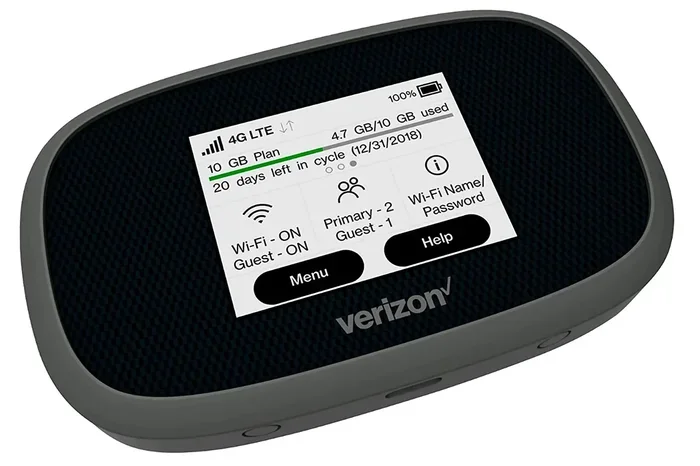
When campground Wi-Fi is just not cutting it, a cellular hotspot can save the day. These devices use cellular data to create your own Wi-Fi network inside your RV. They work almost anywhere there is cell coverage, which makes them perfect for boondocking and remote camping.
You can also check out our article on can I get unlimited hotspot to explore data plans that keep you connected without worrying about running out of data. A mobile hotspot paired with a good data plan gives you a reliable backup connection and sometimes even your primary one.
RV Wi-Fi Setup: Simple Tips That Make a Big Difference
You do not always need expensive gear to improve your RV Wi-Fi. Sometimes a few simple adjustments to your setup can make a world of difference. Here are practical tips you can try right now.
Keep Your Router Firmware Updated
Router manufacturers regularly release firmware updates that improve performance and fix bugs. An outdated router may not perform as well as it could, especially when dealing with weak signals. Check for updates regularly and install them when available.
Restart Your Router Regularly
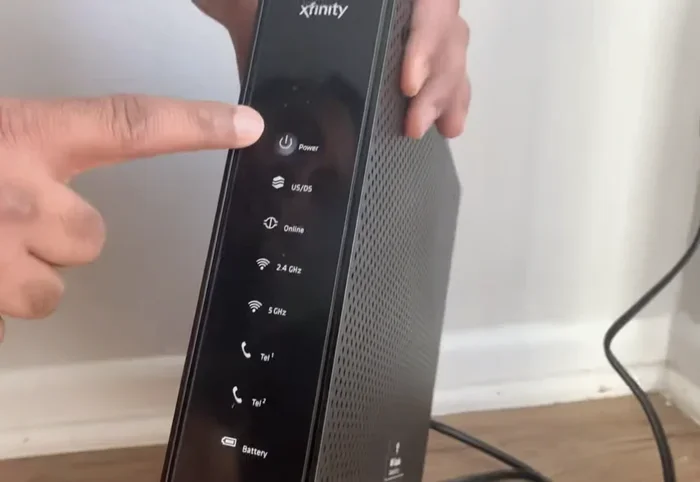
This sounds too simple to work, but restarting your router clears its memory and refreshes the connection. If you notice your signal dropping, try unplugging your router for 30 seconds and plugging it back in. Many RV owners make this a weekly habit and notice a big improvement in connection stability.
Limit the Number of Connected Devices
Every device connected to your Wi-Fi takes up bandwidth. If you have multiple phones, tablets, laptops, and smart TVs all connected at once, your signal will suffer. Try to limit the number of active connections, especially when you are on a weak network. Turn off Wi-Fi on devices you are not actively using.
Use a Wi-Fi Adapter With Better Range
Your laptop or tablet’s built-in Wi-Fi adapter may not be strong enough to pick up distant signals. A USB Wi-Fi adapter with an external antenna can dramatically improve your ability to connect to weak networks. These adapters are inexpensive and plug right into your laptop’s USB port.
Common Mistakes RV Owners Make With Wi-Fi
Even with the best gear, mistakes in how you set up and use your Wi-Fi can hold you back. Here are the most common errors RV owners make and how to avoid them.
- Placing the router in a central metal cabinet: Metal blocks Wi-Fi signals. Keep your router out in the open, preferably near a window.
- Ignoring the 2.4 GHz band: Many people stick to 5 GHz because it is faster, but 2.4 GHz has much better range. Use both bands wisely.
- Not checking campground Wi-Fi reviews: Some campgrounds are known for great Wi-Fi, while others are terrible. Do your research before booking.
- Using a router designed for home use only: Home routers are not built for mobile use. Look for routers specifically designed for RVs or travel.
- Forgetting about data limits: Even the best setup will not help if your data plan runs out. Always monitor your usage and choose a plan that fits your needs.
Avoiding these mistakes alone can improve your connection quality without spending a single dollar on new equipment.
When to Consider Upgrading Your RV Internet Setup
If you have tried all the tips above and your Wi-Fi still does not meet your needs, it might be time for a bigger upgrade. Here are signs that a more serious setup is worth the investment.
Do you work remotely from your RV? If so, a weak connection is not just annoying, it is a threat to your income. In this case, investing in a high-quality booster, external antenna, and a reliable cellular data plan is absolutely worth it. You need a connection you can count on every single day.
Do you love streaming movies and shows while on the road? Streaming requires a strong and stable connection. A basic setup will struggle with HD or 4K content. A Wi-Fi booster paired with a good data plan will give you the bandwidth you need for uninterrupted entertainment.
Do you travel with a large family or group? More people means more devices competing for the same signal. A router designed for multiple users and a signal booster can handle the load much better than a standard setup.
No matter what your situation is, there is a solution that fits your needs and your budget. The key is to start with the simple fixes, see how much improvement they bring, and then invest in gear if you still need more.
Final Thoughts on Getting Better Wi-Fi in Your RV
Getting a strong Wi-Fi signal in your RV does not have to be a constant battle. With the right knowledge and a few smart adjustments, you can enjoy a fast, reliable connection almost anywhere you go. Start by optimizing your current setup, then add gear as needed to fill in the gaps.
Remember that every RV and every travel situation is different. What works perfectly for one person might not work as well for another. The key is to experiment, stay patient, and keep learning about what works best for your specific setup. Once you find the right combination of tips, tricks, and gear, you will wonder how you ever traveled without a solid connection.
Stay connected, stay productive, and keep enjoying the open road. Your best Wi-Fi experience on the road is closer than you think.
Frequently Asked Questions
What is the best Wi-Fi booster for an RV?
The best Wi-Fi booster for an RV depends on your needs and budget. Popular options include the Alfa AWUS036ACH for a USB adapter and the TP-Link RE305 for a repeater. Both are compact, reliable, and work well in mobile setups.
Can I use my phone as a hotspot for my RV Wi-Fi?
Yes, you can use your phone as a mobile hotspot to create a Wi-Fi network inside your RV. Just make sure your data plan can handle the extra usage. Check our guide on getting unlimited hotspot for more details on choosing the right plan.
Why is my RV Wi-Fi so slow at campgrounds?
Campground Wi-Fi is often slow because many users share the same router and network. The signal also has to travel a long distance to reach your RV, which weakens it. Using a booster or extender can help overcome these issues.
Do I need an external antenna for my RV?
An external antenna is not strictly necessary, but it can significantly improve your signal strength, especially if you camp in areas with weak coverage. Directional antennas work best for targeting a specific Wi-Fi source, while omnidirectional antennas are better for picking up signals from multiple directions.
How can I improve my RV Wi-Fi without buying new equipment?
You can improve your RV Wi-Fi without buying new gear by repositioning your router near a window, switching to the 2.4 GHz band, reducing the number of connected devices, and restarting your router regularly. These simple steps often make a noticeable difference.
Will a Wi-Fi booster work in remote camping areas?
A Wi-Fi booster will only work if there is an existing Wi-Fi signal to amplify. In truly remote areas with no Wi-Fi source, you will need a cellular hotspot or satellite internet solution instead. Boosters are most effective at campgrounds and areas with some existing coverage.