How Can I Boost My Verizon 5g Home Internet Connection
Boosting your Verizon 5G home internet is easier than you think. You can improve speeds, strengthen signals, and get more from your connection with simple tips and the right tools. This guide covers everything from router placement to hardware upgrades that make a real difference.
Verizon 5G home internet brings blazing-fast speeds right to your doorstep. But sometimes the connection doesn’t feel as strong as it should be. Maybe your streaming keeps buffering or your video calls keep dropping. The good news is that you don’t need to be a tech expert to fix these issues.
In this guide, we walk you through practical steps to boost your Verizon 5G home internet starting today. You’ll learn how to optimize your setup, choose the right equipment, and squeeze every bit of performance from your network. Whether you live in a small apartment or a large house, these tips will help you get the most out of your Verizon 5G connection.
Let’s face it — slow internet is frustrating. You’re trying to watch your favorite show, join a work meeting, or game online, and everything crawls. The solution doesn’t always mean paying for a more expensive plan. Often, a few simple changes can transform your experience. Let’s dive in.
Key Takeaways
- Router placement matters: Where you put your Verizon 5G router has a huge impact on speed and coverage throughout your home.
- Use a Wi-Fi booster: A quality signal booster extends your range and eliminates dead zones in larger homes.
- Check your plan: Your Verizon internet plan might be limiting your speeds without you realizing it.
- Reduce network congestion: Simple steps like disconnecting unused devices can free up bandwidth fast.
- Update firmware regularly: Keeping your router software current fixes bugs and improves performance.
- Consider a mesh network: Mesh systems provide whole-home coverage for consistent speeds in every room.
- Run speed tests often: Regular testing helps you spot problems early and track improvements over time.
📑 Table of Contents
- Understanding Your Verizon 5G Home Internet Setup
- Optimize Your Router Placement for Better Coverage
- Hardware Upgrades That Make a Real Difference
- Software and Settings Optimizations
- Troubleshooting Common Verizon 5G Home Internet Issues
- Long-Term Strategies for Consistent Performance
- Expert Insights: What Works Best
Understanding Your Verizon 5G Home Internet Setup
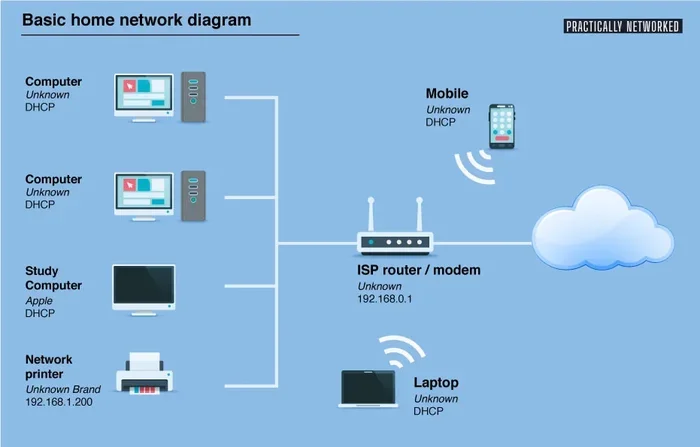
Before you make any changes, it helps to understand how your system works. Verizon 5G home internet uses cellular towers to deliver internet to a special router in your home. This is different from traditional cable or fiber connections. The signal travels from the tower to your Verizon 5G router, which then distributes the connection to your devices.
How the 5G Signal Reaches Your Home
Verizon’s 5G network uses radio waves to send data to your home. These waves travel through the air and connect to your receiver. The strength of your signal depends on several factors. Distance from the tower, obstacles like buildings and trees, and even weather can affect your 5G signal strength. Understanding this helps you troubleshoot problems more effectively.
What Equipment Do You Need?
Verizon provides a specialized router for home internet service. This router is designed to work with their 5G network. Some users also use additional equipment like Wi-Fi extenders or mesh systems to improve coverage. Knowing what you have is the first step toward optimization.
- Verizon 5G Home Router: The main unit that receives and distributes your internet signal.
- Ethernet Cables: Wired connections that offer the fastest, most stable speeds.
- Wi-Fi Extenders: Devices that repeat your signal to reach farther areas.
- Mesh Wi-Fi Systems: Multi-unit setups that blanket your home with consistent coverage.
Optimize Your Router Placement for Better Coverage
Where you place your router makes a bigger difference than most people realize. A poorly positioned router can slow down your entire network. Moving it to a better spot often solves many internet speed problems without any extra cost.
Best Locations for Your Verizon Router
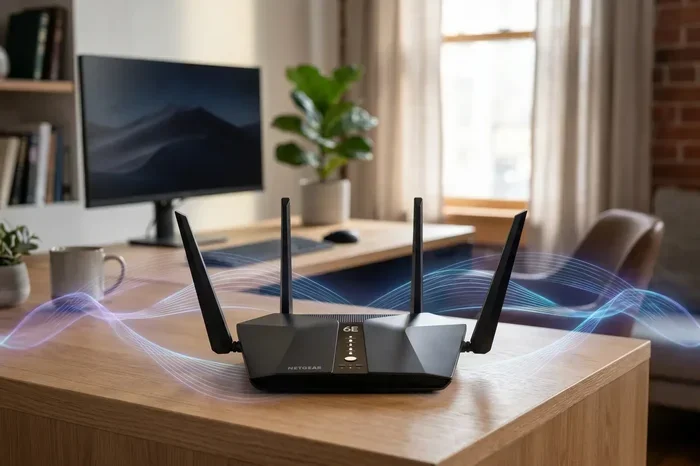
Start by placing your router in a central location in your home. This helps the signal reach all rooms more evenly. Avoid putting it in corners, closets, or behind furniture. Walls, metal objects, and large appliances can block or weaken the 5G signal. The more open space your router has, the better it performs.
Try to keep your router at a higher position, like on a shelf or mounted on a wall. Signals spread downward and outward, so elevation helps. Also, stay away from microwaves, baby monitors, and other electronics that cause network congestion and interference.
Quick Tips for Router Placement
- Place your router in the center of your home, not in a back room.
- Keep it elevated on a shelf or mounted on a wall.
- Avoid placing it near thick walls or metal objects.
- Keep it away from other electronics that cause interference.
- Make sure the antennas are positioned vertically for best coverage.
Hardware Upgrades That Make a Real Difference
Sometimes your existing equipment just isn’t enough. Upgrading your hardware can dramatically improve your Verizon 5G home internet experience. These investments pay off quickly through better speeds and fewer frustrating disconnections.
Should You Buy a Wi-Fi Booster?
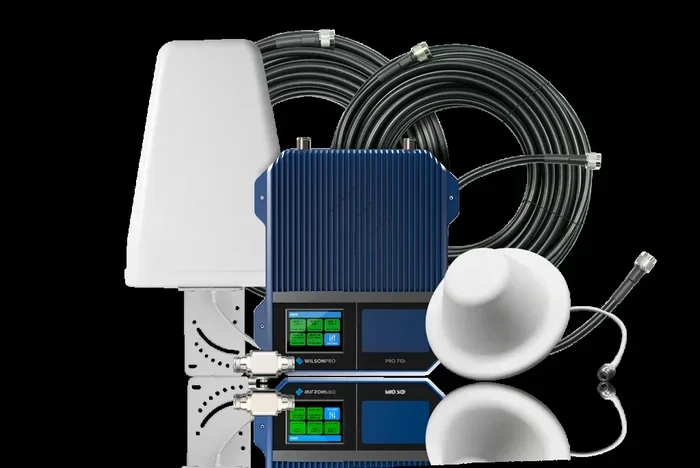
A Wi-Fi booster is one of the most effective ways to extend your network’s reach. These devices pick up your existing signal and amplify it, sending a stronger connection to areas that were previously weak or dead. They’re especially helpful in larger homes where the router’s signal can’t reach every room.
If you’re considering a booster, look for one that supports the same frequency bands as your Verizon router. Dual-band and tri-band boosters offer the best performance. You can also boost your upload speed with the right equipment, which helps with video calls and file uploads.
Mesh Network Systems Explained
A mesh network replaces your single router with multiple units placed around your home. Each unit works together to create one seamless network. This means you get strong, consistent speeds in every room without switching between networks. Mesh systems are ideal for homes with many rooms, multiple floors, or thick walls that block signals.
The main benefit of a mesh system is simplicity. You don’t need to manage separate network names or switch connections manually. Your devices automatically connect to the strongest node. This makes it one of the best solutions for improving whole-home internet performance.
When to Consider Professional Installation
If you’ve tried everything and still have issues, professional installation might be worth it. A technician can assess your home’s layout, test signal strength in different areas, and recommend the best setup. They can also help you extend your Wi-Fi to 200 feet away or overcome other challenging coverage issues.
Software and Settings Optimizations
You don’t always need new hardware to get better performance. Sometimes a few software changes make a big impact. These tips are free and easy to implement, and they can noticeably improve your network speed and reliability.
Update Your Router Firmware
Router manufacturers release firmware updates regularly. These updates fix bugs, improve security, and often boost performance. Check your Verizon router’s settings to see if an update is available. Keeping your firmware current is one of the simplest things you can do for better internet connectivity.
Change Your Wi-Fi Channel
Your router broadcasts on a specific channel, and if your neighbors use the same one, you can experience interference. Switching to a less crowded channel reduces this problem. Most routers have an auto-select feature, but manually choosing a channel can sometimes yield better results.
Adjust Quality of Service (QoS) Settings
QoS settings let you prioritize certain types of traffic on your network. For example, you can give video calls and gaming priority over background downloads. This ensures that important activities get the bandwidth they need, even when your network is busy.
Limit Connected Devices
Every device connected to your network uses bandwidth, even when you’re not actively using it. Smart TVs, tablets, phones, and smart home devices all compete for your connection. Disconnecting unused devices or setting up a guest network for visitors helps reduce network congestion and keeps your speeds up.
Troubleshooting Common Verizon 5G Home Internet Issues
Even with the best setup, problems can still happen. Knowing how to troubleshoot saves you time and frustration. Here are the most common issues and how to fix them.
Slow Speeds During Peak Hours
Many users notice slower speeds in the evening when everyone is online. This is called network congestion, and it affects all types of internet service. If you consistently experience slow speeds at certain times, try running activities during off-peak hours or contact Verizon about your plan options.
Intermittent Connection Drops
If your connection drops frequently, the issue could be with your router’s placement or signal strength. Try moving the router to a different location. Also check if any new construction or furniture changes have blocked the signal path. Restarting your router regularly also helps maintain a stable broadband connection.
Weak Signal in Certain Rooms
Dead zones are a common problem in many homes. Rooms far from the router or rooms separated by multiple walls often have the weakest signals. A Wi-Fi booster or mesh system solves this problem effectively. You can also try using an Ethernet cable for devices in those rooms to get the fastest possible speeds.
Verifying Your Plan and Speeds
Sometimes the problem is with your plan itself. Make sure you’re subscribed to a plan that meets your needs. Run a speed test regularly to check what you’re actually getting versus what you’re paying for. If your speeds consistently fall below what your plan promises, contact Verizon support to troubleshoot or upgrade.
Long-Term Strategies for Consistent Performance
Maintaining a strong Verizon 5G home internet connection is an ongoing process. A few long-term habits keep your network running smoothly and help you catch problems before they become major issues.
Regular Speed Testing
Make it a habit to run speed tests at least once a week. This helps you spot trends and identify problems early. Many free tools are available online, and they take just a few minutes. Tracking your results over time gives you a clear picture of your network’s performance.
Seasonal Adjustments
Weather affects 5G signals. During storms or heavy rain, you might notice slower speeds or weaker connections. This is normal and usually temporary. However, if you notice consistent seasonal patterns, it might be worth adjusting your setup or contacting Verizon for a signal assessment.
Staying Informed About Network Updates
Verizon constantly expands and improves its 5G network. New towers, software updates, and plan changes can all affect your connection. Stay informed about updates in your area by checking Verizon’s website or app. Sometimes a simple network adjustment on their end can improve your internet performance without you lifting a finger.
Planning for Future Needs
As more devices connect to your network and your internet usage grows, your needs will change. Plan ahead by investing in scalable solutions like mesh systems. These setups let you add more nodes as your home or usage demands grow. Thinking ahead saves you from repeated upgrades and keeps your home network future-proof.
Expert Insights: What Works Best
After reviewing countless setups and helping users optimize their networks, a few patterns stand out. The most effective improvements usually come from combining router placement, hardware upgrades, and software settings. No single fix works for everyone, but a layered approach delivers the best results.
Start with placement and settings since they’re free. Then add a booster or mesh system if needed. Finally, keep your equipment updated and monitor your speeds regularly. This systematic approach ensures you get the best possible Verizon 5G home internet experience without overspending.
Remember that every home is different. What works perfectly for your neighbor might need adjustments for your space. Experiment with different setups, pay attention to results, and don’t be afraid to try new solutions. The goal is a fast, reliable connection that supports everything you do online.
One more thing worth mentioning is that you can also check if you need to boost your upload speed specifically, since many modern activities like video conferencing and cloud backups depend heavily on upload performance. Taking a holistic approach to both download and upload optimization ensures your entire internet experience feels fast and responsive.
Finally, if you find that your current setup still isn’t cutting it, consider exploring options like getting a portable hotspot or checking whether you can connect to Xfinity Wi-Fi away from home as a backup solution for when your home network needs a break. These alternatives can complement your Verizon setup and give you peace of mind.
Frequently Asked Questions
Why is my Verizon 5G home internet so slow?
Slow speeds can result from poor router placement, network congestion, outdated firmware, or signal interference. Start by moving your router to a central location and checking for firmware updates. If the problem persists, run a speed test and contact Verizon support.
Can I boost my Verizon 5G signal without buying new equipment?
Yes, you can. Simple changes like repositioning your router, reducing connected devices, updating firmware, and adjusting channel settings often improve signal strength significantly. These free steps should always be your first line of action.
How far can Verizon 5G home internet reach?
The signal range depends on your location relative to the tower and obstacles in between. In most cases, the router covers a standard home well. For larger properties, a mesh system or Wi-Fi booster helps extend coverage effectively.
Is a mesh network worth it for Verizon 5G home internet?
Absolutely. Mesh systems provide whole-home coverage with seamless roaming between nodes. They’re especially valuable in larger homes or homes with thick walls that block signals. The investment pays off in consistent speeds throughout your living space.
How often should I restart my Verizon router?
Restarting your router once a week helps clear cached data and maintain optimal performance. If you notice connection issues, a quick restart often resolves them immediately. You can also set up automatic restarts through your router’s scheduling settings.
What’s the difference between a Wi-Fi booster and a mesh system?
A Wi-Fi booster repeats your existing signal to extend range, while a mesh system creates a new, unified network with multiple nodes. Mesh systems offer better performance and easier management for whole-home coverage, while boosters are a simpler, more affordable option for targeted coverage.
=== CONCLUSION ===
Boosting your Verizon 5G home internet connection doesn’t have to be complicated or expensive. You have many tools and techniques at your disposal, from simple placement adjustments to hardware upgrades like boosters and mesh systems. The key is to start with the basics, measure your results, and build from there.
Take action today. Move your router, update your settings, and test your speeds. Small changes often lead to big improvements. And if you need more reach, don’t hesitate to invest in a quality booster or mesh setup. Your home network deserves the best performance you can give it.
Stay proactive about maintenance, keep your equipment current, and monitor your connection regularly. With the right approach, your Verizon 5G home internet will deliver the fast, reliable speeds you need for work, entertainment, and everything in between. You’ve got this — and your internet connection is about to get a whole lot better.