Can I Buy A Wi Fi Booster And Get Better Wi Fi Coverage
Can I Buy A Wi Fi Booster? Yes, you absolutely can, and it is one of the simplest ways to fix weak Wi Fi coverage at home. A Wi Fi booster extends your wireless signal to reach dead zones in your house, giving you better internet speed and stronger network performance everywhere you go.
Can I Buy A Wi Fi Booster? The short answer is yes. You can walk into almost any electronics store or browse online and find dozens of options. A Wi Fi booster is a device designed to strengthen your wireless signal and push it further around your home. If you have ever walked into a room and found your Wi Fi dead spots frustrating, you are not alone. Many households struggle with weak Wi Fi coverage in certain areas. The good news is that a Wi Fi booster can solve this problem without costing a fortune.
Buying a Wi Fi booster is not as complicated as it might sound. There are simple plug-in models and more advanced systems that cover entire floors. Whether you work from a home office setup, stream movies in the living room, or just want reliable wireless connectivity in the garage, there is a Wi Fi booster that fits your needs. This guide will walk you through everything you need to know. You will learn what these devices do, the different types available, and how to pick the best one for your home network.
Let us be real for a second. Slow internet speed and weak signal strength can ruin your day. You miss parts of a video call. Your movie buffers at the worst moment. Your bandwidth drops when you need it most. A Wi Fi booster fixes these headaches in most cases. It takes your existing broadband connection and pushes it further. Think of it like turning up the volume on your Wi Fi signal. You do not need to be a tech expert to make it work. Anyone can set one up in minutes. Let us dive into how Wi Fi boosters work and why they are worth considering.
Key Takeaways
- You Can Buy a Wi Fi Booster Easily: They are widely available online and in stores at various price points.
- Multiple Types Exist: Wi Fi extenders, repeaters, powerline adapters, and mesh systems all boost your signal differently.
- Placement Matters a Lot: Putting your booster in the right spot makes a huge difference in network coverage.
- Check Your Internet Speed First: A booster will not fix slow broadband if your base plan is already weak.
- Mesh Networks Are an Alternative: For larger homes, a mesh network may work better than a single booster.
- Avoid Common Setup Mistakes: Wrong placement and outdated firmware can ruin your results.
- Boosters Improve Streaming and Work: Better wireless connectivity means smoother video calls and streaming.
📑 Table of Contents
What Is a Wi Fi Booster and How Does It Work
A Wi Fi booster is a device that takes the Wi Fi signal from your existing router and amplifies it. It then sends that stronger signal to areas of your home that normally get weak or no coverage. Think of your router as a speaker in the middle of a large room. A Wi Fi booster acts like a second speaker placed farther away, making sure everyone can hear the music. The wireless signal travels from your router to the booster, and the booster rebroadcasts it.
Most Wi Fi boosters work on the same wireless adapter principle. They connect to your home network wirelessly and then create a new extended network coverage area. Some boosters use a wired backhaul, which means they connect to your router with a cable for a stronger link. Others use wireless backhaul, which is simpler to set up but can slightly reduce speed. Either way, the goal is the same: better internet speed and stronger network performance in every corner of your house.
How a Wi Fi Booster Extends Your Signal
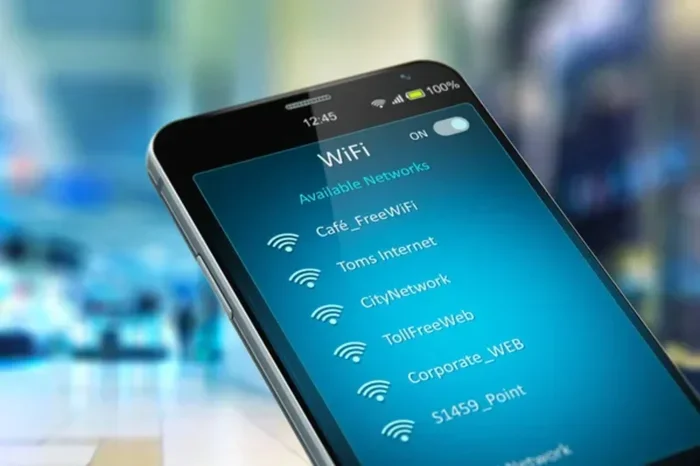
When you plug in or set up a Wi Fi booster, it first finds your existing Wi Fi network. It connects to it just like your phone or laptop would. Then it creates a new extended network with the same name or a slightly different one. Your devices can now connect to this extended signal. The signal strength improves because the booster is physically closer to the areas that had weak coverage. This simple process eliminates dead zones and gives you smooth wireless connectivity throughout your home.
Wi Fi Booster vs. Wi Fi Repeater: What Is the Difference
People often use the words Wi Fi booster and Wi Fi repeater interchangeably. They are similar but not exactly the same. A Wi Fi repeater receives your existing signal and rebroadcasts it. A Wi Fi booster may also amplify the signal before sending it out. In practice, many modern devices do both. The key thing to know is that both types improve your Wi Fi coverage. When shopping, look at the specs and reviews rather than getting hung up on the name. What matters most is how well the device works in your specific home network.
Types of Wi Fi Boosters You Can Buy
When you decide to buy a Wi Fi booster, you will find several types on the market. Each type works differently and suits different needs. Let us look at the main options so you can make a smart choice.
Wi Fi Extenders
A Wi Fi extender is the most common type of Wi Fi booster. It is a small box that plugs into a wall outlet. The extender picks up your existing Wi Fi signal and extends it further. Extenders are affordable and easy to set up. They work well for single rooms or small areas with weak coverage. If your internet speed drops in one bedroom or office, an extender is a great fix.
Wi Fi Repeaters
A Wi Fi repeater does something very similar to an extender. It repeats your existing wireless signal to reach farther areas. Repeaters are also simple to use and budget-friendly. The main difference is in how they handle the signal. A repeater receives the signal and sends it out again without much processing. This means there can be a slight speed loss. For basic browsing and email, a repeater works perfectly fine. For heavy streaming quality demands, you may want a more advanced option.
Powerline Adapters
A powerline adapter is a different kind of internet booster. It uses your home’s electrical wiring to carry the internet signal. You plug one adapter near your router and connect it with an Ethernet cable. Then you plug a second adapter in the room that needs better coverage. The signal travels through your wiring. This method is very reliable because it does not depend on wireless connectivity through walls. Powerline adapters are great for thick-walled homes where wireless signals struggle to pass through.
Mesh Wi Fi Systems
A mesh network is the most advanced option. It uses multiple nodes or units placed around your home. Each node talks to the others and creates one seamless network coverage area. Mesh systems are perfect for large homes or multi-story houses. They eliminate Wi Fi dead spots almost completely. The network performance is excellent because your devices automatically connect to the strongest node. Mesh systems cost more than simple boosters, but they offer the best overall experience for serious home office setup needs.
| Type | Best For | Price Range | Ease of Setup |
|---|---|---|---|
| Wi Fi Extender | Small areas with weak signal | $20 – $60 | Very Easy |
| Wi Fi Repeater | Basic coverage extension | $15 – $50 | Very Easy |
| Powerline Adapter | Thick walls, no wireless path | $40 – $100 | Easy |
| Mesh Wi Fi System | Large homes, multi-floor | $100 – $400+ | Moderate |
How to Choose the Right Wi Fi Booster for Your Home
Not all Wi Fi boosters are created equal. Picking the right one depends on your home, your needs, and your budget. Here are the key factors to consider before you buy.
Consider Your Home Size
The size of your home is the biggest factor. A small apartment might only need a simple plug-in extender. A large two-story house with thick walls may need a mesh network or a powerful repeater. Measure the areas with weak Wi Fi coverage and think about how many rooms need better signal. If you only have one or two problem spots, a basic Wi Fi extender will do the job. If your whole house has weak signal strength, consider a mesh system for full network coverage.
Check Your Internet Speed
Before buying any internet booster, check your current internet speed. Run a speed test on your phone or computer near your router. If your base speed is already slow, a booster will not magically make it faster. A Wi Fi booster extends your signal, but it cannot increase your broadband plan speed. Make sure your broadband connection is fast enough first. Then a booster will deliver that speed to the far corners of your home.
Look for Dual Band or Tri Band
Most modern Wi Fi boosters support dual band or tri band frequencies. Dual band means the device works on both 2.4 GHz and 5 GHz frequencies. The 2.4 GHz band reaches farther but is slower. The 5 GHz band is faster but has a shorter range. Tri band adds an extra 5 GHz band for less congestion. For the best wireless connectivity and network performance, choose a dual band or tri band Wi Fi booster. This gives your devices the flexibility to connect on the best available frequency.
Quick Tips for Choosing
- Check your router’s age. If your router is more than five years old, upgrading it may help more than adding a booster.
- Read real user reviews. Look for feedback about signal strength and ease of setup.
- Match the booster to your internet plan. A gigabit plan needs a booster that can handle high speeds.
- Consider future needs. If you plan to add more smart home devices, choose a booster that can handle the extra load.
Expert Insight: What Pros Look For
Networking experts often recommend checking the wireless adapter quality inside the booster. A better adapter means a more stable connection. They also suggest looking at the processor speed of the device. A faster processor handles more devices without slowing down. Brands like Netgear, TP-Link, and Linksys are trusted names in the Wi Fi booster market. Read expert reviews alongside user reviews for a well-rounded view. This approach gives you confidence in your purchase.
Setting Up Your Wi Fi Booster for Best Results
Setting up a Wi Fi booster is usually simple. Most brands provide a free app or a web dashboard. You plug in the booster, connect to its setup network, and follow the prompts. The process typically takes five to fifteen minutes. But the setup is only half the battle. Where you place the booster matters just as much as the device itself.
Placement Tips for Maximum Coverage
The most important rule for Wi Fi booster placement is this: put it halfway between your router and the weak area. If you place it too close to the router, it will not reach the dead zone. If you place it too far, it will not get a strong enough signal from the router. The sweet spot is where the booster can still “see” your router clearly. This gives it the best raw signal to extend.
Avoid placing your booster inside cabinets or behind furniture. Walls, metal objects, and appliances can block the wireless signal. A central, open location works best. For multi-story homes, place the booster on the stairwell landing. This helps the signal travel both up and down. If you use a powerline adapter, make sure both units are on the same electrical circuit for the best results.
Common Mistakes People Make With Wi Fi Boosters
Even with the right Wi Fi booster, mistakes can ruin your results. Here are the most common ones to avoid.
- Placing the booster too far from the router. The booster needs a strong incoming signal to create a good extended signal.
- Ignoring firmware updates. Manufacturers release updates that improve network performance and fix bugs. Always keep your booster updated.
- Using an old router with a new booster. If your router is outdated, the booster cannot make up for it. Upgrade the router first if needed.
- Expecting the booster to increase your internet plan speed. A booster extends your signal. It does not change your broadband speed from your ISP.
- Not changing the default network name. Some boosters create a separate network name. This can confuse your devices. Set it up to use the same name for seamless switching.
Quick Tips for Setup Success
- Plug the booster in and test it in different outlets before finalizing placement.
- Use the manufacturer’s app for the easiest setup process.
- Restart your router and booster together if you experience issues.
- Place the booster where you actually use the internet most, not just where the signal is weakest.
- Test your internet speed after setup to confirm the improvement.
Wi Fi Booster vs. Mesh Network: Which Is Better
This is one of the most common questions people ask when shopping for better Wi Fi coverage. A Wi Fi booster and a mesh network both solve the same core problem: weak signal in parts of your home. But they do it in very different ways. Understanding the difference helps you choose the right solution.
When to Choose a Wi Fi Booster
A Wi Fi booster is the better choice when you have one or two problem areas. Maybe your bedroom gets poor signal strength or your backyard has no wireless connectivity. A single booster or a pair of boosters can fix this quickly and affordably. Boosters are also great for renters who cannot make permanent changes to their home. They plug into any outlet and work immediately. If you live in a small to medium home and just need to fill in a few gaps, a Wi Fi booster is the way to go.
When to Choose a Mesh Network
A mesh network shines in larger homes. If you have three or more floors, thick walls throughout, or more than 2,000 square feet, a mesh system gives you complete network coverage. Mesh systems create one unified network. Your phone, laptop, and smart home devices switch between nodes automatically without dropping the connection. This is perfect for home office setup where you need reliable bandwidth all day. Mesh systems also handle many devices better than single boosters. If you have a smart home with dozens of connected devices, a mesh network will keep everything running smoothly.
In terms of cost, a single Wi Fi booster costs between $20 and $100. A mesh network kit starts around $100 and can go up to $400 or more. The price difference reflects the coverage area and performance level. For most average-sized homes, a good Wi Fi booster provides excellent value. For large or complex homes, a mesh network is worth the investment.
Final Thoughts on Buying a Wi Fi Booster
So, can you buy a Wi Fi booster and get better coverage? Absolutely. The technology is mature, affordable, and easy to use. Whether you pick a simple extender, a powerline adapter, or a full mesh network, you can eliminate those annoying Wi Fi dead spots for good. A Wi Fi booster improves your internet speed in weak areas, boosts your signal strength, and gives you reliable wireless connectivity everywhere.
The key is to know your home, understand your needs, and pick the right type of booster. Check your broadband connection speed first. Measure the areas that need help. Choose between a booster and a mesh system based on your home size and budget. And when you set up your device, place it carefully and keep the firmware updated. These simple steps ensure you get the best possible network performance from your Wi Fi booster.
Do not let weak Wi Fi coverage hold you back anymore. A Wi Fi booster is a small investment that makes a big difference in your daily life. Whether you are working, streaming, gaming, or just browsing, better wireless connectivity means a better experience. Take the time to choose the right device, set it up properly, and enjoy strong, reliable Wi Fi in every room of your home.
Frequently Asked Questions
How much does a Wi Fi booster cost?
A basic Wi Fi booster costs between $15 and $60. More advanced models with better range and speeds can cost $80 to $150. Mesh network systems are more expensive, starting around $100 and going up to $400 or more depending on the number of nodes.
Will a Wi Fi booster slow down my internet speed?
A Wi Fi booster can cause a small speed reduction because it receives and rebroadcasts the signal. However, modern dual band and tri band boosters minimize this loss. Your internet speed will still be good enough for streaming, video calls, and browsing.
Can I use a Wi Fi booster with any router?
Yes, most Wi Fi boosters work with any standard router. They connect to your existing home network wirelessly. Just make sure your router is using a standard wireless protocol like Wi Fi 5 or Wi Fi 6 for the best compatibility.
How many boosters do I need for my home?
This depends on your home size and the number of weak areas. A small apartment usually needs just one booster. A two-story home might need two. Large homes with many dead zones may benefit more from a mesh network with multiple nodes.
Is a Wi Fi booster the same as a Wi Fi extender?
The terms are used interchangeably by most people. A Wi Fi extender and a Wi Fi booster both extend your existing wireless signal. Some boosters also amplify the signal. In practice, the difference is small, and both types improve your Wi Fi coverage.
Can a Wi Fi booster improve streaming quality?
Yes, a Wi Fi booster can significantly improve streaming quality in areas with weak signal. By boosting your signal strength and bandwidth, it reduces buffering and lag. This makes your streaming quality much smoother, especially in rooms far from your router.
=== CONCLUSION ===
Buying a Wi Fi booster is one of the smartest things you can do for your home network. It solves real problems like weak signal strength, slow internet speed, and frustrating Wi Fi dead spots. Whether you choose a simple extender or a full mesh network, the result is better Wi Fi coverage and stronger wireless connectivity throughout your home. The process is straightforward, the devices are affordable, and the setup is easy. You do not need to be a tech expert. Just follow the tips in this guide, pick the right Wi Fi booster for your situation, and enjoy a faster, more reliable internet experience in every room.