Are All USB Wall Chargers The Same Or Completely Different
Not all USB wall chargers are the same. Differences in wattage, USB standards, and charging technology mean some chargers are much faster and safer than others. Choosing the right USB wall charger protects your devices and speeds up charging.
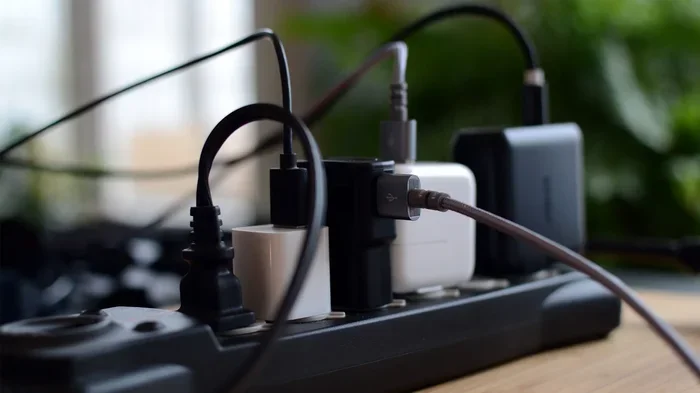
You probably have a drawer full of USB wall chargers. Some came with your phone. Others came with your tablet, your e-reader, or that old Bluetooth speaker. They all look similar. They all plug into the wall. And they all claim to charge your devices. But here is the big question: are all USB wall chargers really the same?
The short answer is no. USB wall chargers are far from identical. They differ in power output, charging speed, safety features, and the technology they use. Some can charge your phone in 30 minutes. Others take three hours. Some are safe. Others could actually harm your device. Understanding these differences matters more than most people realize.
In this guide, we will break down everything you need to know about USB wall chargers. We will look at how they work, what makes them different, and how to choose the right one. By the end, you will never grab the wrong charger again.
Key Takeaways
- USB wall chargers vary widely in speed, power output, and safety standards.
- Wattage, amperage, and voltage are the three key numbers that determine charging speed.
- USB Power Delivery (USB-PD) is the modern standard that enables fast and efficient charging.
- OEM chargers are not always better than quality third-party options from reputable brands.
- Using the wrong charger can damage your device battery or even pose safety risks.
- GaN chargers are smaller, cooler, and more efficient than traditional silicon-based chargers.
- Always match your charger to your device’s charging requirements for best results.
📑 Table of Contents
- Why USB Wall Chargers Are Not All the Same
- Understanding USB Charger Types and Connectors
- What Makes a USB Wall Charger Fast
- USB Power Delivery and Modern Charging Standards
- OEM vs Third-Party USB Wall Chargers
- How to Choose the Right USB Wall Charger
- Common Mistakes People Make with USB Wall Chargers
- The Future of USB Wall Charging
Why USB Wall Chargers Are Not All the Same
It is easy to assume all USB wall chargers work the same way. They all have a USB port. They all plug into a wall outlet. But underneath the surface, there is a lot going on. The truth is that not all USB wall chargers are created equal, and several factors set them apart.
Power Output Differences
Every charger has a power rating. This rating is measured in watts. A basic charger might deliver 5 watts. A fast charger can deliver 65 watts or more. The higher the wattage, the faster your device charges. But your device must be able to handle that power. If you plug a 5-watt device into a 65-watt charger, the device will only draw what it needs. This is safe. But the reverse is not always true.
Here are the common power output levels you will find:
- 5W to 10W: Basic charging. Fine for older devices.
- 12W to 18W: Fast charging for most smartphones.
- 20W to 30W: Quick charging for phones and tablets.
- 30W to 65W: Fast charging for laptops and tablets.
- 65W to 100W+: High-power charging for gaming laptops and workstations.
When you understand these numbers, it becomes clear why not every charger is the same. A cheap 5-watt charger will never charge a modern laptop. And a 100-watt charger plugged into a small smartwatch will just sit there doing nothing harmful, but also doing nothing useful.
Voltage, Amperage, and Wattage Explained
Let us break this down simply. Voltage is like water pressure. It pushes the electricity into your device. Amperage is like the volume of water flowing. Wattage is the result of both. The formula is simple: Watts = Volts × Amps. So a charger that outputs 5 volts at 2 amps delivers 10 watts.
Your device decides how much voltage and amperage it needs. A good charger communicates with your device and delivers exactly what it asks for. A cheap charger might push too much or too little. This is where problems start.
Understanding USB Charger Types and Connectors
USB chargers come in different shapes and sizes. The connector type matters just as much as the power output. Using the wrong connector means your charger will not work at all. But even when the connector fits, the charging experience can vary greatly.
USB-A vs USB-C
USB-A is the old, rectangular connector you have seen for years. It is still common on many wall chargers. However, it has limits on speed and power. USB-C is the newer, smaller, reversible connector. It supports faster data transfer and higher power delivery. Most modern devices, including smartphones and laptops, now use USB-C.
Here is a quick comparison:
- USB-A chargers: Older standard. Typically maxes out at 12W to 18W with proper charging protocols.
- USB-C chargers: Modern standard. Supports up to 240W with USB Power Delivery.
- Both connectors: Can coexist on the same charger. Many multi-port chargers have one USB-A port and one or more USB-C ports.
If you want a future-proof setup, go with a USB-C charger. The industry has moved in that direction completely. The internal components of modern devices are now designed around USB-C connectivity, making it the standard for new hardware.
Other Connector Types You May Still See
You might still find USB-B or Mini-USB connectors on older gadgets. These are rare now but still exist on some printers, external hard drives, and legacy devices. If you have older equipment, make sure your charger has the right connector or use a quality adapter.
What Makes a USB Wall Charger Fast
Speed is what most people care about. Nobody wants to wait three hours for their phone to charge. But what actually makes one charger faster than another? It is not just about wattage. Several technologies work together to determine charging speed.
Fast Charging Protocols
Fast charging is not a single technology. It is a collection of standards and protocols. Each device and charger brand may support different protocols. Here are the most common ones you will encounter:
- USB Power Delivery (USB-PD): The universal standard for USB-C charging. It adjusts power dynamically based on what the device needs.
- Qualcomm Quick Charge (QC): Common on Android phones that use Snapdragon processors. Quick Charge 3.0 and 4.0 are widely supported.
- USB Battery Charging (BC) 1.2: An older standard that allows up to 5V at 1.5A through USB-A ports.
- Proprietary Fast Charging: Brands like Samsung, OnePlus, and Apple have their own fast charging systems that work with their own chargers.
The best fast wall chargers support multiple protocols. This means they can negotiate the fastest possible speed with whatever device you plug in. A charger that only supports one protocol may charge your other devices slowly.
The Role of Charging Cables
Here is something many people overlook. The charger is only half the equation. Your cable matters just as much. A cheap or damaged cable can limit charging speed dramatically. A USB-C cable that only supports 3A will cap your charging at 60W, even if your charger can deliver 100W. Always use high-quality cables that match your charger’s capabilities.
Quick Tip: Look for cables rated for USB 3.0 or USB 3.1 if you want the fastest charging speeds. The cable is often the bottleneck people do not notice.
USB Power Delivery and Modern Charging Standards
USB Power Delivery, commonly known as USB-PD, has changed the charging game. It is the standard that allows USB-C chargers to deliver high power safely and efficiently. Before USB-PD, USB ports were limited to low power outputs meant for charging small devices like flash drives and headphones.
USB-PD can deliver up to 240 watts of power. This means a single charger can power your phone, tablet, and laptop. It also supports bidirectional power flow, which means your device can both send and receive power. This is how power banks and laptops can charge other devices through USB-C.
The beauty of USB-PD is negotiation. When you plug a device into a USB-PD charger, the two devices communicate. They agree on the right voltage and current. This happens in milliseconds. The result is safe, efficient, and fast charging every single time.
Computers play a huge role in modern life, from everyday tasks to specialized fields like healthcare. In fact, computers are used in medicine in numerous ways, and reliable power delivery through USB standards helps keep medical devices and systems running safely. The same principles of safe power delivery apply to your everyday chargers.
USB-C Power Delivery vs Proprietary Standards
You might wonder if USB-PD replaces proprietary fast charging. The answer is mostly yes, but not entirely. USB-PD is universal and works across brands. Proprietary standards like OnePlus SuperVOOC or Samsung Adaptive Fast Charging can deliver even higher speeds, but only with their own chargers and cables. If you want the fastest possible charge for a specific brand, you may still need that brand’s charger.
OEM vs Third-Party USB Wall Chargers
One of the biggest debates in the charging world is whether you should use the charger that came with your device or buy a third-party option. Let us settle this once and for all.
What Is an OEM Charger?
An OEM charger is the charger that came in the box with your device. It is made by the same company that made your phone or laptop. Apple, Samsung, and Dell all sell OEM chargers. These chargers are designed specifically for their devices. They are tested for safety and compatibility.
What Is a Third-Party Charger?
A third-party charger is made by any other company. Anker, Belkin, Spigen, and Baseus are popular third-party brands. Some third-party chargers are excellent. Others are dangerous. The key is to choose reputable brands that follow safety standards.
Which Is Better?
Here is the honest truth. A quality third-party charger from a trusted brand is often just as good as an OEM charger. In many cases, it is even better. Third-party chargers often offer higher wattage, more ports, and newer technologies like GaN at lower prices.
However, cheap no-name chargers from unknown sellers are a different story entirely. These chargers may lack proper safety circuits, overheat, or deliver inconsistent power. In the worst cases, they can damage your device or even cause a fire.
Expert Insight: Always check for safety certifications like UL, CE, or FCC on any charger you buy. These marks mean the charger has been tested for electrical safety and meets regulatory standards.
How to Choose the Right USB Wall Charger
Now that you understand what makes chargers different, let us talk about how to pick the right one. The right charger depends on what devices you need to charge and how quickly you need them charged.
Consider Your Devices
Start by listing the devices you charge regularly. Do you have a smartphone, a tablet, a laptop, and wireless earbuds? Each device has different power needs. A single high-wattage USB-C charger with multiple ports can handle all of them. But you need to make sure the total wattage is enough to charge multiple devices at once.
Check for Compatibility
Make sure the charger supports the right protocols for your devices. If you have a Samsung phone, look for a charger that supports Qualcomm Quick Charge or USB-PD. If you have a MacBook, you need a charger that supports USB-PD at 60W or higher.
Think About Portability
If you travel a lot, size and weight matter. GaN chargers use gallium nitride instead of traditional silicon. They are significantly smaller and produce less heat. A 65W GaN charger can be as small as a postage stamp. This makes it perfect for travel.
Look for Safety Features
A good charger includes over-current protection, over-voltage protection, and temperature control. These features prevent damage to your devices and reduce fire risk. If a charger does not list its safety features, that is a red flag.
Common Mistakes People Make with USB Wall Chargers
Even if you buy a great charger, you can still make mistakes that reduce its performance or damage your devices. Here are the most common errors people make.
Using a Charger with the Wrong Wattage
Using a low-wattage charger for a high-power device is a common mistake. It will not damage your device, but it will charge very slowly. On the flip side, using a high-wattage charger for a low-power device is safe but wasteful. The device will only draw what it needs.
Ignoring Cable Quality
We mentioned this earlier, but it bears repeating. A cheap cable can ruin a great charger’s performance. Always invest in quality cables that match your charger’s specifications.
Leaving Cheap Chargers Plugged In
Cheap, uncertified chargers left plugged into the wall can overheat, even when not connected to a device. This is a fire hazard. Unplug them when not in use, or better yet, replace them with certified chargers.
Mixing and Matching Chargers and Cables Randomly
Throwing any charger at any cable and any device might seem convenient, but it can lead to slow charging or even battery damage over time. Match your charger and cable to your device’s requirements for the best results.
Common Mistakes Summary:
- Using low-wattage chargers for power-hungry devices.
- Ignoring cable quality and ratings.
- Leaving cheap, uncertified chargers plugged in.
- Mixing chargers and cables without checking compatibility.
- Assuming all USB chargers are the same.
The Future of USB Wall Charging
The world of USB charging is evolving fast. New standards are emerging that promise even faster speeds, smaller chargers, and smarter power management. Here is what to expect in the coming years.
- USB4: The next generation of USB technology. It supports speeds up to 40Gbps and power delivery up to 240W.
- GaN adoption: Gallium nitride chargers are becoming the new standard. They are smaller, cooler, and more efficient than silicon chargers.
- Wireless USB charging: While wireless charging exists today, future developments may allow full-power wireless charging through USB-C.
- Universal chargers: Regulations in the EU and other regions are pushing toward a single charger standard for all devices. USB-C is leading this movement.
The shift toward universal USB-C charging is already happening. Apple, Google, Samsung, and most other major brands now use USB-C across their product lines. This means one charger can eventually power everything in your bag. That future is closer than you think.
The key takeaway is simple. Not all USB wall chargers are the same. They differ in power output, connector type, charging protocol, and safety features. Understanding these differences empowers you to make better choices. You will charge faster, protect your devices, and avoid unnecessary risks.
Next time you reach for a charger, take a moment to check its wattage, its connector type, and its certifications. Your devices will thank you. Your battery life will last longer. And you will have peace of mind knowing you are using the right charger for the job.
Invest in quality chargers. Invest in good cables. And never again assume that every USB wall charger in that drawer is the same. They are not. And now you know exactly why.
Frequently Asked Questions
Can I use any USB wall charger for my phone?
You can use most USB wall chargers for your phone, but the charging speed will vary. A charger that supports USB Power Delivery or Qualcomm Quick Charge will charge your phone faster than a basic 5-watt charger. Always check that the charger’s output matches your phone’s requirements for the best results.
Is it safe to use a third-party USB wall charger?
Yes, it is safe to use a third-party charger from a reputable brand. Look for safety certifications like UL, CE, or FCC on the charger. Avoid cheap, uncertified chargers from unknown sellers, as they may lack proper safety protections and could damage your device.
Why is my USB wall charger getting hot?
Some warmth is normal during charging, especially with fast chargers. However, excessive heat can indicate a problem. This may be caused by a faulty charger, a damaged cable, or charging your device in a hot environment. If your charger is too hot to touch, unplug it immediately and replace it.
What is the difference between USB-A and USB-C chargers?
USB-A is the older, rectangular connector with lower power limits. USB-C is the newer, smaller, reversible connector that supports much higher power delivery and faster charging speeds. Most modern devices now use USB-C, and it is becoming the universal standard for charging.
Does a higher wattage charger damage my device?
No, a higher wattage charger will not damage your device. Your device only draws the power it needs. A 65-watt charger connected to a phone that only accepts 18 watts will simply deliver 18 watts. The charger does not force power into your device.
How do I know if my charger supports fast charging?
Check the charger’s packaging or specifications for mentions of USB Power Delivery, Qualcomm Quick Charge, or proprietary fast charging standards. You can also check your device’s manual for its supported charging protocols. Matching both the charger and device capabilities ensures the fastest possible charging speed.
=== CONCLUSION ===
Are all USB wall chargers the same? The answer is a clear no. From power output and connector types to fast charging protocols and safety certifications, every charger has its own strengths and limitations. Choosing the right USB wall charger is one of the simplest things you can do to protect your devices and improve your daily charging experience.
Remember to check wattage, match your connector type, use quality cables, and stick with reputable brands. Whether you go with an OEM charger or a trusted third-party option, the most important thing is that the charger meets your device’s needs. With the right charger in hand, you will charge faster, stay safer, and get the most out of every device you own.