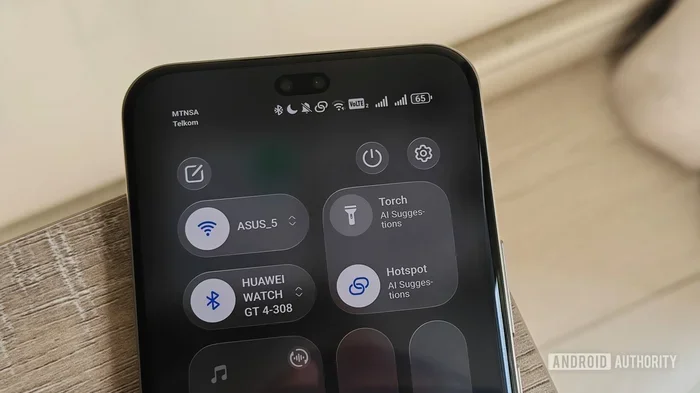
Does Metro Charge Extra For Hotspot Plans And Data
Does Metro charge extra for hotspot? The short answer is yes, but it depends on your plan. Metro by T-Mobile includes mobile hotspot data on most plans, but you may face extra charges, data caps, or speed limits. This guide breaks down everything you need to know about Metro hotspot charges, data limits, add-on options, and how to avoid surprise fees.
This is a comprehensive guide about Does Metro Charge Extra For Hotspot.
Key Takeaways
- Metro includes hotspot data on most plans: Many Metro by T-Mobile plans come with a set amount of hotspot data each month.
- Extra data costs apply when you run out: Once you exceed your hotspot data limit, Metro charges overage fees or slows your speeds significantly.
- Some plans offer unlimited hotspot: Higher-tier Metro plans provide more generous hotspot allowances, and some include unlimited hotspot data.
- You can add a hotspot add-on: Metro offers data boosters and hotspot-specific add-ons to increase your allowance.
- Hotspot speeds may be throttled: Even on plans with hotspot data, Metro may reduce speeds after a certain usage threshold.
- You can check your hotspot data usage: Use the Metro app or online account portal to monitor your data in real time.
[FEATURED_IMAGE_PLACEHOLDER]
Does Metro Charge Extra For Hotspot Plans And Data
Have you ever been stuck somewhere without Wi-Fi and wished your phone could share its data connection with your laptop or tablet? That is exactly what a mobile hotspot does. But here is the question that keeps popping up: does Metro charge extra for hotspot? If you are a Metro by T-Mobile customer or thinking about switching, understanding how hotspot data works can save you from some pretty unpleasant billing surprises.
The truth is, Metro does not charge a separate flat fee just to turn on your hotspot feature. However, the way Metro handles hotspot data is a bit more nuanced than that. Your hotspot usage comes out of a specific data pool, and once you go over that pool, you either pay extra or deal with much slower speeds. In this article, we will walk through every detail you need to know about Metro hotspot charges, data limits, plan types, and how to get the most out of your hotspot without breaking the bank.
Whether you use your phone as a portable Wi-Fi hotspot for travel, work from home using a mobile hotspot, or just want to connect your tablet on the go, this guide has you covered. We will look at real plan details, break down the costs, and share practical tips to help you stay connected without overspending.
What Is Metro Hotspot And How Does It Work
A mobile hotspot turns your phone into a Wi-Fi router. It shares your cellular data connection with other devices like laptops, tablets, or gaming devices. When you enable hotspot on your Metro phone, those other devices connect to the internet through your phone’s data plan.
Metro by T-Mobile uses the T-Mobile network, which means your hotspot connection relies on T-Mobile’s cell towers. The speed and reliability of your hotspot depend on signal strength, network congestion, and your specific plan. Metro treats hotspot data differently from regular phone data in most cases, which is why understanding your plan matters so much.
How Hotspot Data Differs From Regular Data
Here is something many people do not realize. Your regular phone data and your hotspot data often live in separate buckets, even on the same plan. Regular data is for browsing, social media, and apps on your phone. Hotspot data is specifically for sharing your connection with other devices.
Some plans give you a large amount of regular data but limit hotspot data. This is a common setup with Metro plans. The reason is simple. Hotspot usage tends to consume more data because people often stream videos or do large downloads on laptops and tablets. Metro sets these limits to manage network usage and keep costs fair for all customers.
If you are curious about whether you can get hotspot without a traditional phone service, we have covered that topic in detail in our article on Can I Get Hotspot Without Phone Service. It is a great read if you are exploring alternatives.
Does Metro Charge Extra For Hotspot Data
Now let us get to the heart of the question. Does Metro charge extra for hotspot? The answer depends on your plan, your data usage, and how you handle overages.
Metro does not add a separate line-item fee labeled “hotspot fee” on your bill. Instead, hotspot data is bundled into your plan’s overall data allowance. But here is the catch. Most Metro plans cap your hotspot data at a specific amount. Once you hit that cap, two things can happen:
- Your hotspot speeds get throttled to very slow levels, making it almost unusable.
- You pay overage charges if you purchase additional data or a data booster.
So while Metro does not charge a flat “hotspot tax,” the way they manage hotspot data can feel like an extra cost, especially if you are a heavy user.
Metro Hotspot Overage Charges
When you exceed your hotspot data limit, Metro typically slows your speeds to 128 kbps or lower. At that speed, loading a webpage can take forever, and streaming anything is out of the question. This is Metro’s way of managing network traffic without cutting off your connection entirely.
Some customers prefer to buy a data booster or add-on to restore full-speed hotspot access. These add-ons cost extra, usually ranging from $10 to $25 depending on the amount of data you need. Always check your current plan details in the Metro app or online account before assuming what happens when you go over.
If unlimited hotspot is important to you, you might want to explore options outside of Metro. Our guide on Can I Get Unlimited Hotspot covers carriers and plans that offer truly unlimited hotspot data without throttling.
Metro Hotspot Plans And Data Limits
Not all Metro plans are created equal when it comes to hotspot data. Metro offers several tiers of plans, and the hotspot allowance varies significantly from one to the next. Let us break down what you can expect.
Metro Plans With Hotspot Allowances
Most Metro by T-Mobile plans include some amount of hotspot data. Here is a general overview of how hotspot data is typically allocated across popular Metro plan tiers:
- MetroFree and basic plans: These often include little to no hotspot data, or hotspot is disabled entirely.
- MetroSmart plans: Mid-tier plans usually include 5 GB to 15 GB of hotspot data per month.
- MetroPremium and higher-tier plans: These plans may include 15 GB to unlimited hotspot data, depending on the specific plan and any ongoing promotions.
Keep in mind that Metro frequently updates its plan lineup and promotions. The best way to know exactly what your plan includes is to log into your Metro account or open the Metro app and check your data details.
Hotspot Speed Throttling On Metro
Even on plans that include hotspot data, Metro may throttle your speeds after you use a certain amount. For example, a plan might advertise 15 GB of hotspot data at full 4G LTE speeds. Once you exceed 15 GB, your hotspot speeds could drop significantly, even if you still have regular data remaining.
This distinction trips up a lot of customers. They see they still have regular data left and assume their hotspot will work fine too. But hotspot data is tracked separately, and hitting that cap triggers the slowdown.
How To Add Hotspot To Your Metro Plan
If your current Metro plan does not include enough hotspot data, you have options. You can add hotspot capability or increase your hotspot allowance through several methods.
Option 1: Upgrade Your Existing Plan
The simplest way to get more hotspot data is to upgrade to a higher-tier Metro plan. Plans that include more hotspot data often come with more regular data as well. If you find yourself constantly running out of hotspot data, an upgrade might be the most cost-effective solution in the long run.
Option 2: Purchase A Data Booster
Metro offers data boosters that you can purchase on a one-time or recurring basis. These boosters add extra gigabytes of data to your account, which can be used for hotspot or general data depending on how your plan is structured.
Data boosters typically range from 1 GB to 10 GB or more. Prices vary, but they are usually more affordable than switching to a completely new plan. Just remember that booster data is often consumed by both regular data and hotspot data, so monitor your usage carefully.
Option 3: Add A Hotspot-Specific Add-On
In some cases, Metro may offer hotspot-specific add-ons or passes. These are designed specifically for customers who need more hotspot data without upgrading their entire plan. Check the Metro website or speak with a customer service representative to see what add-ons are currently available.
You can also use your Metro phone as a portable hotspot while traveling. If you are planning a trip and wondering about charging your devices on the go, check out our article on Can I Charge My Phone On Amtrak for helpful travel tips.
Tips To Save On Metro Hotspot Data
Hotspot data can disappear fast, especially if you stream videos or download large files. Here are some practical tips to stretch your Metro hotspot data and avoid extra charges.
1. Lower Your Streaming Quality
Streaming video is the biggest data hog on any hotspot connection. If you switch from HD streaming to standard definition, you can cut your data usage by up to 75%. This one simple change can add hours of browsing time to your hotspot allowance.
2. Turn Off Hotspot When Not In Use
It sounds obvious, but many people leave their hotspot running in the background without realizing it. Every connected device uses data, even when you are not actively using it. Make it a habit to turn off your hotspot when you are done sharing your connection.
3. Use Wi-Fi Whenever Available
Connect to Wi-Fi at home, work, coffee shops, and hotels whenever possible. This reduces your reliance on your Metro hotspot and keeps your data usage low. Your hotspot data will last much longer when you save it for situations where Wi-Fi is not available.
4. Monitor Your Data Usage Regularly
The Metro app makes it easy to track your data usage in real time. Check your hotspot data consumption at least once a week so you know where you stand. Setting up data alerts can also help you stay on track and avoid unexpected overages.
5. Download Content For Offline Use
Before you leave home, download movies, music, maps, and documents directly to your devices. This way, you can enjoy entertainment and useful tools without burning through your hotspot data. Offline downloads use zero hotspot data once they are saved.
Metro Hotspot Vs Other Carriers
How does Metro’s hotspot offering compare to other carriers? Let us take a quick look at how the major providers handle hotspot data.
- Metro by T-Mobile: Includes hotspot data on most plans, with caps that vary by tier. Throttles speeds after the hotspot cap is reached.
- Visible (Verizon): Offers unlimited hotspot data on all plans, though speeds may be prioritized lower than other traffic during congestion.
- Mint Mobile: Provides hotspot data on plans, but limits and speeds vary depending on the plan you choose.
- Google Fi: Offers flexible data plans with hotspot included, and you only pay for the data you use.
If you want a truly unlimited hotspot experience without worrying about caps or throttling, carriers like Visible or Google Fi might be worth considering. For a deeper dive into unlimited hotspot options, check out our article on Can I Get Unlimited Hotspot.
You can also connect devices like a Steam Deck to your mobile hotspot for gaming on the go. If you are interested, we have a guide on Can I Connect Steam Deck To Mobile Hotspot that covers setup and data considerations.
Common Mistakes People Make With Metro Hotspot
Avoiding common mistakes can help you save money and get the most from your Metro hotspot. Here are a few pitfalls to watch out for.
- Assuming unlimited hotspot comes with every plan: Many Metro plans are not unlimited for hotspot. Always verify the hotspot data allowance before you assume.
- Ignoring speed throttling: Even if your plan includes hotspot data, speeds may drop significantly after a certain usage threshold.
- Not checking for add-on options: Metro frequently updates its add-on offerings. Checking periodically can reveal new data boosters or hotspot passes.
- Forgetting about background data: Apps on connected devices may use data in the background without your knowledge. Adjust app settings to limit background data usage.
- Relying on hotspot for everything: Hotspot data is meant to supplement Wi-Fi, not replace it. Heavy reliance on hotspot will drain your data quickly.
Expert Insights On Metro Hotspot Data
From a networking perspective, mobile hotspot is one of the most convenient features available on modern smartphones. The T-Mobile network that Metro runs on provides solid coverage in most areas, which means your hotspot connection should be reliable for everyday use.
However, network management practices mean that heavy hotspot users may experience slower speeds during peak times. This is standard across the industry and not unique to Metro. If you need consistent high-speed hotspot access, consider a plan with a larger hotspot allowance or explore carriers that offer truly unlimited hotspot data.
One thing to keep in mind: Metro occasionally runs promotions that include extra hotspot data or even unlimited hotspot for a limited time. Signing up for Metro’s email alerts or checking their website regularly can help you catch these deals when they appear.
Frequently Asked Questions
Does Metro charge a separate fee to enable hotspot on my phone?
No, Metro does not charge a separate fee just to turn on the hotspot feature. However, your hotspot usage counts against your plan’s hotspot data allowance. If you exceed that allowance, you may experience throttled speeds or need to purchase additional data.
How much hotspot data do Metro plans typically include?
It varies by plan. Basic Metro plans may include little to no hotspot data, while mid-tier plans typically offer 5 GB to 15 GB. Higher-tier plans can include 15 GB or more, and some promotional plans may even offer unlimited hotspot data.
Can I use my Metro phone as a hotspot while traveling internationally?
Metro’s international hotspot capabilities depend on your specific plan and whether you have international roaming enabled. Most domestic Metro plans are designed for use within the United States. Check your plan details or contact Metro customer service before traveling abroad to avoid unexpected charges.
What happens if I exceed my Metro hotspot data limit?
When you exceed your hotspot data limit, Metro typically slows your hotspot speeds to very low levels, often around 128 kbps. This makes the connection barely usable. You can restore full speeds by purchasing a data booster or add-on, or by upgrading to a plan with a higher hotspot allowance.
Is there a way to get unlimited hotspot on Metro?
Some Metro plans and promotional offerings include unlimited hotspot data, but this is not standard across all plans. Unlimited hotspot plans may still experience speed management during network congestion. Check current Metro plan options and promotions for the most up-to-date information on unlimited hotspot availability.
Can I connect multiple devices to my Metro hotspot at the same time?
Yes, you can connect multiple devices to your Metro hotspot simultaneously. Most phones support connecting 5 to 10 devices at once. Keep in mind that each connected device uses your hotspot data, so connecting more devices will drain your data allowance faster.
Final Thoughts
So, does Metro charge extra for hotspot? The answer is not a simple yes or no. Metro does not add a separate hotspot fee to your bill, but your hotspot data is limited by your plan’s allowance. Go over that allowance, and you will face throttled speeds or the need to buy extra data. Understanding how your specific Metro plan handles hotspot is the key to avoiding surprises and staying connected without overspending.
The best approach is to know your plan’s hotspot data limit, monitor your usage regularly, and take advantage of data-saving tips like lowering streaming quality and downloading content offline. If you find that Metro’s hotspot offerings do not meet your needs, there are other carriers and plans worth exploring that offer more generous or truly unlimited hotspot data.
Take a few minutes today to check your Metro plan details. You might be surprised at what you are already paying for or how easy it is to adjust your plan to better fit your hotspot needs. Staying informed is the best way to get the most value from your Metro service and keep all your devices connected wherever you go.
Frequently Asked Questions
What is Does Metro Charge Extra For Hotspot?
Does Metro Charge Extra For Hotspot is an important topic with many practical applications.