Does Wifi 6e Increase Speed And Why You Should Care
Does WiFi 6E increase speed? Yes, it does — and it goes beyond just faster numbers. WiFi 6E opens up a brand-new 6GHz frequency band that reduces congestion, lowers latency, and delivers real-world wireless speed gains for streaming, gaming, and smart home devices. If you have a modern router and multiple wireless devices, WiFi 6E can transform your home network experience.
Have you been hearing a lot about WiFi 6E lately? Maybe your neighbor just upgraded their router, or you saw a new phone ad bragging about WiFi 6E support. It sounds impressive, but the real question is simple: does WiFi 6E actually increase speed? The short answer is yes. But the full story is much more interesting than that.
WiFi 6E isn’t just a marketing buzzword. It represents a real leap forward in wireless technology. The “E” stands for “Extended,” and it refers to the addition of a brand-new 6GHz frequency band. This extra band changes everything for homes with lots of connected devices. In this article, we will break down exactly how WiFi 6E increases speed, who benefits the most, and whether you should care enough to upgrade.
Whether you are a casual streamer, a serious gamer, or someone juggling a full smart home, understanding WiFi 6E speed can help you make smarter choices about your wireless network. Let us dive in.
Key Takeaways
- WiFi 6E adds a 6GHz band: This new frequency means less traffic, faster speeds, and fewer interruptions.
- Real-world speed gains are noticeable: Users with multiple devices see big improvements in network performance.
- Lower latency benefits gamers and streamers: The 6GHz band cuts down lag significantly.
- Backward compatibility is built in: Your older devices still work with a WiFi 6E router.
- You need compatible hardware: Both your router and device must support WiFi 6E to unlock its speed.
- Interference drops dramatically: The 6GHz band is far less crowded than 2.4GHz or 5GHz.
📑 Table of Contents
- What Is WiFi 6E And How Does It Work
- Does WiFi 6E Actually Increase Speed
- WiFi 6E vs WiFi 6: What Is The Real Difference
- Who Benefits Most From WiFi 6E Speed Boosts
- How To Get WiFi 6E Speed In Your Home
- Common Mistakes That Limit WiFi 6E Performance
- The Future Of WiFi 6E And Wireless Speed
- Conclusion
What Is WiFi 6E And How Does It Work
Before we answer whether WiFi 6E increases speed, it helps to understand what it actually is. WiFi 6E is the extended version of WiFi 6 (also known as 802.11ax). It keeps all the great features of WiFi 6 but adds one crucial upgrade: access to the 6GHz frequency band.
Think of it like adding a new lane to a highway. Your existing WiFi bands (2.4GHz and 5GHz) are already crowded, especially in apartment buildings or neighborhoods with many networks. The 6GHz band is like an empty highway with no traffic. That means your data travels faster and with fewer delays.
The Three Bands Explained
Here is a simple breakdown of the three frequency bands used in modern WiFi:
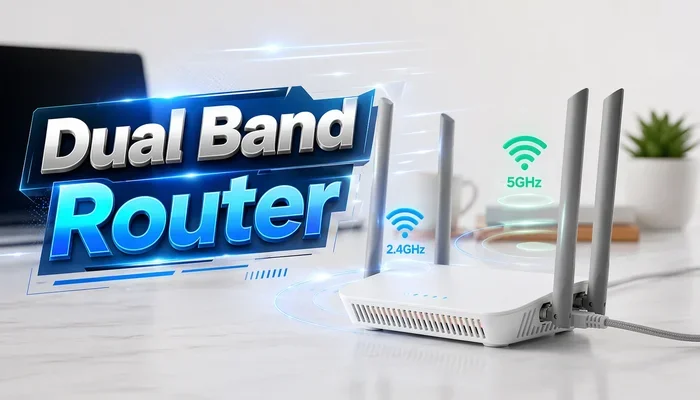
- 2.4GHz: The oldest band. It covers long distances well but is slow and very crowded. Many devices use it, from microwaves to baby monitors.
- 5GHz: Faster than 2.4GHz and less congested. This is the band most modern routers use for heavy tasks like streaming and gaming.
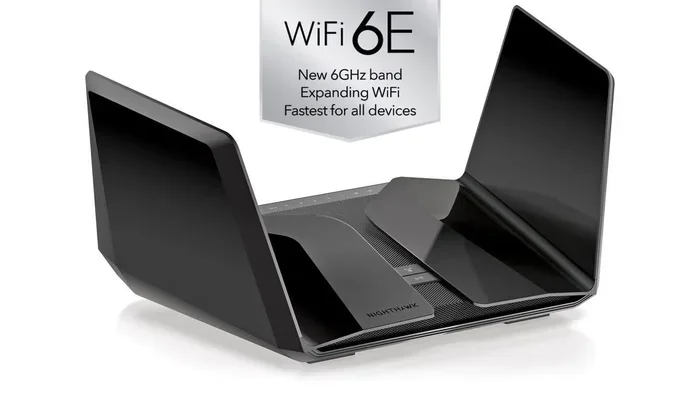
- 6GHz (WiFi 6E): The newest band. It offers the most channels, the least interference, and the highest potential wireless speed.
The 6GHz band has 1,200 megahertz of clean spectrum. That is a huge upgrade compared to the crowded 5GHz band. More channels mean more room for your devices to breathe.
Key Features Of WiFi 6E
WiFi 6E inherits all the smart features of WiFi 6. These include OFDMA, which lets your router talk to multiple devices at once, and MU-MIMO, which improves how data is sent to several devices simultaneously. But the real game-changer is the 6GHz band. It gives these technologies more space to work with, which directly translates to better network performance.
If you want to learn more about how different WiFi bands affect your devices, check out our guide on forcing your phone to use 2.4GHz WiFi. It explains how band choice affects your daily wireless experience.
Does WiFi 6E Actually Increase Speed
Now for the million-dollar question: does WiFi 6E increase speed? The answer depends on what you compare it to and what devices you use. In lab tests, WiFi 6E can deliver speeds well over 1 gigabit per second on the 6GHz band. In real-world homes, the speed gains are still very real and very noticeable.
Speed Comparison: WiFi 6E vs WiFi 6 vs WiFi 5
Here is a quick comparison of the three wireless standards:
- WiFi 5 (802.11ac): Top theoretical speed around 3.5 Gbps on 5GHz. Real-world speeds typically reach 500 Mbps to 1 Gbps.
- WiFi 6 (802.11ax): Top theoretical speed around 9.6 Gbps. Real-world speeds improve with multiple devices thanks to OFDMA and MU-MIMO.
- WiFi 6E (802.11ax Extended): Same top theoretical speed as WiFi 6, but with the added 6GHz band. Real-world speeds can exceed 1 Gbps more consistently because of less congestion.
The key takeaway is that WiFi 6E does not just boost peak speeds. It improves consistent throughput when many devices are connected. That is where most families feel the pain. When four people are streaming, two are gaming, and someone is on a video call, older networks choke. WiFi 6E handles that load far better.
Why Speed Increases In Real Homes
The speed boost from WiFi 6E comes from three main factors:
- Less interference: The 6GHz band has very few devices using it right now. That means fewer dropped packets and fewer speed drops.
- Wider channels: WiFi 6E supports 320MHz channels, which are twice as wide as the 160MHz channels on 5GHz. Wider channels mean more data at once.
- More spatial streams: Modern WiFi 6E devices can use more spatial streams, which multiplies the data capacity.
If you are dealing with slow uploads, you might also want to check out our article on boosting your upload speed. It covers practical tips that work alongside any WiFi standard.
WiFi 6E vs WiFi 6: What Is The Real Difference
It is easy to confuse WiFi 6E with regular WiFi 6. They share the same core technology, but the difference matters a lot for speed and performance.
The Core Similarities
Both WiFi 6 and WiFi 6E support OFDMA, MU-MIMO, and target wake time features. Both can deliver excellent speeds on the 2.4GHz and 5GHz bands. If your internet plan is under 500 Mbps, a good WiFi 6 router might be all you need.
The One Big Difference
The only real difference is the 6GHz band. WiFi 6E routers can broadcast on 6GHz. WiFi 6 routers cannot. This extra band is what gives WiFi 6E its speed advantage in crowded environments.
Think of it this way: a WiFi 6 router is like a restaurant with two kitchen lines. A WiFi 6E router adds a third kitchen line. Both kitchens cook great food, but the three-line kitchen handles the dinner rush much better.
Is The Upgrade Worth It
For most people, the answer depends on how many devices they have and how fast their internet connection is. If you have fewer than 10 devices and a 200 Mbps plan, WiFi 6 is probably fine. If you have 20+ devices, a 1 Gbps plan, or you are a serious gamer, WiFi 6E is a worthwhile upgrade.
Also worth noting: WiFi 6E is fully backward compatible. Your older devices will still connect. They just will not use the 6GHz band. Only newer devices that specifically support WiFi 6E can access the new band.
Who Benefits Most From WiFi 6E Speed Boosts
Not everyone needs WiFi 6E. But certain users will see a massive improvement in their daily wireless experience.
Gamers
Online gaming depends on low latency as much as raw speed. The 6GHz band reduces ping and lag because there is less competition for the airwaves. If you play competitive games like Fortnite or Call of Duty, WiFi 6E can give you a real edge.
Smart Home Users
A full smart home with cameras, thermostats, smart speakers, and lights can overwhelm older networks. WiFi 6E handles the load thanks to its wider channels and better device management. Your smart home devices stay connected without slowing down your streaming or browsing.
Streamers And Remote Workers
If you work from home and need stable video calls, or if you stream 4K content regularly, WiFi 6E provides the consistent bandwidth you need. No more buffering during important meetings or movie nights.
For those looking to expand their wireless reach, you might also want to explore whether Google WiFi can serve as an access point. It is a great way to extend any WiFi standard, including WiFi 6E, throughout your home.
How To Get WiFi 6E Speed In Your Home
Having WiFi 6E speed potential is one thing. Actually getting it in your home requires the right setup.
Step 1: Get A WiFi 6E Router
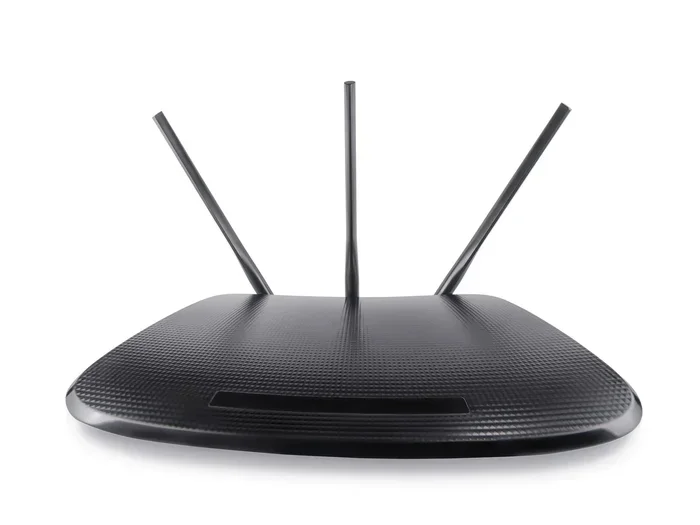
You need a router that supports the 6GHz band. Popular options include the ASUS RT-AXE11000, Netgear Nighthawk AXE, and TP-Link Archer AXE75. Look for “6E” in the model name to confirm support.
Step 2: Use WiFi 6E Compatible Devices
Your phone, laptop, or tablet must also support WiFi 6E. Many flagship phones from 2023 and newer include this support. Check your device specifications before assuming it can connect to the 6GHz band.
Step 3: Position Your Router Well
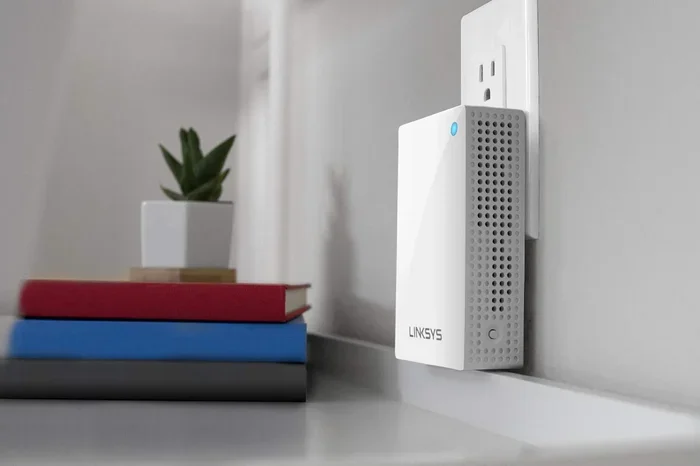
The 6GHz band has shorter range than 2.4GHz. Place your router in a central location, away from walls and metal objects. If you have a large home, consider adding a WiFi 6E range extender or mesh node.
Step 4: Minimize Interference
While the 6GHz band has very little interference, your router placement still matters. Keep it elevated, off the floor, and away from microwaves and cordless phones. For more tips on improving your setup, see our guide on adding an antenna to your WiFi router to boost coverage.
Common Mistakes That Limit WiFi 6E Performance
Even with a great WiFi 6E router, you can still leave speed on the table if you make these common mistakes.
Assuming All Devices Will Use 6GHz
Many people buy a WiFi 6E router expecting every device to magically use the fastest band. In reality, most devices will default to 5GHz unless they specifically support WiFi 6E. Check each device’s capabilities.
Placing The Router In A Closet
The 6GHz band has a shorter range. Hiding your router in a closet or behind a TV will weaken the signal significantly. Keep it out in the open for best performance.
Not Updating Firmware
Router manufacturers release firmware updates that improve WiFi 6E performance and fix bugs. Always keep your router updated for the best wireless speed and security.
Ignoring Your Internet Plan
A WiFi 6E router cannot make your internet plan faster. If you have a 100 Mbps plan, your maximum wireless speed will still be capped around that. Make sure your internet plan matches your needs.
For more on maximizing your connection, check out our article on boosting your upload speed for practical tips that complement any WiFi setup.
The Future Of WiFi 6E And Wireless Speed
The WiFi 6E standard is still relatively new, and its potential is only beginning to be realized. As more devices support the 6GHz band, we can expect even greater network performance improvements. The next generation of WiFi, known as WiFi 7, is already on the horizon and promises even faster speeds and lower latency.
For now, WiFi 6E represents the best available wireless technology for home and office use. It delivers real speed gains, handles heavy device loads, and future-proofs your network for years to come.
If you are considering upgrading your network, the investment in a WiFi 6E router is well worth it. The speed increase is noticeable the moment you connect a compatible device to the 6GHz band. Whether you are gaming, streaming, working, or just browsing, WiFi 6E makes your wireless experience faster and more reliable.
Remember that WiFi 6E works best when paired with a solid internet plan, good router placement, and compatible devices. Take the time to set up your network properly, and you will enjoy the full benefits of this exciting technology.
Conclusion
So, does WiFi 6E increase speed? Yes, absolutely. WiFi 6E delivers faster, more consistent wireless performance by opening up the 6GHz frequency band. It reduces interference, supports more devices, and improves latency for gaming and streaming. While you need both a WiFi 6E router and compatible devices to unlock its full potential, the speed boost is real and measurable.
If you have been on the fence about upgrading, now is a great time to make the move. WiFi 6E is not just a future-proof investment. It is an upgrade that improves your daily wireless experience from the first day you set it up.
Frequently Asked Questions
What does WiFi 6E stand for?
WiFi 6E stands for “WiFi 6 Extended.” The “E” refers to the extended 6GHz frequency band that is added to the standard WiFi 6 technology. This extra band provides more channels and less congestion, which directly contributes to faster wireless speed and better network performance.
Do I need a new device to use WiFi 6E?
Yes, both your router and your device must support WiFi 6E to access the 6GHz band. If you have a WiFi 6E router but an older phone or laptop, your device will still connect — it just will not use the new 6GHz band. Check your device specifications for “WiFi 6E” or “6GHz support” to confirm compatibility.
Is WiFi 6E faster than WiFi 6 in real life?
In real-world conditions, WiFi 6E is faster and more consistent than WiFi 6, especially in homes with many connected devices. The 6GHz band has much less interference, which means fewer speed drops and lower latency. For households with heavy internet usage, the difference is very noticeable.
Can WiFi 6E improve gaming performance?
Yes, WiFi 6E can significantly improve gaming performance. The 6GHz band offers lower latency and more stable connections, which reduces lag and ping spikes. Competitive gamers especially benefit from the consistent wireless speed that WiFi 6E provides on the uncrowded 6GHz frequency.
Does WiFi 6E have a shorter range than WiFi 6?
The 6GHz band used by WiFi 6E does have a shorter range than the 2.4GHz and 5GHz bands. This is a physical characteristic of higher-frequency wireless signals. However, the trade-off is worth it for most users, as the speed and interference benefits far outweigh the slightly reduced range. Proper router placement solves most range concerns.
Should I upgrade to WiFi 6E if I already have WiFi 6?
If you have a busy home with 15 or more connected devices, or if you are a gamer or streamer who needs consistent low-latency connections, upgrading to WiFi 6E is a smart move. If you have fewer devices and a modest internet plan, your current WiFi 6 router may be sufficient for now.