Does Xfinity Charge To Install Your Modem For Free
So, does Xfinity charge to install your modem? The short answer is no for self-install, but yes if you opt for a professional technician visit. Xfinity offers a free modem setup option that lets you get online in minutes. However, monthly equipment rental fees and hidden charges can add up over time.
Let us be honest. Setting up internet at home should not feel like navigating a maze of hidden fees and confusing bills. If you have ever wondered does Xfinity charge to install modem equipment, you are not alone. Thousands of new Xfinity subscribers ask this exact question every month. The truth is, the answer depends on how you choose to set things up.
Xfinity offers both free self-installation and paid professional installation options. But there is more to the story than just the setup cost. Monthly rental fees, equipment charges, and activation costs all play a role in what you actually pay. This guide breaks down everything you need to know about Xfinity modem installation so you can make the smartest choice for your wallet.
Whether you are a new Xfinity customer or thinking about switching providers, understanding these costs matters. You deserve full transparency before you commit to a contract. Let us dive into the details and clear up the confusion once and for all.
Key Takeaways
- Self-install is free: Xfinity does not charge for a DIY modem setup if you follow their guide.
- Professional installation costs money: A technician visit can cost around $100 or more depending on your plan.
- Monthly rental fees apply: Even with free setup, Xfinity charges a monthly fee for modem equipment.
- Buying your own modem saves money long-term: It can pay for itself within 12 to 18 months.
- Xfinity xFi gateway is the standard: Most plans include a combo modem-router device.
- Activation fees may be hidden: Always check for one-time activation or setup charges on your bill.
📑 Table of Contents
- What You Need To Know About Xfinity Modem Installation
- The Standard Xfinity Modem Installation Process
- Self-Installation Vs. Professional Installation
- Monthly Fees And Equipment Charges Explained
- How To Avoid Or Reduce Modem Installation Costs
- Frequently Asked Questions About Xfinity Modem Installation
- Final Thoughts
What You Need To Know About Xfinity Modem Installation
Before we get into the numbers, let us talk about what Xfinity modem installation actually involves. Xfinity uses a device called the xFi Gateway in most of its plans. This is a combo unit that acts as both a modem and a router. It connects to the cable line in your home and broadcasts Wi-Fi throughout your space.
The installation process is straightforward. You either plug the device into your cable outlet and follow setup instructions, or you schedule a technician to do it for you. Xfinity makes both paths available, but the costs differ significantly. Here is what you need to understand before you start.
The xFi Gateway And Your Internet Plan
Xfinity bundles its modem and router into one device called the xFi Gateway. This is the standard equipment provided to most subscribers. It supports both 2.4 GHz and 5 GHz Wi-Fi bands, which means you can connect multiple devices at once. The xFi Gateway also comes with Xfinity’s xFi app, which lets you manage your network from your phone.
When you sign up for an Xfinity internet plan, the equipment is usually included. But included does not always mean free. Most plans charge a monthly equipment rental fee that covers the cost of using the xFi Gateway. This fee typically ranges from $14 to $25 per month. Over a year, that adds up fast.
Why Modem Setup Matters For Your Connection
Proper modem setup is essential for getting the best speeds. A poorly installed modem can lead to slow internet, dropped connections, and frustrating buffering. Whether you choose self-install or professional setup, the way your device is configured matters. Xfinity provides detailed guides for both methods, and getting it right from the start saves you headaches later.
Also, your Wi-Fi coverage depends on where you place the gateway. If you put it in a basement or closet, the signal may not reach every room. Xfinity recommends placing the device in a central location for the best wireless coverage. This is something to keep in mind regardless of which installation method you choose.
The Standard Xfinity Modem Installation Process
Xfinity makes it easy to get started with two main installation paths. Let us walk through both of them so you can see exactly what each involves.
Self-Installation: The Free Option
The self-install option is completely free. Xfinity provides all the instructions you need online and through its app. You simply plug in the xFi Gateway, connect it to your cable outlet, and follow the on-screen prompts. Most people can complete the setup in under 30 minutes.
Here is what the self-install process looks like:
- Plug the xFi Gateway into your cable outlet and power source.
- Wait for the lights on the device to stabilize.
- Download the Xfinity xFi app on your phone or computer.
- Follow the step-by-step setup guide in the app.
- Connect your devices to the new Wi-Fi network.
One important note: If you have trouble during self-install, Xfinity offers phone support to help you troubleshoot. This means you do not have to figure it all out alone. The self-install option is genuinely beginner-friendly and works well for most households.
Professional Installation: What To Expect
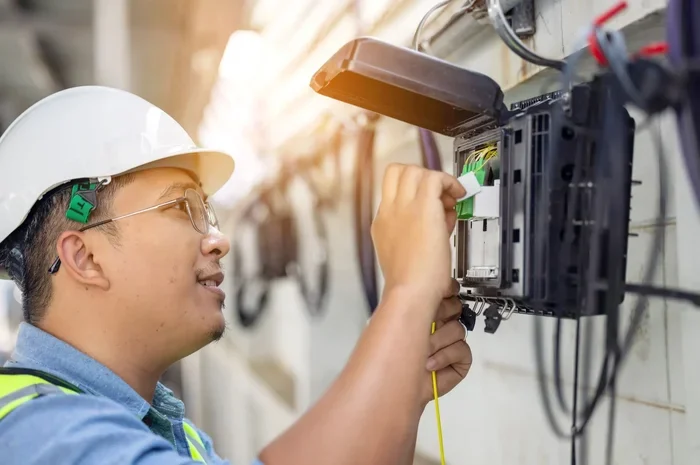
If you prefer hands-off setup, Xfinity offers professional installation through a scheduled technician visit. This option comes with a fee that varies based on your location and service plan. The technician arrives at your home, sets up the xFi Gateway, configures the Wi-Fi network, and makes sure everything is working properly.
Professional installation is a good choice if:
- You are not comfortable with tech setup.
- You need help routing cables through your walls.
- You want a technician to test signal strength in different rooms.
- You have a larger home that needs careful Wi-Fi placement planning.
The technician will also activate your service on their end, which means you do not need to worry about any steps after they leave. It is a convenient option, but it does come at a cost. More on that below.
Self-Installation Vs. Professional Installation
Choosing between self-install and professional setup is one of the most important decisions you make. Both options get you online, but the experience and costs are very different. Let us compare them side by side.
Cost Comparison
The self-install route costs you nothing upfront. Xfinity does not charge a fee for the DIY setup. Professional installation, on the other hand, typically costs between $100 and $200 for the initial visit. Some plans include a free professional installation as a promotional offer, so always check for deals before you commit.
Here is a quick look at the costs:
- Self-install: $0 upfront. You do all the work yourself.
- Professional install: $100 to $200 for the technician visit (varies by location).
- Monthly equipment fee: $14 to $25 per month regardless of which method you choose.
Over time, the monthly equipment rental fee is where the real cost adds up. If you stay with Xfinity for several years, those monthly charges can total hundreds of dollars. This is why many people choose to buy their own compatible modem instead of renting from Xfinity.
Convenience And Ease Of Use
Self-install is convenient if you are comfortable following instructions. It also means you can set things up at any time, not just during business hours. Professional installation gives you a hands-off experience with an expert handling everything. For many people, especially those who are not tech-savvy, the peace of mind is worth the extra cost.
If you already have Wi-Fi experience at home, self-install is usually the better choice. But if this is your first time setting up internet service, paying for a technician might save you time and frustration.
Monthly Fees And Equipment Charges Explained
This is where things get interesting. Even though Xfinity does not charge to install your modem during self-setup, there are ongoing costs you need to know about. Understanding these fees helps you budget properly and avoid surprises on your bill.
The Monthly Equipment Rental Fee
Xfinity charges a monthly equipment rental fee for the xFi Gateway. This fee is separate from your internet plan cost. On most bills, it shows up as a line item labeled something like “xFi Gateway Rental” or “Equipment Fee.” The amount varies but typically falls between $14 and $25 per month.
Here is what you should know about this fee:
- It applies whether you choose self-install or professional installation.
- It is a recurring charge that never goes away unless you return the equipment.
- Xfinity sometimes bundles this fee into a single “internet service” charge, making it harder to spot.
Over a two-year period, that rental fee can add up to $336 to $600. That is a lot of money for equipment you could own outright.
Activation And One-Time Setup Fees
Some Xfinity plans include a one-time activation fee that covers the initial setup of your service. This fee is not specific to modem installation, but it is part of the overall cost. Activation fees typically range from $0 to $100 depending on the plan and any current promotions.
Watch out for these common charges on your first bill:
- Equipment activation fee: $0 to $100 one-time charge.
- Professional installation fee: $100 to $200 (waived with some promotions).
- Early termination fee: Applies if you cancel before your contract ends.
- Return shipping fee: Charged if you send equipment back without a proper return process.
Always read the fine print before signing up. Xfinity promotions often waive these fees, but the regular prices can be steep. Knowing what to expect helps you negotiate better terms or choose a plan that fits your budget.
Buying Your Own Modem Instead
One of the best ways to avoid recurring rental fees is to buy your own compatible modem. Xfinity allows you to use your own equipment as long as it is on their approved list. The Xfinity approved modem list is available on their website, and it includes models from brands like Motorola, Arris, and Netgear.
Buying your own modem costs between $100 and $250 upfront. But it pays for itself within 12 to 18 months compared to paying $14 to $25 per month in rental fees. Over three years, you could save $200 or more. That is real money back in your pocket.
Just make sure your modem supports DOCSIS 3.1 or higher for the best speeds. Xfinity’s internet plans can deliver gigabit speeds, and an older modem will hold you back. Also, keep in mind that buying your own modem means you lose access to Xfinity’s xFi app features that come with the rental gateway.
How To Avoid Or Reduce Modem Installation Costs
Nobody wants to pay more than they have to. The good news is there are several ways to minimize or even eliminate the costs associated with Xfinity modem setup. Here are practical tips that actually work.
Look For Promotional Offers
Xfinity regularly runs promotions that include free professional installation and waived activation fees. These deals are often available for new customers or during seasonal sales. Before you sign up, check Xfinity’s current offers page or call customer service to ask about available discounts.
Also, keep an eye out for bundled deals. If you are signing up for both internet and TV, Xfinity sometimes offers a discounted installation package that includes free setup for all equipment.
Choose Self-Installation
The simplest way to avoid installation fees is to go with self-installation. It is free, straightforward, and well-documented. Xfinity’s setup guide walks you through every step, and their support team is available if you get stuck.
Make sure you have everything you need before you start:
- Your xFi Gateway device (included with your plan).
- A coaxial cable to connect to the wall outlet.
- A power outlet near your cable connection.
- A phone, tablet, or computer for the setup app.
Once you have your equipment, the setup takes about 15 to 30 minutes. You will be online and ready to go without spending a dime on installation.
Negotiate With Xfinity Customer Service
Here is a tip many people do not know about. You can negotiate your fees with Xfinity customer service. If you see charges on your bill that you believe are unfair or unnecessary, call and ask for a waiver. Xfinity retention agents have the authority to remove certain fees, especially if you are a loyal customer or a new subscriber.
Be polite but firm. Explain that you are considering switching providers if the fees cannot be reduced. This tactic works surprisingly well and can save you $50 to $100 on your first bill alone.
Use Xfinity’s Wi-Fi Hotspots When Away From Home
Did you know that Xfinity subscribers can connect to Xfinity Wi-Fi hotspots when they are away from home? This feature is built into the xFi Gateway and gives you free access to millions of hotspots across the country. It is a great perk that adds value to your monthly rental fee.
To use this feature, simply look for Xfinity Wi-Fi networks when you are out and about. Your xFi Gateway automatically connects you when you are near a hotspot. It is a convenient way to stay online without using your mobile data. You can learn more about how this works in our guide on connecting to Xfinity Wi-Fi away from home.
Optimize Your Home Wi-Fi To Reduce The Need For Extra Equipment
Sometimes people think they need extra equipment because their Wi-Fi signal is weak in certain parts of the house. Before you spend money on extenders or additional routers, try optimizing your setup first.
Here are some quick tips:
- Place your xFi Gateway in a central, elevated location.
- Keep it away from thick walls and metal objects.
- Switch between 2.4 GHz and 5 GHz bands depending on your needs. The 2.4 GHz band travels farther, while 5 GHz offers faster speeds in close range.
- Use Xfinity’s xFi app to run a home Wi-Fi scan and identify dead zones.
If you still need better coverage after optimizing, consider extending your Wi-Fi range with a mesh system or range extender. For more on this topic, check out our guide on extending Wi-Fi to 200 feet. These solutions can help you get full coverage without paying Xfinity for additional equipment.
Frequently Asked Questions About Xfinity Modem Installation
Let us tackle some of the most common questions people have about Xfinity modem setup and the costs involved. These answers are based on current Xfinity policies and real customer experiences.
Does Xfinity Charge To Install Modem Equipment?
No, not if you choose self-installation. Xfinity provides free step-by-step instructions for setting up your modem at home. You only pay if you choose professional installation, which typically costs between $100 and $200. Always check for promotional offers that may waive this fee entirely.
Can I Use My Own Modem With Xfinity?
Yes, you can. Xfinity allows customers to use their own compatible modem instead of renting the xFi Gateway. Just make sure your modem is on the Xfinity approved device list. Using your own modem eliminates the monthly rental fee, which can save you significant money over time.
How Long Does Xfinity Modem Setup Take?
Self-installation typically takes 15 to 30 minutes. Professional installation usually takes about 30 to 60 minutes, depending on the complexity of your setup. If you need cable routing through walls or have a larger home, the technician visit may take a bit longer.
What Happens If I Cancel My Xfinity Service?
If you cancel your Xfinity service, you must return the xFi Gateway equipment. Xfinity may charge a return fee if the equipment is damaged or missing. You will also stop paying the monthly rental fee, which is one of the benefits of canceling a plan with high equipment costs.
Is There A Difference Between Xfinity Modem And Router Fees?
Yes. The xFi Gateway is a combo device that serves as both a modem and a router. Xfinity charges a single equipment rental fee for this device. If you buy your own separate modem and router, you pay for the equipment upfront but avoid monthly charges. Some customers prefer this approach for long-term savings.
Do Xfinity Internet Plans Include Free Modem Setup?
Some Xfinity plans include free professional installation as part of a promotional offer. However, most plans do not. The standard self-install option is always free. If you are unsure, contact Xfinity customer service to confirm what is included with your specific plan before you sign up.
Final Thoughts
So, does Xfinity charge to install your modem? The answer is clear: self-installation is free, and professional installation comes with a fee. But the real cost of owning an Xfinity modem goes beyond the setup. The monthly rental fee, activation charges, and equipment costs all add up over time.
The smartest move you can make is to weigh your options carefully. If you are comfortable with tech setup, go with self-installation and save the installation fee. If you want to eliminate monthly costs altogether, consider buying your own compatible modem. And always, always check for promotional offers before you commit.
Understanding these costs puts you in control. You will know exactly what you are paying for and why. That knowledge is power, and it helps you get the best value from your Xfinity internet service. Take the time to review your options, ask questions, and make the choice that works best for your home and your budget.
Internet setup should be simple and affordable. With the right approach, you can get online without breaking the bank. Now you have all the information you need to make a confident decision about your Xfinity modem installation. Go ahead and take the next step with full clarity on what it will cost you.