Are Google Wallpapers Free and Where You Can Find Them
Yes, Google wallpapers are completely free to download and use. You can find stunning Google wallpaper collections for phones, tablets, and desktops without spending a dime. This guide shows you exactly where to get them and how to set them up on any device.
Have you ever scrolled through your phone and thought your screen could look better? Maybe you want a fresh desktop wallpaper or a new mobile wallpaper that actually makes you smile every time you pick up your device. Google offers a huge library of stunning images, and the best part is that they are all free.
In this guide, we will answer the big question: Are Google Wallpapers Free and Where You Can Find Them? We will walk you through every source, every app, and every trick you need to know. Whether you use an Android phone, an iPhone, a Windows laptop, or a Mac, you will find everything you need right here.
The world of free wallpapers has changed a lot over the years. Google has stepped up its game with beautiful, high-quality images that rival anything you would pay for. Let us dive in and explore how you can transform your screens today.
Key Takeaways
- Google wallpapers are 100% free: You can download and use them without paying anything or creating an account.
- Multiple sources exist: Find Google wallpapers through the Google Wallpapers app, Google Pixel devices, and the Google Arts & Culture website.
- Wide variety of styles: From nature and abstract art to cityscapes and geometric patterns, there is something for everyone.
- Works on all devices: You can set Google wallpapers on Android, iPhone, Windows, and Mac computers easily.
- High-resolution options available: Many wallpapers come in 4K and HD quality for crisp, clear displays.
- No hidden costs: There are no premium tiers, subscriptions, or paywalls for Google wallpaper collections.
📑 Table of Contents
- What Are Google Wallpapers?
- Are Google Wallpapers Really Free?
- Where to Find Google Wallpapers
- Google Wallpaper Apps and Tools
- How to Set Google Wallpapers on Different Devices
- Tips for Finding the Best Google Wallpapers
- Common Mistakes to Avoid
- Expert Insights on Google Wallpapers
- Key Takeaways
- Frequently Asked Questions
- Final Thoughts
What Are Google Wallpapers?
Google wallpapers are digital images that Google creates or curates for users to download and use as backgrounds on their devices. These images range from breathtaking nature scenes to abstract art, cityscapes, and even space photography. Google regularly updates its collections to keep things fresh and exciting.
The Google wallpaper collection includes images designed specifically for phones, tablets, and computers. You will find options for every screen size and resolution. Whether you have a small phone or a large 4K monitor, there is a wallpaper that fits perfectly.
Google also collaborates with artists, photographers, and its own design teams to produce these images. This means the quality is consistently high. You are not getting generic stock photos. You are getting carefully selected, professionally crafted images that look amazing on any screen.
Types of Google Wallpapers
Google offers several categories of wallpapers to suit different tastes. Here are the main types you will find:
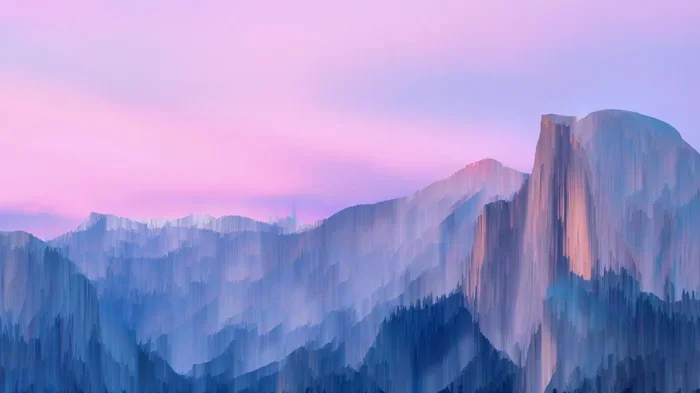
- Nature Wallpapers: Mountains, oceans, forests, and sunsets that bring the outdoors to your screen.
- Abstract Art: Colorful patterns and designs that add a modern, artistic touch to your device.
- Cityscapes: Urban landscapes and skylines from around the world.
- Space and Astronomy: Galaxies, planets, and nebulae for the dreamers and stargazers.
- Geometric Patterns: Clean, minimalist designs that work great for a sleek look.
- Google Doodle Wallpapers: Special celebration images created for holidays and events.
Each category offers dozens of options. You can browse through them and find something that matches your personality and style. The variety is one of the biggest reasons people love Google wallpapers so much.
Are Google Wallpapers Really Free?
This is the question that brings most people here, and the answer is a clear yes. Google wallpapers are completely free. There are no hidden fees, no premium subscriptions, and no paywalls. You can download as many wallpapers as you want without spending a single penny.
Unlike some wallpaper apps that lock their best images behind a paywall, Google keeps its entire collection open to everyone. You do not need a Google account to download most wallpapers either. This makes the process quick and hassle-free.
However, it is worth noting that some third-party websites might try to charge you for access to Google wallpapers. Those sites are not official. Always go directly to Google’s sources to ensure you are getting the real thing for free. We will cover those sources in the next section.
Why Are Google Wallpapers Free?
Google offers free wallpapers as part of its broader mission to make the internet and its products accessible to everyone. Free wallpapers help Google:
- Build trust and goodwill with users.
- Promote its devices like the Google Pixel line.
- Encourage people to spend more time in the Google ecosystem.
- Showcase the beauty of its imaging technology.
It is a win-win situation. You get beautiful images at no cost, and Google gets happy users who associate the brand with quality and generosity.
Where to Find Google Wallpapers
Now that you know Google wallpapers are free, let us look at exactly where you can find them. There are several official sources, and each one offers a slightly different experience.
The Google Wallpapers App
The Google Wallpapers app is the easiest way to find and download free wallpapers for your phone. It is available on both Android and iOS devices. You can search for it in the Google Play Store or the Apple App Store.
The app lets you browse through hundreds of images organized by categories. You can filter by color, style, or popularity. When you find one you love, you simply tap the download button, and it saves to your device. From there, you can set it as your home screen or lock screen wallpaper.
The app is updated regularly with new images. Google adds fresh content every week, so you always have something new to explore. The best part is that the app is completely free with no ads or in-app purchases.
Google Pixel Devices
If you own a Google Pixel phone, you already have access to an amazing collection of wallpapers. Pixel devices come pre-loaded with stunning images that are exclusive to the Pixel lineup. These wallpapers are some of the best in the industry.
You can find them by going to your wallpaper settings on your Pixel device. Google also releases Pixel wallpapers separately through the Google Wallpapers app, so even if you do not own a Pixel phone, you can still enjoy these beautiful images.
The Pixel wallpaper collection includes nature scenes, abstract designs, and artistic compositions that showcase the capabilities of Google’s camera technology. Many of these images are shot by professional photographers, which explains their exceptional quality.
Google Arts & Culture Website
The Google Arts & Culture website is another excellent source for free wallpapers. This platform partners with museums and cultural institutions around the world to bring art to your fingertips. You can find high-resolution images of famous paintings, museum exhibits, and cultural artifacts that work beautifully as wallpapers.
To access these wallpapers, visit the Google Arts & Culture website on your computer or phone. Browse the art collections and look for high-resolution images you want to use. You can download these images and set them as your background for free.
This source is perfect for people who love art and culture. You can turn your screen into a virtual gallery with masterpieces from around the world. It is a unique and sophisticated way to personalize your device.
Google Search and Chrome
You can also find Google wallpapers directly through Google Search. Simply search for “Google wallpapers” and browse the image results. Many of these images link back to official Google sources where you can download them for free.
Google Chrome users can also find wallpaper options through the browser’s settings. Chrome offers a selection of default wallpapers for new tabs, and you can customize these to suit your preferences. Some of these options are Google-curated images that you can download and use elsewhere.
Google Wallpaper Apps and Tools
Beyond the main Google Wallpapers app, there are several other tools and apps from Google that offer free wallpaper options. Let us look at the most useful ones.
Google Wallpapers for Android
The Android version of the Google Wallpapers app is the most feature-rich option. It offers thousands of images, daily updates, and smart categorization. You can save your favorites, share wallpapers with friends, and set them directly from the app.
The app also supports dynamic wallpapers on some Android devices. Dynamic wallpapers change slightly throughout the day, giving your screen a living, breathing feel. This feature is available on newer Android phones that support live wallpapers.
Google Wallpapers for iPhone and iPad
iPhone users are not left out. The Google Wallpapers app is available on iOS as well. It works just as smoothly on iPhones and iPads as it does on Android devices. You can browse, download, and set wallpapers right from the app.
One thing to keep in mind is that iOS devices have slightly different screen sizes and resolutions. The app automatically adjusts images to fit your device, but you may want to download the highest resolution version available for the sharpest results.
Chrome OS and Chromebook Wallpapers
If you use a Chromebook, Google has you covered there too. Chromebooks come with a built-in wallpaper selection that includes many Google-curated images. You can access these through your Chromebook’s display settings.
You can also download additional Google wallpapers from the web and upload them to your Chromebook. The process is simple and straightforward, and it gives you access to the full Google wallpaper library on your laptop.
How to Set Google Wallpapers on Different Devices
Downloading a wallpaper is only half the battle. You also need to set it as your background. Here is how to do it on different devices.
Setting Wallpapers on Android
On an Android phone, go to Settings, then Display, then Wallpaper. Tap “Choose a new wallpaper” and select the image you downloaded from Google. You can set it as your home screen, lock screen, or both. The process is simple and takes just a few taps.
Alternatively, you can long-press on an empty space on your home screen and select “Wallpaper.” This method works on most Android phones and gives you quick access to your downloaded images.
Setting Wallpapers on iPhone
On an iPhone, go to Settings, then Wallpaper, then Add New Wallpaper. Choose the Google wallpaper from your photo library. You can set it as your Lock Screen, Home Screen, or both. iPhone also lets you adjust how the image stretches or positions on your screen.
For the best results, make sure you download the wallpaper in the correct resolution for your iPhone model. This ensures the image looks sharp and clear without any stretching or distortion.
Setting Wallpapers on Windows and Mac
On Windows, right-click on your desktop, select Personalize, then Background. Browse to the downloaded Google wallpaper and select it. You can choose how the image fits your screen: fill, fit, stretch, or tile.
On a Mac, go to System Settings, then Wallpaper. Click the Add button and select your downloaded image. macOS lets you set different wallpapers for your desktop and your lock screen.
For both operating systems, using high-resolution images gives the best results. Google wallpapers are typically available in HD and 4K, so you should always have a crisp, clear background.
Tips for Finding the Best Google Wallpapers
With so many options available, finding the perfect wallpaper can feel overwhelming. Here are some tips to help you narrow down your choices.
Know Your Screen Resolution
Before you download any wallpaper, check your device’s screen resolution. This ensures the image looks sharp and does not appear pixelated. Most modern phones and computers support high-resolution images, but older devices may not.
You can find your screen resolution in your device settings. Look for terms like “display resolution” or “screen resolution.” Once you know this number, download wallpapers that match or exceed it for the best quality.
Browse by Mood and Color
Google’s wallpaper apps let you filter by color and mood. If you want a calming wallpaper, look for cool blues and greens. If you want something energetic, try warm reds and oranges. This makes the browsing process much faster and more enjoyable.
You can also search for specific themes. Try terms like “sunset,” “mountains,” “abstract,” or “minimalist” to find exactly what you are looking for. The more specific your search, the better your results will be.
Download in the Highest Resolution
Always choose the highest resolution version of a wallpaper when given the option. This gives you the sharpest image and the most flexibility. You can always scale down a high-resolution image, but you cannot scale up a low-resolution one without losing quality.
High-resolution wallpapers also look great on larger screens like tablets and monitors. If you use your phone wallpaper on a tablet or vice versa, downloading in the highest resolution ensures it looks good on both.
Check Back Regularly
Google updates its wallpaper collections frequently. New images are added every week, so checking back regularly ensures you never run out of fresh options. Some people make it a habit to update their wallpapers monthly for a change of scenery.
You can also follow Google’s official social media accounts and blog posts. They often announce new wallpaper releases and special collections. This is a great way to stay in the loop and discover images you might have missed.
Common Mistakes to Avoid
While finding and setting Google wallpapers is easy, there are a few common mistakes you should watch out for.
- Downloading from unofficial sources: Some websites claim to offer Google wallpapers but may contain malware or low-quality copies. Always use official Google sources.
- Ignoring screen resolution: Downloading a wallpaper that is too small for your screen results in a blurry, pixelated image.
- Not checking copyright: While Google wallpapers are free to use, always verify that an image is truly from Google before using it.
- Forgetting to try dynamic wallpapers: If your device supports them, dynamic wallpapers add a nice touch of life to your screen.
- Overloading your storage: Downloading too many high-resolution wallpapers can eat up your device storage. Keep only the ones you love.
Avoiding these mistakes ensures a smooth, enjoyable experience. You will get the most out of every wallpaper you download and keep your device running smoothly.
Expert Insights on Google Wallpapers
Design experts and tech enthusiasts agree that Google wallpapers stand out in the crowded wallpaper market. The quality of the images, the variety of styles, and the fact that they are completely free make them a top choice for users worldwide.
According to digital design professionals, the best wallpapers are ones that reduce eye strain and look good in both light and dark modes. Google’s collection includes many images that work well in both settings. This thoughtful design approach sets Google apart from competitors.
Tech reviewers also praise the Google Wallpapers app for its clean interface and easy navigation. Finding and downloading a new wallpaper takes just seconds, and the app does not bombard you with ads or pushy notifications. It is a refreshingly simple experience in a world full of cluttered apps.
Photographers have noted that many Google wallpapers are shot with professional-grade equipment and editing techniques. The colors are vibrant, the compositions are balanced, and the lighting is natural. This level of quality is rare in a free wallpaper collection.
Key Takeaways
- Google wallpapers are 100% free: There are no costs, subscriptions, or hidden fees associated with downloading or using Google wallpapers.
- Multiple official sources exist: The Google Wallpapers app, Google Pixel devices, Google Arts & Culture, and Google Search all offer free wallpaper collections.
- Works on every device: You can use Google wallpapers on Android phones, iPhones, iPads, Windows PCs, Macs, and Chromebooks.
- Variety is unmatched: With categories like nature, abstract, cityscapes, and space, there is a wallpaper for every taste and preference.
- High-quality images: Google wallpapers are available in HD and 4K resolutions, ensuring crisp, clear images on any screen.
- Regular updates keep things fresh: Google adds new wallpapers frequently, so you always have new options to explore.
Frequently Asked Questions
Are Google Wallpapers Completely Free to Download?
Yes, all Google wallpapers are completely free to download and use. There are no hidden charges, subscription fees, or premium tiers. You can download as many wallpapers as you want without spending any money.
Do I Need a Google Account to Download Wallpapers?
In most cases, you do not need a Google account to download wallpapers. The Google Wallpapers app and the Google Arts & Culture website allow you to browse and download images without signing in. However, having a Google account may unlock some additional features.
Can I Use Google Wallpapers on Any Device?
Yes, you can use Google wallpapers on any device. They work on Android phones, iPhones, iPads, Windows computers, Macs, and Chromebooks. Just make sure to download the right resolution for your specific device for the best results.
How Often Does Google Add New Wallpapers?
Google updates its wallpaper collections regularly, often adding new images every week or two. The Google Wallpapers app also features a daily refresh option that shows you new wallpapers each day. This keeps your collection fresh and exciting.
Are Google Pixel Wallpapers Different from Regular Google Wallpapers?
Google Pixel wallpapers are a special subset of Google wallpapers that are designed specifically for Pixel devices. They are exclusive to the Pixel lineup and showcase Google’s camera technology. However, these wallpapers are also available through the Google Wallpapers app for non-Pixel devices.
Can I Use Google Wallpapers Commercially?
Google wallpapers are intended for personal use. If you want to use them for commercial purposes, you should check the specific licensing terms for each image. Most Google wallpapers are free for personal desktop and mobile backgrounds, but commercial use may require additional permissions.
Final Thoughts
The answer to the question Are Google Wallpapers Free and Where You Can Find Them is simple and satisfying. Yes, they are completely free, and they are available through multiple official sources that are easy to access. Whether you use the Google Wallpapers app, the Google Arts & Culture website, or your Pixel device, you have access to a world of beautiful images at no cost.
Transforming your screens with Google wallpapers is one of the easiest ways to personalize your devices. It takes just a few minutes to download and set a new wallpaper, and the result can completely change the look and feel of your phone, tablet, or computer.
We encourage you to explore the different sources we covered in this article. Try the Google Wallpapers app, browse Google Arts & Culture, and check out the Pixel collection. You will be amazed at the quality and variety available. Your screens deserve to look as good as the images Google provides, and the best part is that it costs absolutely nothing.
Start your wallpaper journey today. Your next favorite screen background is just a few clicks away.