Can I Have A Security Camera Without Wi Fi In My Home
Yes, you absolutely can have a security camera without Wi Fi. There are many options available including wired security cameras, cellular security cameras, and battery-powered cameras that work perfectly offline. In this guide, you will learn everything about home security without internet, from setup tips to the best products available.
Key Takeaways
- Wired cameras work great: You can use PoE or coaxial cameras that need zero internet connection for basic recording.
- Cellular cameras are portable: These use SIM cards and mobile data, making them perfect for off-grid locations.
- Local storage saves money: Many offline cameras record to SD cards or NVRs, cutting out monthly fees.
- Power matters most: Without Wi Fi, you still need a reliable power source or long-lasting batteries.
- Remote access has limits: You won’t get live feeds on your phone unless you set up alternative connection methods.
- Motion detection still works offline: Most standalone cameras detect motion and record locally without any internet.
📑 Table of Contents
- Can I Have a Security Camera Without Wi Fi In My Home?
- What Does It Mean to Have a Security Camera Without Wi Fi?
- Types of Security Cameras That Do Not Need Wi Fi
- How to Set Up a Security Camera Without Wi Fi
- Pros and Cons of Using Security Cameras Without Wi Fi
- Best Security Cameras Without Wi Fi on the Market
- Expert Tips for Maximizing Your Offline Security Camera Setup
- Common Mistakes to Avoid With Offline Security Cameras
- Conclusion: Can I Have a Security Camera Without Wi Fi In My Home?
Can I Have a Security Camera Without Wi Fi In My Home?
Home security is a big deal. Whether you just bought your first house or you want to keep an eye on things while you are away, having a reliable security camera system matters. But here is a question that keeps popping up: Can I have a security camera without Wi Fi?
The short answer is yes. You totally can. Not every home security setup needs an internet connection. In fact, some of the best surveillance systems run completely offline. They use wired connections, cellular networks, or local storage to keep your home protected. No internet plan required.
In this guide, we will walk you through everything. You will learn what types of cameras work without internet, how to set them up, and which ones are worth your money. Whether you live in a rural area, rent a cabin, or just want a simple setup, this article has you covered.
What Does It Mean to Have a Security Camera Without Wi Fi?
Let us break this down simply. A security camera without Wi Fi is any camera that records and stores footage without needing a wireless internet connection. It does not connect to your home router. It does not rely on cloud storage. And it does not need an app to function at its core.
Instead, these cameras use other methods. Some plug directly into a recorder with a cable. Others run on batteries and save footage to a memory card. A few even use cell towers to send alerts, just like your phone. The key idea is that home monitoring without internet is not only possible, it is growing in popularity.
Why Would Someone Want an Offline Camera?
There are several reasons people choose surveillance without internet:
- No monthly fees. Cloud storage often comes with a subscription. Offline cameras skip that cost entirely.
- Better privacy. Your footage stays local. No one else can access it over the internet.
- Rural or remote areas. Not every location has reliable internet. A standalone camera fills that gap.
- Simplicity. Fewer devices to configure means fewer things that can break.
- Power outages. Some offline setups pair with battery backups, keeping them running when the lights go out.
So the idea is not new. People have been using wired surveillance systems for decades without ever touching a Wi Fi button. But modern options have made things a lot easier.
Types of Security Cameras That Do Not Need Wi Fi
Not all cameras are built the same. When it comes to offline security cameras, you have several solid choices. Let us look at each type so you can figure out what fits your situation best.
Wired Security Cameras (PoE and Coaxial)
These are the classic choices. A wired security camera connects to a recorder using a physical cable. The two most common types are:
- PoE cameras (Power over Ethernet): These use one cable for both power and video. You plug them into a PoE switch or recorder, and they just work. No Wi Fi needed at all.
- Coaxial cameras (analog CCTV): These use a traditional coax cable. They connect to a DVR and give you solid footage. They have been around for years and still work great.
Both options give you reliable recording without any internet. You just need a power source near each camera or a PoE switch that handles the power for you. The footage stays on the recorder, and you can watch it on a local monitor.
Cellular Security Cameras
These are the rockstars of home security without internet. A cellular security camera uses a SIM card, just like your phone. It connects to 3G, 4G, or 5G networks to send alerts and even live feeds to your mobile device.
Here is what makes them special:
- They work anywhere with cell coverage. Mountains, forests, barns, cabins, no problem.
- Most run on rechargeable batteries and can last weeks on a single charge.
- They send instant motion alerts straight to your phone via a cellular data plan.
- Some also record locally to an SD card as a backup.
You will still need a data plan, but that is much cheaper than a full internet connection. For off-grid or remote home monitoring, these cameras are hard to beat.
Battery-Powered Cameras with Local Storage
These cameras run entirely on batteries and store footage on a built-in SD card or internal memory. They do not need Wi Fi to record. You just set them up, point them where you need, and let them do their job.
The trade-off is that you need to recharge the battery and swap out SD cards now and then. But for a simple, no-fuss setup, they work really well. Many brands offer standalone security cameras in this category. They are affordable and easy to install.
Security Cameras with SD Card Recording
Some cameras that do support Wi Fi can also record to a micro SD card. In this mode, they operate offline. You can pop the card out, plug it into your computer, and review footage. This is a great budget option if you already own a Wi Fi camera but want to use it without internet sometimes.
How to Set Up a Security Camera Without Wi Fi
Setting up an offline surveillance camera is simpler than you might think. Here is a step-by-step approach that works for most setups.
Step 1: Choose Your Camera Type
Start by picking the right type. Ask yourself these questions:
- Do I have a power outlet near where I want the camera?
- Do I need to place the camera somewhere far from any wiring?
- Do I want to check footage on my phone or just on a local monitor?
- Do I need to record 24/7 or just when motion is detected?
Your answers will guide you toward wired, cellular, or battery-powered options.
Step 2: Pick the Right Recording Method
You have three main options:
- NVR or DVR recorder: Best for wired setups. Gives you lots of storage and solid organization.
- SD card: Great for standalone cameras. Easy to swap and affordable.
- Cloud storage (not recommended for offline use): This requires internet, so skip it if you are going this route.
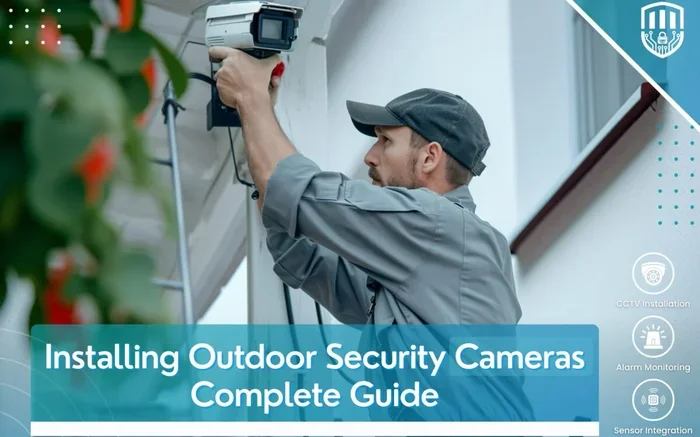
Step 3: Install the Camera
For wired cameras, run your cable from the camera to the recorder. Mount the camera at the right height, usually around eight to ten feet off the ground. Make sure the lens has a clear view of the area you want to monitor.
For battery or cellular cameras, simply mount or place the camera. Make sure the lens is not blocked by leaves or objects. Check the battery level before you walk away.
Step 4: Test the System
Walk in front of the camera. Check that it records. Play back the footage on your recorder or local screen. Make sure motion detection is working. This step is easy to skip but very important. A five-minute test can save you from a big headache later.
Quick Tips for Installation
- Place cameras at entry points: doors, windows, and driveways.
- Avoid pointing cameras directly into bright sunlight. It can damage the sensor.
- Use weatherproof cameras for outdoor setups. Look for an IP65 rating or higher.
- Keep cables hidden and protected. This prevents tampering and weather damage.
- Label your cables at the recorder end. You will thank yourself later.
Pros and Cons of Using Security Cameras Without Wi Fi
Like anything, going offline has its strengths and weaknesses. Here is a fair look at both sides.
The Good
- No internet dependency. Your camera works even if your internet goes down. This also means no router to hack or cloud breach to worry about.
- Lower costs. No subscription fees. No need to pay for high-speed internet just for cameras.
- Stronger privacy. Footage stays on your local device. Nobody accesses it remotely unless you hand over the drive yourself.
- Easy setup. Fewer connections mean fewer points of failure. You plug in, mount, and go.
The Challenges
- No remote access. You cannot check your camera feed from work or on vacation unless you set up a workaround like a VPN or cellular connection.
- Limited smart features. Things like AI detection, two-way talk, and push notifications often need internet.
- Storage management. You have to manually check and clear SD cards or manage your DVR storage.
- Power requirements. Battery cameras need regular charging. Wired cameras need a power source nearby.
Knowing these trade-offs helps you make a smart choice. For many people, the benefits far outweigh the limitations.
Best Security Cameras Without Wi Fi on the Market
Here is a look at some popular options. Keep in mind that availability and pricing change often, so always check current details before buying.
Reolink RLC-810A (PoE Camera)
This is a solid PoE security camera that works perfectly without internet. It records to an NVR, gives you crisp 2K resolution, and has motion detection. You just plug it in and start recording. It is one of the best budget-friendly wired options out there.
Reolink Go Plus (Cellular Camera)
This camera runs on 4G LTE and does not need Wi Fi or a wired connection at all. It uses a SIM card, sends alerts to your phone, and records to an SD card. It is perfect for remote locations. The battery lasts a long time, and the setup takes minutes.
Blink XT2 (Battery-Powered)
While Blink cameras usually connect to Wi Fi, the XT2 can also be used with a Sync Module in a more simplified setup. It runs on batteries, records motion events, and stores footage locally. It is easy to mount and very affordable.
Annke Terra (Cellular Camera)
Annke makes a strong lineup of cellular security cameras. The Terra model supports 4G, records to an SD card, and works in extreme weather. It is built for outdoor use and gives you solid value for the price.
Comparison Table: Wired vs Cellular vs Battery-Powered
| Feature | Wired (PoE/CCTV) | Cellular | Battery-Powered |
|---|---|---|---|
| Needs Internet | No | No | No |
| Power Source | Plug or PoE | Rechargeable battery | Rechargeable battery |
| Remote Access | Limited (local only) | Via cellular data | Limited (local only) |
| Storage | NVR/DVR or SD card | SD card | SD card |
| Installation Difficulty | Moderate | Easy | Very Easy |
| Best For | Permanent setups | Remote/off-grid areas | Temporary or simple use |
Expert Tips for Maximizing Your Offline Security Camera Setup
Once you have your standalone security camera running, there are a few things you can do to get the most out of it. These tips come from security pros and experienced users who know their stuff.
Use Motion Detection Wisely
Most offline cameras have motion detection. Adjust the sensitivity so it catches real movement but ignores small things like bugs or blowing leaves. This saves you from filling up your storage with useless clips.
Secure Your Local Storage
If your footage is on an SD card or DVR, keep it safe. Lock your recorder in a discreet location. Consider using encryption if the camera brand supports it. You do not want someone walking off with your hard drive and viewing your footage.
Add a UPS (Uninterruptible Power Supply)
For wired setups, a UPS keeps your system running during power cuts. This is especially important at night when most break-ins happen. A small UPS can buy you 30 minutes to over an hour of extra recording time.
Position Cameras Strategically
Place cameras high and angled downward. Cover entry points first. Make sure the camera housing does not reflect light at night. A little time spent on positioning pays off big time in footage quality.
Check Your Equipment Regularly
Dust your camera lenses. Check battery levels on wireless units. Inspect cables for damage. These small habits keep your system reliable month after month. Security camera maintenance is often overlooked but makes a huge difference.
Consider Adding a Cellular Backup
If you have a wired system, you can add a cellular backup module. This lets your NVR or camera send alerts via a SIM card when the internet is down. It is a smart way to get the best of both worlds: wired reliability and remote alert capability.
Common Mistakes to Avoid With Offline Security Cameras
Even a simple setup can run into problems if you are not careful. Here are a few mistakes people commonly make.
- Placing cameras too low: A camera at knee height is easy to disable. Always mount cameras above head level.
- Ignoring lighting: Dark footage is useless footage. Add a little ambient light or choose cameras with strong night vision.
- Using cheap SD cards: A bad memory card will corrupt your footage. Buy name-brand cards rated for surveillance use.
- Not testing the system: You never know if something is wrong until you test. Do a full walkthrough before you rely on the camera.
- Overlooking weatherproofing: Outdoor cameras need protection from rain, dust, and extreme temperatures. Always check the IP rating.
Conclusion: Can I Have a Security Camera Without Wi Fi In My Home?
So, can you have a security camera without Wi Fi? Absolutely. Whether you choose a wired security camera, a cellular model, or a battery-powered unit, there are plenty of ways to protect your home without ever connecting to the internet. These options give you privacy, save you money, and work in places where internet simply does not exist.
The key is understanding your needs. Think about where you want to place the camera, how you want to review footage, and whether you need remote access. Once you answer those questions, the right choice becomes clear. Home security without Wi Fi is practical, affordable, and more accessible than ever before.
Take your time, do a little research, and pick a setup that fits your life. A safe home is always worth the effort.
Frequently Asked Questions
Can I use a security camera without Wi Fi and still get alerts on my phone?
Yes, if you choose a cellular security camera, you can receive instant motion alerts on your phone through a mobile data connection. These cameras use a SIM card instead of Wi Fi, so they work anywhere with cell coverage. Some wired cameras can also send alerts if you add a cellular backup module to your system.
Do I need to pay a monthly subscription for offline security cameras?
No. Most security cameras that work without Wi Fi do not require any subscription. You pay once for the camera and recorder, and your footage stays on local storage like an SD card or NVR. This is one of the biggest advantages of going offline. You avoid monthly cloud storage fees entirely.
Can I watch live footage from a security camera without Wi Fi?
It depends on the type. Wired cameras connected to an NVR can only show live footage on a local monitor unless you set up a VPN or additional hardware. Cellular cameras can send live feeds to your phone through mobile data. Battery-powered cameras with local storage usually do not support live viewing without Wi Fi.
How long does a battery-powered security camera last on a single charge?
Most good-quality battery-powered cameras last between two and six months on a single charge. The actual duration depends on motion detection frequency, video resolution, and weather conditions. Cameras that record frequently or are in cold weather may drain faster. Rechargeable models usually come with a charging station for easy top-ups.
Are wired security cameras hard to install?
They can take a bit more effort than wireless models because you need to run cables. However, PoE cameras only need one cable for power and video, which simplifies things. If you are comfortable running a cable through a wall or along an exterior, you can handle the install. Many brands also include detailed guides and mounting hardware.
What is the best security camera without Wi Fi for a cabin or remote property?
A cellular security camera is the best choice for remote properties. It does not need internet or a power outlet. Models like the Reolink Go Plus or Annke Terra work on 4G networks and can last weeks on battery power. They send alerts to your phone and record locally, making them ideal for off-grid locations.