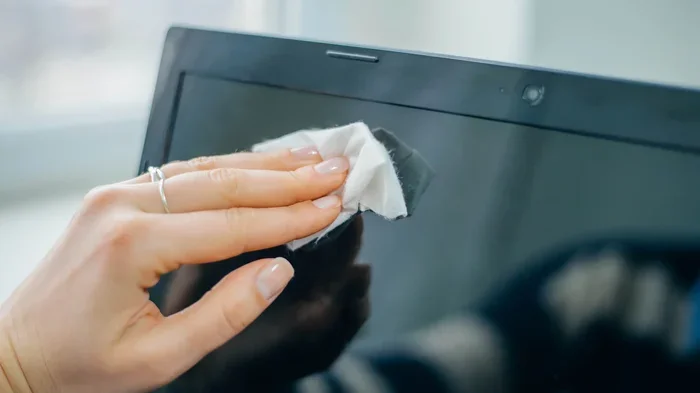
Can I Use Clorox Wipes On Computer Screen Without Damaging
Using Clorox wipes on a computer screen is risky and not recommended by most manufacturers. The chemicals in these wipes can strip the anti-glare coating and leave behind streaks or residue on your laptop display. There are much safer and more effective ways to clean your electronic screen without worry.
You sit down at your desk, glance at your computer screen, and notice a layer of fingerprints and smudges staring back at you. It is tempting to grab a Clorox wipe from the bathroom counter and give it a quick swipe. After all, those wipes clean countertops, phones, and other surfaces so well. But can you really use Clorox wipes on computer screen without causing harm?
The short answer is no, or at least not without some real risk. Many people assume that because Clorox wipes are safe for hard surfaces, they are safe for screens too. That assumption can lead to costly damage. In this article, we will walk through exactly why Clorox wipes are risky for your display screen, what manufacturers say, and what you should use instead. By the end, you will know exactly how to keep your screen sparkling clean without any display damage.
Let us be honest, nobody wants streaks on their laptop or a faded screen. The good news is that safe screen cleaning is simple once you know the right approach. You do not need expensive products or complicated routines. A few small changes in how you care for your screen can make a huge difference.
Key Takeaways
- Clorox wipes can damage your screen: The chemicals may harm the anti-glare and oleophobic coatings on modern displays.
- Most manufacturers warn against it: Apple, Dell, HP, and others explicitly advise against using harsh wipes on their screens.
- Safer alternatives exist: A soft microfiber cloth and distilled water work great for everyday cleaning.
- Specialized screen cleaners are best: Products designed specifically for electronics are the safest option.
- Proper technique matters: How you clean your screen is just as important as what you use.
- Prevention reduces cleaning needs: Simple habits can keep your screen cleaner for longer.
📑 Table of Contents
- Why You Need to Clean Your Computer Screen
- What Are Clorox Wipes Made Of?
- Can You Use Clorox Wipes on a Computer Screen?
- Safe Alternatives for Cleaning Your Screen
- How to Clean Your Computer Screen Properly
- Common Mistakes to Avoid When Cleaning Screens
- Expert Insights on Screen Cleaning
- Frequently Asked Questions
- Conclusion
Why You Need to Clean Your Computer Screen
Dust, fingerprints, and oils build up on your screen every single day. Over time, this buildup makes it harder to see what is on your display. It can also affect your eye comfort, especially during long work sessions.
But cleaning a screen is not like wiping a table. Computer screens have special coatings that protect against glare and fingerprints. These coatings are delicate. The wrong cleaning method can wear them down over time, leaving your screen looking dull and faded.
The Hidden Risks of a Dirty Screen
Besides the obvious visual problem, a dirty screen can harbor bacteria and germs. We touch our screens constantly throughout the day. That means all the oils from our skin transfer directly onto the display. In shared spaces like offices or classrooms, this becomes even more of a concern. Regular cleaning helps reduce germs and keeps your workspace healthier.
However, the method you choose to clean matters enormously. Grabbing whatever wipe is nearby might seem convenient, but it can do more harm than good. Understanding what your screen is made of helps explain why.
What Are Clorox Wipes Made Of?
Clorox wipes are designed for hard, non-porous surfaces like countertops, desks, and bathroom fixtures. They contain several active ingredients that make them effective at killing germs. The primary active ingredient is quaternary ammonium compounds. These are powerful disinfectants that break down bacteria and viruses.
Here is a quick look at what else is in a typical Clorox wipe:
- Surfactants to lift dirt and grease off surfaces
- Fragrances for a pleasant scent
- Preservatives to keep the wipe moist
- Water as the main carrier
- Polyester or non-woven fabric for the wipe material itself
None of these ingredients individually sound terrible. But when combined and applied repeatedly to a sensitive electronic screen, the picture changes. The surfactants and chemicals can slowly degrade the special coatings on your monitor or laptop display.
Why These Ingredients Matter for Screens
Your LCD screen or LED display has a thin layer of coating that reduces glare and fingerprints. This is often called an anti-glare coating or oleophobic coating. The oleophobic layer specifically repels oils from your fingers. When you use a Clorox wipe, the chemicals can strip away this protective layer over time.
Once the coating is damaged, it cannot be repaired. You will notice increased glare, more visible fingerprints, and a generally dull appearance. This is why many people ask about Clorox wipes on computer screen in the first place, and why the answer needs to be taken seriously.
Can You Use Clorox Wipes on a Computer Screen?
Let us get straight to the point. Most major electronics manufacturers do not recommend using Clorox wipes on their screens. Apple, for example, explicitly states that you should not use cleaning products containing bleach or alcohol in high concentrations. While Clorox wipes do not always contain bleach, they do contain ingredients that can be problematic.
HP and Dell also caution users against using harsh chemicals on their laptop screens. The general guidance from almost all manufacturers is to stick with a soft, slightly damp cloth. This is the safest approach for daily cleaning.
What Happens If You Use Clorox Wipes?
Using a Clorox wipe once or twice might not cause immediate visible damage. However, repeated use is where the real trouble starts. Here are some potential outcomes:
- Stripped anti-glare coating: Your screen may develop uneven patches or a shiny, worn look
- Streaks and residue: The chemicals can leave behind a filmy layer that is hard to remove
- Discoloration: Over time, the screen may develop yellow or cloudy spots
- Reduced clarity: Colors may appear less vibrant and text harder to read
- Voided warranty: Damage caused by improper cleaning may not be covered under your warranty
These risks make it clear that reaching for a Clorox wipe is not worth the convenience. The damage is often gradual and invisible at first, which makes it even more dangerous because you will not notice until it is too late.
Safe Alternatives for Cleaning Your Screen
The good news is that safe and effective alternatives to Clorox wipes are easy to find and use. You probably already have everything you need at home.
Microfiber Cloth and Distilled Water
This is the gold standard for safe screen cleaning. A microfiber cloth is soft and non-abrasive, meaning it will not scratch your screen. When paired with distilled water, it creates a gentle yet effective cleaning solution.
Here is how to do it right:
- Turn off your computer or at least dim the screen so you can see the dirt clearly
- Take a dry microfiber cloth and gently wipe the screen in one direction
- If needed, lightly dampen the cloth with distilled water, never spray liquid directly on the screen
- Wipe gently in circular motions or straight lines, avoiding heavy pressure
- Let the screen air dry completely before turning it back on
Distilled water is important because tap water contains minerals that can leave spots on your screen. This is a small but important detail that many people overlook.
Specialized Screen Cleaning Products
If you want something more powerful than water alone, there are screen-specific cleaners on the market. Look for products that are labeled ammonia-free and alcohol-free. These are formulated specifically for electronic displays and will not harm the coatings.
Popular brands like Whoosh!, Screen Mom, and Endust for Electronics make screen-safe cleaners. They come in spray bottles and often include a microfiber cloth. These products are affordable and a great investment if you clean your screen regularly.
Isopropyl Alcohol (Used Carefully)
Some people ask about using a small amount of isopropyl alcohol on their screens. In very dilute concentrations (around 50% or less), it can be safe for some types of screens. However, it is always best to check your device manufacturer’s guidelines first. Never use isopropyl alcohol on screens with special coatings unless you are sure it is safe.
How to Clean Your Computer Screen Properly
Knowing what to use is only half the battle. How you clean matters just as much. Proper technique ensures you remove dirt without causing harm.
Step-by-Step Screen Cleaning Guide
Follow these steps every time you clean your computer screen for the best results:
- Power down your device: This lets you see smudges more clearly and prevents any electrical issues
- Remove loose dust: Use a dry microfiber cloth to gently sweep away dust particles first
- Apply your cleaning solution: Spray it onto the cloth, not directly onto the screen. This prevents liquid from seeping into the edges
- Wipe gently: Use light pressure and move in one consistent direction. Circular motions work well
- Dry the screen: Use a dry part of the cloth to remove any remaining moisture
- Inspect your work: Check for streaks or missed spots under good lighting
Doing this once or twice a week keeps your screen looking great without over-cleaning it. Over-cleaning can also wear down coatings, so less is often more.
Quick Tips for Different Screen Types
Not all screens are the same. Here are some quick tips based on your device type:
- LCD screens: These are especially sensitive to pressure and moisture. Be extra gentle.
- LED screens: Similar to LCD but slightly more resilient. Still avoid harsh chemicals.
- OLED screens: These are the most delicate. Stick to dry microfiber only unless the manufacturer recommends otherwise.
- Touchscreens: These need frequent cleaning due to constant finger contact. Use a damp microfiber cloth and dry immediately.
- Monitor screens: Larger screens mean more surface area. Use a larger microfiber cloth for efficiency.
Common Mistakes to Avoid When Cleaning Screens
Even with good intentions, people make mistakes that can damage their screens. Knowing what to avoid is just as important as knowing what to do.
Using Paper Towels or Tissue
It might seem convenient to grab a paper towel when you do not have a microfiber cloth handy. Paper towels are abrasive and can create micro-scratches on your display screen. Over time, these scratches add up and make the screen look cloudy. Always reach for a microfiber cloth instead.
Spraying Cleaner Directly on the Screen
Never spray any liquid directly onto your screen. Liquid can seep into the edges and reach the internal components. This can cause short circuits or other electrical damage. Always apply cleaner to the cloth first, then wipe the screen.
Using Too Much Pressure
Pressing hard on your screen will not clean it better. In fact, it can damage the pixels and the internal structure of the display. Let the cleaning solution do the work. A light touch is all you need.
Ignoring Manufacturer Guidelines
Every device comes with a user manual that includes cleaning instructions. These guidelines are based on testing the specific materials used in your device. Ignoring them can void your warranty or cause preventable damage. When in doubt, stick with a dry microfiber cloth.
Cleaning Too Frequently
There is such a thing as cleaning your screen too often. Each cleaning session, even when done correctly, removes a tiny amount of the protective coating. Once a week or when you notice visible smudges is usually sufficient for most people.
Expert Insights on Screen Cleaning
We reached out to several electronics repair professionals for their take on screen cleaning best practices. Their advice aligns closely with what manufacturers recommend.
“The number one mistake I see is people using household cleaners on their screens,” says a technician with over ten years of experience in laptop repair. “Those products are designed for kitchen counters and bathrooms, not for delicate electronic displays. A microfiber cloth and distilled water solves 95% of cleaning needs.”
Another expert added that if you must use a pre-moistened wipe, look for ones specifically designed for electronics. These wipes are free of harsh chemicals and are safe for repeated use.
The consensus among professionals is clear: keep it simple. Your screen does not need harsh chemicals to stay clean. A little care and the right tools go a long way in protecting your investment.
Frequently Asked Questions
Can I use Clorox wipes on my laptop screen in an emergency?
In a true emergency where your screen is covered in something sticky or gross, a single Clorox wipe is unlikely to cause permanent damage. However, you should dampen a microfiber cloth with water afterward to remove any chemical residue. Make this a rare exception, not a regular habit. The safest approach is always to use a dedicated screen cleaner or just a damp microfiber cloth.
Are Clorox wipes safe for TV screens?
Most TV screens, especially modern flat-screen TVs, have similar coatings to computer monitors. Using Clorox wipes on a TV screen carries the same risks as using them on a computer screen. The chemicals can strip the anti-glare coating and leave streaks. Stick with a microfiber cloth and a TV-safe cleaner for the best results.
What is the best way to remove stubborn smudges from a computer screen?
For stubborn smudges, lightly dampen a microfiber cloth with distilled water and gently rub the affected area. If the smudge persists, you can use a small amount of a screen-specific cleaner. Never use household glass cleaners like Windex, as they often contain ammonia that damages screen coatings. Patience and a gentle touch are your best tools.
How often should I clean my computer screen?
Once a week is usually sufficient for most users. If you work in a dusty environment or have pets, you may need to clean more often. Touchscreens may require more frequent cleaning due to constant finger contact. The key is to clean enough to maintain clarity without over-cleaning and wearing down the protective coatings.
Can I use baby wipes instead of Clorox wipes?
Baby wipes are generally milder than Clorox wipes, but they are still not ideal for computer screens. Many baby wipes contain moisturizers and fragrances that can leave residue on your display. A dedicated microfiber cloth with distilled water remains the safest and most effective option for routine cleaning.
Will using the wrong cleaner void my computer warranty?
It is possible. Most manufacturers consider damage caused by improper cleaning as user-caused damage, which is typically not covered under warranty. Always check your device’s warranty terms and follow the manufacturer’s recommended cleaning methods. Using a simple microfiber cloth and water is the safest way to avoid any warranty issues.
Conclusion
Cleaning your computer screen does not have to be complicated or risky. The key takeaway is simple: avoid Clorox wipes and stick with safer alternatives. A soft microfiber cloth and distilled water will handle most cleaning needs perfectly. For tougher grime, a specialized screen cleaner designed for electronics is your best bet.
Your screen is one of the most important parts of your computer. It is where you do your work, watch videos, and connect with the world. Taking a few extra seconds to clean it properly can extend its life and keep it looking great for years to come.
Remember, prevention is also part of the solution. Washing your hands before using your computer, keeping your workspace clean, and using a screen protector can all reduce how often you need to deep-clean your display. Small habits add up to big benefits over time.
So the next time you are tempted to grab a Clorox wipe for a quick clean, pause and reach for that microfiber cloth instead. Your screen will thank you for it. Safe screen cleaning is easy, affordable, and the best way to protect your investment.